 By James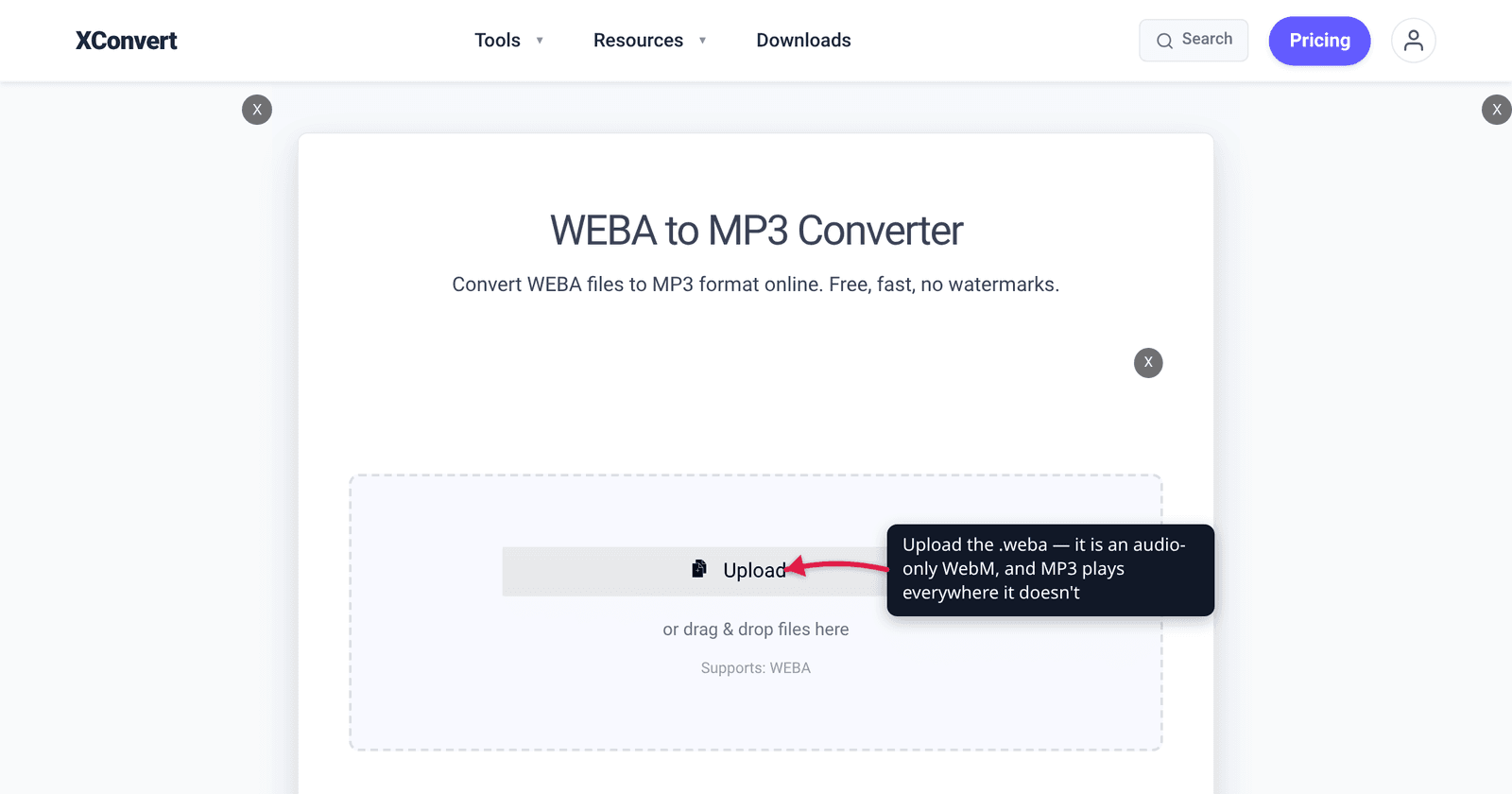
You recorded a voice memo in a browser tab, or pulled the audio out of a WebM clip, and landed with a file ending in .weba. Double-click it and Windows shrugs. Drop it on an iPhone and nothing happens. Import it into your editor and it isn’t in the file picker. Meanwhile the file itself is perfectly fine — it’s a completely ordinary media file wearing an extension that almost nothing recognises. Here is what’s actually inside it, where the extension came from, and the two ways to make it usable.
Quick answer: A WEBA file is an audio-only WebM file — the same container a
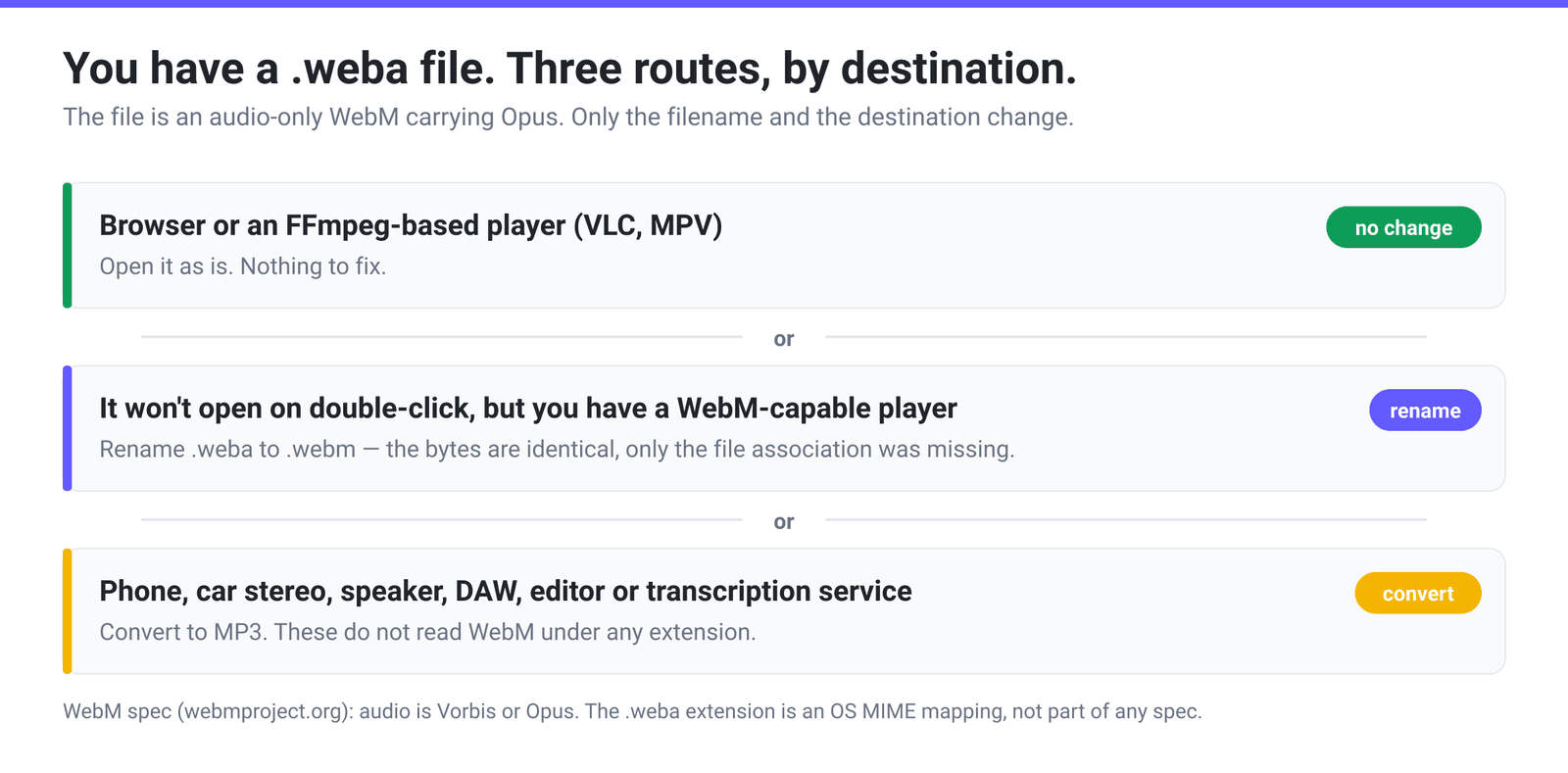
.webmvideo uses, with the video track left out, carrying an Opus stream (the spec also allows Vorbis, which is rarer today). The.webaextension appears in no specification: the WebM container spec says audio-only files “SHOULD have a mime ofaudio/webm” and keeps the.webmextension. The extension comes from an operating-system MIME mapping. That means the fastest fix is often just renaming the file to.webm— nothing inside changes and anything that plays WebM will open it. For anything outside a browser — a phone, a car stereo, a DAW, a transcription service — convert it to MP3.
Jump to a section
- What’s actually inside a WEBA file
- Where the .weba extension came from
- Where a WEBA file plays, and where it doesn’t
- What you lose converting WEBA to MP3
- Convert WEBA to MP3 on xconvert
- FAQ
What’s actually inside a WEBA file
WebM is a container, not a codec. The WebM container specification defines it as “a subset of the Matroska multimedia container format” and restricts what may go inside it: video is “VP8 or VP9,” audio is “Vorbis or Opus.” That’s the whole list. A .weba file is that container with the video track absent — which is why a media inspector reports its format as matroska,webm rather than anything called “weba.”
In practice the audio inside is almost always Opus, an IETF Standards Track codec defined in RFC 6716 (September 2012) that “scales from low bitrate narrowband speech at 6 kbit/s to very high quality stereo music at 510 kbit/s.” Opus is the default choice for real-time and browser audio, which is exactly the world these files come from.
Three things produce a .weba in normal use:
- A browser recording something. A page recording audio through the MediaRecorder API does not have to name the codecs. MDN’s constructor reference describes
mimeTypeas optional, defaulting to an empty string, and says you “may specify the container format (the browser will select its preferred codecs for audio and/or video)”. Leave either decision to the browser and, in Chromium-based browsers and Firefox, what comes back has been WebM carrying Opus. Browser-based voice recorders, dictation tools and meeting notetakers hand you the result. - A WebM video demuxed to its audio track. Strip the video from a
.webmand what’s left is an audio-only WebM. - A site serving audio as
audio/webm. Your browser saves it under whatever extension the operating system maps that media type to.
None of that involves anything exotic. The file is fine; the extension is the problem.
Where the .weba extension came from
This is the part every “what is a .weba file” page skips, and it explains everything else.
The WebM specification never defines a .weba extension. It defines an audio-only MIME type — audio/webm, distinct from video/webm — and leaves the filename alone. So where does the extension come from? Software has to guess a filename when it saves a download, and it does that from a MIME-type-to-extension table.
Chromium’s table, in net/base/mime_util.cc, makes the situation explicit. Its primary mapping is {"audio/webm", "webm"}. Its secondary mapping lists {"audio/webm", "weba"}, sitting directly under a source comment that says: “This is the platform mapping on recent versions of Windows 10.”
So .weba is a platform convention, not a format. Which leads to a fix that sounds too simple to work and usually does:
Rename the file from
.webato.webm. The bytes don’t change — you are relabelling an audio-only WebM as a WebM. Anything that already plays WebM will now open it, because the only thing that was stopping it was the filename.
That solves playback in a browser or a general-purpose player. It does not solve the second problem, which is that plenty of devices don’t play WebM under any extension.
Where a WEBA file plays, and where it doesn’t
Two conditions have to be met: the software has to read the WebM container, and it has to decode Opus. Browser support for each is tracked separately, and they don’t line up.
| Environment | Plays a WebM/Opus audio file? | The catch |
|---|---|---|
| Chrome, Edge | Yes | WebM since Chrome 25 / Edge 79; Opus in <audio> since Chrome 33 / Edge 14 |
| Firefox | Yes | WebM since 28, Opus since 15 |
| Safari on macOS | Unreliable | WebM support arrived in Safari 16.0, but caniuse still lists Opus as only partial on macOS Safari |
| Safari on iOS / iPadOS | Yes, on recent versions | WebM from iOS 17.4; Opus reached full support at iOS 18.4 |
| VLC, MPV and other FFmpeg-based players | Yes | WebM is a Matroska subset, and these read Matroska |
| macOS Finder preview / QuickTime Player | No | Apple’s system playback stack doesn’t handle WebM |
| iPhone Voice Memos, Music, Files playback | No | Rename or convert first |
| Car stereos, Bluetooth speakers, MP3 players | Effectively never | These are MP3/AAC devices |
| DAWs, video editors, transcription services | Usually not | MP3 and WAV are the safe import formats |
Opus itself has 96.4% global browser support and WebM 96.3%, so on the web this file is in excellent shape. The failure is entirely at the edges — the moment it leaves a browser for a device, an app or a service. That is the whole reason to convert.
What you lose converting WEBA to MP3
Be clear-eyed: WEBA to MP3 is a lossy-to-lossy transcode. The Opus encoder already discarded information, and the MP3 encoder will discard more, from what’s left. You are trading a small amount of quality for playback everywhere, and that’s usually the right trade — but it’s worth knowing which direction you’re trading in.
Opus is the stronger codec. The Opus project’s own listening-test comparison cites a public HydrogenAudio test in which Opus at 96 kb/s outperformed a 136 kb/s MP3 encoder, alongside two LC-AAC encoders and libvorbis. (The project also cautions that “attempting to extract any exact value at a particular bitrate is certainly not recommended” — listening tests give you a ranking, not a conversion constant.)
The practical consequence for this conversion: don’t be stingy with the MP3 bitrate. MP3 needs more bits than Opus to hold the same quality, so encoding a 96 kbps Opus source to a 96 kbps MP3 loses audibly more than the numbers suggest. Give it headroom — the tool’s default Quality Preset of Highest is the safe choice, and if you’re setting a number by hand, 192 kbps or above for music. For spoken word, 128 kbps mono is plenty. There’s a fuller breakdown of where each rung lands in the MP3 bitrate guide.
Convert WEBA to MP3 on xconvert
- Open the WEBA to MP3 converter and click Upload, or drag your
.webafiles onto the page. Several at once is fine. - Open Advanced Options. Under File Compression, the default mode is Quality Preset and the preset shown is Highest — leave it there unless you have a size constraint, because you are transcoding from a more efficient codec and want the headroom.
- Need an exact number instead? Switch File Compression to Constant Bitrate (a fixed rung, 8 up to 384 kbps, preselected at 128) or Variable Bitrate (quality-targeted ranges such as 170k–210k). Specific file size lets you type a target in B / KB / MB when something imposes a cap.
- Optional cleanup, none of which changes anything unless you touch it: Audio Channel and Audio Sample Rate both open on ORIGINAL — force MONO to roughly halve the size of a voice recording, or drop the rate to 44100 HZ if a piece of software insists on CD rate. Trim opens on Unchanged; switch it to Trim to set a Start time and Duration in seconds or
HH:MM:SS.sssand keep just one section. - Click Convert, then download each finished MP3 from its own row. A batch of separate files comes back as separate downloads — there is no single ZIP of the whole job.
Your file uploads over an encrypted connection, is converted on our servers and deleted automatically a few hours later. No account, no watermark.
If what you actually want is the video file this audio came from, or the reverse trip, WebM to MP4 covers the video side of the same container.
FAQ
Is WEBA the same thing as WEBM?
Structurally, yes — a WEBA file is a WebM file that contains only an audio track. The WebM specification doesn’t define a separate audio format or extension; it defines a separate MIME type, audio/webm, and says audio-only files “SHOULD” use it. The .weba filename is an operating-system convention layered on top. That’s why renaming the file to .webm generally works: you’re not converting anything, just correcting the label.
Why won’t my WEBA file open when I double-click it?
Two separate reasons, and it’s worth knowing which one you have. Either no application is registered for the .weba extension on your system — in which case renaming to .webm fixes it if you have a WebM-capable player — or the application genuinely can’t decode WebM/Opus, which is the case for Apple’s built-in playback on macOS and for essentially every car stereo and standalone music player. The second one needs a real conversion.
What codec is inside a WEBA file?
Opus, almost always. The WebM container spec permits exactly two audio codecs, “Vorbis or Opus,” and Opus — standardised as RFC 6716 in 2012 — has become the default for browser and real-time audio. Vorbis files still exist but are increasingly historical. Either way, both are lossy, so neither is a master copy.
Will converting WEBA to MP3 lose quality?
Yes, a little — it’s a transcode between two lossy codecs, so the MP3 encoder is working from audio Opus has already thinned out. It’s usually a worthwhile trade for playback everywhere, but pick a generous bitrate. Opus is measurably more efficient than MP3 (the Opus project cites a listening test where 96 kb/s Opus beat a 136 kb/s MP3), so matching the source’s bitrate number is not matching its quality. Leaving the Quality Preset on Highest avoids the problem.
Can I play a WEBA file on my iPhone?
In Safari on iOS 17.4 or later, yes — WebM playback landed there, and Opus reached full support in iOS 18.4. Outside the browser, no: Voice Memos, Music and the Files app previewer won’t play it. If you want the recording in your normal audio apps, on a smart speaker, or through CarPlay, convert it to MP3 or M4A first.
How do I get a WEBA file into Audacity, Premiere or a transcription service?
Convert it first. Most editors, DAWs and transcription pipelines accept MP3 and WAV and stop there — WebM’s audio-only variant is far enough off the beaten path that it rarely appears in an import dialog. MP3 is the right choice for delivery and transcription; if you’re going to do further editing and processing, converting to WAV instead avoids stacking another lossy generation on top.
Sources
Last verified 2026-08-31.
- WebM Container Guidelines — The WebM Project — WebM is “a subset of the Matroska multimedia container format”; audio is “Vorbis or Opus”; “Audio-only files SHOULD have a mime of
audio/webm”. No.webaextension is defined. - Chromium —
net/base/mime_util.cc— primary mapping{"audio/webm", "webm"}; secondary mapping{"audio/webm", "weba"}under the comment “This is the platform mapping on recent versions of Windows 10.” - RFC 6716 — Definition of the Opus Audio Codec (IETF, September 2012) — Opus “scales from low bitrate narrowband speech at 6 kbit/s to very high quality stereo music at 510 kbit/s.”
- caniuse — Opus audio format and caniuse — WebM — per-browser support versions and the ~96% global figures quoted above.
- Opus codec — listening-test comparison — HydrogenAudio 96 kb/s test in which Opus outperformed a 136 kb/s MP3 encoder, plus the project’s caution against reading exact values off the charts.
- MDN — MediaRecorder constructor —
mimeTypeis optional and “Defaults to an empty string”; you “may specify the container format (the browser will select its preferred codecs for audio and/or video)”.