 By Stephanie Taylor
A folder of .3gp clips off an old memory card is a small archaeology problem. The files copy across fine, but double-clicking one gets a codec error in most current players, and dragging it into a video editor often gets you nothing at all. Converting to MP4 fixes that permanently — the footage becomes playable in browsers, phones, TVs and editors. What conversion cannot do is put back detail a 176×144 phone camera never recorded, and it is worth knowing that before you start.
Quick answer: Convert 3GP to MP4 with H.264 video + AAC audio — the combination caniuse puts at 96.68% global browser support. 3GP and MP4 are both built on the same ISO base media file format, so the container migration is clean, but the streams inside are not portable: 2000s-era 3GP holds H.263 or MPEG-4 Part 2 video with AMR speech, so the picture and sound are re-encoded once. Keep Quality Preset → Very High (Recommended) and Video resolution → Keep original. The clip becomes playable everywhere; it does not become sharper.
Jump to a section
- What is actually inside a .3gp file
- Every conversion is a re-encode — plan for one generation
- What converting cannot fix
- Convert 3GP to MP4 on xconvert
- FAQ
What is actually inside a .3gp file
3GP is not a codec. It is a container defined by 3GPP in TS 26.244, “Transparent end-to-end packet switched streaming service (PSS); 3GPP file format (3GP)” — still under change control, with ETSI publishing version 19.1.0 in February 2026 — and it was designed so 3G handsets could record and stream video over networks measured in tens of kilobits per second.
When your clips were recorded, the payload options were narrow. RFC 3839, the IETF registration for the video/3gpp MIME type, described the state of play in July 2004: “the 3GPP file format (3GP) can contain H.263 or MPEG-4 video, and AMR Narrow-band speech, AMR wide-band speech, or AAC audio, and 3GPP timed text”. Later revisions of TS 26.244 added H.264 (AVC) and H.265 (HEVC), but a file from a 2005 handset will almost always be H.263 or MPEG-4 Part 2 video with AMR audio.
MP4 is the sibling that won. Both formats derive from the ISO base media file format (ISO/IEC 14496-12); MP4 itself is ISO/IEC 14496-14:2003, and TS 26.244 cites it directly for storing MPEG-4 media inside 3GP files. Same skeleton, different ecosystem.
| 3GP | MP4 | |
|---|---|---|
| Defining spec | 3GPP TS 26.244 (PSS) | ISO/IEC 14496-14:2003 |
| Container base | ISO base media file format (ISO/IEC 14496-12) | ISO base media file format |
| Registered video | H.263, H.264/AVC, H.265/HEVC | H.264, H.265, MPEG-4 Part 2, AV1, VP9 and more |
| Registered audio | AMR-NB, AMR-WB, AMR-WB+, EVS, IVAS, MPEG-4 AAC, Enhanced aacPlus | AAC, MP3, AC3, Opus, FLAC and more |
| MIME type | video/3gpp (audio-only: audio/3gpp) | video/mp4 |
| Browser playback | not a format browsers target | 96.68% global usage for H.264-in-MP4 |
| Recorded by | 3G feature phones, early Android, MMS | essentially every camera and phone since |
There is a second extension in the family. .3g2 is the 3GPP2 file format used by CDMA2000 handsets, published as C.S0050 and registered in RFC 4393, which notes it “can contain H.263, H.264, or MPEG-4 video; and 13K Vocoder, EVRC or AMR Narrow-band speech, or AAC audio”. The xconvert page accepts both — its drop area lists Supports: 3GP, 3G2.
Every conversion is a re-encode — plan for one generation
This is the part most converter pages fudge. Because 3GP and MP4 share a container skeleton, it is tempting to describe the job as a “re-wrap with no quality loss”. That is not what happens here. xconvert has no stream-copy path — every job decodes the video and audio and compresses them again. For legacy 3GP that is unavoidable anyway: H.263 and AMR are not payloads a general-purpose MP4 player expects.
So budget for exactly one generation of lossy re-encoding, and make it a good one:
| Stream in your 3GP | Typical source | What the MP4 gets |
|---|---|---|
| H.263 video | 2003–2007 handsets, MMS clips | H.264, re-encoded |
| MPEG-4 Part 2 video | mid-2000s phones and camcorder modes | H.264, re-encoded |
| H.264 video | later 3GP files | H.264, re-encoded again |
| AMR-NB speech | voice-led clips, 8 kHz sampling | AAC, re-encoded |
| AMR-WB speech | later handsets, 16 kHz sampling | AAC, re-encoded |
| AAC-LC audio | later 3GP files | AAC, re-encoded |
Two practical consequences. First, convert once, from the original file, and keep the .3gp — every extra round trip through a lossy encoder costs picture quality that nothing gets back. Second, do not be surprised if the MP4 comes out larger than the 3GP. Those originals were squeezed for a 3G network; a high-quality H.264 re-encode faithfully preserves the blocking and noise in the source, and spends bits doing it. If size matters more than fidelity, that is a setting, not a defect — see the tool steps below.
What converting cannot fix
Resolution. ITU-T H.263, the codec inside most old 3GP, is explicit about its picture sizes: “The source coder can operate on five standardized video source formats: sub-QCIF, QCIF, CIF, 4CIF and 16CIF, and can also operate using a broad range of custom video formats.” Phones overwhelmingly used the two smallest practical ones. Table 1 of the same Recommendation pins the luma pixel budget: up to 25,344 pixels for QCIF (176×144) and up to 101,376 for CIF (352×288).
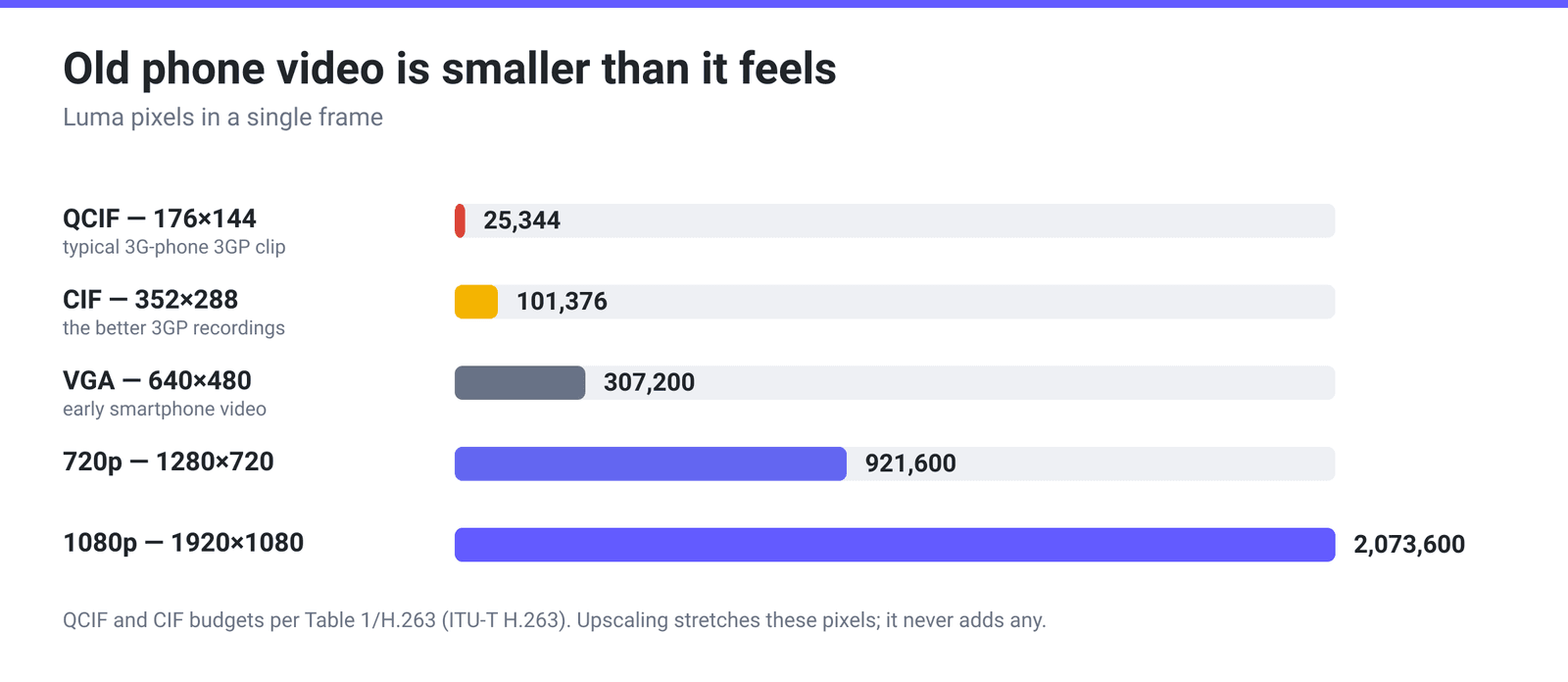
A QCIF frame is about 1.2% of the pixels in a 1080p frame. Setting the output to 1080p does not add any of the missing 98.8% — it interpolates the same pixels across a bigger canvas, which usually makes the original blockiness more obvious, not less. Upscale only when something downstream demands a minimum frame size; for an archive copy, keep the original dimensions.
Audio bandwidth. AMR narrowband, the default voice codec on those phones, is a speech codec. Per RFC 4867 it “supports eight narrow band speech encoding modes with bit rates between 4.75 and 12.2 kbps” at an 8000 Hz sampling frequency — which caps the audio bandwidth at roughly 4 kHz and throws away everything above it at capture time. AMR-WB is better at 16000 Hz and 6.6 to 23.85 kbps, but is far less common in old files. Re-encoding that to AAC at any bitrate preserves what survived; it cannot re-synthesise the missing top end, so music recorded on a 3G phone will still sound thin. There is also no loudness, gain or EQ processing anywhere on xconvert — if a clip is too quiet, that is a job for an audio editor such as Audacity.
Damaged files. A clip that shows nothing usable in VLC either may simply be truncated — half-written recordings from a card pulled mid-capture are common, and a converter reads the same broken stream every other decoder does.
Convert 3GP to MP4 on xconvert
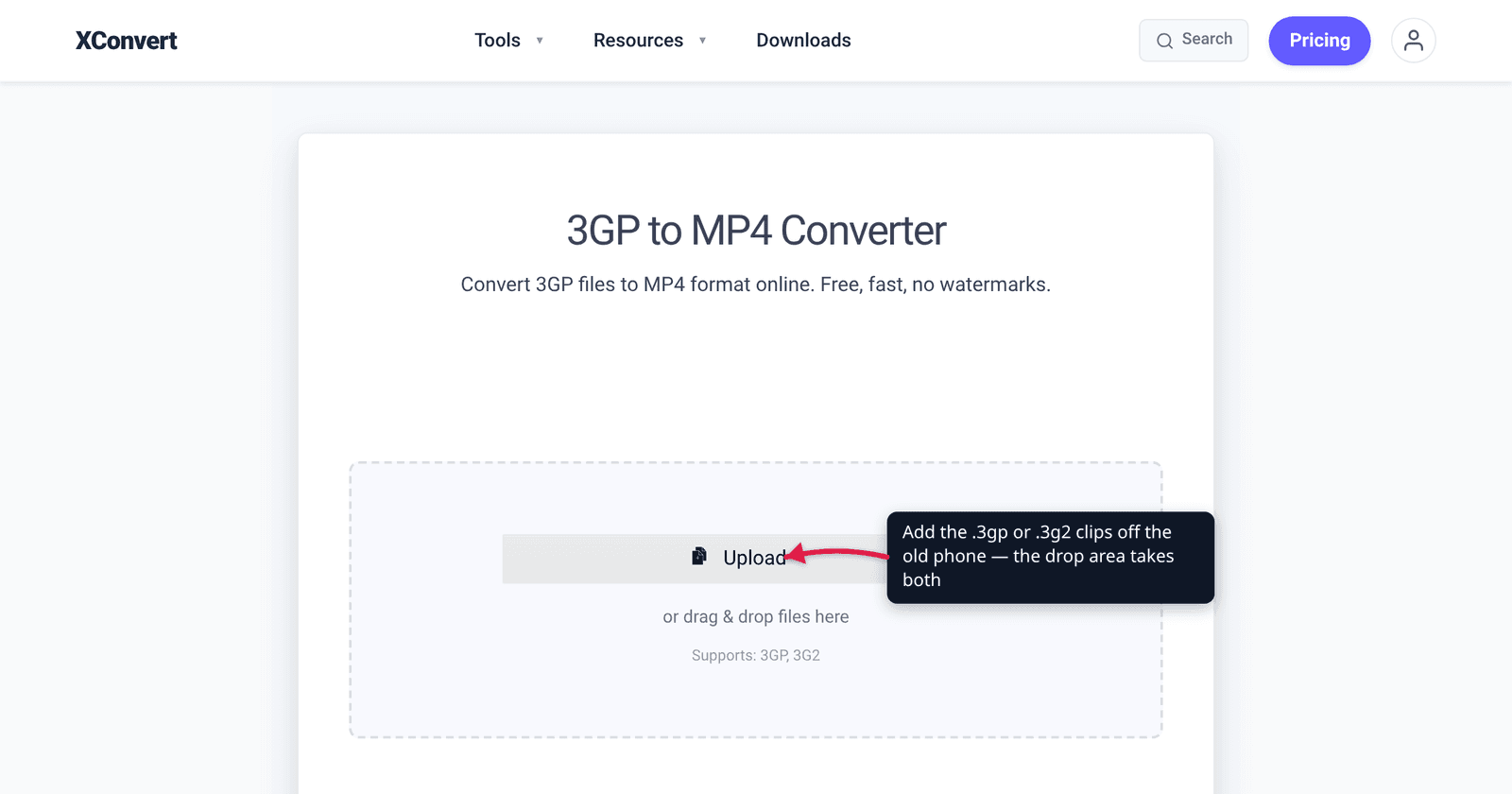
- Open xconvert.com/convert-3gp-to-mp4 and click Upload — from your computer, Google Drive or Dropbox. The drop area confirms Supports: 3GP, 3G2, and you can queue a whole folder of clips in one go.
- Under Advanced Options, leave File Compression on Quality Preset with the Preset dropdown at Very High (Recommended). That is the preselected value and the right one for a one-shot rescue of low-bitrate footage.
- Confirm Video resolution is on Keep original — it is preselected on this page. Choose Preset Resolutions only if a specific upload target insists on a bigger frame.
- To keep just part of a clip, set Trim from Unchanged to Time Range and fill Start time and Duration; switch either unit dropdown to HH:MM:SS.sss if you are working from a timecode.
- Output codecs are H.264 video and AAC audio by default. To see or change them, click Show All Options — the Video Codec and Audio Codec groups are hidden behind that toggle, not visible in the normal Advanced Options panel.
- If the MP4 needs to be smaller, switch File Compression to Constant Quality and raise the CRF slider (16–51, higher = smaller), or pick Specific file size and type a number in MB. Then click Convert and download.
Your file uploads over an encrypted connection, is processed on our servers, and is automatically deleted a few hours later. Nothing stays around.
Going the other way — squeezing a modern clip down for a phone that only speaks 3GP — is covered in How to Convert MP4 to 3GP for Old Phones. If what you rescued from the old handset is voice memos rather than video, Convert AMR to MP3 handles the audio-only side of the same archive.
FAQ
Will converting 3GP to MP4 improve the video quality?
No. Conversion changes compatibility, not information. The clip was captured at a low resolution and a low bitrate, and a re-encode can at best preserve that faithfully — every honest converter is in the same position. What changes is that the file opens in Chrome, Safari, QuickTime, Premiere, Resolve and on a TV, instead of throwing a codec error. Keep the Quality Preset at Very High so the one re-encode you do costs as little as possible.
Should I upscale my old clips to 720p or 1080p?
Usually not. A QCIF frame carries 25,344 luma pixels against 2,073,600 in 1080p, so upscaling interpolates roughly 98.8% of the output from neighbouring pixels. The result is a bigger file that shows the original compression blocks more clearly. The exception is a platform that rejects small frames outright — in that case pick the smallest preset that clears the requirement rather than the largest available.
Why does my converted MP4 end up bigger than the 3GP?
Because the source was encoded for a 3G network at a fraction of the bitrate a modern encoder would choose, and because H.264 at a high-quality setting reproduces the source’s noise and blocking rather than smoothing them away. That is the encoder doing its job. If you want a smaller result, switch File Compression to Constant Quality and push the CRF value up from its default of 23, or use Specific file size and name a target in MB.
Does the converter handle .3g2 files from old CDMA phones?
Yes — the page lists Supports: 3GP, 3G2 under the drop area. .3g2 is the 3GPP2 variant standardised in C.S0050 for CDMA2000 handsets and registered in RFC 4393; it uses the same ISO base media container structure as .3gp, with a slightly different codec set that includes EVRC and the 13K vocoder alongside AMR and AAC. Upload either extension and you get an MP4 back.
The audio is muffled and quiet. Can the converter fix that?
Not the muffled part, and not the quiet part. Muffled is the AMR narrowband codec doing what it was designed to do — 8 kHz sampling discards everything above about 4 kHz permanently, at the moment of recording. Loudness is a separate issue: xconvert has no gain, normalisation or loudness processing at all, so raising the level means taking the file into an audio editor afterwards.
Sources
Last verified 2026-08-31.
- 3GPP specification page for TS 26.244 — official title and “Under change control” status of the 3GP file format spec.
- ETSI TS 126 244 V19.1.0 (2026-02) — the current published text: codec registration list (H.263, H.264, H.265, AMR, AMR-WB, EVS, AAC, timed text), the
.3gpextension andvideo/3gppMIME type, and the normative reference to ISO/IEC 14496-14:2003 for MP4. - RFC 3839 — MIME Type Registrations for 3GPP — what a 2004-era 3GP file could contain, quoted directly.
- RFC 4393 — MIME Type Registrations for 3GPP2 Multimedia Files —
.3g2, the C.S0050 specification, and its codec set. - RFC 4867 — RTP Payload Format for AMR and AMR-WB — AMR narrowband at 8000 Hz and 4.75–12.2 kbps; AMR-WB at 16000 Hz and 6.6–23.85 kbps.
- ITU-T Recommendation H.263 — the five standardized source formats, and Table 1’s luma pixel budgets for QCIF (25,344) and CIF (101,376).
- caniuse — MPEG-4/H.264 video format — 96.68% global usage as of 2026-08-31.