 By Stephanie Taylor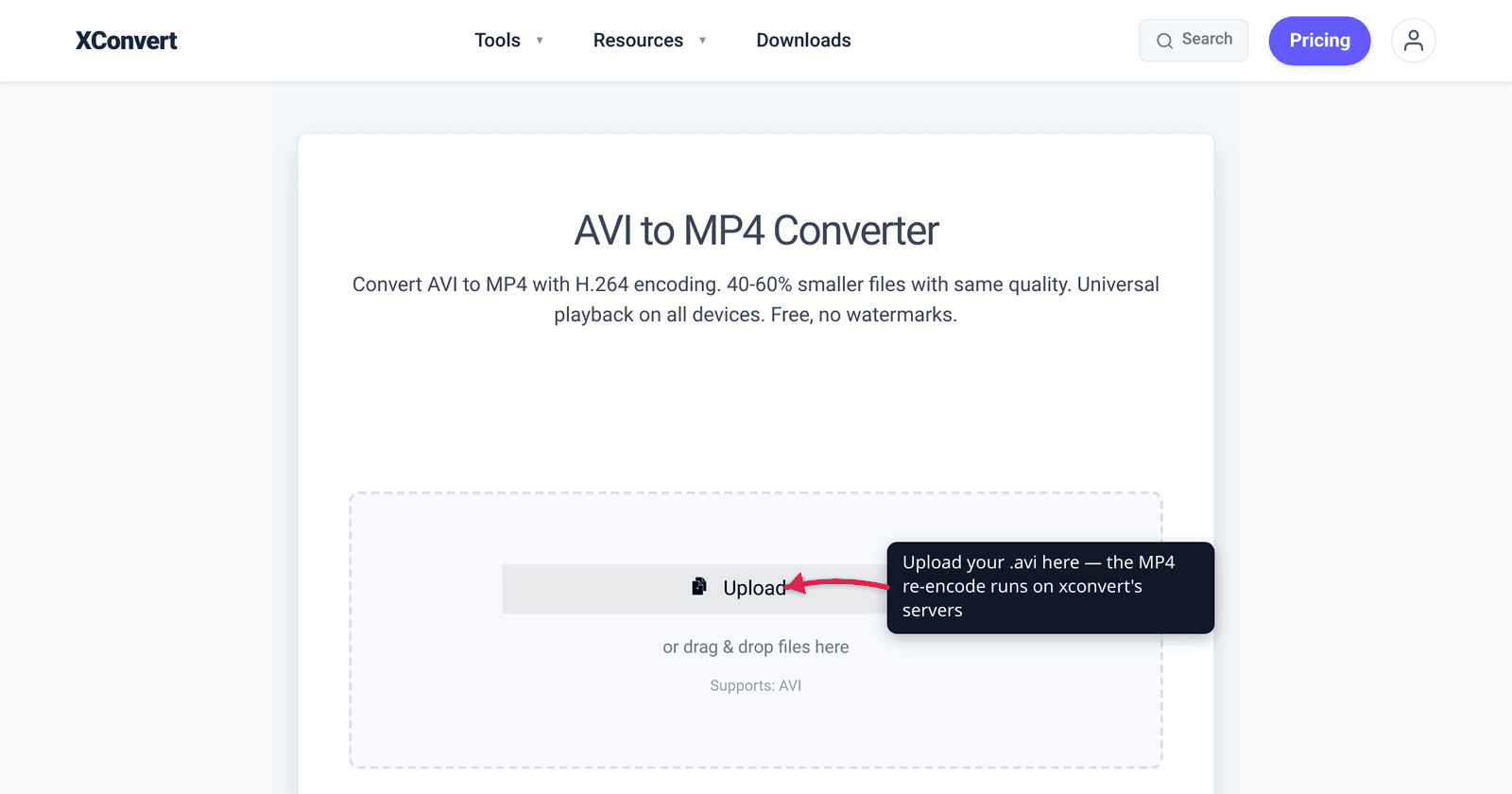
You found an old .avi clip — a camcorder transfer, a screen recording, or a download from years ago — and two things are true: it’s surprisingly huge, and it won’t play in a web browser, on your phone, or in most modern apps. Both problems share one cause and one fix. AVI is a 1992 Microsoft container that usually wraps an old, lightly-compressed codec, so the files are big and barely supported. Converting to MP4 (H.264) re-encodes the video with a modern codec — typically far smaller and playable essentially everywhere. We verified the AVI history, codec facts, and support numbers against Microsoft’s own docs, MDN, and caniuse.
Quick answer: AVI files are large because the format is old (Microsoft, 1992) and usually holds a dated, weakly-compressed codec — DivX/Xvid (MPEG-4 ASP), Indeo, Cinepak, Microsoft Video 1, or even uncompressed video. AVI also can’t use modern compression tricks like B-frames and adds per-file overhead. Convert to MP4 with H.264 to get a much smaller file that plays in every browser, on iPhone and Android, and in modern editors. Unlike MOV→MP4 (which can sometimes just re-wrap the same codec), AVI→MP4 almost always requires a real re-encode, so allow a little processing time.
Jump to a section
- Why AVI files are so big
- Why AVI won’t play on the web or your phone
- What MP4 fixes — and the one trade-off
- AVI to MP4 is a re-encode, not a re-wrap
- Convert AVI to MP4 on xconvert
- FAQ
Why AVI files are so big
AVI — Audio Video Interleave — was introduced by Microsoft in November 1992 as part of Video for Windows, its answer to Apple’s QuickTime. It’s a RIFF-based container: a header list, an interleaved stream of video frames and audio samples, and an optional index. That design was fine for 1992 CD-ROM playback, but it’s the reason your files are bloated today.
Three things make AVI files large:
- The codec inside is usually old and weakly compressed. AVI is just a wrapper — the size depends on the video codec it holds. In practice that’s commonly MPEG-4 ASP (DivX or Xvid), or even older codecs like Indeo, Cinepak, run-length encoding, Microsoft Video 1, or fully uncompressed frames. None compress nearly as efficiently as modern H.264. Uncompressed AVI is the extreme case — historically, ~30 seconds of uncompressed Super VGA video filled an entire 1992-era CD-ROM (~680 MB).
- AVI can’t use the compression tricks modern codecs rely on. Per the reference summary, AVI “was not intended to contain video using any compression technique that requires access to future video frame data beyond the current frame (B-frame).” B-frames are a major part of how H.264 shrinks files; AVI’s design effectively rules them out.
- Container overhead. AVI carries roughly 5 MB of overhead per hour at typical standard-definition rates, and can’t reliably store some variable-bitrate audio. Small on its own, but one more way the format wastes space versus MP4.
The headline: a large AVI is large because of what’s inside it and how the container works — not because the video is inherently high quality. Re-encoding to H.264 routinely shrinks these files dramatically at the same visual quality.
Why AVI won’t play on the web or your phone
The second AVI problem is support. No major web browser plays .avi natively in an HTML5 <video> element. MDN’s container guide doesn’t even document AVI as a web format — it’s mentioned only as a legacy QuickTime fallback. Microsoft itself has moved on: the AVI/DirectShow APIs are flagged as a legacy feature, superseded by newer Media Foundation pipelines.
Phones are no friendlier. iOS has never natively played .avi, and Android support is inconsistent and device-dependent. So an AVI typically forces you into a desktop player like VLC — exactly the friction you don’t want when sharing a clip.
MP4 is the opposite. Here’s the contrast:
| Where it needs to play | AVI | MP4 (H.264 / AAC) |
|---|---|---|
Web browsers (<video>) | Not natively supported | Yes — ~96.7% global support |
| Chrome / Edge / Firefox / Safari | No | Yes, all of them |
| iPhone / iPad | No | Yes, native |
| Android | Patchy / device-dependent | Yes, native |
| Modern video editors & social apps | Often needs conversion | Yes |
| Desktop player (VLC, etc.) | Yes | Yes |
That ~96.7% figure is the caniuse global support for the MPEG-4/H.264 video format — it plays in every current major browser and on iOS and Android. AVI simply has no equivalent.
What MP4 fixes — and the one trade-off
Converting AVI → MP4 with H.264 video and AAC audio gives you the modern default. MDN lists MP4 as broadly supported, holding exactly these mainstream codecs. You get:
- Much smaller files — H.264 compresses far more efficiently than the old codecs typically found in AVI, so the same footage usually drops a lot in size at equal quality.
- Universal playback — browser, iPhone, Android, editors, messaging apps.
- A future-proof container — MP4 also supports newer codecs (H.265/HEVC, AV1) if you later want even smaller files for a controlled audience. (See H.264 vs H.265 for when each makes sense.)
The one honest trade-off: because this is a re-encode (see the next section), you’re decoding the old codec and re-compressing with H.264, which loses some quality in principle. In practice, when the source is an old DivX/Xvid or uncompressed AVI, a high-quality H.264 setting produces output that’s visually very close to the original at a fraction of the size — the loss is hard to notice.
AVI to MP4 is a re-encode, not a re-wrap
This is the key difference from a job like MOV → MP4. MOV and MP4 are close cousins — both descend from the same ISO base media file format — so a MOV that already holds H.264 + AAC can often be re-wrapped (remuxed) into MP4 with no quality loss and almost instantly.
AVI is different. The codec inside an AVI (DivX, Xvid, Indeo, Cinepak, uncompressed…) is almost never H.264, and MP4 won’t hold those old codecs. So the converter must decode the old video and re-encode it as H.264 — a genuine transcode. Practical consequences:
- It takes longer than a remux, because every frame is re-compressed. (Running it on a server, as xconvert does, keeps that load off your own machine.)
- Quality is governed by your settings, not just copied — so a sensible quality preset matters, and it’s why the size win is so large: you’re swapping a weak codec for an efficient one.
- You can’t avoid it. Any “AVI to MP4” tool that finishes instantly is either rejecting the file or producing something most players won’t open. A real re-encode is the correct behavior.
Convert AVI to MP4 on xconvert
The xconvert AVI to MP4 converter handles the re-encode for you, with sensible defaults and optional control over quality and size:
- Open xconvert.com/convert-avi-to-mp4 and click Upload (the Add files button) to add your
.avi— from your computer, Google Drive, or Dropbox. - For most files, the defaults are already tuned — the page notes “Our defaults are optimized for the best results.” To adjust, open Advanced Options (the gear).
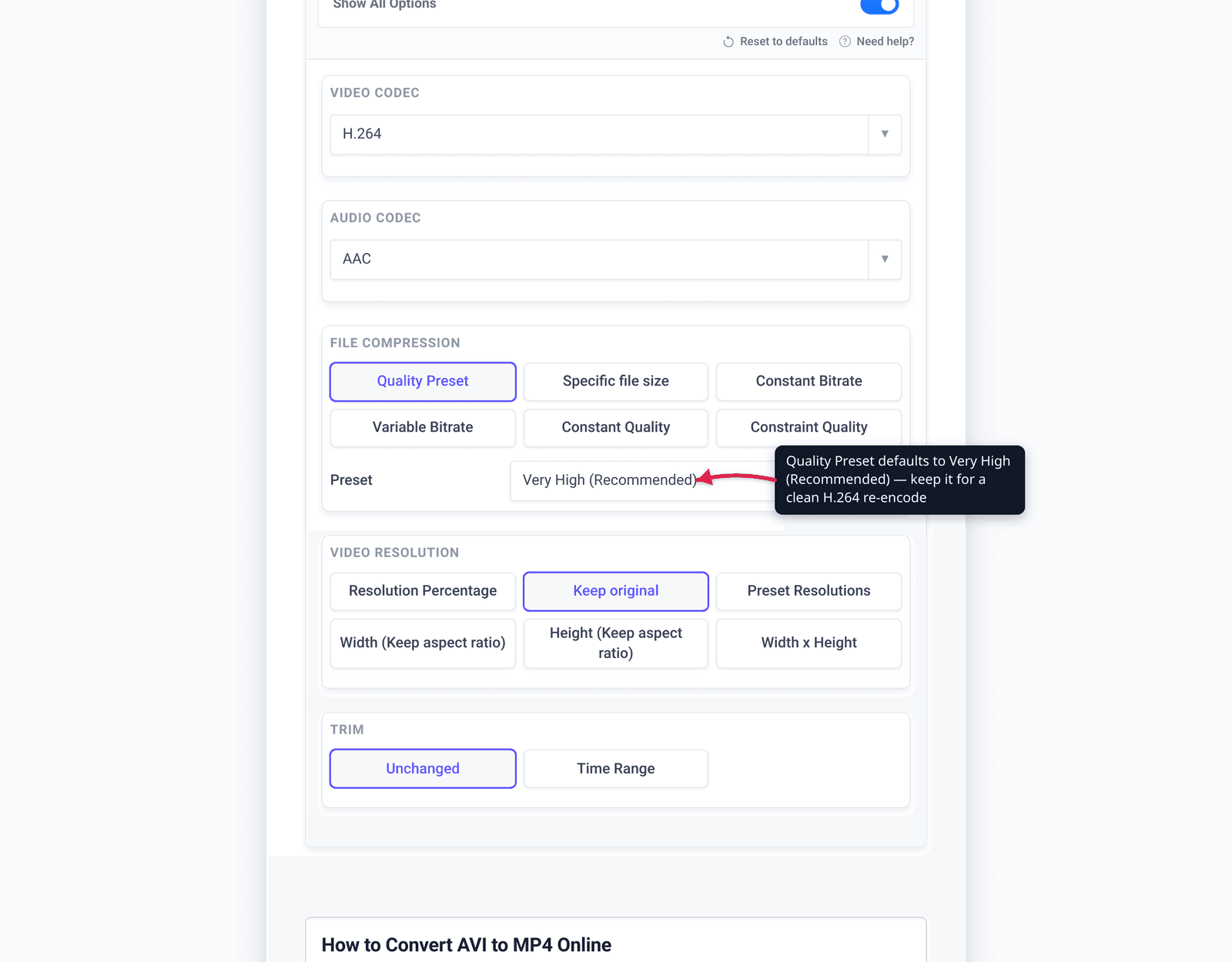
- Set the Quality Preset — it defaults to Very High (Recommended). For finer control you can switch the encoding mode to Constant Bitrate, Variable Bitrate, or Constant Quality, or pick Specific file size to target an exact output size in MB.
- Optionally adjust Video resolution (it stays on Keep original by default) or Trim the clip to a Time Range.
- Click Convert, then download your MP4. Because this is a true re-encode, allow a little extra time on longer clips.
Your file uploads over an encrypted connection, is processed on our servers, and is automatically deleted a few hours later. Nothing stays around.
If your goal is mainly to shrink a video that’s already MP4, use the MP4 compressor instead; and for the iPhone/Mac .mov case, see Convert MOV to MP4.
FAQ
Why are AVI files so big?
Because AVI is a 1992 Microsoft container that usually holds an old, lightly-compressed codec — DivX/Xvid (MPEG-4 ASP), Indeo, Cinepak, Microsoft Video 1, or uncompressed video — and its design can’t use modern compression features like B-frames. The size comes from the dated codec inside, not from superior quality. Re-encoding to H.264 in an MP4 usually shrinks the file substantially at the same visual quality.
Does converting AVI to MP4 reduce quality?
It’s a re-encode, so there’s some theoretical loss — but with a high quality preset it’s usually imperceptible, especially when the source is an old DivX/Xvid or uncompressed AVI. You’re trading a weak codec for the far more efficient H.264, which is why the file gets much smaller while still looking close to the original.
Will AVI to MP4 make the file smaller?
Almost always, yes. The old codecs typically wrapped in AVI compress poorly compared to H.264, so re-encoding to MP4 usually produces a much smaller file at equivalent quality — uncompressed AVI sees the biggest reduction. Use the Specific file size option to hit an exact target.
Why won’t my AVI file play in my browser or on my phone?
No major browser plays .avi natively in HTML5 video, and iOS/Android support is absent or inconsistent — AVI is a legacy desktop format. MP4 with H.264, by contrast, has ~96.7% global browser support and plays natively on iPhone and Android.
Is AVI to MP4 the same kind of conversion as MOV to MP4?
No. MOV and MP4 share the same underlying file format, so a MOV holding H.264 can often be re-wrapped into MP4 instantly with no quality loss. AVI holds older codecs MP4 can’t carry, so AVI→MP4 requires a full re-encode — it takes longer but is the correct, unavoidable behavior.
What’s the best codec to convert AVI to?
H.264 (with AAC audio) for maximum compatibility — it plays everywhere and is the modern default. If your audience is on recent Apple devices or hardware you control and you want even smaller files, H.265/HEVC is an option; see H.264 vs H.265 to decide.
Sources
Last verified 2026-06-25.
- Microsoft Learn — AVI RIFF File Reference — AVI is Microsoft’s RIFF-based container; the DirectShow/AVI APIs are flagged as a legacy feature.
- Wikipedia — Audio Video Interleave — AVI introduced by Microsoft November 1992 (Video for Windows); commonly wraps MPEG-4 ASP/DivX/Xvid, Indeo, Cinepak, Microsoft Video 1, or uncompressed; no B-frames; ~5 MB/hour overhead; VBR-audio limitations.
- Microsoft Learn — History of Microsoft 1992 / Video for Windows — Video for Windows (and AVI) released Nov 1992 as a response to Apple QuickTime.
- MDN — Media container formats — MP4 is broadly supported across all browsers and holds H.264/AAC; AVI appears only as a legacy fallback, not a web format.
- caniuse — MPEG-4 / H.264 video format — ~96.7% global support; plays in all major browsers and on iOS and Android.