 By James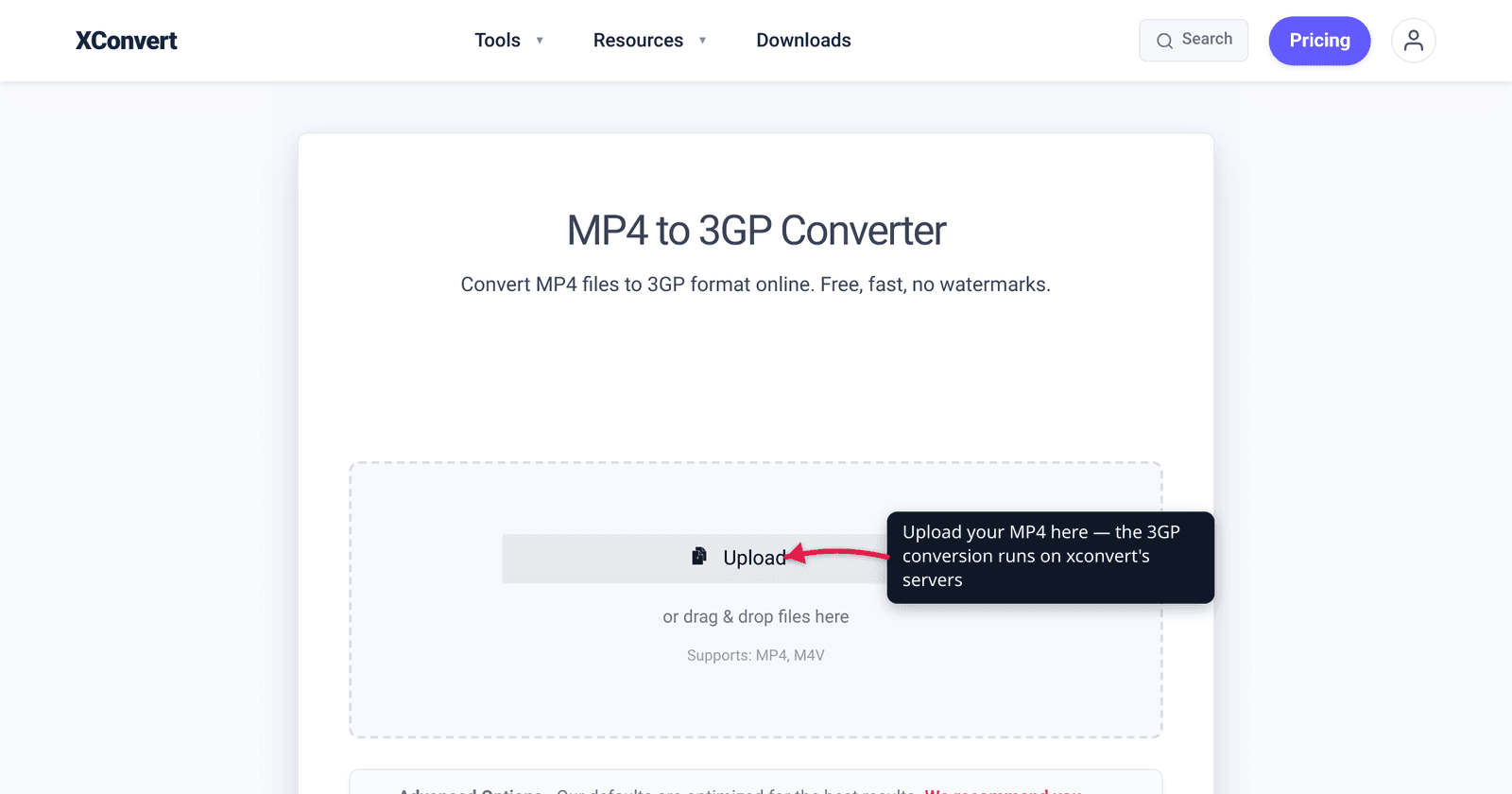
Someone hands you a basic phone — a feature phone, a developing-market handset, an old Nokia or Samsung from the keypad era — and asks you to put a video on it. Your MP4 won’t play, or won’t fit. The fix is 3GP, the cut-down video container the mobile industry built for exactly these devices. Converting MP4 to 3GP shrinks the file dramatically and swaps in codecs old hardware can actually decode — but it’s a deliberate downgrade in resolution and quality, traded for compatibility with legacy phones, MMS, and slow networks. This guide explains what 3GP really is, what you give up, and how to do the conversion. We verified the container spec, codecs, and resolutions against 3GPP, the ITU-T, and MDN.
Quick answer: 3GP (.3gp) is the 3GPP multimedia container designed for early 3G and feature phones — small files, low resolution, codecs like H.263 / MPEG-4 Part 2 / H.264 for video and AMR / AAC for audio. Convert MP4 → 3GP when you need a video to play on a basic/old phone, fit an MMS message, or survive a slow network. Expect a real quality and resolution drop (H.263 tops out around QCIF 176×144 to CIF 352×288); that smallness is the whole point. On a modern phone, keep MP4 — 3GP only makes sense for legacy hardware.
Jump to a section
- What 3GP actually is
- Why convert MP4 to 3GP (and when not to)
- The quality and resolution trade-off
- 3GP vs 3G2
- Convert MP4 to 3GP on xconvert
- FAQ
What 3GP actually is
3GP is a multimedia container format — a wrapper that holds a video stream and an audio stream together in one .3gp file. It was defined by the 3GPP (3rd Generation Partnership Project), the body behind the mobile standards that became 3G, in technical specification 3GPP TS 26.244. Its MIME type is video/3gpp.
Structurally, 3GP is derived from the ISO Base Media File Format (ISO/IEC 14496-12, MPEG-4 Part 12) — the same ancestry as MP4 — but, as MDN puts it, it is “specifically streamlined for lower bandwidth scenarios.” It was built to encapsulate audio and video for transmission over cellular networks and consumption on mobile devices, originally 3G phones, MMS messaging, and mobile streaming.
What goes inside a 3GP file is a constrained set of mobile-friendly codecs:
| Stream | Codecs 3GP can hold |
|---|---|
| Video | H.263, MPEG-4 Part 2, H.264/AVC (and, per MDN’s listing, VP8) |
| Audio | AMR-NB, AMR-WB, AMR-WB+, AAC-LC, HE-AAC |
The two names you’ll see most for legacy 3GP are H.263 for video and AMR for speech audio — both designed for very low bitrates. H.263 is an ITU-T codec built for low-bitrate video communication (videotelephony at rates as low as 20–64 kbit/s); AMR (Adaptive Multi-Rate) is a speech codec optimized for voice on cellular networks. That combination is what lets a 3GP clip stay tiny and decode on weak, old hardware.
A 3GP file can also carry H.264 — the same modern codec MP4 commonly uses — so “3GP” doesn’t always mean “ancient.” But for the classic use case (a true feature phone), you want the old codecs the device can actually decode, not H.264.
Why convert MP4 to 3GP (and when not to)
MP4 is the universal default for modern video, so the only reason to leave it is a device or channel that can’t handle it. The real reasons people convert MP4 → 3GP:
- An old or basic phone. Feature phones and low-end handsets from the keypad era — still in heavy use in many regions — often play 3GP only and lack the hardware to decode a modern H.264/H.265 MP4. 3GP is the format their media player expects.
- MMS (picture/video messaging). MMS is built around small attachments, and 3GP is the video format the standard was designed around. If you need to send a short clip by MMS rather than a data app, a small 3GP file is the format that fits. (Carriers cap MMS size tightly — often around 1 MB or less — so you’ll want to keep the clip short.)
- Slow or metered networks. MDN notes 3GP “is still used for slower networks and for lower-performance phones.” A smaller file downloads and buffers where a full MP4 would stall.
When not to convert: if the target is a modern smartphone, smart TV, computer, or the web, keep your MP4. Today’s phones play H.264/H.265 MP4 natively at full resolution; converting to 3GP just throws away quality for no benefit. 3GP is a compatibility tool for legacy hardware and constrained channels, not a general “make it smaller” format. If your goal is simply a smaller modern file, compressing the MP4 — see how to compress an MP4 video file — keeps far more quality than downgrading the container.
The quality and resolution trade-off
Be clear-eyed: MP4 → 3GP is a downgrade. 3GP exists to be small, and small means low resolution and lower bitrate. There’s no free lunch here — you trade picture quality for the ability to play on basic devices.
The constraint that defines classic 3GP is its video codec. H.263 was standardized for low-bitrate use and its standard picture formats are small:
| H.263 picture format | Resolution |
|---|---|
| Sub-QCIF | 128 × 96 |
| QCIF (the common one) | 176 × 144 |
| CIF | 352 × 288 |
| 4CIF | 704 × 576 |
In practice, legacy 3GP clips for feature phones live around QCIF (176×144) or CIF (352×288) — a small fraction of even a 720p MP4. Audio is similarly stripped down: an AMR narrowband track is mono, voice-optimized, and low-bitrate. So compared with a typical MP4, a 3GP file is dramatically smaller — but it will look soft and low-res on any large screen. On the small display of the feature phone it’s meant for, that loss is far less noticeable, which is the whole design intent.
The practical takeaway: match the output resolution to the target device. Don’t downscale a clip to 176×144 unless the destination really is a tiny old screen — if the phone supports a slightly larger frame, a setting like CIF preserves more detail while staying compatible. The codec lineage that makes 3GP play on old hardware (H.263, MPEG-4 Part 2) is the same lineage that caps how good it can look; for the why behind newer codecs being smaller and better, see H.264 vs H.265.
3GP vs 3G2
You may also see .3g2. It’s the close cousin of 3GP: same family, same low-bandwidth design, but defined by 3GPP2 for CDMA2000-based networks/phones (think older Verizon/Sprint-era CDMA handsets), with MIME type video/3gpp2. Plain 3GP targets GSM/UMTS phones, the more common worldwide lineage.
Rule of thumb: if you don’t specifically know the target device wants 3G2, use 3GP — it’s the broader, more widely supported of the two. Only reach for 3G2 when a particular CDMA-era handset requires it.
Convert MP4 to 3GP on xconvert
The xconvert MP4 to 3GP converter does the conversion online and lets you set the resolution to match your device:
- Open xconvert.com/convert-mp4-to-3gp and click Upload (the Add files button) to add your MP4.
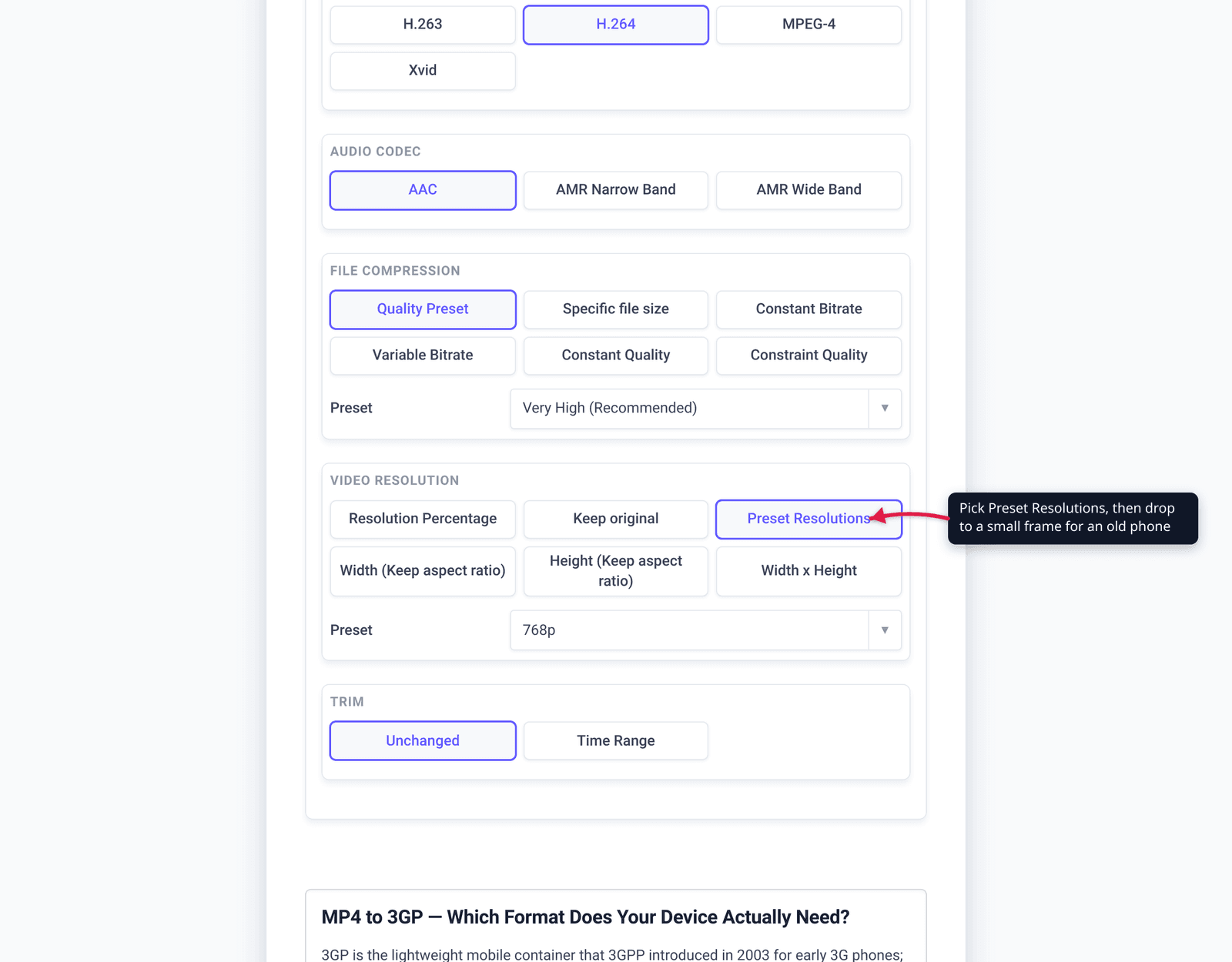
- To control the output, open Advanced Options (the gear). The defaults are tuned for good results, so you can also just skip this.
- Set Video resolution to suit the target phone — use Preset Resolutions or Width x Height to choose a small frame (e.g. a QCIF/CIF-class size for a true feature phone), or Keep original if the device can handle it. Lower resolution = smaller file.
- Optionally pick a Quality Preset, and use the Trim → Time Range controls to cut a short clip — useful for fitting an MMS size limit.
- Click Convert and download your
.3gpfile.
Your file uploads over an encrypted connection, is processed on our servers, and is automatically deleted a few hours later. Nothing stays around.
For a modern target where you just want a smaller file rather than a legacy format, compressing the MP4 keeps much more quality than converting to 3GP.
FAQ
What is a 3GP file?
A 3GP file is a multimedia container defined by the 3GPP standards body (spec 3GPP TS 26.244, MIME type video/3gpp) for mobile devices. It’s derived from the same ISO Base Media File Format as MP4 but streamlined for low bandwidth, holding low-bitrate video (H.263, MPEG-4 Part 2, or H.264) and audio (AMR or AAC). It was designed for early 3G phones, MMS, and mobile streaming.
Is converting MP4 to 3GP a downgrade?
Yes — it reduces resolution and quality. 3GP is built to be small, so the typical legacy output is low-resolution (around QCIF 176×144 or CIF 352×288) with a low-bitrate audio track. That’s the trade-off for playing on basic/old phones. On a modern device you should keep MP4 instead.
Why won’t my MP4 play on an old phone?
Old and basic phones often lack the hardware to decode modern MP4 codecs (H.264/H.265) and only support the low-bitrate codecs 3GP uses (like H.263). Their media players also expect the .3gp container. Converting to 3GP swaps in codecs and a frame size the old hardware can actually handle.
What resolution should I use for 3GP?
Match it to the target screen. Classic feature phones expect small frames — QCIF (176×144) or CIF (352×288) are the standard H.263 sizes. Don’t downscale further than the device needs; if it supports CIF, CIF keeps more detail than QCIF while staying compatible.
What’s the difference between 3GP and 3G2?
3GP targets GSM/UMTS phones; 3G2 (.3g2) is the 3GPP2 variant for CDMA2000-based phones. They’re closely related and built for the same low-bandwidth mobile use. Unless a specific CDMA-era device requires 3G2, use 3GP — it’s the more widely supported choice.
Can a 3GP file contain H.264?
Yes. The 3GP container can hold H.264/AVC video as well as the older H.263 and MPEG-4 Part 2. But for a true feature phone you usually want the older codecs the device can decode — an H.264 stream may not play on legacy hardware even though it’s technically valid 3GP.
Sources
Last verified 2026-06-25.
- MDN — Media container formats (3GP) — 3GP is for cellular/mobile devices, derived from ISO BMFF + MPEG-4 and streamlined for low bandwidth; lists supported audio/video codecs and MIME types.
- Wikipedia — 3GP and 3G2 — 3GPP defines 3GP via 3GPP TS 26.244; codecs (H.263/MPEG-4 Part 2/H.264, AMR/AAC); designed to cut storage/bandwidth for mobile phones; 3GP=GSM vs 3G2=CDMA2000 distinction; ISO BMFF (MPEG-4 Part 12) basis.
- 3GPP — TS 26.244 (3GPP file format, 3GP) — the technical specification that defines the 3GP file format.
- ITU-T H.263 — H.263 low-bitrate video codec and its standard picture formats (sub-QCIF 128×96, QCIF 176×144, CIF 352×288), the resolution ceiling of classic 3GP.
- xconvert MP4 to 3GP converter — the tool and its real UI (Upload/Add files, Advanced Options, Video resolution, Trim, Convert).