 By James
You clip forty seconds out of a screen recording, run it through a GIF converter, and get back something enormous — bigger than the video it came from, and too big for the place you wanted to post it. The instinct is to reach for quality settings. The lever that actually matters is the one you already had control over before you converted: how many seconds you fed in. And on the video-to-GIF pages there is no way to change your mind afterwards, because those pages have no trim control at all.
Quick answer: There is no universal maximum in seconds, because almost nothing publishes one — platforms publish a byte limit, and duration is the biggest single multiplier on a GIF’s bytes. Two published caps are worth memorising: Discord’s animated stickers are “constrained to 5 seconds in length”, and GIPHY limits uploads to 15 seconds and recommends no more than 6 (both read November 2026). As a working rule, aim for 1–2 seconds for a reaction or emote, up to 5 seconds for a sticker, about 6 for a short demo, and rarely past 10; beyond roughly 15 seconds, MP4 or WebM is the right format instead. Because the video-to-GIF pages have no Trim control, the order is cut first on the video cutter, then convert.
Jump to a section
- Why seconds cost more than anything else
- How long should it actually be?
- The workflow: which tool has a cut control
- Trim first, then convert, on xconvert
- FAQ
Why seconds cost more than anything else
A GIF is a stack of pictures, each stored as its own image. Per the GIF89a specification, each frame is an Image Descriptor, an optional Local Color Table and its own block of LZW-compressed image data, with a Graphic Control Extension in front carrying that frame’s Delay Time. There is no motion prediction between frames the way a video codec has — the format simply stores frame after frame.
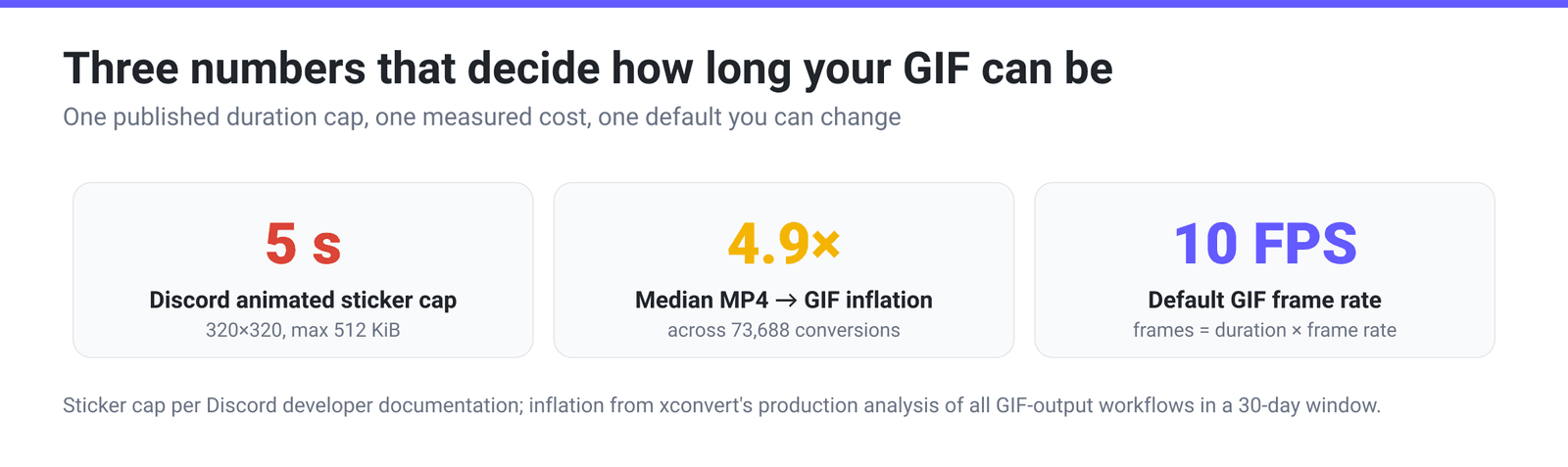
That gives you an unusually simple relationship. Frames = duration × frame rate, and total bytes track the frame count almost linearly. Cut a clip from twenty seconds to ten and you have thrown away half the frames and roughly half the file. A quality setting works differently: it makes every frame cheaper, at a cost in picture quality, and leaves the count untouched.
xconvert’s video-to-GIF pages open on 10 FPS (Recommended) in the Framerate group, so a twelve-second clip is already about 120 stored images. The frame-rate lever and the pixel-size lever both matter too, and they are covered properly in How Big Will Your GIF Be? — this article is about the one you set before you ever open a converter.
One thing duration does not interact with: looping. A GIF that loops forever stores its frames exactly once — the loop instruction rides in an Application Extension block, a handful of bytes written a single time. “How long should a GIF be” always means the length of one pass.
How long should it actually be?
Almost no platform publishes a maximum duration for GIFs. They publish a maximum file size, and the duration limit falls out of that. The clearest exception is Discord: its developer documentation states that “Uploaded stickers are constrained to 5 seconds in length for animated stickers, and 320 x 320 pixels”, with a 512 KiB file cap. Discord’s custom emoji, by contrast, publish no duration limit at all — just “a maximum file size of 256 KiB” at 128×128, which in practice is a far tighter constraint than any clock.
GIPHY publishes one as well. Its GIF Creation Best Practices page says “Uploads are limited to 15 seconds, although we recommend no more than 6 seconds”. (We read it on 18 November 2026 in the archive copy of 11 November 2026, because the live page sits behind a bot check that we could not get past.)
| What the GIF is for | Sensible length | What is really constraining you |
|---|---|---|
| Reaction, emote, tiny loop | 1–2 s | Byte budget, not time — Discord emoji cap at 256 KiB |
| Animated sticker | up to 5 s | A published hard cap: Discord stops you at 5 seconds |
| UI demo, bug reproduction | 4–8 s | Enough to show cause and effect inside a forum’s few-megabyte limit |
| Tutorial step, short walkthrough | 8–15 s | Only where the destination allows several megabytes |
| Anything longer | — | Switch format: MP4 or WebM, which do have motion prediction |
The soft argument for staying short is worth as much as the byte argument. A GIF loops, with no scrubber, no pause and usually no sound. Anything a viewer has to watch twice to follow is asking them to sit through it twice. One idea, one loop.
The workflow: which tool has a cut control
This is the part that trips people up, and it is worth stating plainly rather than discovering mid-task.
| Step | Where it happens | Is there a cut control? |
|---|---|---|
| Cut the source video | Video Cutter | Yes — a timeline with Start and End per segment |
| Convert video → GIF | Video-to-GIF converters | No — no Trim control renders on these pages |
| Shrink a finished GIF | GIF compressor | No cut — size, quality, colour, resolution and frame options only |
The video-to-GIF pages expose File Compression (Quality preset, Custom, or Max file size) and Framerate, and that is it for anything time-related. There is no start/end pair on these pages. Once a long GIF exists, a practical fix is to go back to the video and cut it — which is why the two-step order matters.
The upside is that cutting first also makes the conversion faster and the result more predictable: you are handing the encoder six seconds of pixels instead of forty.
Trim first, then convert, on xconvert
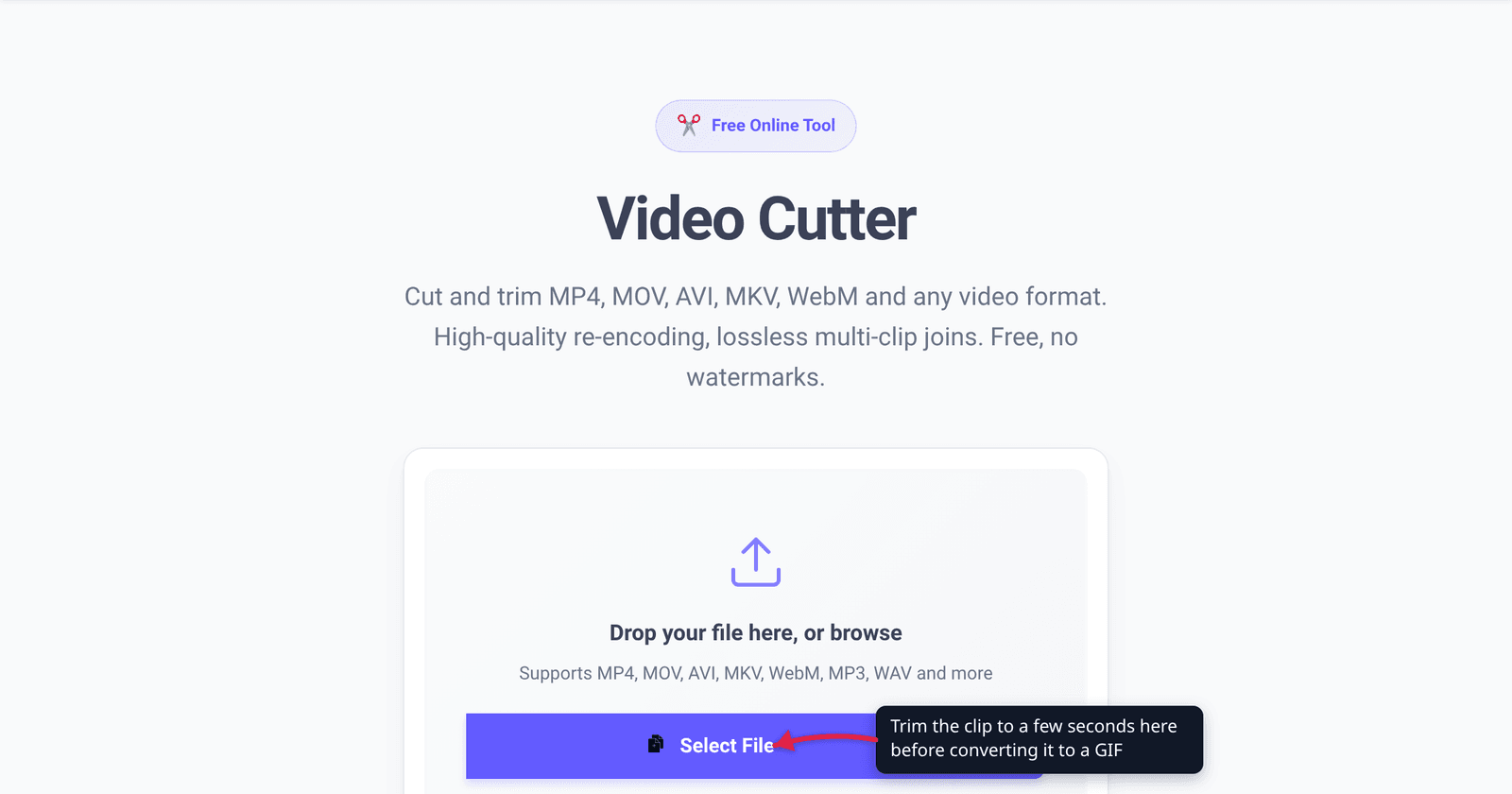
- Open xconvert.com/video-cutter and click Select File — from your computer, Google Drive or Dropbox. The page loads an Input Preview with a scrubbable timeline.
- Under CUT SEGMENTS, set Start and End for Segment 1 to the beat you want; the panel shows the resulting Duration as you drag. You can click the scissors to split and toggle segments between Keep and Remove if the moment you want is in the middle.
- Leave OUTPUT SETTING on Same As Input — the dropdown also offers MP4, MKV, MOV, WebM, MTS and AVI, but there is no GIF option here, which is exactly why this is step one of two. The kept part is encoded again at about the bitrate of your upload: a new encode, not a copy of the original picture.
- Click Cut & Download and keep the clip.
- Take that clip to a video-to-GIF converter such as MP4 to GIF. Leave File Compression on Quality preset → High (Recommended) and Framerate on 10 FPS (Recommended) to start; if the result still misses a limit, switch File Compression to Max file size and pick the Size limit you need — the dropdown includes Discord (20 MB max), Email (25 MB max) and Forum (2 MB max) presets alongside a custom value.
Your file uploads over an encrypted connection, is processed on our servers, and is automatically deleted a few hours later.
For a sense of what you are signing up for before you start: in our August 2026 analysis of all 73,688 GIF-output workflows from a 30-day production window, converting MP4 to GIF produced a file 4.9× the size of the source video at the median. That multiplier is why a forty-second clip goes so badly wrong, and why the length decision belongs at the beginning. If the clip really needs to be long, GIF vs MP4 file size makes the case for changing format instead.
FAQ
Is there a maximum length for a GIF?
Not in the format itself — GIF89a puts no ceiling on the number of frames. The limits are practical and they come from the destination. The published duration caps we could verify are Discord’s 5 seconds for animated stickers and GIPHY’s 15 seconds for uploads (both read November 2026). Everywhere else you are bounded by a file-size cap, which converts into a length limit only once you know the frame rate and pixel size you are using.
Can I trim on the MP4-to-GIF page instead of cutting first?
No. The video-to-GIF pages render File Compression and Framerate and nothing time-based — there is no start/end control on them. Cut the video first on the Video Cutter, then convert the clip. Doing it in that order also means the converter processes far fewer frames.
If my GIF is too big, should I cut seconds or drop the frame rate?
Cut seconds first, because it is the change that costs you nothing you wanted. Halving the duration halves the frame count and removes content you had already decided was less important; halving the frame rate also halves the frame count, but it makes the motion visibly steppier across the whole clip. Trim to the single beat that matters, then adjust frame rate only if you still need more.
Does making a GIF loop forever make the file bigger?
No. Looping is a setting, not repetition: the frames are stored once and the loop instruction lives in a small Application Extension block. A GIF that plays a hundred times is byte-for-byte the same as one that plays once. This is also why “length” for a GIF always means one pass through the frames.
At what point should I stop using GIF and use a video instead?
Somewhere around ten to fifteen seconds for most content, and sooner for anything with camera motion or gradients. GIF stores every frame as a separate indexed image, so its cost grows with length in a way that MP4 and WebM avoid entirely — they encode the differences between frames. Once you are fighting a size cap by degrading a long GIF, converting to video usually gives you a smaller file and a better-looking one.
How long a clip can I fit inside a 2 MB forum limit?
There is no single answer, because it depends on pixel size, frame rate and how much the picture moves — a static screen recording compresses far better than handheld footage. The reliable approach is to cut to the length you actually need first, then set File Compression → Max file size → Size limit → Forum (2 MB max) and let the converter work to the budget. If the result looks poor at that size, the clip is too long or too large in pixels, not badly compressed.
Sources
Last verified 2026-08-31. Read again on 2026-11-18: the two Discord pages and both tool pages; GIPHY’s page and the GIF89a specification in their archive copies of 11 and 17 November 2026, because the live pages did not open from our side.
- GIF89a Specification (CompuServe, 1989; W3C reference copy) — per-frame Image Descriptor, Local Color Table and LZW image data; the Graphic Control Extension’s Delay Time field; Application Extension blocks.
- Sticker resource — Discord developer documentation — “Uploaded stickers are constrained to 5 seconds in length for animated stickers, and 320 x 320 pixels”, with a 512 KiB maximum file size.
- Emoji resource — Discord developer documentation — “Emojis and animated emojis have a maximum file size of 256 KiB”, at 128×128.
- xconvert production analysis,
ironman/docs/GIF_EXACT_SIZE_DESIGN.md— all 73,688 GIF-output workflows over a 30-day window, analysed in August 2026, including the 4.9× median MP4-to-GIF size inflation. - Live option surfaces on xconvert.com/video-cutter (Select File, CUT SEGMENTS with Start/End, OUTPUT SETTING, Cut & Download) and xconvert.com/convert-mp4-to-gif (File Compression modes, Size limit presets, 10 FPS default, and the absence of any Trim control).