 By Stephanie Taylor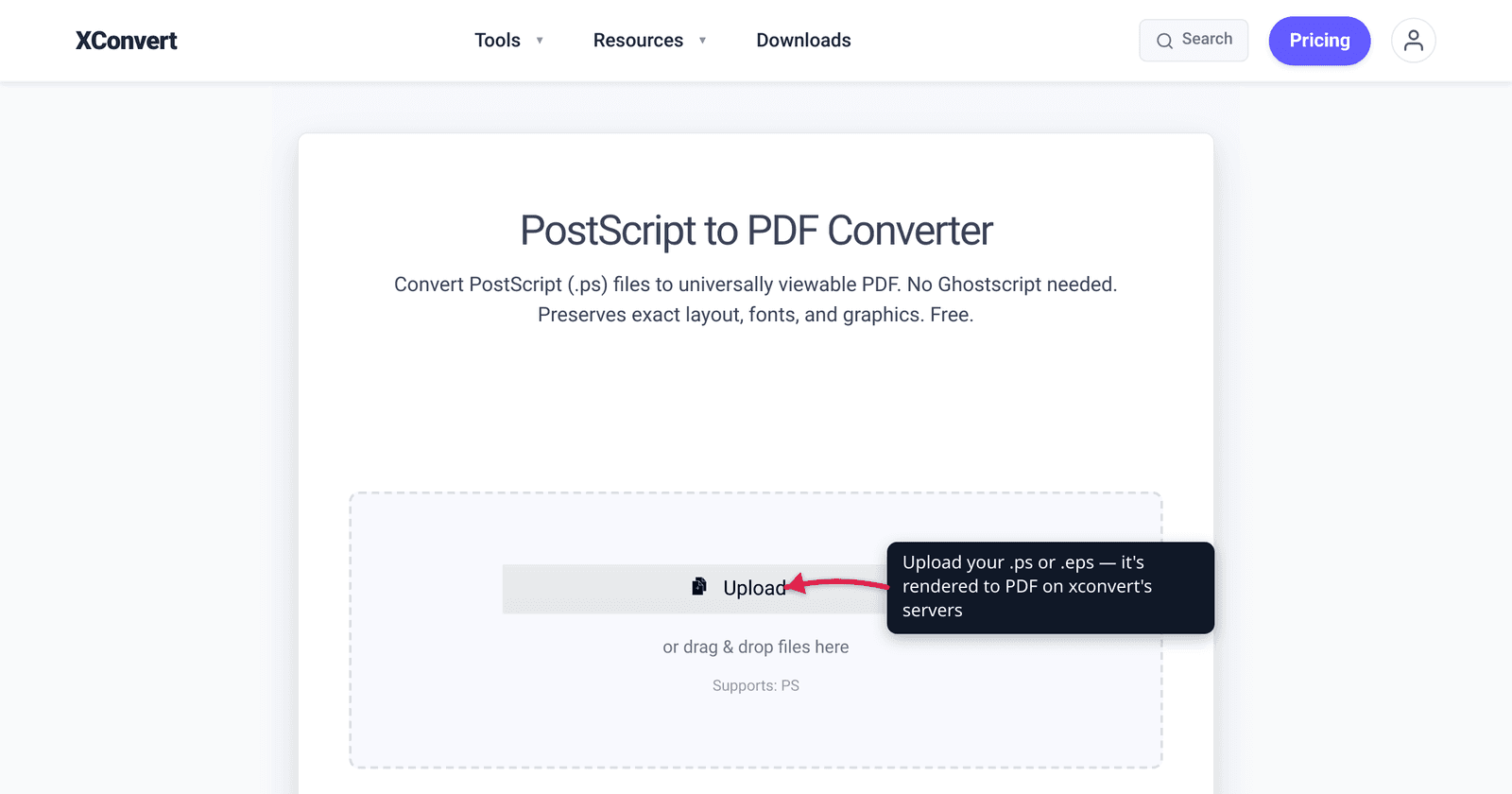
You download a journal’s “camera-ready” template, run it through an old LaTeX toolchain, and end up with a .ps file your laptop flatly refuses to open — no preview, no double-click, nothing. PostScript (PS) is Adobe’s print-and-prepress language from the mid-1980s, and outside a print shop almost nothing opens it natively anymore. The fix is simple: convert it to PDF, the format that literally grew out of PostScript and now opens in every browser and reader on earth. This guide explains what PS actually is, why the conversion is essentially lossless, and how to do it in a few clicks. We verified the PostScript/PDF lineage and the conversion presets against Adobe-adjacent and Ghostscript documentation.
Quick answer: A .ps (PostScript) file is a print-oriented page description that needs a PostScript interpreter to view — which is why it won’t just open on a normal computer. Converting it to PDF makes it openable everywhere, and because PDF was derived from PostScript, the conversion is essentially lossless: text stays searchable, vectors and fonts stay sharp. Upload your .ps to the xconvert PS-to-PDF converter, pick a quality preset, and download a PDF.
Jump to a section
- What a PS file actually is
- Why PDF is the right target (and why it’s lossless)
- Where PS files still come from in 2026
- PS vs PDF at a glance
- Convert PS to PDF on xconvert
- FAQ
What a PS file actually is
PostScript is a page description language — a small programming language whose “output” is a printed page rather than a number on screen. Adobe released it in 1984, created by John Warnock and Chuck Geschke (the founders of Adobe), and it became the language that drove laser printers and high-end imagesetters for two decades. (prepressure.com)
Two properties define it:
- It describes a page, not a document you open. A
.psfile is a stream of instructions (“move here, set this font, draw this curve, place this image”) meant for a printer or a PostScript interpreter. There is no built-in “open this and look at it” — you need an interpreter (such as Ghostscript) to render it. That’s exactly why a.psfile won’t open by double-clicking on a normal Windows or Mac: nothing standard is installed to interpret it. - It’s device-independent. The same
.psfile produces 300 dpi on a laser printer and crisp 2400+ dpi on an imagesetter — the interpreter scales the vector instructions to the device. That portability is what made PostScript revolutionary for prepress and printing. (prepressure.com)
The flip side of being print-first: PostScript was not designed to be a saved, browsable document. Files tend to be large, on-screen rendering is slow, and there are no pages-you-can-navigate, no hyperlinks, no reliable “view anywhere.” Those gaps are precisely what PDF was invented to fill.
Why PDF is the right target (and why it’s lossless)
Here’s the part that makes PS-to-PDF unusually clean compared to most format conversions: PDF is a direct descendant of PostScript. Adobe’s PDF began as a project to make a portable, viewable version of PostScript — John Warnock’s early-1990s “Interchange PostScript” / Camelot effort — and the format that shipped in 1993 keeps PostScript’s imaging model at its core. The ISO standard that now governs PDF describes its imaging model as derived from the PostScript page description language. (PDF on Wikipedia / ISO 32000)
Because both formats share the same underlying way of describing text, vectors, and images, converting PS to PDF is essentially lossless:
- Text stays real text — searchable and selectable, not flattened to an image.
- Vector graphics stay vector — lines, curves, and logos remain razor-sharp at any zoom.
- Fonts are preserved — embedded into the PDF so the document looks identical on any machine.
What you gain by moving to PDF is everything PostScript lacked: a file that opens in any browser and any PDF reader with no interpreter to install, pages you can navigate, a smaller file, and cross-platform fidelity. PDF is, in effect, PostScript made portable and viewable — so converting “up” to it loses nothing and adds the part you actually needed.
(One honest caveat: the conversion only re-rasters embedded photos if you ask it to. A low-resolution quality preset will downsample bitmap images to shrink the file — vector and text content is untouched, but big photos can lose detail. More on presets below.)
Where PS files still come from in 2026
If PDF replaced PostScript, why do .ps files keep landing in your downloads folder? A few durable sources:
- LaTeX / academic toolchains. The classic TeX workflow is
latex → dvips → ps2pdf: your.texbecomes a.dvi,dvipsturns that into a.ps, and only then does it become a PDF. Older templates, scripts, and instructions from journals and university departments still produce — or stop at — the.psstep. (LaTeX-to-PDF conversion notes, SDSU) - Legacy print and prepress workflows. PostScript was the lingua franca of professional printing for 20+ years. Print shops, RIPs (raster image processors), and older design software still emit
.ps(and the closely related.eps, Encapsulated PostScript). Adobe itself moved on — building the PDF Print Engine instead of a “PostScript 4” — but the installed base lingers. (prepressure.com) - “Print to file” output. Old drivers and some Unix/Linux print pipelines let you “print to a file,” which historically produced a
.ps. - Archived documents. Scientific papers, manuals, and datasets archived in the 1990s–2000s were often stored as PostScript, so you’ll hit
.pswhen digging through old repositories.
In every one of these cases the move you want is the same: turn the print-only .ps into a portable PDF.
PS vs PDF at a glance
PostScript (.ps / .eps) | ||
|---|---|---|
| Designed for | Driving printers / imagesetters | Viewing & sharing fixed-layout documents |
| Opens by double-clicking? | No — needs an interpreter (e.g. Ghostscript) | Yes — every browser and reader |
| Relationship | The ancestor | Derived from PostScript’s imaging model |
| Text | Vector text instructions | Searchable, selectable text |
| Pages / navigation | No real page model | Paginated, navigable |
| Typical file size | Large | Compact |
| Conversion PS→PDF | — | Essentially lossless |
The short version: PostScript is the print engine’s language; PDF is the same content packaged so humans can open and read it anywhere.
Convert PS to PDF on xconvert
The xconvert PS-to-PDF converter renders your PostScript on the server and hands back a searchable, vector-preserving PDF — no Ghostscript install, no command line.
- Open xconvert.com/convert-ps-to-pdf and click + Add Files to upload your
.ps(or.eps) file — from your computer, Google Drive, or Dropbox. - (Optional) Open Advanced Options (the gear icon). The defaults are tuned for the best results, so you can usually skip this.
- (Optional) Choose a Compression Type preset for the output PDF: Screen (Best) for the smallest, screen-resolution file; Ebook for a medium-resolution balance; Default; Printer for print-quality output; or Prepress for the highest print/prepress fidelity. These map to Ghostscript’s standard quality presets — Screen targets ~72 dpi for embedded images, Ebook ~150 dpi, and Printer/Prepress ~300 dpi — so pick the higher presets if your file contains photos you need crisp. (Ghostscript docs)
- Click Convert.
- Download your PDF. It opens in any browser or reader, with the original fonts, vectors, and selectable text intact.
Your file uploads over an encrypted connection, is processed on our servers, and is automatically deleted a few hours later — no sign-up and no watermark. If the resulting PDF is bigger than you’d like (PostScript with embedded photos can be heavy), see how to email a large PDF file, and if you need an image instead of a document, convert PDF to JPG without losing quality.
FAQ
Why won’t my .ps file open?
Because a .ps file is PostScript — a printer language, not a viewable document. It needs a PostScript interpreter (such as Ghostscript) to render it into something you can see, and that isn’t installed on a standard Windows or Mac. The simplest fix is to convert it to PDF, which opens in any browser or reader without extra software.
Is converting PS to PDF lossless?
Essentially, yes. PDF was derived from PostScript’s imaging model, so they describe text, vectors, and fonts the same way — the conversion preserves searchable text and sharp vector graphics. The only thing that can lose quality is embedded bitmap photos, and only if you pick a low-resolution preset (Screen/Ebook) that downsamples them. Choose Printer or Prepress to keep images at full resolution.
What’s the difference between PostScript and PDF?
PostScript is the older, print-oriented ancestor; PDF is the portable, viewable descendant built from it. PostScript was designed to drive printers and imagesetters and needs an interpreter to view. PDF, standardized as ISO 32000, packages the same content into a fixed-layout document that opens everywhere, supports navigation and search, and is far more disk-friendly. (ISO 32000)
Can I convert EPS to PDF the same way?
Yes. EPS (Encapsulated PostScript) is a self-contained PostScript variant, and the xconvert converter accepts .eps files alongside .ps. The same lossless logic applies — vectors and text are preserved.
Why did my LaTeX build produce a .ps file instead of a PDF?
The classic LaTeX pipeline is latex → dvips → ps2pdf: it goes .tex → .dvi → .ps → .pdf. If your toolchain or template stops at the dvips step, you’re left holding a .ps. Running that file through a PS-to-PDF converter completes the final ps2pdf step for you, no Ghostscript setup required. (SDSU LaTeX notes)
Do I need Ghostscript or Acrobat Distiller to convert PS to PDF?
Not for a one-off. The command-line route (ps2pdf, part of Ghostscript) works but requires installing and configuring Ghostscript. The xconvert PS-to-PDF converter does the same conversion in the browser — upload, pick a quality preset, download — with nothing to install.
Sources
Last verified 2026-06-25.
- Adobe PostScript history — prepressure.com — PostScript released by Adobe in 1984; page description language for print/prepress; device-independent; PDF supersedes it (Adobe built the PDF Print Engine rather than PostScript 4); still used in legacy/outdated workflows.
- PDF / ISO 32000 — Wikipedia — PDF’s imaging model is derived from the PostScript page description language; PDF standardized as ISO 32000-1:2008 (royalty-free Adobe patent license), latest ISO 32000-2:2020.
- Ghostscript VectorDevices documentation — the screen/ebook/printer/prepress PDFSETTINGS presets and their image-downsampling resolutions (~72 / ~150 / ~300 dpi) that the converter’s Compression Type maps to.
- ps2pdf — MIT Ghostscript docs — ps2pdf is a Ghostscript wrapper using the pdfwrite device to convert PostScript to PDF.
- LaTeX PostScript-to-PDF conversion notes — SDSU — the
latex → dvips → ps2pdf(.tex → .dvi → .ps → .pdf) academic workflow that produces.psfiles.