 By James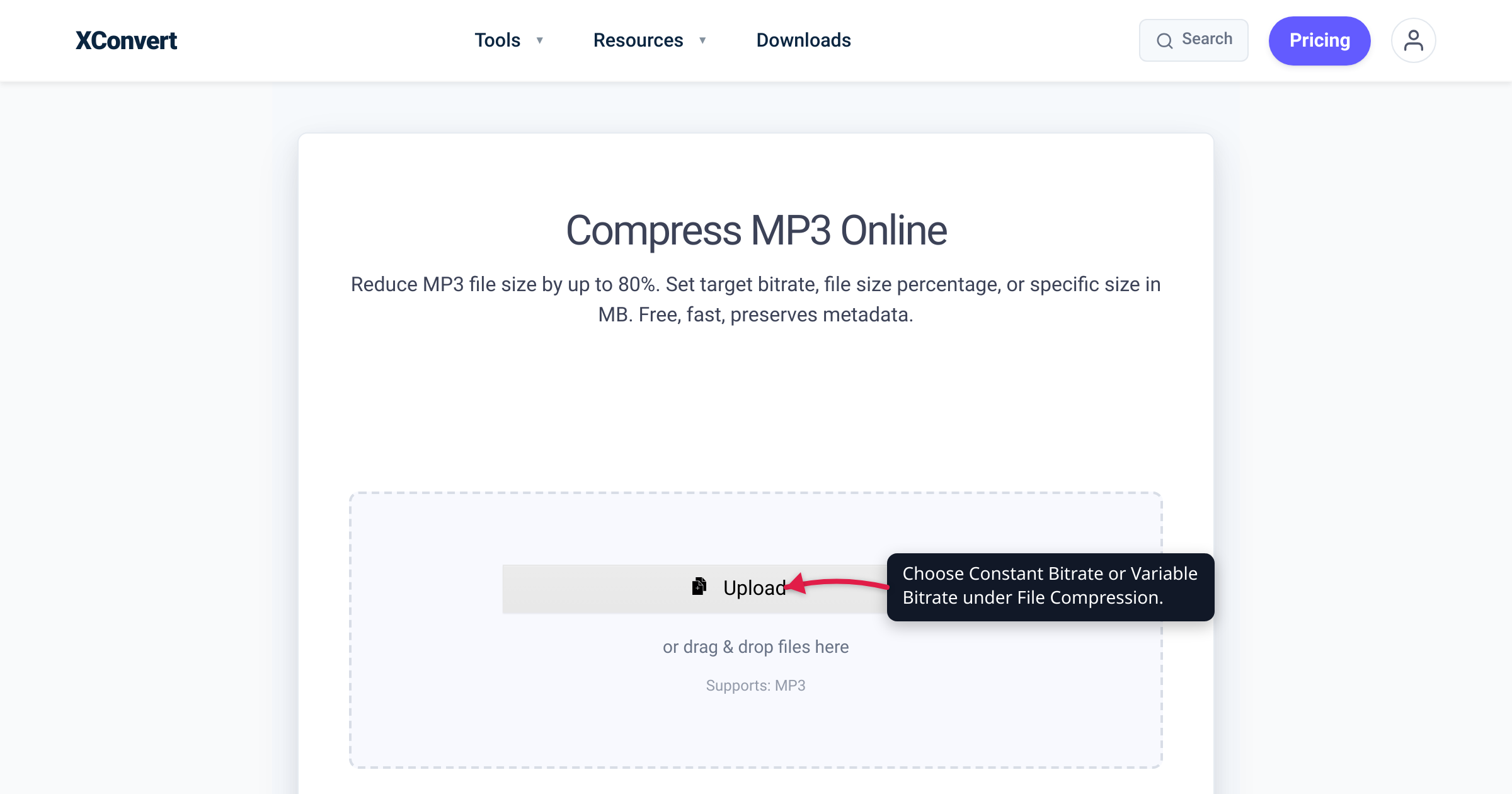
Export the same three-minute song twice — once as a 192 kbps constant-bitrate (CBR) MP3, once as a variable-bitrate (VBR) MP3 tuned for the same quality — and the VBR file usually comes out smaller, and often sounds a touch cleaner too. That gap is the whole reason VBR exists: a CBR file spends the same number of bits on a silent pause as it does on a dense, cymbal-heavy chorus, while VBR moves bits to wherever the audio actually needs them. This guide explains why VBR is normally the smaller file at the same quality, the LAME V0–V9 quality scale that xconvert’s Variable Bitrate mode is built on, and the handful of situations where CBR is still the right call. We verified the encoder behaviour and the preset numbers against the Hydrogenaudio Knowledgebase and the LAME documentation, and the tool controls against the live xconvert MP3 compressor.
Quick answer: At the same quality, VBR (variable bitrate) almost always makes the smaller file, because it spends more bits on complex passages and fewer on quiet or simple ones instead of paying a flat rate for everything. Ranked by quality at a given bitrate, VBR > ABR > CBR. Use VBR for anything you’ll simply listen to — it gets you the best size-to-quality trade. Use CBR (constant bitrate) only when you need a predictable bitrate or size: live streaming/broadcast, strict-compatibility hardware, or hitting an exact MB target. On xconvert both are one-click modes under File Compression.
Jump to a section
- What CBR and VBR actually do
- Which one makes the smaller file?
- The LAME VBR quality scale (V0–V9)
- When CBR still wins (and where ABR fits)
- Which mode should you pick?
- Choose CBR or VBR on xconvert
- FAQ
What CBR and VBR actually do
CBR and VBR are two spending strategies for the same bit budget — not two different formats. Both produce an ordinary .mp3 (or .aac, .ogg) that plays on the same devices; they only differ in how the bits are allocated across the timeline.
Constant Bitrate (CBR) locks the rate: a 192 kbps CBR file uses exactly 192 kilobits for every second, whether that second is dead silence, a solo voice, or a wall of distorted guitars. As the Hydrogenaudio Knowledgebase puts it, “CBR encodes every frame at the same bitrate” — and it warns that “CBR encoding is not efficient.” The silent gap between two songs is stored at the same expensive rate as the loudest passage, which is bits spent on nothing.
Variable Bitrate (VBR) does the opposite: it spends more bits where the audio is complex (transients, cymbals, massed strings, reverb tails) and fewer where it’s simple (silence, a sustained note, a single quiet voice). Hydrogenaudio’s guidance is that VBR modes “can supply more bits to complex music passages and save bits on simpler ones.” The instantaneous bitrate rises and falls across the track, targeting a consistent quality rather than a consistent number — and that single difference drives the answer to the headline question.
Which one makes the smaller file?
For the same perceived quality, VBR is the smaller file. Because VBR stops wasting bits on easy passages, it reaches a given quality level using a lower average bitrate than CBR needs — and lower average bitrate means fewer total bytes. Hydrogenaudio’s community ranks the three modes bluntly: “At a given bitrate, VBR is higher quality than ABR, which is higher quality than CBR (VBR > ABR > CBR in terms of quality).” Flip that around and it’s a size statement: to match a CBR file’s quality, VBR needs fewer bits, so it comes out smaller.
A concrete illustration, using LAME’s own preset averages (below): the VBR setting most people treat as transparent for music, -V2, averages around 190 kbps, while the CBR rate many pick for that same “I won’t be able to tell” confidence is 256 kbps — roughly a 25% lower average bitrate, and a correspondingly smaller file, for comparable perceived quality. The exact saving is content-dependent (a sparse acoustic track saves far more than a dense electronic one, because there’s more “easy” audio for VBR to economise on), so treat that as the principle, not a guarantee for every file.
It cuts both ways: pick a VBR quality level and the file usually lands smaller than the equivalent CBR; hold the average bitrate equal instead and the VBR encode simply sounds better, because the bits are in the right places. The one thing VBR gives up is predictability — Hydrogenaudio notes that “the final file size of a VBR encode is less predictable than with ABR, but the quality is usually better,” which is exactly the trade the next section covers.
The LAME VBR quality scale (V0–V9)
LAME is the reference open-source MP3 encoder that virtually every MP3 tool relies on, including xconvert. Its VBR mode is driven by a single quality dial, written -V in the command line: -V 0 is the highest quality (and largest files), rising to -V 9 for the lowest. You choose a quality target; LAME then picks whatever bitrate each moment needs to hit it. The official LAME documentation notes that “VBR settings will normally produce transparent results” — i.e. indistinguishable from the source for most listeners — at the higher-quality end of the scale.
Each preset works out to a typical average bitrate and a range it moves within. These are the numbers the Hydrogenaudio Knowledgebase publishes, and they map directly onto the ranges in xconvert’s Variable Bitrate dropdown:
| LAME preset | Approx. average | Typical range | xconvert VBR option | Good for |
|---|---|---|---|---|
| -V0 | ~245 kbps | 220–260 kbps | 220k-260k | Archive / critical listening |
| -V2 | ~190 kbps | 170–210 kbps | 170k-210k | Transparent everyday music |
| -V4 | ~165 kbps | 140–185 kbps | 140k-185k | Good music, smaller files |
| -V6 | ~115 kbps | 100–130 kbps | 100k-130k | Casual listening / music beds |
| -V9 | ~65 kbps | 45–85 kbps | 45k-85k | Speech, maximum savings |
The averages are approximate and shift with the material — that’s the nature of VBR — but the ranges are exactly what the tool exposes, so choosing 170k-210k in xconvert is choosing LAME’s -V2 quality target. (If you mostly care about which number to aim for rather than the mode, our companion guide MP3 bitrate: 128 vs 256 vs 320 kbps covers the size-per-minute math.) These are MP3 figures: the format tops out at 320 kbps — LAME’s maximum CBR rate — and VBR peaks brush that ceiling on the busiest moments while averaging far lower.
When CBR still wins (and where ABR fits)
VBR’s efficiency isn’t free of trade-offs, and there are three genuine cases where CBR is the better choice:
- Streaming and broadcast. When a stream has a hard bandwidth budget, the bitrate must never spike above the ceiling. This is CBR’s home turf: Hydrogenaudio recommends CBR specifically for “streaming situations where the upper bitrate must be strictly enforced” — a flat rate is what a live encoder or broadcast pipeline needs.
- Strict-compatibility and older hardware. Modern players handle VBR MP3 fine, but some very old or minimal embedded devices dealt with CBR more reliably — accurate seeking and duration display rely on VBR header tags that ancient firmware sometimes ignored. If a file must play on unknown legacy hardware, CBR is the safe choice.
- Hitting an exact file size. CBR size is deterministic — file size ≈ bitrate × duration — so to land under a specific cap (an email attachment limit, say) you can calculate the result before encoding. VBR’s size varies with the content and can’t be predicted exactly.
ABR (average bitrate) is the middle ground. Hydrogenaudio frames it as “a compromise between VBR and CBR modes” — it shuffles bits like VBR but steers the average toward a number you set, giving a more predictable final size than pure VBR, and it sits between the two on quality (VBR > ABR > CBR). xconvert’s compressor exposes the two ends directly — Constant Bitrate and Variable Bitrate — plus a Custom Bitrate field and a Specific file size mode; there’s no separately labelled “ABR” mode, so if predictable size is the goal, reach for Specific file size.
Which mode should you pick?
| Your goal | Best mode | Why |
|---|---|---|
| Smallest file at a given quality | VBR | Bits go where the audio needs them, not everywhere equally |
| Best quality at a given average bitrate | VBR | VBR > ABR > CBR at equal bitrate |
| Predictable bitrate for live streaming / broadcast | CBR | Rate never spikes above the value you set |
| Play on old / embedded / unknown legacy hardware | CBR | Simplest, most universally decoded |
| Hit an exact file size (e.g. an email cap) | CBR or Specific file size | Size = bitrate × duration is predictable |
| Set-and-forget “just sounds good” | VBR (e.g. 170k-210k) | You target a quality level, not a number |
The short version: VBR by default, CBR when a machine — a stream, a broadcast rig, a legacy player, or a hard size cap — needs the bitrate to be predictable.
Choose CBR or VBR on xconvert
The xconvert MP3 compressor puts both modes one click apart, so you can apply everything above without leaving the page:
- Open xconvert.com/compress-mp3 and click Upload (or + Add Files) to add your audio from your computer, Google Drive, or Dropbox. Batch uploads are supported.
- Open Advanced Options to reveal the settings.
- Under File Compression (the “Pick a Compression Method” list), the default is Quality Preset — switch it to Variable Bitrate for the best quality-per-megabyte, or Constant Bitrate if you need a fixed, predictable rate.
- For Variable Bitrate, pick a target from the dropdown — the average-bitrate ranges map to LAME’s presets (
170k-210k= -V2 transparent music,220k-260k= -V0 archive,45k-85k= -V9 speech). For Constant Bitrate, pick a fixed value (e.g. 192 kbps for music, 96 kbps for speech). MP3 tops out at 320 kbps. - Need an exact size instead? Choose the Specific file size method and enter a target in MB — or use Custom Bitrate to type a precise kbps. For voice, also drop Audio Channel to mono and lower the Audio Sample Rate to save more.
- Click Compress and download the result.
Your file is uploaded over an encrypted connection, is processed on our servers, and is deleted automatically a few hours later. If your real goal is simply a smaller MP3, our reduce MP3 file size guide walks through every lever — bitrate, mode, channels, and sample rate — in order of impact.
FAQ
Does VBR or CBR make a smaller file?
VBR, at the same quality. Because variable bitrate spends more bits on complex passages and fewer on simple or silent ones, it reaches a given quality level at a lower average bitrate than CBR — and a lower average bitrate means a smaller file. At the same average bitrate the two are similar in size, but the VBR file sounds better. The saving is largest on sparse or spoken-word audio, smallest on dense music.
Is VBR better quality than CBR?
At a given bitrate, yes. The Hydrogenaudio community ranks the modes VBR > ABR > CBR for quality, because VBR puts the bits where they matter. At high enough settings both can be effectively transparent (indistinguishable from the source), and no published ABX listening test has shown CBR beating the highest VBR profiles. For everyday use, VBR gives you either the same quality in a smaller file or better quality at the same size.
When should I use CBR instead of VBR?
Use CBR in three cases: live streaming or broadcast, where the bitrate must never exceed a set ceiling (Hydrogenaudio recommends CBR specifically for “streaming situations where the upper bitrate must be strictly enforced”); strict-compatibility playback on old or embedded hardware that handles a flat rate more reliably; and exact-size targeting, where CBR’s predictable “bitrate × duration” lets you calculate the file size in advance. For plain listening, VBR is the better default.
What is ABR, and is it better than VBR?
ABR (average bitrate) is the middle ground — it varies bits like VBR but steers the average toward a number you set, so the final size is more predictable than pure VBR, while sitting between the two on quality (VBR > ABR > CBR). xconvert doesn’t expose a separate ABR mode — for a predictable size, use its Specific file size method instead.
What does “V0” or “V2” mean in VBR?
They’re LAME quality presets: -V 0 is the highest quality (largest files), rising to -V 9 for the lowest. Each works out to a typical average bitrate — roughly V0 ≈ 245 kbps, V2 ≈ 190 kbps, V4 ≈ 165 kbps, down to V9 ≈ 65 kbps — that shifts with the music. In xconvert’s Variable Bitrate dropdown these appear as ranges (220k-260k is V0, 170k-210k is V2, and so on), so picking a range is picking a LAME quality target.
Can I hit an exact file size with VBR?
No — VBR’s size varies with the content by design, so it can’t be predicted exactly. If you need to land under a hard limit (an email cap, an upload maximum), either use CBR and calculate bitrate × duration, or use xconvert’s Specific file size mode, which targets an exact size in MB directly. Reserve VBR for when quality-per-megabyte matters more than knowing the size up front.
Sources
Last verified 2026-07-16.
- Hydrogenaudio Knowledgebase — LAME — “CBR encodes every frame at the same bitrate” and “is not efficient”; “CBR is only recommended for usage in streaming situations where the upper bitrate must be strictly enforced”; “VBR is best used to target a specific quality level… the final file size of a VBR encode is less predictable than with ABR, but the quality is usually better”; ABR as “a compromise between VBR and CBR modes”; the “VBR > ABR > CBR” quality ranking; and the -V preset average bitrates.
- LAME MP3 encoder — command-line documentation — the
-V 0–9VBR quality scale (0 = highest), the--abraverage-bitrate mode, CBR via-b, “VBR settings will normally produce transparent results”, and 320 kbps as the maximum MP3 bitrate. - xconvert — Compress MP3 — live tool; verified the File Compression modes (Quality Preset, File Size Percentage, Specific file size, Custom Bitrate, Constant Bitrate, Variable Bitrate) and that the Variable Bitrate dropdown ranges match the LAME V-presets.
- xconvert — MP3 bitrate: 128 vs 256 vs 320 kbps — companion guide on which bitrate number to choose (cross-link).
- xconvert — Reduce MP3 file size — the four levers that shrink an MP3, in order of impact (cross-link).
[…] There is one honest exception. In variable-bitrate or target-size modes the encoder is chasing a quality or size goal rather than a fixed rate, so making the job easier — mono, lower sample rate, simpler content — genuinely does produce a smaller file. That is why “convert speech to mono” is good advice in a VBR workflow and useless in a CBR one. If you want the deeper comparison, see VBR vs CBR: which audio bitrate mode makes smaller files. […]