 By Stephanie Taylor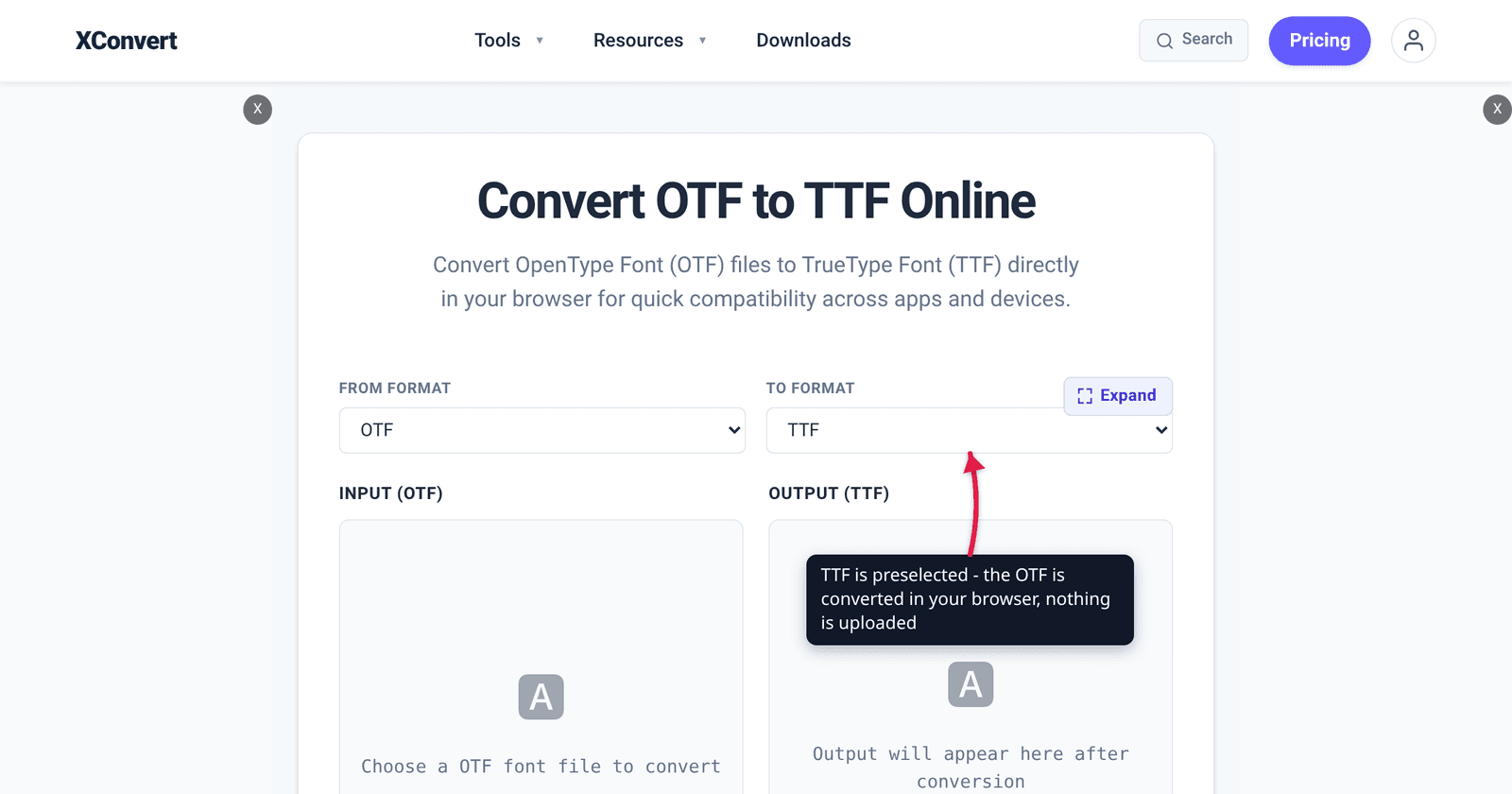
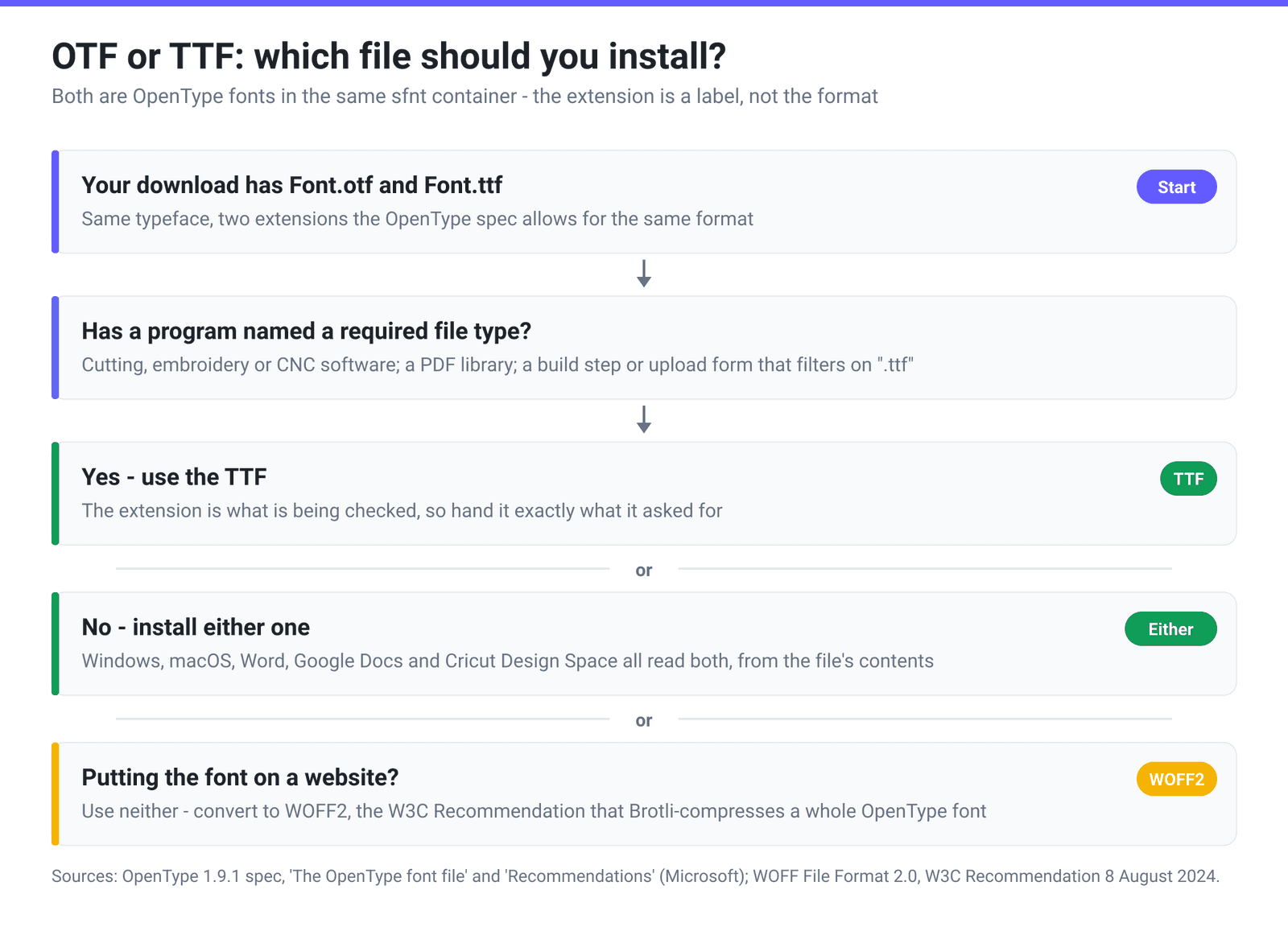
You buy a font bundle and the ZIP contains Sunshine.otf, Sunshine.ttf, and a README that says “install the TTF for Cricut.” A tutorial you read yesterday said OTF is the better one. Which do you actually install — and does the choice do anything at all? The answer comes straight from the specification: both files are OpenType fonts, and Microsoft’s own spec says software must work out what a font is from the file’s contents, not from the extension on the end of its name.
Quick answer: Install either — for almost everyone it genuinely does not matter. OTF and TTF are two extensions for the same OpenType format, wrapped in the same sfnt container, and Windows, macOS, Word, Google Docs and Cricut Design Space all read both. The one real difference is the outline math inside: a
.ttfconventionally carries quadratic TrueType (glyf) outlines, a.otfcarries cubic PostScript (CFF) outlines. Convert OTF to TTF when a specific program has told you it wants a.ttffile — cutting, embroidery or CNC software, or a build step that filters on the extension. For a website, use neither: use WOFF2.
Jump to a section
- Both files are OpenType
- What is actually different inside
- Three myths the internet keeps repeating
- When the choice genuinely matters
- Convert OTF to TTF on xconvert
- FAQ
Both files are OpenType
OpenType is one format with two interchangeable extensions. The specification — maintained by Microsoft and folded into the ISO/IEC 14496-22 “Open Font Format” standard — opens its file chapter with “OpenType font files may have the extension .OTF, .TTF, .OTC or .TTC.” The Recommendations appendix is blunter still about what the extension tells you:
“In all cases, software must determine the kind of outlines present in a font not from the filename extension but from the contents of the file.”
Inside the file, a four-byte sfntVersion tag at offset 0 declares the real flavour: 0x00010000 for TrueType outlines, or the ASCII tag OTTO for CFF (PostScript) outlines. Your operating system reads that tag, not your filename.
Which is why the extension convention is a recommendation, not a rule. A font with TrueType outlines “should have either .OTF or .TTF extension”, the spec says, with the choice depending “on the desire for backward compatibility on older systems”; a font with only CFF outline data “should have an .OTF extension.” So a .otf is almost always CFF, but a .ttf may be either.
What is actually different inside
There is a real technical difference, and it has nothing to do with ligatures or glyph counts. It is the curve model used to describe each letter — and Microsoft publishes a direct comparison of the two glyph-storage tables. The first seven rows below come from that comparison; the last two come from the post and maxp table specifications:
| Consideration | glyf (TrueType, usually .ttf) | CFF (PostScript, usually .otf) |
|---|---|---|
| Curves | Quadratic (2nd order) Bézier | Cubic (3rd order) Bézier |
| Coordinate precision | 1 design unit | 1/65536 design unit |
| De-duplication | Contours shared via composite glyphs | CharStrings shared via subroutines |
| Hinting model | TrueType instructions move outline points by controlled amounts | Alignment zones apply to all glyphs; stems declared per glyph |
| Overlapping contours | Supported | Not supported |
| OpenType variable fonts | Supported (gvar / cvar tables) | Not supported — variable OTFs use CFF2 instead |
| Data redundancy | Low | Moderate |
| Glyph-name table | post 2.0 (names stored) or 3.0 | post 3.0 only, for CFF version 1 outlines |
| Max glyphs | 65,535 (maxp.numGlyphs is a uint16) | 65,535 (identical field) |
Three practical consequences fall out of that table.
Cubic curves need fewer points. A cubic Bézier describes a given curve with fewer control points than a quadratic one, which is part of why the same typeface often ships as a slightly smaller .otf than .ttf. It is a modest difference, not a category difference.
The hinting models are not equivalent. TrueType hinting is a tiny bytecode program that nudges individual outline points onto the pixel grid; CFF hinting declares alignment zones and stem positions and lets the rasterizer do the fitting. Neither is universally “sharper” — it depends on the font, the size and the rasterizer.
CFF outlines have documented legacy quirks on Windows. The spec notes that “Windows GDI’s OpenType CFF driver … ignores the ‘kern’ table in a CFF OT font when it prepares kerning pairs to report via its pair kerning API.” Older GDI-based applications can therefore render an OTF unkerned if the font stores kerning in the legacy kern table rather than in GPOS. And because CFF fonts use only post format 3.0, they carry no glyph names, which occasionally trips up tooling that looks glyphs up by name.
Three myths the internet keeps repeating
Nearly every “OTF vs TTF” article makes at least one of these claims. All three are wrong, and the spec is the source that settles them.
Myth 1: “OTF has ligatures and alternates; TTF only has the basic letters.” The tables that implement ligatures, small caps, stylistic alternates and contextual substitutions are GSUB and GPOS. The spec lists them under “Advanced Typographic Tables” — a section entirely separate from the outline-specific tables, and available to either flavour. A TrueType-outline font can carry a full OpenType feature set, and plenty do. What varies is whether the font designer built those features in, and whether your application exposes them.
Myth 2: “OTF supports up to 65,000 glyphs.” True — and so does TTF, by exactly the same number. Both flavours count glyphs in the same maxp field, numGlyphs, declared as a uint16. Both cap at 65,535. The number is a property of OpenType, not of .otf.
Myth 3: “OTF is the modern one; TTF is legacy.” TrueType came from Apple in the late 1980s and OpenType from Microsoft and Adobe in the 1990s, but OpenType absorbed TrueType rather than replacing it. TrueType outlines are one of the two first-class outline formats in the current spec, and they are the flavour that supports variable fonts through gvar.
When the choice genuinely matters
Four situations, and they are narrower than the search results suggest.
A program explicitly asks for a .ttf file. Some cutting, embroidery and CNC packages, and some PDF-generation libraries, either check the extension or accept only TrueType outlines. This is the one case where “convert it” is the right answer — give the software exactly what it named.
Cricut Design Space. Design Space works from what Cricut’s help calls system fonts, “fonts that are installed on your computer” — so the install is Windows’ or macOS’s job, and both accept .otf and .ttf. Crafters do commonly report an OTF not appearing in that list while a TTF of the same family does, and OpenType extras like swashes and alternates are generally not reachable from the Design Space text panel. Those are community-reported patterns rather than published Cricut policy, so treat converting to TTF as a cheap thing to try, not a guaranteed fix.
You are shipping the font on a website. Then the answer is neither. Serve WOFF2 — the W3C Recommendation published 8 August 2024, which wraps a complete OpenType font in Brotli compression for delivery. Both OTF and TTF convert into it; our TTF to WOFF2 guide covers the web side.
The font is variable. A variable font with TrueType outlines stores its variation data in gvar; one with PostScript outlines needs CFF2, because plain CFF has no variation support at all. A variable font sold as a .ttf is a deliberate, spec-backed choice — not a downgrade.
Outside those four, install whichever file you like.
Convert OTF to TTF on xconvert
The xconvert OTF to TTF converter is one of our client-side tools: the font is parsed and rewritten by JavaScript running in your own browser tab, using the open-source opentype.js library.
- Open xconvert.com/convert-otf-to-ttf. The From format dropdown is already set to OTF and To format to TTF. (Both dropdowns also offer WOFF, WOFF2 and EOT if you need a different target.)
- Click 📂 Choose font file and pick your
.otf. The input panel shows the font name and its size in KB. - Click Convert →. On the first run the button reads Loading opentype.js… for a moment while the parser downloads; after that it converts.
- Click ⬇ Download .ttf to save the result. The output panel shows the converted size so you can compare it against the input.
There is no upload step and no Advanced Options panel on this page — the conversion happens on your device, and the font file is never sent to us or to anyone else. Nothing leaves the browser tab.
One honest caveat, and it is the same point this whole article makes: rewriting a font file is not the same as redrawing its outlines. The converter repackages the font and hands it back with the extension you asked for, carrying the original glyph data across — exactly right when a form, an uploader or a build step is checking the extension. It is not a substitute for a true outline-flavour rebuild. If a program has told you it needs quadratic TrueType outlines specifically, use a font editor that re-fits the curves, such as FontForge: its Font Info → Layers tab has an “All layers Quadratic” option, and checking it makes FontForge “use quadratic Bézier splines for this layer rather than cubic Béziers.”
FAQ
Is OTF or TTF better quality?
Neither, as a format. Rendering quality is decided by how well the specific font was drawn and hinted, and by the rasterizer doing the drawing — not by the extension. The two flavours use different hinting models (TrueType bytecode instructions versus CFF alignment zones and stems), and either can look excellent or mediocre depending on the font.
Can I just rename Font.otf to Font.ttf?
You can, and the operating system will still install it correctly — because, per the OpenType spec, “software must determine the kind of outlines present in a font not from the filename extension but from the contents of the file.” What renaming will not do is satisfy a program that actually inspects the outlines. If a rename gets a file past an upload filter, fine; if the software then rejects the font, the filter was not the problem.
Why does my OTF look like it lost its kerning in an older Windows program?
That is a documented behaviour, not your imagination. The OpenType spec notes that Windows GDI’s OpenType CFF driver ignores the kern table in a CFF OpenType font when it builds the kerning pairs it reports through its pair-kerning API. If the font stores kerning in the legacy kern table rather than in GPOS, GDI-based applications can show it unkerned. A TrueType-outline build of the same family, or a font that uses GPOS, sidesteps it.
Does converting OTF to TTF keep ligatures and alternates?
Not reliably, and you should assume they are gone unless you check. Ligatures and alternates live in the GSUB table, and browser-based font rewriting does not carry every OpenType layout construction across intact. Some fonts with complex layout tables will not convert at all — you will see an error mentioning an unsupported lookup type. If the swashes and alternates are the reason you bought the font, install the original OTF and use an application that exposes OpenType features.
My font has both an OTF and a TTF. Should I install both?
You can, and nothing breaks — Windows and macOS will just list two entries for the family. It is tidier to install one: pick the TTF if any of your software has named it, otherwise pick either and keep the other as a spare.
Which format should I use for a website?
Neither. Convert to WOFF2, which Brotli-compresses a complete OpenType font specifically for web delivery and is a W3C Recommendation. Serving a raw .ttf or .otf from a @font-face rule works, but ships considerably more bytes than it needs to.
Sources
Last verified 2026-08-31.
- The OpenType font file — OpenType 1.9.1 (Microsoft) — extensions
.OTF/.TTF/.OTC/.TTC;sfntVersionof0x00010000for TrueType outlines andOTTOfor CFF; the required-tables list and the separate “Advanced Typographic Tables” (GSUB/GPOS) section that both flavours share. - Recommendations for OpenType Fonts (Microsoft) — the Filenames guidance, “software must determine the kind of outlines … from the contents of the file”, the Windows GDI CFF
kern-table behaviour, andpostformat 3.0 for CFF fonts. - Comparison of ‘glyf’, ‘CFF ’ and CFF2 tables (Microsoft) — the quadratic-vs-cubic curve model, coordinate precision, hinting models, overlapping contours, and variable-font support per outline table.
- post — PostScript Table (Microsoft) — “OpenType fonts with CFF version 1 outline data must only use a version 3.0 ‘post’ table”, and “Fonts with TrueType or CFF version 2 data may also use a version 3.0 ‘post’ table.”
- maxp — Maximum Profile table (Microsoft) —
numGlyphsis auint16in both version 0.5 (CFF/CFF2) and version 1.0 (TrueType), so both flavours cap at the same glyph count. - OpenType specification index (Microsoft) — OpenType 1.9.1’s relationship to the ISO/IEC 14496-22 “Open Font Format” standard.
- WOFF File Format 2.0 — W3C Recommendation, 8 August 2024 — WOFF2’s status and its use of Brotli to wrap complete OpenType fonts for the web.
- FontForge — Font Info dialog documentation — the “All layers Quadratic” option: “FontForge will use quadratic Bézier splines for this layer rather than cubic Béziers”, and the note that FontForge converts to whatever format the generated font requires regardless of the setting.
- Design Space Offline Feature — Cricut Help Center — “System fonts are fonts that are installed on your computer.” Cricut publishes no statement about accepted font file types, which is why the OTF-versus-TTF behaviour above is described as community-reported.