 By Stephanie Taylor
There are two ways a job application goes wrong at the upload step, and only one of them tells you. The first is obvious: the portal refuses your file, because it is the wrong type or over the size limit. The second is silent — the file uploads, the confirmation page appears, and the recruiter’s system quietly fails to read a single field out of it. Your name, your last job title, your email: all blank, because the file was too big for the parser or had no text in it at all. This guide gives you the numbers each portal actually publishes, and the two failure modes those numbers don’t cover.
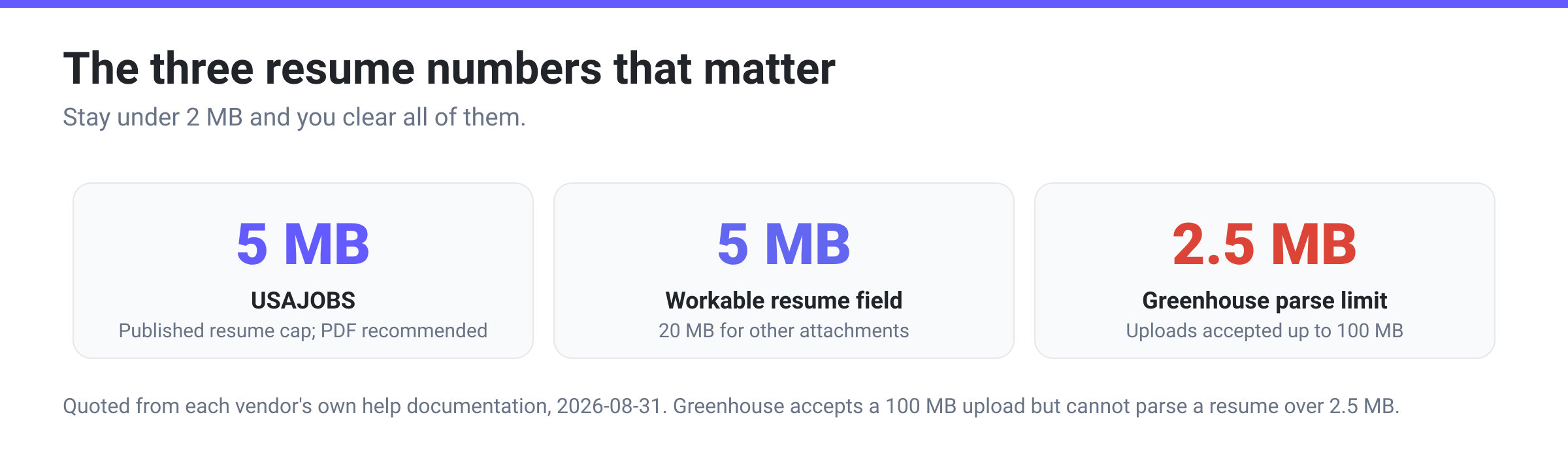
Quick answer: Send a PDF under 2 MB and you clear every published limit we could verify. USAJOBS caps resumes at 5 MB and recommends PDF; Workable caps the resume field at 5 MB. Greenhouse accepts uploads up to 100 MB — but its own documentation says it “can’t parse resumes larger than 2.5MB,” so a large file uploads successfully and then fills in nothing, and that 2.5 MB parse threshold is the tightest number in the set. The other silent failure is a resume that is really a picture: a scanned or photographed page has no text layer, so no parser can read it regardless of size.
Jump to a section
- What each portal actually publishes
- The limit that bites is the parse limit
- Why PDF, and the two places it goes wrong
- The one setting on the page, and what it does not do
- Convert your resume to PDF on xconvert
- FAQ
What each portal actually publishes
Every figure below is quoted from the vendor’s own help documentation, not from a roundup article. Numbers on this topic go stale quickly, so check the linked source if you are up against a deadline.
| Where you are applying | Accepted resume formats | Published size limit | Their own recommendation |
|---|---|---|---|
| USAJOBS (US federal jobs) | PDF, DOC, DOCX, RTF, TXT, ODT, GIF, JPG, JPEG, PNG. PDF portfolio files are not accepted | 5 MB or less | PDF, “to maintain formatting and number of pages”; two pages or fewer; 0.5-inch margins |
| Greenhouse (applicant tracking system) | .doc, .docx, .pdf, .rtf, .txt | 100 MB to upload — but 2.5 MB to be parsed | “Upload a PDF for best results. If an upload fails, try re-saving your file as a PDF and reducing its file size” |
| Workable (applicant tracking system) | .pdf, .doc, .docx, .rtf, .html, .odt | 5 MB for the resume field (20 MB for other attachments) | — |
Two things stand out. The formats converge and the sizes don’t. Every one of these accepts PDF and Word; the published caps run from 5 MB to 100 MB. And the number that actually decides whether your application is readable is not the upload cap at all — it is Greenhouse’s 2.5 MB parse threshold, which sits well below the 100 MB it will happily accept. That is why “it uploaded fine” is such a poor test of whether you have done this right.
A note on what is not in that table: LinkedIn is widely said to want resumes under 2 MB, and we could not find that figure — or any resume size limit — stated in LinkedIn’s own Help Center. We have left it out rather than repeat an unsourced number.
If you are applying through a company’s own careers page, you are almost certainly going through an applicant tracking system like the two above even though the branding is the employer’s. The limits that apply are the ATS’s, not the employer’s.
The limit that bites is the parse limit
This is the part almost nobody tells applicants. An ATS does two separate things with your file:
- Stores it, so a human can open it later.
- Parses it, extracting your name, contact details, employment history and skills into database fields — the fields recruiters actually search and filter on.
Those two operations have different limits, and Greenhouse publishes both. Candidate uploads “can be up to 100 MB.” But its support documentation on unsuccessful resume parses is blunt: “Greenhouse Recruiting can’t parse resumes larger than 2.5MB.” When that happens, Greenhouse says the recruiter sees “a message that the resume has only been attached to the candidate,” and someone has to “manually input the candidate’s details into the fields.”
At the receiving end, your application arrives as an attachment beside an empty profile, in a queue of hundreds whose fields are populated and searchable. Nothing was rejected; nothing told you. You are simply harder to find.
The second silent failure has nothing to do with size: a resume that is an image cannot be parsed at any file size. If you scanned or photographed a printed resume, there is no text in the file — only pixels arranged to look like text, and parsers extract characters. Recognising text in a picture requires OCR, a separate process that xconvert does not perform. If your resume began life on paper, retype it in a word processor rather than converting the scan; best file format for scanned documents explains why.
Why PDF, and the two places it goes wrong
PDF is the right default, and the vendors say so themselves. USAJOBS: “We recommend saving and uploading your resume as a PDF to maintain formatting and number of pages.” Greenhouse: “Upload a PDF for best results.” The reason is that a PDF carries its own page geometry — the recruiter sees the pages you laid out, on whatever machine they open it on, whereas a .docx re-flows against whatever fonts and printer driver happen to be installed.
Two exceptions worth knowing.
PDF portfolio files. USAJOBS states plainly: “We do not accept PDF portfolio files.” A PDF portfolio is a container holding several separate documents rather than one continuous document — some PDF tools produce them when you combine files. If you are merging a resume and a cover letter, make sure the result is a single ordinary PDF, not a portfolio.
Portals that ask for Word. A minority of employers and agencies still want an editable .doc or .docx, usually because a recruiter intends to strip your contact details before forwarding it. Give them what they ask for; if all you have is the PDF, convert the PDF back to Word and check the result, because that direction is a reconstruction rather than a copy.
What is not a real exception: the belief that ATS software “can’t read PDFs.” Both vendors quoted above explicitly recommend PDF. What genuinely defeats a parser is an image-only file, a multi-column layout with text in boxes, or text placed inside a header or footer region.
The one setting on the page, and what it does not do
xconvert’s DOCX to PDF page carries exactly one control — Compression Type, with five choices: Screen (Best), Ebook, Default, Prepress and Printer. It is worth knowing what that control does here, because the obvious guess is wrong.
Those five names are Ghostscript’s documented -dPDFSETTINGS presets, and on a page that actually runs Ghostscript they change real parameters. The DOCX to PDF conversion is not one of those pages. A document conversion runs through the Office pipeline, which never reads the compression setting at all, so whichever preset is selected the PDF you get back is the same PDF. Leave it alone and convert.
Where the presets do bite is Compress PDF, which is a Ghostscript job. If a finished resume PDF is too big, that is the page to take it to, and there the choice matters:
| Preset | Downsamples images? | Embeds the 14 standard fonts? |
|---|---|---|
| Screen (Best) | Yes — colour and greyscale to 72 dpi | No — NeverEmbed lists the standard fonts |
| Ebook | Yes — colour and greyscale to 150 dpi | No — same NeverEmbed list |
| Default | No — DownsampleColorImages is false | No — same NeverEmbed list |
| Printer | No — DownsampleColorImages is false | Yes — empty NeverEmbed |
| Prepress | No — DownsampleColorImages is false | Yes — empty NeverEmbed |
Read that table before you pick. Only Screen and Ebook actually resample images, which is where nearly all the savings on an image-heavy resume come from; Printer and Prepress raise the resolution ceiling to 300 dpi but leave DownsampleColorImages off, so they will not shrink a headshot at all. For a resume that needs to get smaller, Ebook is the one to use.
One correction worth making, because Ghostscript’s own documentation is stale on the font question: the docs table shows EmbedAllFonts as false for /screen, but Ghostscript’s source (Resource/Init/gs_pdfwr.ps) sets /EmbedAllFonts //true in all five preset blocks. What actually differs between them is NeverEmbed — .standardfonts for /default, /screen and /ebook, an empty list for /printer and /prepress. So Ebook embeds every font in your document except the 14 standard ones (Courier, Helvetica and Times families, Symbol, ZapfDingbats), which are the faces every PDF reader already ships. If your resume is set in one of those, the reader substitutes its own copy, and a carefully-spaced two-page resume can occasionally reflow to three. Open the compressed file and check the page count before you send it.
The other reason a resume file is unexpectedly large is almost always an image: a headshot, a logo, a decorative header bar, or a chart pasted in at full camera resolution. A two-page text resume from a word processor is normally a fraction of a megabyte. If yours is several megabytes, something in it is a photograph — removing it is faster and safer than compressing around it.
Convert your resume to PDF on xconvert
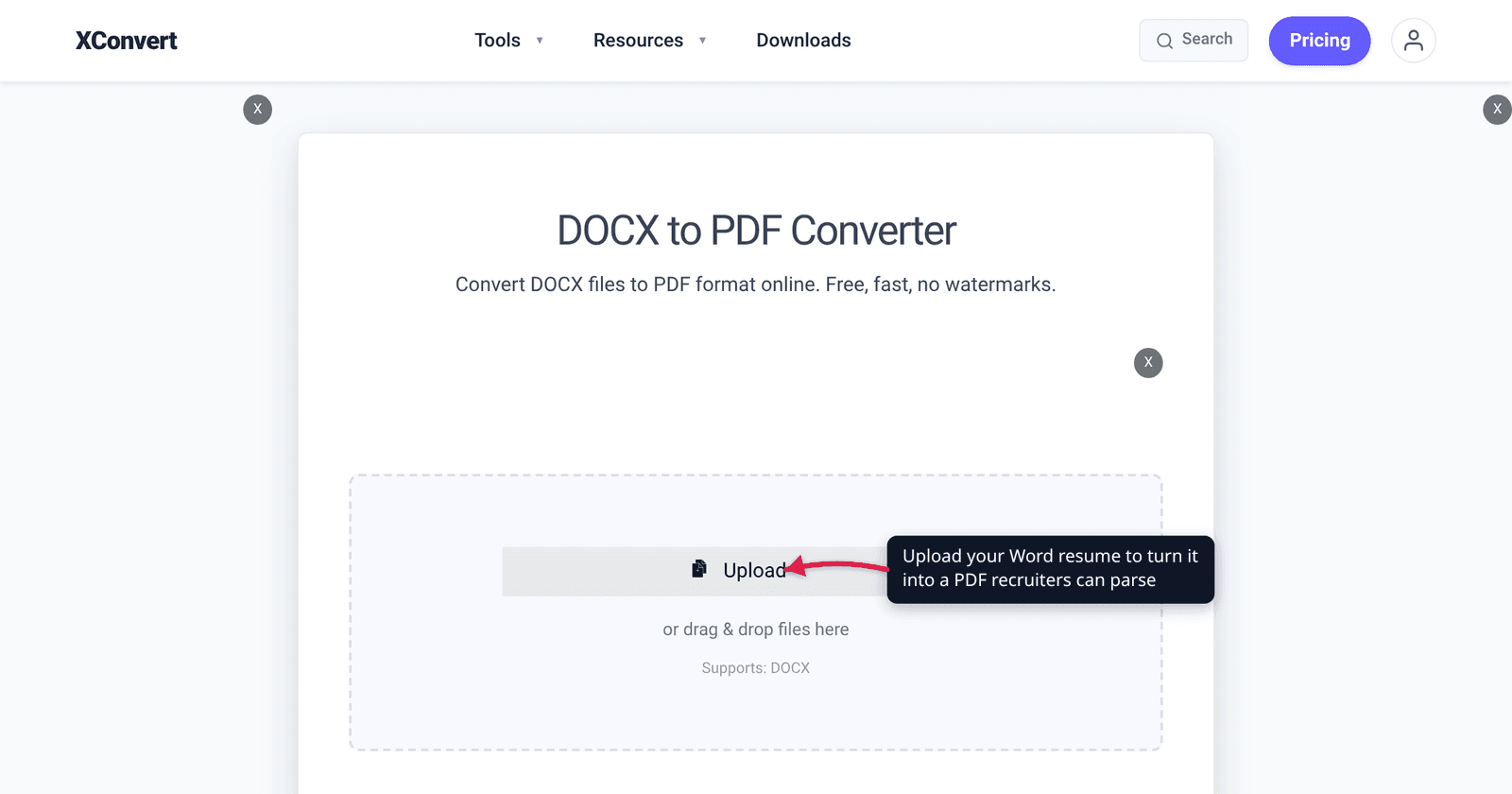
- Open the DOCX to PDF converter and click Upload to add your
.docx. You can queue several documents and convert them in one pass. - Ignore Compression Type. It is the page’s only control, but a DOCX to PDF conversion never reads it, so Screen (Best), Ebook, Default, Prepress and Printer all produce the same file here.
- Click Convert and download the PDF.
- Check the file size before you submit. Under 2 MB clears every published limit above with room to spare, including Greenhouse’s 2.5 MB parse threshold.
- Open the PDF and select some text with your cursor. If the text highlights, it is real text and a parser can read it. If nothing highlights, your resume is a picture and needs retyping.
Your file uploads over an encrypted connection, is processed on our servers, and is deleted automatically a few hours later. No sign-up, no watermark.
FAQ
What file format should a resume be?
PDF, unless the employer specifically asks for Word. USAJOBS recommends PDF “to maintain formatting and number of pages,” and Greenhouse’s own guidance is “Upload a PDF for best results.” Word (.doc/.docx) is accepted essentially everywhere as a second choice. Avoid .pages, .odt where it isn’t listed, and anything image-based — JPG and PNG resumes are accepted by USAJOBS as file types but cannot be parsed into fields by any system.
What is the maximum file size for a resume upload?
It varies by portal, and the published numbers we could verify are: USAJOBS 5 MB, Workable 5 MB for the resume field, and Greenhouse 100 MB to upload. The tightest functional figure is well below any of those — Greenhouse’s 2.5 MB parse limit — so treat 2 MB as your working ceiling and you never have to check again. (LinkedIn is often quoted at 2 MB; we could not find that number anywhere in LinkedIn’s Help Center, so we are not repeating it.)
My resume uploaded successfully but the recruiter’s system didn’t fill in any of my details. Why?
Almost certainly one of two things. Either the file was over the parser’s limit — Greenhouse documents that it “can’t parse resumes larger than 2.5MB,” well below the 100 MB it will happily accept — or the file contains no machine-readable text, because it is a scan or a photograph. In the first case the fix is to shrink the file; in the second, retyping the content in a word processor is the only real fix, since extracting text from an image requires OCR, which is a separate step.
Should I send a PDF or a Word document?
PDF for almost every case: it fixes the layout, so what the recruiter opens is what you laid out. Send Word only when the posting explicitly asks for it — usually an agency that intends to edit the document before passing it on. Note that both formats are accepted by all four services in the table above, so this is a question about presentation rather than compatibility.
Why is my resume file several megabytes?
An image. Text is tiny; photographs are not. A headshot at camera resolution, a scanned signature, a company logo pasted from a website, or a decorative full-width header will each add megabytes on their own. Removing the picture is the fastest fix, and in several countries a photo on a resume is discouraged anyway. If you need to keep it, run the finished PDF through Compress PDF — that page does run the Ghostscript presets, and Ebook resamples colour and greyscale images down to 150 dpi, which is plenty for on-screen reading. The Compression Type control on the DOCX to PDF page will not do it for you: that conversion never reads the setting.
Does converting DOCX to PDF change my fonts or layout?
It can, but not because of anything on the settings panel. The page’s only control, Compression Type, is not read by a DOCX to PDF conversion — every preset gives you the same file — so there is nothing to tune there. What does change a layout is the conversion itself: the Office pipeline re-lays the document out, and a .docx that relies on a font the converter does not have will be substituted. Open the finished PDF and check the page count and the first heading before you submit. Font substitution is worth watching if you later compress the PDF, where the lighter Ghostscript presets decline to embed the 14 standard fonts — check the page count on the compressed copy.
Sources
Last verified 2026-08-31.
- USAJOBS Help Center — Resumes — “Your resume must be 5MB or less”; “We recommend saving and uploading your resume as a PDF… We also accept GIF, JPG, JPEG, PNG, RTF, TXT, ODT or Word (DOC or DOCX). We do not accept PDF portfolio files”; “two pages or less”; 0.5-inch margins.
- Greenhouse Support — Supported formats for resumes, cover letters and other candidate uploads — accepted types .doc/.docx/.pdf/.rtf/.txt; “Candidate uploads can be up to 100 MB.”
- Greenhouse Support — MyGreenhouse FAQ for Candidates — “Upload a PDF for best results. If an upload fails, try re-saving your file as a PDF and reducing its file size.” This is the page that carries the quote, not either of the two above.
- Greenhouse Support — Unsuccessful resume parse — “Greenhouse Recruiting can’t parse resumes larger than 2.5MB,” and what the recruiter sees when a parse fails.
- Workable Help Center — What types of files can be uploaded on the application form? — “The file size limit for resumes is 5MB. Accepted file types: .pdf / .doc / .docx / .rtf / .html / .odt”; 20 MB for custom-question uploads.
- Ghostscript — pdfwrite / VectorDevices documentation — the
-dPDFSETTINGSpresets behind the Compression Type control, the per-presetColorImageResolution(72 / 72 / 150 / 300 / 300) andDownsampleColorImages(false / true / true / false / false) rows, and the distiller-parameter table showingEmbedAllFontsfalse for/screen(contradicted byResource/Init/gs_pdfwr.ps, which sets it true in all five blocks;NeverEmbedis the attribute that actually differs). - xconvert DOCX to PDF converter — the live Compression Type control (Screen (Best) selected by default, plus Ebook, Default, Prepress and Printer), read from the page on 2026-08-31. The control is rendered on this page but is not read by a document conversion; the presets take effect on Compress PDF, which is the Ghostscript job.