 By James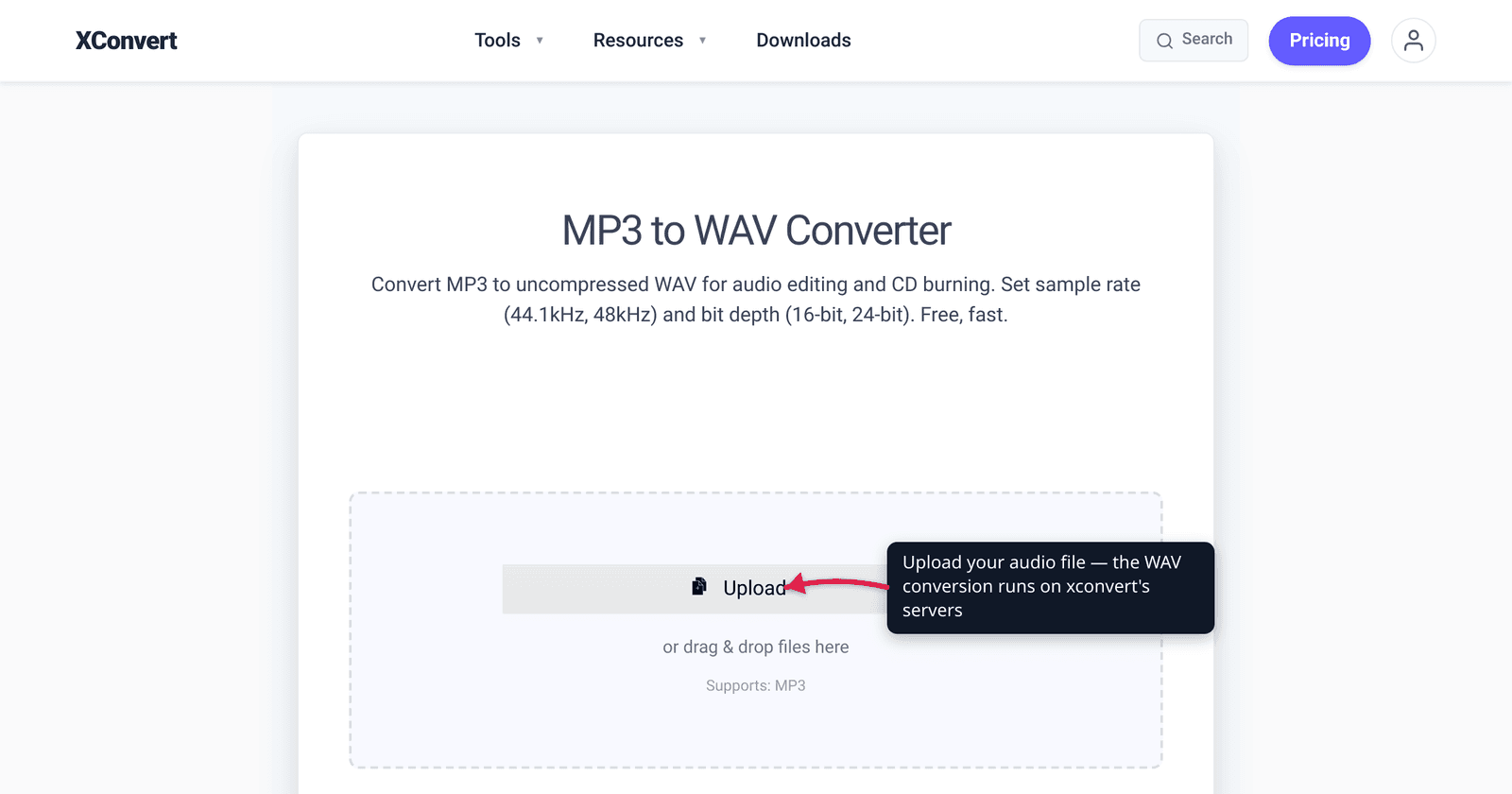
A DAW that rejects your import, a CD-burning app that greys out the “Burn” button, a music distributor whose upload page demands “16-bit / 44.1 kHz WAV” — they’re all asking for the same thing: the original CD audio spec. It’s the most universally accepted, no-surprises audio format there is. This guide explains what 16-bit / 44.1 kHz WAV actually is, who genuinely needs it, and — the part most converters won’t tell you — why converting a compressed MP3 to this spec does not restore the quality the MP3 already threw away. We verified the Red Book numbers, the dynamic-range math, and the file sizes against the standards bodies.
Quick answer: 16-bit / 44.1 kHz / stereo WAV is “CD quality” — it’s the exact spec the Compact Disc Red Book standard (IEC 60908) defines: 44,100 samples per second, 16 bits per sample, two channels, linear PCM. Use it for CD authoring, music-distributor submissions, and software (DAWs, samplers, telephony) that require it. But know this: converting a lossy MP3 to a 16-bit/44.1 WAV gives you a bigger, lossless-container file that sounds exactly the same as the MP3 — it cannot recover detail the MP3 encoder discarded. WAV here means compatibility and no further loss, not restored fidelity.
Jump to a section
- What “16-bit / 44.1 kHz” actually means
- Why it’s called “CD quality”
- Who actually needs this spec
- The big honest caveat: MP3 → WAV doesn’t restore quality
- File size: what to expect
- Convert to 16-bit / 44.1 kHz WAV on xconvert
- FAQ
What “16-bit / 44.1 kHz” actually means
Two independent numbers describe uncompressed (PCM) digital audio:
- Sample rate — 44.1 kHz is how many times per second the waveform is measured: 44,100 snapshots every second. The number isn’t arbitrary. The Nyquist–Shannon sampling theorem says that to capture every frequency up to F Hz you must sample at least 2×F times per second. Human hearing tops out around 20 kHz, so a rate just above 40 kHz captures everything the ear can hear; 44.1 kHz leaves a small margin for filtering.
- Bit depth — 16-bit is how finely each of those snapshots is measured: 16 bits give 2¹⁶ = 65,536 possible amplitude values per sample. More bits = finer steps = lower quantization noise and a wider dynamic range.
Put together — 44,100 samples/sec, 16 bits each, two (stereo) channels, stored as linear PCM — that’s the canonical “CD audio” format. WAV is simply the most common container that holds raw PCM on Windows and in pro-audio tools; the same PCM data can live in an AIFF or FLAC file too.
Why it’s called “CD quality”
Because it is literally the CD specification. The audio Compact Disc is governed by the Red Book standard, first published by Philips and Sony in 1980 and later ratified by the International Electrotechnical Commission as IEC 60908. Red Book defines audio as two-channel signed 16-bit LPCM sampled at 44,100 Hz — nothing else plays on a standard audio CD.
What does 16-bit/44.1 kHz buy you in plain terms?
- Dynamic range. Each bit adds about 6.02 dB of range; 16 bits yield a theoretical signal-to-noise ratio near 96–98 dB — quieter noise floor than cassette tape or vinyl, the formats CD was designed to beat. That’s enough to span a whisper to a full orchestra without audible hiss.
- Frequency response. Sampling at 44.1 kHz reproduces frequencies up to roughly 22 kHz — past the limit of human hearing.
For finished, distribute-anywhere audio, this combination is the safe, universal baseline. Higher specs (24-bit, 48/96/192 kHz) matter during recording and mixing, where headroom for editing helps — but for the final deliverable that has to “just play everywhere,” 16-bit/44.1 kHz is the lingua franca. (For the bigger picture on these two dials, see understanding audio bitrate and sample rate.)
Who actually needs this spec
You’re not converting to 16-bit/44.1 kHz for fun — something downstream is demanding it. The usual suspects:
- Burning an audio CD. A standard audio CD only reproduces 16-bit/44.1 kHz; authoring software resamples anything else, so handing it the correct spec avoids a surprise conversion.
- Submitting to a music distributor / aggregator. Many distribution platforms specify a 16-bit, 44.1 kHz WAV (or AIFF) as the accepted master, because it converts cleanly to every store and streaming format. (Note: during production you should work at 24-bit and only convert down to 16-bit, with dithering, at the final master — submit 16-bit only as the finished deliverable.)
- DAWs, samplers, and older audio software that expect — or only fully support — 16-bit PCM at 44.1 kHz.
- Telephony / IVR / voice systems and some game engines whose import pipelines assume the CD spec.
- Any tool that flat-out rejects your current file with a “format not supported” or “wrong sample rate” error — matching the CD spec is the most reliable fix.
If none of those apply and you just want a smaller, good-sounding file, a 256–320 kbps MP3 is the better choice — see 128 vs 256 vs 320 kbps MP3.
The big honest caveat: MP3 → WAV doesn’t restore quality
This is the single most common misconception, so let’s be blunt about it.
MP3 is a lossy format. When audio is encoded to MP3, the encoder’s psychoacoustic model permanently discards parts of the signal it judges inaudible — high-frequency detail, masked sounds, fine reverb tails. That data is gone the moment the MP3 is created. Converting that MP3 to a WAV — even a pristine 16-bit/44.1 kHz WAV — cannot bring any of it back. There is nothing in the file to recover from.
So what does MP3 → WAV actually do?
- It rewraps the audio (decoded back to PCM) into a lossless container at the spec you choose.
- The result sounds essentially identical to the source MP3 — same fidelity, same artifacts — just much larger (often 5–10× the file size).
- It stops further loss. Editing and re-exporting an MP3 re-compresses it and degrades it again; working in WAV from then on prevents additional generation loss.
That’s the real value: compatibility and no further degradation, not a fidelity upgrade. If anyone promises a converter that “restores” or “enhances” your MP3 by turning it into WAV, they’re selling a bigger file, not better audio. Start from the highest-quality source you have (the original WAV/FLAC/CD rip if it exists) — converting up from a lossy MP3 only locks in the loss at a larger size. For the format trade-offs in depth, see MP3 vs WAV vs FLAC.
File size: what to expect
Uncompressed PCM has a fixed, predictable bitrate. At 44.1 kHz × 16 bits × 2 channels the data rate is 1,411.2 kbit/s (often labelled “1411 kbps”). In practical terms:
| Setting | Approx. size per minute | Approx. per hour |
|---|---|---|
| 44.1 kHz / 16-bit / stereo (CD quality) | ~10.6 MB | ~635 MB |
| 48 kHz / 16-bit / stereo | ~11.5 MB | ~690 MB |
| 44.1 kHz / 16-bit / mono | ~5.3 MB | ~318 MB |
So a 4-minute song lands near 42 MB as a CD-quality WAV versus ~9 MB as a 320 kbps MP3. That size is the cost of being lossless and universally editable — expected, not a problem. If a WAV you already have is too big to send, converting to mono (for voice) or to a compressed format is the lever — see how to reduce WAV file size.
Convert to 16-bit / 44.1 kHz WAV on xconvert
The xconvert MP3-to-WAV converter outputs uncompressed PCM WAV and lets you set the sample rate, so you can hit the CD spec exactly. It accepts MP3 and other audio sources, not just MP3.
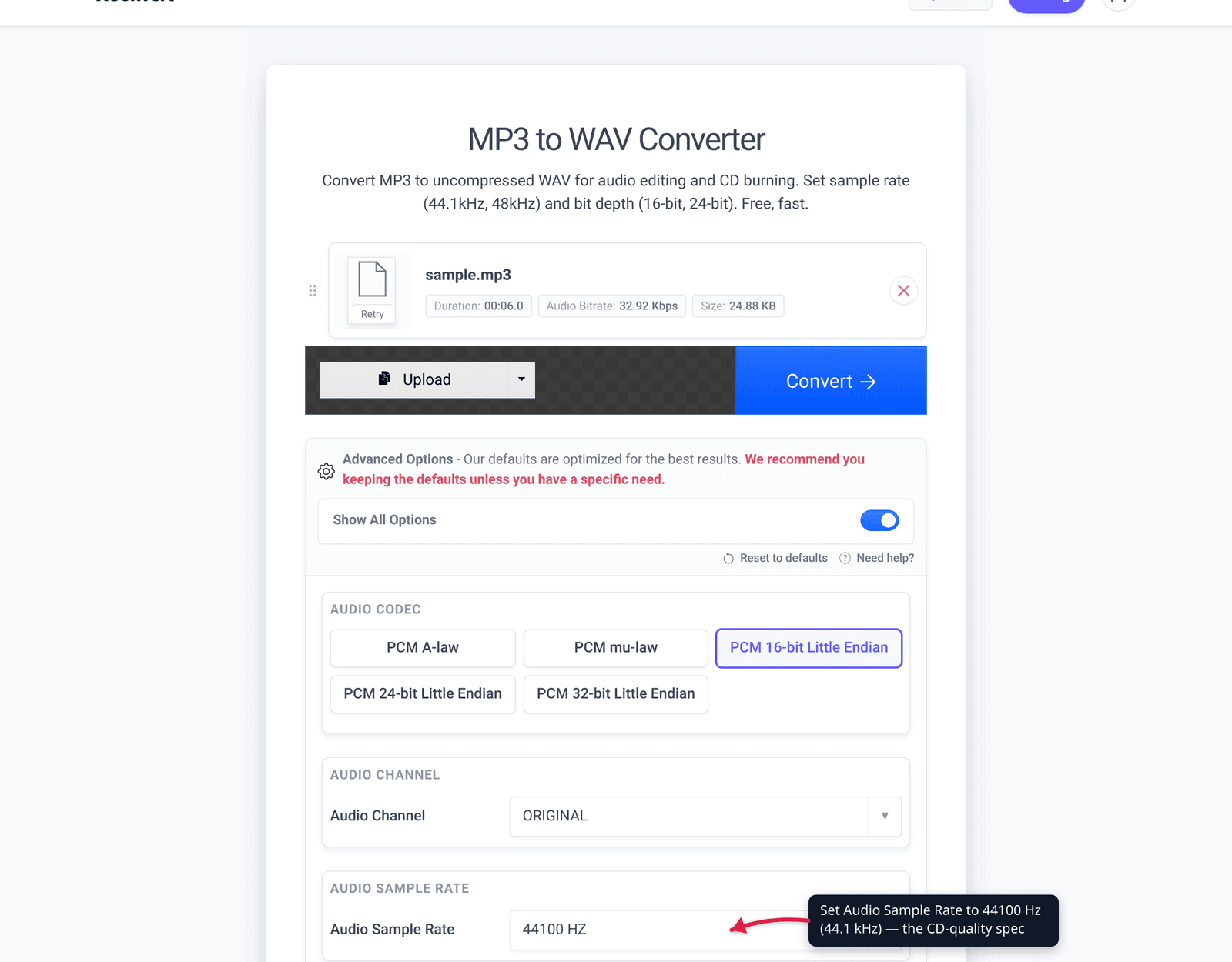
- Open xconvert.com/convert-mp3-to-wav and click Upload to add your file (From my Computer, From Google Drive, or From Dropbox).
- Open Advanced Options (the gear icon).
- Set Audio Sample Rate to 44.1 kHz (44100). The WAV output is 16-bit PCM, which is the CD-quality bit depth. (Leave it on ORIGINAL if your source is already 44.1 kHz.)
- Set Audio Channel to Stereo for the full CD spec (or Mono to halve the size for voice).
- Use Reset to defaults if you want to start over; the defaults are tuned for a clean conversion.
- Click Convert, then download your 16-bit / 44.1 kHz WAV.
Your file uploads over an encrypted connection, is processed on our servers, and is automatically deleted a few hours later. Nothing is kept.
Reminder from above: this gives you a correct-spec, lossless WAV — ideal for CD burning or a distributor submission — but if the source was a lossy MP3, the audio fidelity matches that MP3; the conversion doesn’t restore what the MP3 removed.
FAQ
Does converting MP3 to WAV improve the sound quality?
No. MP3 permanently discards audio data when it’s created, and that data can’t be recovered by any conversion. Converting to a 16-bit/44.1 kHz WAV gives you a lossless, much larger file that sounds the same as the source MP3 — it prevents further loss when editing, but it doesn’t add back fidelity the MP3 already lost.
Why is 16-bit / 44.1 kHz called “CD quality”?
Because it’s the exact spec of the audio Compact Disc. The Red Book standard (IEC 60908) defines CD audio as 16-bit linear PCM, 44,100 Hz, two channels (stereo) — so a file at that spec is, by definition, CD quality.
Should I use 16-bit or 24-bit?
For a finished, distribute-anywhere file, 16-bit is the standard and is all an audio CD or most distributors accept. Use 24-bit while recording and mixing (the extra headroom helps editing), then convert down to 16-bit — with dithering — only at the final master. Converting an MP3 to 24-bit captures no extra detail, since the lossy source has none to give.
Is 44.1 kHz or 48 kHz better?
Neither is “better” universally — they serve different worlds. 44.1 kHz is the CD and music-release standard; 48 kHz is the standard for video and film audio. Use 44.1 kHz when the target is CD or music distribution, and 48 kHz when the audio will live in a video project.
How big will a 16-bit / 44.1 kHz WAV be?
About 10.6 MB per minute in stereo (a data rate of 1,411 kbps), so roughly 42 MB for a 4-minute song — versus ~9 MB as a 320 kbps MP3. That larger size is normal for uncompressed, lossless audio.
Can I convert any audio file to 16-bit / 44.1 kHz WAV, not just MP3?
Yes. The converter accepts other audio inputs too, and starting from a lossless source (an original WAV, FLAC, or CD rip) is best — you keep full quality. Converting up from an MP3 works, but it locks in the MP3’s existing quality at a larger file size; it doesn’t improve it.
Sources
Last verified 2026-06-25.
- IEC 60908 — Audio recording – Compact disc digital audio system — the Red Book standard defining CD audio (16-bit LPCM, 44.1 kHz, stereo).
- Wikipedia — Compact Disc Digital Audio — Red Book history (Philips/Sony 1980, IEC 60908 1987) and the 16-bit / 44,100 Hz / two-channel LPCM spec; cites the primary standard.
- Wikipedia — Audio bit depth — 16-bit = 65,536 levels; ~6.02 dB/bit; CD’s theoretical SNR ~96–98 dB.
- iZotope — Digital audio basics: sample rate and bit depth — Nyquist sampling, bit depth vs dynamic range, when 24-bit/higher rates matter (recording/mixing).
- CD Baby — What file format should I use — distributor example specifying 16-bit / 44.1 kHz WAV as the delivery master.
- xconvert — MP3 to WAV converter — the funnel tool: Upload, Advanced Options, Audio Sample Rate and Audio Channel controls, uncompressed PCM WAV output.