 By Stephanie Taylor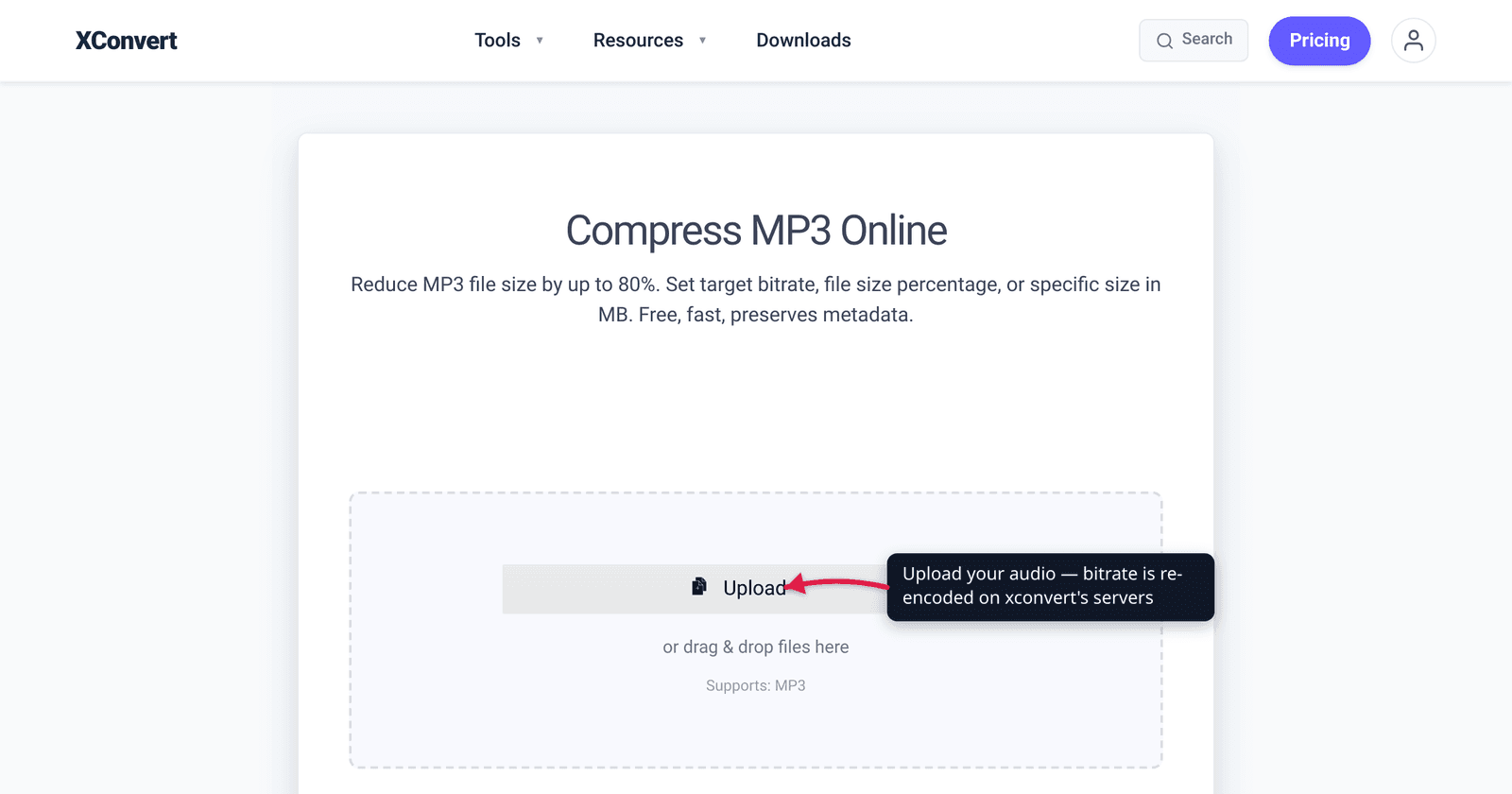
A one-hour interview recorded at 320 kbps stereo MP3 is roughly 146 MB — too big to email or post. Drop it to 96 kbps mono and the same recording lands near 40 MB, with no audible loss for spoken word. That trade is the whole game: bitrate is the single biggest dial on an audio file’s size, and lowering it shrinks the file in near-direct proportion. This guide covers what bitrate actually is, constant (CBR) vs variable (VBR) bitrate, a practical bitrate ladder for music versus speech, and the one rule that trips people up — you can shrink quality by lowering bitrate, but you can never buy it back by raising it. The numbers here are verified against the standard bitrate references and the documented behavior of lossy re-encoding.
Quick answer: Bitrate (in kbps, kilobits per second) is how much data each second of audio stores — higher bitrate means a bigger file and more detail; lower bitrate means a smaller file and less. To lower it, re-encode the file at a smaller bitrate (e.g. 320 → 128 kbps roughly quarters the size of that audio stream). For music, 128–192 kbps is fine for casual listening and 256 kbps is the practical “transparent” sweet spot; for speech and podcasts, 64–96 kbps is plenty. Important: lowering the bitrate of an already-lossy file (MP3, AAC) re-encodes it and permanently discards quality — and raising the bitrate later cannot restore what was thrown away.
Jump to a section
- What audio bitrate actually is
- CBR vs VBR
- The bitrate ladder: which kbps for what
- The honesty rule: you can’t un-lower a bitrate
- Lower an audio file’s bitrate on xconvert
- FAQ
What audio bitrate actually is
Bitrate is the amount of data the file uses per second of audio, measured in kilobits per second (kbps). A 128 kbps MP3 spends 128 kilobits — 16 kilobytes — on every second of sound. Multiply that out and you get the file size: bitrate × duration ≈ the size of the audio stream. A 4-minute song at 320 kbps is about 9.6 MB of audio; the same song at 128 kbps is about 3.8 MB. That near-linear relationship is why bitrate is the first thing to change when you need a smaller file.
Bitrate is not the same as sample rate (how many times per second the waveform is measured, in Hz/kHz) or channels (mono vs stereo) — all three affect size, but bitrate is the dominant lever. For the full breakdown of how they interact, see Audio Bitrate vs Sample Rate.
The relationship to quality is direct but with diminishing returns. More bits per second lets the encoder preserve more detail — high frequencies, the decay of a cymbal, the “air” around a voice. Strip bits away and the encoder throws detail out, which at low bitrates shows up as a swirly, watery sound on cymbals and sibilance. But past a certain point extra bits stop producing audible improvement — which is why the ladder below tops out where it does.
CBR vs VBR
There are two ways an encoder can spend its bit budget, and xconvert lets you pick either one.
Constant Bitrate (CBR) uses the same bitrate for every second — a 128 kbps CBR file spends exactly 128 kbps on silence and on a dense orchestral climax alike. The upside is a perfectly predictable file size (bitrate × duration) and maximum compatibility with old players and streaming; the downside is wasted bits on simple passages and starved bits on complex ones.
Variable Bitrate (VBR) lets the encoder spend more bits where the audio is complex and fewer where it’s simple — near-silence might get 32 kbps while a busy mix gets 256 kbps. Because the bits go where they’re needed, VBR generally gives better quality at a smaller average size than CBR; a well-tuned VBR encode averaging ~190 kbps is widely held to match a 256 kbps CBR file at less storage. The cost is that you can’t predict the exact final size, and a few very old devices prefer CBR.
Rule of thumb: choose VBR when you want the best quality-per-megabyte and your player is anything modern; choose CBR when you need an exact, predictable file size, are streaming live, or are targeting an old/embedded device.
The bitrate ladder: which kbps for what
Lowering bitrate is about picking the lowest rung where the audio still sounds good for its purpose. Speech tolerates far lower bitrates than music because the human voice occupies a narrower frequency range and is less complex. Here is a practical ladder, with the standard MP3 reference descriptions:
| Bitrate (CBR) | Best for | Notes |
|---|---|---|
| 320 kbps | Archiving, critical listening | Highest level the MP3 standard supports; for most listeners, overkill versus 256 |
| 256 kbps | General music, “keep quality” | The practical transparency sweet spot — many people stop reliably telling MP3 from lossless here |
| 192 kbps | Everyday music | “Medium quality”; fine for casual listening on phones/laptops |
| 128 kbps | Casual music, music podcasts | “Mid-range” — the long-standing default; acceptable for most, audible compromise on a good system |
| 96 kbps | Speech, low-quality streaming | Plenty for voice-only content; common podcast floor |
| 64 kbps | Speech, max size savings | Works for spoken word when file size really matters (BBC uses 64 kbps for mono speech) |
| 32 kbps | Speech only, last resort | “Generally acceptable only for speech”; noticeably degraded |
How to use it: for music, start at 192 kbps and only drop to 128 if you need more savings. For speech (lecture, interview, voice memo, podcast), 96 kbps mono is usually transparent and 64 kbps is a strong size-saver. Converting stereo speech to mono roughly halves the data again on top of the bitrate cut — see Compress an MP3 to send by email for a worked example, and MP3 Bitrate Guide for the deeper 128-vs-256-vs-320 comparison with size-per-minute math.
The honesty rule: you can’t un-lower a bitrate
This is the one thing people most often get wrong, so it’s worth stating plainly.
Lowering the bitrate of a lossy file re-encodes it, and that permanently discards audio detail. MP3, AAC, Ogg Vorbis, and Opus are lossy codecs — by definition they throw away data the encoder judges inaudible, every time they encode. Converting between lossy formats, or between different bitrates of the same format, causes generation loss: each re-encode adds fresh artifacts on top of whatever the previous encode already removed. Re-encode enough times and the degradation becomes obvious.
The crucial corollary: you cannot recover quality by raising the bitrate later. Re-encode a 96 kbps MP3 to 320 kbps and you get a bigger file that sounds no better — the detail 96 kbps discarded is gone, and the 320 kbps version just faithfully stores the already-degraded audio. Bitrate sets a ceiling on quality, not a floor; a high bitrate can’t reconstruct information that was never in the file.
So: lower the bitrate once, from the highest-quality source you have. If you own a lossless original (WAV, FLAC), encode from that to your target bitrate rather than re-compressing an existing MP3 — better quality at the same size, no stacked generation loss. And don’t bother “upgrading” a low-bitrate file: re-encoding 128 kbps to 320 kbps wastes space without improving sound.
Lower an audio file’s bitrate on xconvert
The xconvert MP3 compressor exposes the bitrate controls directly, so you can apply everything above in one place:
- Open xconvert.com/compress-mp3 and click Upload (or + Add Files) to add your audio from your computer, Google Drive, or Dropbox.
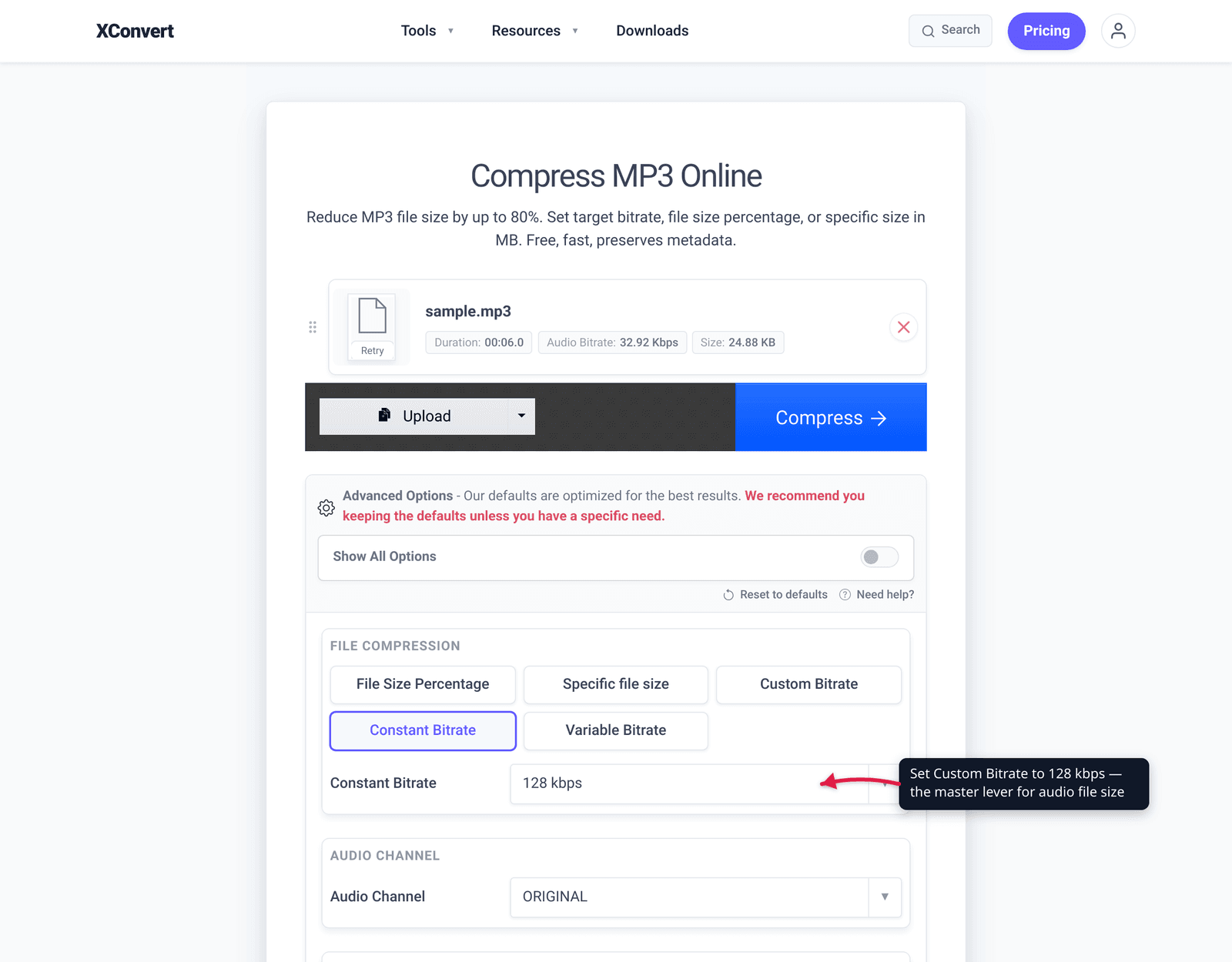
- Open Advanced Options (the gear icon).
- Under File Compression, choose Custom Bitrate — this is the mode that lets you set the bitrate directly. (The other modes, File Size Percentage and Specific file size, let xconvert pick the bitrate to hit a size target instead.)
- Pick Constant Bitrate for a predictable file size, or Variable Bitrate for the best quality-per-megabyte, then set your target value from the ladder above (e.g. 192 kbps for music, 96 kbps for speech).
- Optional: drop Audio Channel to mono and lower Audio Sample Rate for spoken-word content to save even more.
- Click Compress, then download the smaller file.
Your file is uploaded over an encrypted connection, processed on our servers, and deleted automatically a few hours later — nothing is kept.
A reminder from the honesty rule: encode from the highest-quality source you have. If you have a WAV or FLAC original, compress that rather than re-compressing an existing MP3.
FAQ
Does lowering the bitrate reduce audio quality?
Yes — lowering the bitrate of a lossy file re-encodes it and permanently discards detail. The trade is deliberate: you accept some quality loss in exchange for a smaller file. How audible it is depends on the rung you pick and the content — at 256 kbps most people can’t tell music from lossless, while at 64 kbps speech is still fine but music sounds clearly compromised.
Can I increase the bitrate to improve quality?
No. Bitrate sets a ceiling on quality, not a floor. Re-encoding a 128 kbps file to 320 kbps produces a larger file that sounds no better — the detail 128 kbps threw away is gone, and a higher bitrate can’t reconstruct information that isn’t there. You’d just be storing already-degraded audio at a wasteful size.
What’s the lowest bitrate I can use without it sounding bad?
It depends on the content. For music, 192 kbps is a safe everyday floor and 128 kbps is acceptable for casual listening; below that, artifacts get noticeable. For speech (podcasts, interviews, voice memos), 96 kbps mono is usually transparent and 64 kbps still works when size matters most — the BBC uses 64 kbps for mono speech.
CBR or VBR — which should I choose?
VBR generally gives better quality at a smaller average size, because it spends bits where the audio is complex and saves them where it’s simple. Choose VBR for the best quality-per-megabyte on any modern player. Choose CBR when you need an exact, predictable file size, are streaming live, or are targeting an older/embedded device that handles CBR more reliably.
How much smaller will the file get if I lower the bitrate?
Roughly in proportion to the bitrate cut. The audio stream’s size is approximately bitrate × duration, so going from 320 kbps to 128 kbps shrinks the audio to about 40% of its original size; 320 → 96 kbps is about 30%; 320 → 64 kbps is about 20%. Converting stereo to mono on top of that can roughly halve the data again for voice recordings.
Should I lower bitrate or convert to a more efficient format?
If you can change format, a modern codec like AAC or Opus sounds better than MP3 at the same bitrate, so you can often go a rung lower for the same quality. But if you need maximum compatibility (every player, every device), MP3 remains the safest target — just pick the lowest bitrate rung that still sounds good for your purpose.
Sources
Last verified 2026-06-25.
- Wikipedia — Bit rate (MP3 quality levels) — standard MP3 bitrate descriptions: 32 kbps “acceptable only for speech,” 96 kbps “speech or low-quality streaming,” 256 kbps “commonly used high-quality,” 320 kbps “highest level supported by the MP3 standard.”
- Wikipedia — Generation loss (Transcoding) — “Converting between lossy formats … between different bitrates or parameters of the same format – causes generation loss”; lossy codecs introduce artifacts on each re-encode.
- The Podcast Host — What bitrate should I use for a podcast? — speech/podcast bitrate guidance (96 kbps mono for voice; BBC’s 64 kbps mono speech reference).
- xconvert — MP3 Bitrate Guide: 128 vs 256 vs 320 kbps — file-size-per-minute math and the 256 kbps transparency point for music.