 By James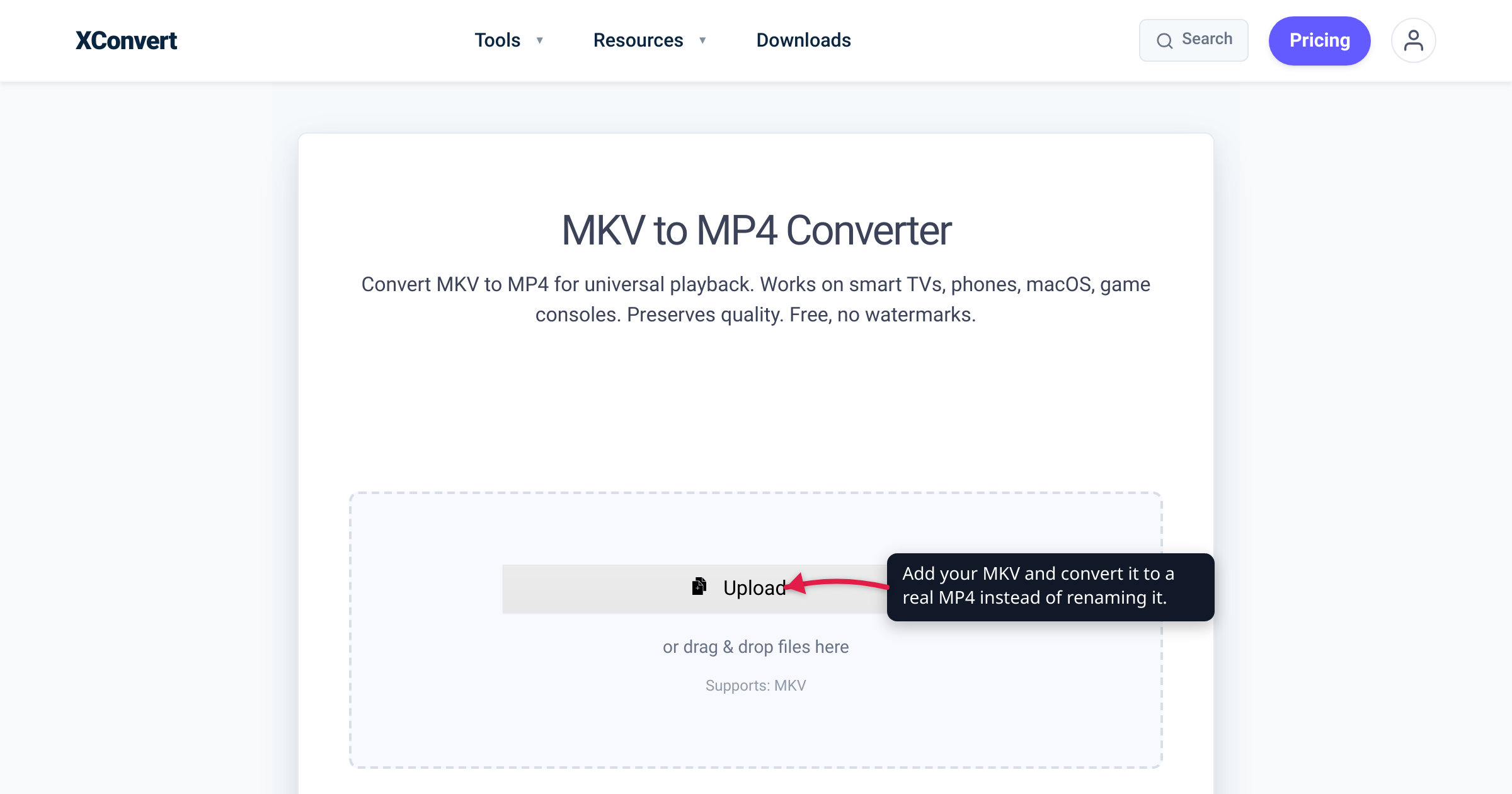
You rename movie.mkv to movie.mp4, double-click it, and… nothing. The player throws an error, or you get audio over a black screen, or your phone flatly refuses to open it — even though the file now shows an MP4 icon. Renaming looked like it should work. It doesn’t, because changing a file’s extension doesn’t change what’s inside it, and “what’s inside” is the whole game. This guide untangles the single most misunderstood idea in video files — the difference between a container and a codec — and shows why a real conversion (not a rename) is what actually fixes the file. We verified the definitions against MDN’s media-container and codec guides, and the container-change mechanics against FFmpeg’s own documentation.
Quick answer: The container is the box — the file wrapper named by the extension (MP4, MKV, MOV, AVI, WebM). The codec is how the audio and video inside that box are actually compressed (H.264, HEVC, VP9, AV1, AAC). Renaming .mkv to .mp4 only repaints the label; the bytes inside are still arranged as Matroska, so any player that trusts the file’s real structure chokes. A dedicated converter does one of two things instead: remux — re-wrap the existing streams into an MP4 (fast and lossless, when the codec inside is already MP4-friendly like H.264) — or re-encode — rebuild the video with an MP4-compatible codec (slower, when it isn’t). Either way, use a converter, not the Rename command.
Jump to a section
- Container vs codec: the box and what’s inside
- Why renaming .mkv to .mp4 doesn’t work
- Remux vs re-encode: what a real conversion does
- How to see what’s actually inside your file
- Convert MKV to MP4 on xconvert
- FAQ
Container vs codec: the box and what’s inside
Two different things hide behind every video file, and the extension only names one of them.
A container is the box. MDN defines it as “a file format that encapsulates one or more media streams (such as audio or video) along with metadata, enabling them to be stored and played back together.” MP4, MKV, MOV, AVI and WebM are all containers. The container’s job is to bundle the video track, the audio track(s), subtitles, chapters and metadata into a single file and describe how they’re interleaved.
A codec is what’s inside the box — the algorithm that actually compressed the picture and sound. As MDN’s codec guide puts it, “video codecs compress the video data and encode it into a format that can later be decoded and played back.” H.264, H.265/HEVC, VP9 and AV1 are video codecs; AAC and Opus are audio codecs. The codec is what determines quality, file size, and whether a given chip can decode it.
A useful mental model: the container is the shipping envelope, and the codec is how the thing inside was packed. The envelope’s label (.mp4) tells you nothing about whether the contents are H.264, HEVC or AV1 — you have to look inside.
Here’s the part that surprises people: the same codec can live in different boxes, and one box can hold many different codecs.
| Container (extension) | Video codecs it usually holds | Audio codecs it usually holds | Where it opens |
|---|---|---|---|
MP4 (.mp4) | H.264 (AVC), H.265 (HEVC), AV1, VP9 | AAC, MP3, Opus, FLAC | Virtually everywhere — all browsers, phones, TVs, editors |
MKV / Matroska (.mkv) | Almost anything — H.264, HEVC, AV1, VP9 | Almost anything — AAC, Opus, FLAC, DTS, Dolby TrueHD | Desktop players (VLC, Plex, Kodi); not native in browsers or on iPhone |
MOV / QuickTime (.mov) | H.264, HEVC, Apple ProRes | AAC, ALAC | Apple ecosystem and most editors |
WebM (.webm) | VP8, VP9, AV1 | Vorbis, Opus | Modern browsers (including recent Safari) |
AVI (.avi) | Legacy codecs — MPEG-4 Part 2 (DivX/Xvid), MJPEG | MP3, AC-3, PCM | Older desktop players; largely outdated |
(MP4 and WebM rows follow MDN’s container guide; MKV, MOV and AVI reflect each format’s documented codec support. Matroska is deliberately the most permissive container — which is exactly why an MKV so often holds something MP4 won’t.)
Notice H.264 appears in the MP4, MKV and MOV rows, and AV1 appears in MP4, MKV and WebM. That overlap is the proof that the container and the codec are independent choices: the same H.264 video can sit inside an MP4, an MKV or a MOV without a single pixel being touched — only the box around it differs. MDN’s codec guide spells the same thing out, listing AV1 as supported in MP4 and WebM, H.264 in MP4 and 3GP, HEVC in MP4 and QuickTime. The box and the contents are decided separately.
Why renaming .mkv to .mp4 doesn’t work
Renaming a file changes exactly one thing: the label the operating system reads to decide which app to launch. It does not touch a single byte of the file’s contents. So after you rename movie.mkv to movie.mp4, the data inside is still laid out as Matroska — you’ve just put an MP4 sticker on a Matroska package.
That matters because formats identify themselves from the inside, not from the extension. An MP4 file carries an internal ftyp marker near its start; a Matroska (MKV) file opens with an EBML header. A strict MP4 parser opening your renamed file reads those first bytes, sees Matroska structure where it expects MP4, and gives up — which is why you get “cannot play,” “unsupported,” or “file is corrupt.”
There are really two outcomes when you rename:
- Forgiving players cope. Some apps (VLC is the classic example) sniff the actual structure and ignore the misleading extension, so a renamed file might play in them. That fools people into thinking the rename “worked.”
- Strict players and platforms fail. Your phone’s built-in player, the browser’s HTML5
<video>element, a smart-TV app, a social-media uploader, or a video editor typically trust the extension or expect a clean MP4 and reject the mismatch. This is the majority case — and the one that made you rename it in the first place.
And there’s a deeper trap: even if the box were genuinely MP4, the codec inside can still be unsupported. A perfectly valid .mp4 can hold an HEVC video stream that a device without an HEVC decoder can’t play. The box is right; the contents aren’t something the player knows how to read. That’s why “convert to MP4” sometimes isn’t enough on its own — the codec inside has to be one your target actually supports. (For the codec that plays almost everywhere, that’s H.264 — MDN calls the MP4-plus-AVC-plus-AAC combination “a broadly-supported combination—by every major browser, in fact.”)
Remux vs re-encode: what a real conversion does
A dedicated converter succeeds where Rename fails because it actually rebuilds the file. Under the hood it does one of two very different things.
Remux (re-wrap). Remuxing — technically a stream copy — copies the already-compressed video and audio packets straight out of the old container and into the new one. FFmpeg, the engine most converters are built on, describes it as “copying one input elementary stream’s packets without decoding, filtering, or encoding them,” useful precisely for “changing … container format.” Because nothing is decoded or re-compressed, it is, in FFmpeg’s words, “very fast and there is no quality loss.” This is the ideal outcome: a genuine MKV-to-MP4 conversion where the H.264 video and AAC audio are lifted intact into a real MP4 container. Same quality, same bytes of actual video, just a new box built correctly around them.
Re-encode. Remuxing only works when the codec inside is one the target container accepts. When it isn’t, the converter has to decode the stream and compress it again with a codec the new container supports. That’s slower (it’s real compression work), and because it’s lossy compression, it costs a little quality — the unavoidable “generation loss.” MP4 is pickier about what it will wrap than MKV is, so this comes up most with audio: an MKV holding DTS or Dolby TrueHD has to have that track re-encoded (usually to AAC) on the way into an MP4, while the video can still be copied losslessly.
That difference — MKV being the permissive box and MP4 the pickier one — is the whole reason renaming so often fails going into MP4 specifically. An MKV happily holds codecs MP4 won’t, so a straight relabel produces an MP4 that technically contains something illegal for the format. A converter fixes that by remuxing what fits and re-encoding what doesn’t. The choice of codec inside is also where file size and quality actually live — see H.264 vs H.265: which to use.
How to see what’s actually inside your file
Because the extension can lie, it’s worth knowing how to read the real contents:
- VLC: open the file, then Tools → Codec Information (or press Ctrl+J). It lists the actual container and the video/audio codecs inside.
- MediaInfo: a free, dedicated tool that reports the container, every track, and each track’s codec, bitrate and resolution.
- Right-click → Properties (Windows) / Get Info (Mac): shows the container-level basics; pair it with one of the above for the codec detail.
If the “MP4” you’re troubleshooting reports a Matroska container or an HEVC/DTS stream, you’ve found your answer — it needs a real conversion, not a rename. Once you understand the box-versus-contents split, choosing between the two most common boxes is a quick read: MKV vs MP4.
Convert MKV to MP4 on xconvert
The xconvert MKV to MP4 converter builds a proper MP4 for you — remuxing what it can and re-encoding only what it must — so the file plays where a renamed one won’t:
- Open xconvert.com/convert-mkv-to-mp4 and click Upload (+ Add Files) to add your MKV — From my Computer, From Google Drive, or From Dropbox.
- For a straight container change, leave the quality settings untouched — the default output is an MP4.
- If you also want to shrink or resize the video (this re-encodes it), open Advanced Options (the gear icon).
- Choose how to control size — Quality Preset, Specific file size, Constant Bitrate, Variable Bitrate, or Constant Quality — and optionally set a Video resolution (Keep original, Preset Resolutions, or Width × Height).
- Click Convert, then download your MP4.
Your file is uploaded over an encrypted connection, is processed on our servers, and deleted automatically a few hours later — nothing lingers.
The same idea applies to any other box: a QuickTime file goes through convert MOV to MP4 and a web clip through convert WebM to MP4. Each one re-wraps (or re-encodes) into a real MP4 — never a renamed one.
FAQ
Can I just rename an MKV file to MP4?
No. Renaming changes only the extension — the label your operating system uses to pick an app — not the file’s internal structure. The bytes are still arranged as Matroska, so a player that checks the real format sees an MKV wearing an MP4 name and either refuses it or reports a corrupt file. A forgiving player like VLC might play it anyway, which is misleading; strict players, browsers, phones and editors won’t. To get a working MP4 you have to convert it, which re-wraps or re-encodes the streams into a genuine MP4 container.
What’s the difference between a container and a codec?
The container is the file wrapper (MP4, MKV, MOV, WebM) that bundles the video, audio, subtitles and metadata into one file — MDN defines it as “a file format that encapsulates one or more media streams … along with metadata.” The codec (H.264, HEVC, VP9, AV1, AAC) is the algorithm that actually compresses the video and audio inside. The extension tells you the box; it doesn’t tell you the codec — and the codec is what determines quality, file size, and whether a given device can decode it.
Why do I get sound but no video (or a black screen) after renaming?
Because the player could parse the container far enough to find and decode the audio track, but couldn’t decode the video codec inside (or vice versa). That split is the giveaway that your real problem is the codec, not just the wrapper. A proper conversion re-encodes the stream your device can’t read into one it can — commonly H.264 for the video.
What’s the difference between remuxing and re-encoding?
Remuxing (a stream copy) copies the already-compressed video and audio packets straight into a new container “without decoding, filtering, or encoding them,” per FFmpeg — so it’s very fast with zero quality loss. It only works when the codec inside is one the new container accepts. Re-encoding decodes the video and compresses it again with a compatible codec — slower, and it loses a little quality — and it’s required when the original codec doesn’t fit the target container.
My file is already an MP4 but still won’t play — why?
A correct .mp4 container can still hold a codec your device can’t decode — the box is right but the contents aren’t something your player knows how to read. A common case is HEVC (H.265) inside an MP4 on hardware without an HEVC decoder. Re-encoding the video to H.264, the most broadly compatible codec, usually fixes it.
Does converting from MKV to MP4 reduce quality?
Not necessarily. If the video codec inside the MKV is already MP4-compatible (commonly H.264 or HEVC), a converter can remux — copy the video stream bit-for-bit into the MP4 with no re-encoding and no quality loss. Quality is only lost when a stream must be re-encoded, typically an audio track in a format MP4 doesn’t wrap (like DTS or Dolby TrueHD), while the video still copies losslessly.
Sources
Last verified 2026-07-16.
- MDN — Media container formats guide — defines a container as “a file format that encapsulates one or more media streams … along with metadata”; lists which video/audio codecs MP4 and WebM hold; recommends MP4 when you can ship only one format; notes WebM is “based on Matroska.”
- MDN — Web video codec guide — defines what a video codec does (compress/encode video for later decode); shows the same codec (AV1, H.264, VP9, HEVC) supported across different containers; calls MP4 + AVC + AAC “a broadly-supported combination—by every major browser, in fact.”
- FFmpeg documentation — Stream copy — defines stream copy as “copying one input elementary stream’s packets without decoding, filtering, or encoding them,” useful for “changing … container format,” and “very fast and there is no quality loss.” Backs the remux mechanism.
- Matroska — official site — Matroska/MKV as the extensible, highly permissive open container (basis for the MKV codec-support characterization; WebM is a Matroska subset).
- Quora — “Can I just rename MKV to MP4?” — community corroboration that renaming changes only the extension, not the container structure, so strict players treat the mismatch as corrupt.