 By Stephanie Taylor
You found the typeface you wanted in a site’s @font-face rule, downloaded the .woff2 from the Network tab, and double-clicked it. It did not install. That is not a corrupted download — neither Apple nor Microsoft lists .woff2 among the font formats macOS and Windows install. WOFF2 is a delivery wrapper for web pages, not a desktop font format. Converting it back to TTF unwraps it in seconds; the parts worth reading before you do are what survives the round trip, and whether you are allowed to install the result at all.
Quick answer: A
.woff2is a Brotli-compressed sfnt wrapper — the real TrueType or OpenType font is inside it, squeezed for network delivery. macOS Font Book accepts.ttf,.ttcand.otf; Windows accepts.ttfand.otf; neither lists WOFF or WOFF2. Unwrap it with xconvert’s WOFF2 to TTF converter, which does the unwrap locally in your browser. Two caveats: the W3C spec says the rebuilt font retains “the exact functionality of the input font file” but may not be a bitwise match, and a web-font licence may not cover desktop installation — check before you install.
Jump to a section
- Why a .woff2 won’t install
- What survives the round trip
- The licence question you have to answer first
- Convert WOFF2 to TTF on xconvert
- Installing the TTF
- FAQ
Why a .woff2 won’t install
WOFF 2.0 is a W3C Recommendation — the current edition was published on 8 August 2024 — and its job is narrow. Per the spec, its purpose “is to efficiently package fonts linked to Web documents by means of CSS @font-face rules.” It wraps an sfnt font — the whole of TrueType and OpenType, including variable fonts, colour fonts and font collections — and compresses the result with Brotli, plus table-level pre-processing that shrinks the glyf, loca and hmtx tables before compression even starts.
That extra layer is why WOFF2 exists. The W3C’s own WOFF 2.0 Evaluation Report measured a median 23.94% size reduction over WOFF 1.0 on the Google Fonts corpus for TrueType-outline fonts (26.79% on the Adobe corpus; full range 6.61%–70.82%), and a 13.51% median for CFF outlines.
It is also why a .woff2 is not a desktop font file: it is a compressed package that has to be decoded before a text rasteriser can use the font inside. Neither Apple nor Microsoft lists it among the formats their systems install (pages read November 2026):
| System | Font formats accepted | WOFF2? |
|---|---|---|
| macOS (Font Book) | TrueType .ttf, Variable TrueType .ttf, TrueType Collection .ttc, OpenType and OpenType-SVG .otf, OpenType Collection .ttc | Not listed |
| Windows | TrueType .ttf and OpenType .otf — Microsoft’s guidance is that these “both work fine” | Not listed |
Apple adds that legacy suitcase TrueType and PostScript Type 1 LWFN fonts “might work but aren’t recommended.” Neither vendor lists a web-font format. Linux is different: in a test on 22 November 2026, fontconfig 2.17.1 on Ubuntu 26.04 listed a .woff2 that was copied into the fonts folder. On macOS and Windows the fix is to unwrap the file, not to find a different installer.
What survives the round trip
This is where the spec is unusually precise, and worth quoting rather than paraphrasing.
Functionality survives; byte-for-byte identity does not. The WOFF2 specification states that “the reconstructed font data will retain the exact functionality of the input font file, but due to certain possible encoding variations (such as various levels of optimization of outline point coordinates in the glyf table, and/or difference in offset calculations of the loca table) different WOFF2 decoders may produce an output file that will not be a bitwise match to the input font file.” It adds that font tables may be reordered during encoding or decoding, so even where table content is unchanged, table offsets can differ.
In a test on 18 November 2026 a TrueType-flavoured font came back with every glyph and its name table — but do not expect a checksum match against the foundry’s original desktop file.
One conversion is bigger than an unwrap: CFF-flavoured fonts. A WOFF2 can wrap either flavour of sfnt. If the font inside is TrueType-flavoured, the TTF target really is just the unwrap described above. If it is OpenType/CFF-flavoured (PostScript cubic outlines), a real TTF cannot simply contain them — so the converter rebuilds the outlines as TrueType quadratic curves. The page says so when it happens: “PostScript (CFF) outlines were converted to TrueType outlines. The shapes are preserved, but GSUB layout features (ligatures, stylistic alternates) are not carried over.” So on this route a CFF font loses its ligatures and alternates. If you would rather keep the CFF outlines untouched, convert to OTF instead — that target passes them through as-is.
The digital signature is gone permanently. The spec is explicit: “the compliant WOFF2 encoder MUST remove the DSIG table from an input font data, prior to applying transformations and entropy coding steps.” A DSIG that was stripped when the web font was built cannot be restored by converting back. Encoders must also set bit 11 of the head table’s flags field “to indicate that a recreated font file was subjected to lossless modifying transform” — so the resulting font carries a marker saying it has been through this process.
Only the glyphs that were in the web font come back. Web fonts are routinely subset to the characters a site actually needs — Monotype ships a dedicated “Subsetter Application” for producing exactly these cut-down web-format files. If the site only needed basic Latin, the .woff2 contains basic Latin, and so does your TTF. Converting cannot invent the Cyrillic, Greek or extended-Latin glyphs that were removed before the file was ever published. Check the character coverage of the result before you build anything around it.
Weights and styles are separate files. Unless the site uses a variable font, each .woff2 in its CSS is one weight and one style — grabbing “the font” usually means grabbing several files.
The licence question you have to answer first
Being able to unwrap the file and being allowed to use it are separate questions, and the second one is the one that gets people into trouble.
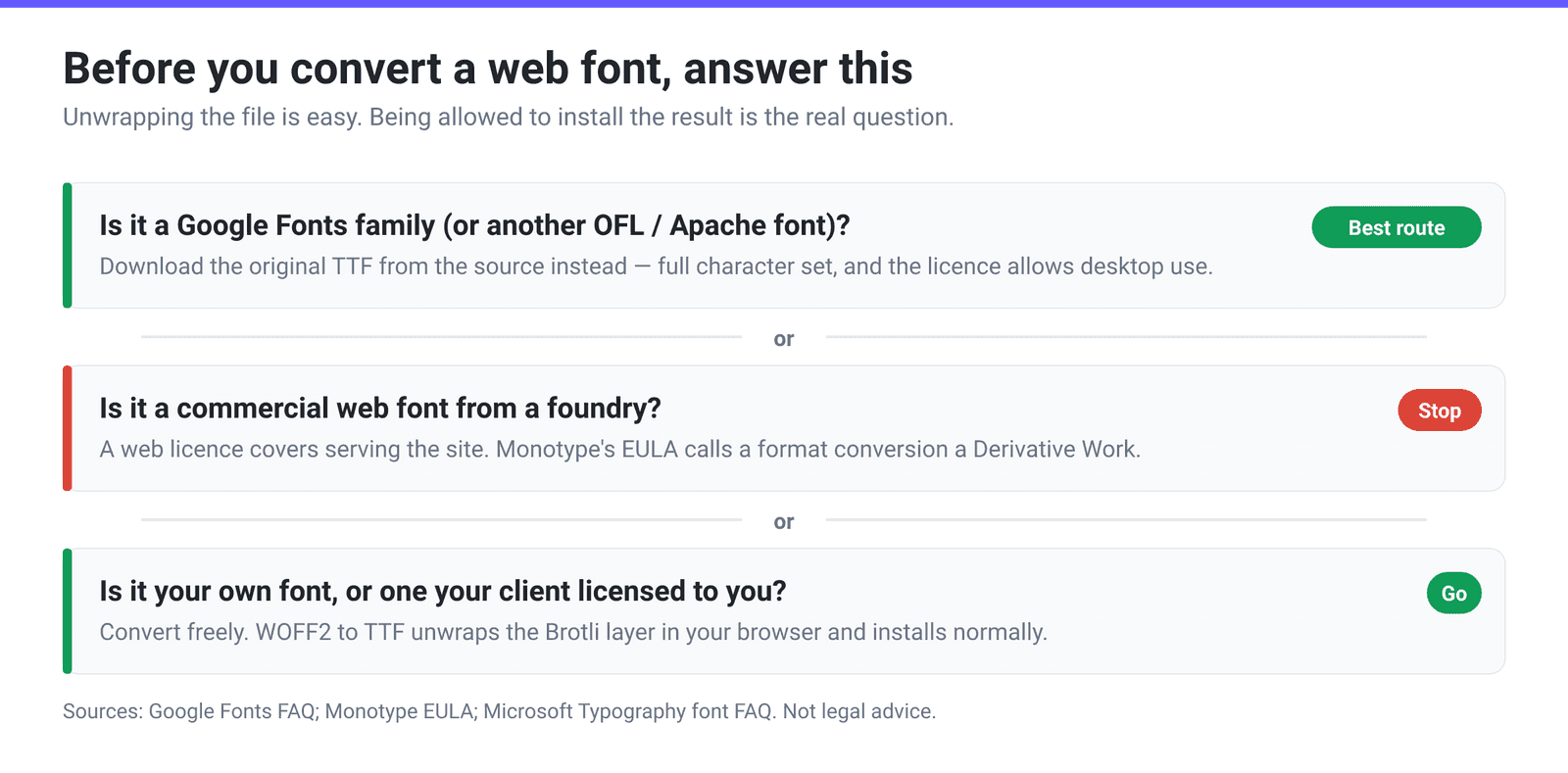
Format conversion is a licensed act. Microsoft’s own typography FAQ says it plainly about Windows-supplied fonts: you do not have the right to “copy fonts from a Windows installation to a web server” or to “convert the font to the formats typically associated with web fonts, such as the WOFF or WOFF2 format.” That is the same act you are contemplating, running in the opposite direction.
A commercial font licence can name conversion explicitly. Monotype’s end-user licence agreement defines a “Derivative Work” as any work derived from the font software “in any form in which such software or data may be recast, transformed, or adapted including, but not limited to, binary data in any format into which the Font Software may be converted” — and separately prohibits licensees from creating Derivative Works. Under that agreement, converting the webfont to a desktop format is not a grey area.
Open-licensed fonts are a different story. Google’s own font repository says that most of the fonts in its collection use the SIL Open Font License, some the Apache 2 licence and the Ubuntu fonts the Ubuntu Font Licence, and that all of them are licensed with permission to redistribute, subject to the licence terms. For those families the honest answer is simpler still: download the original TTF from the source instead of scraping the web font. Google publishes each family’s .ttf files on GitHub, so you get the font as it was released rather than the subset a site was serving.
So the sequence is: identify the typeface, find out who licenses it, then convert. If it is an open-licence family, go and get the real file instead. If it is a commercial face you need for a project, buy the desktop licence — that is what it is for.
Convert WOFF2 to TTF on xconvert
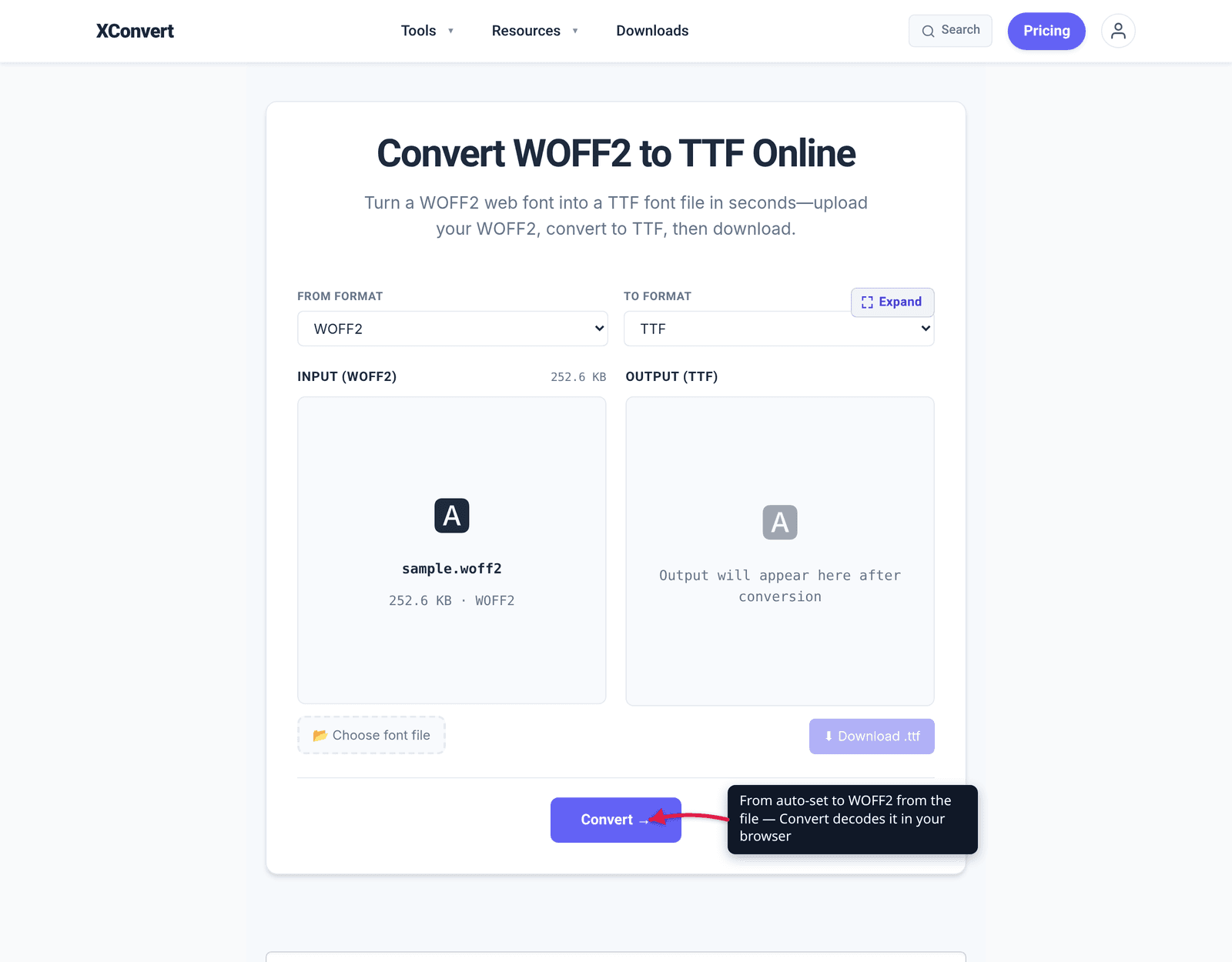
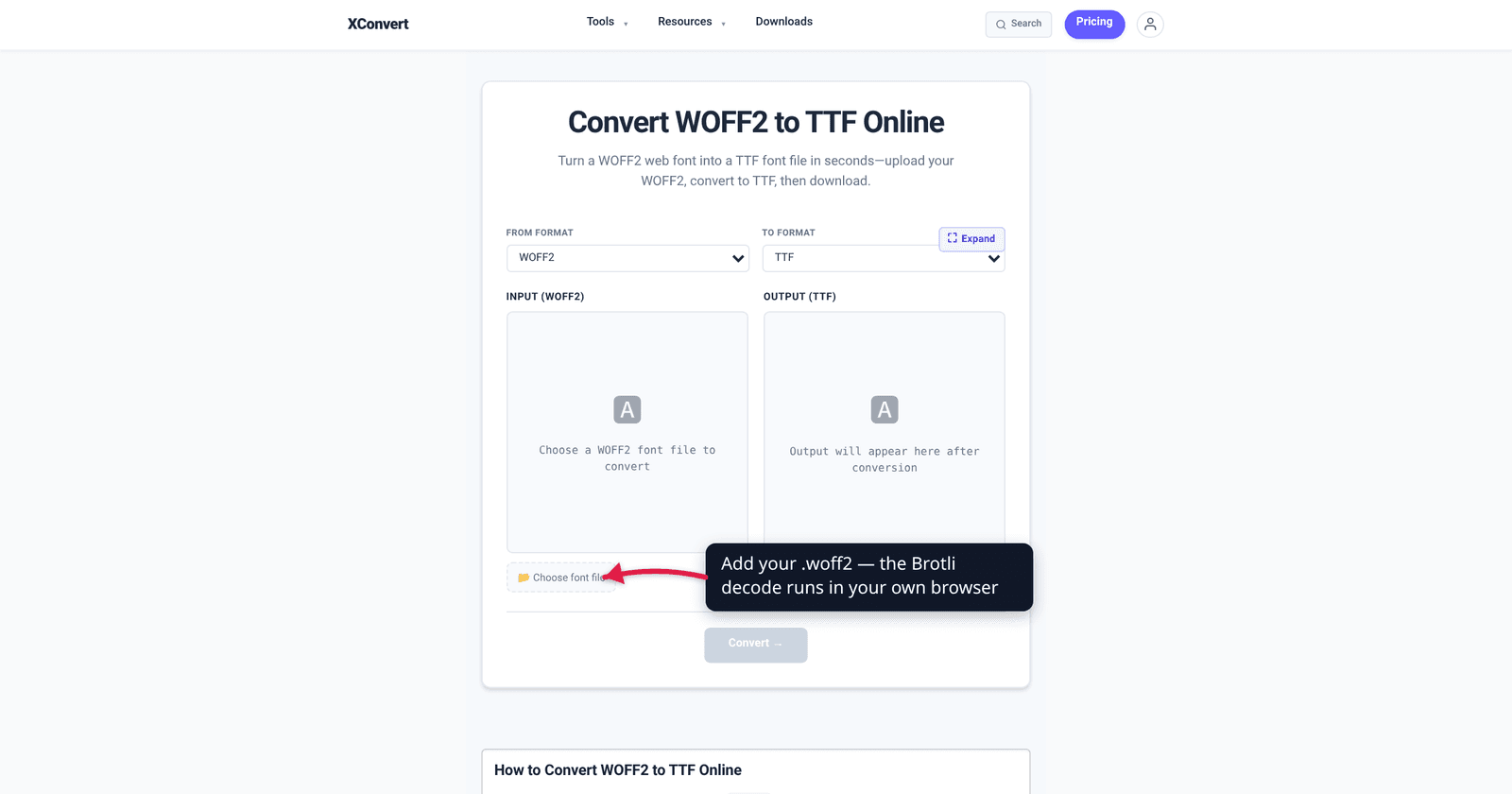
- Open xconvert.com/convert-woff2-to-ttf. The From format and To format dropdowns are already set to WOFF2 and TTF on this page — and when you pick a file, the From dropdown snaps to the file’s actual format, so a mislabelled download is caught rather than mis-parsed.
- In the Input (WOFF2) panel, click Choose font file and pick your
.woff2. The picker takes one font file at a time. - Click Convert →. Parsing and Brotli decompression happen locally in your browser. In a test on 18 November 2026 a CFF-flavoured font of 855 glyphs finished in about a second, with its outlines rebuilt as TrueType.
- In the Output (TTF) panel, click Download .ttf. The download is named
output.ttfwhatever the upload was called, so rename it. It keeps the original’s family and style names, so it shows up under the right family and style in your OS font picker.
The To format dropdown starts on TTF on this page and also lists OTF, WOFF, WOFF2 and EOT. If your target application prefers OpenType — some layout and print workflows do — use WOFF2 to OTF instead.
Installing the TTF
- macOS: double-click the
.ttfin Finder and click Install in the dialog, or use Font Book’s File ▸ Add Fonts to Current User. Font Book automatically validates the font on install and flags any problems it finds, which is a useful sanity check on a converted file. - Windows: right-click the
.ttfand choose Install, or drag it intoC:\Windows\Fonts. Microsoft notes that both TrueType and OpenType files work this way, and that installed fonts become available to Microsoft 365 apps. - Linux: drop the file into
~/.local/share/fontsand runfc-cache -fto rebuild the font cache.
If a converted font installs but renders oddly, run Font Book’s File ▸ Validate File (macOS) before assuming the conversion failed — the source .woff2 may simply have been an aggressive subset.
FAQ
Why won’t my .woff2 file install on Windows or macOS?
Because neither operating system accepts it. macOS lists TrueType .ttf, Variable TrueType, TrueType Collection .ttc, OpenType and OpenType-SVG .otf, and OpenType Collection as its supported font formats; Windows works with .ttf and .otf. WOFF2 is a web-delivery wrapper — a Brotli-compressed container around the real font — and it was never intended to be installed. Convert it to TTF and the same typeface installs normally.
Is converting WOFF2 back to TTF lossless?
For a TrueType-flavoured font, functionally yes and byte-for-byte no. The W3C spec says the reconstructed font “will retain the exact functionality of the input font file,” but that encoding variations and table reordering mean different decoders “may produce an output file that will not be a bitwise match to the input font file.” A TrueType-flavoured font keeps its glyphs and names; a CFF-flavoured one is rebuilt as TrueType and loses its GSUB layout features on this page. The file will not checksum-match the foundry’s original. One thing genuinely does not come back: the DSIG digital-signature table, which WOFF2 encoders are required to strip.
Will the converted font have all the characters?
Only the ones that were in the .woff2. Web fonts are commonly subset to the character range a site actually uses — foundries provide tools specifically for this — so if the site served basic Latin only, that is what your TTF contains. No converter can restore glyphs that were removed before the file was published. Open the result in a font viewer and check the coverage before you rely on it.
Am I allowed to install a font I downloaded from a website?
Sometimes, and you have to check. If the typeface is a Google Fonts family, it is most likely under the SIL Open Font License, which grants permission to use, modify and redistribute the font under its conditions — in which case download the original file from the source rather than the subset web copy. If it is a commercial face, the web-font licence may cover serving it on a site and not installing it on a workstation. Monotype’s EULA, for example, defines a format conversion as creating a “Derivative Work” and prohibits licensees from doing it.
Does the conversion happen in my browser?
Yes. The WOFF2 to TTF converter parses the file and runs the Brotli decode with client-side JavaScript — processing happens locally in your browser.
What about .woff and .eot files?
Same principle, older wrappers. WOFF 1.0 is the previous-generation web font container and EOT is Microsoft’s legacy Embedded OpenType format; neither is on Apple’s or Microsoft’s list of installable font formats either. WOFF 1.0 wraps the same underlying sfnt data, so the same unwrap-to-TTF route applies: use WOFF to TTF.
Sources
Last verified 2026-11-22: every source below was read that day (the two W3C pages in their archive copies), and the converter was run with test fonts.
- W3C — WOFF File Format 2.0 (Recommendation, 8 August 2024; read in the archive copy of 18 November 2026) — WOFF2’s purpose, Brotli compression, the sfnt payload, the “exact functionality but not a bitwise match” statement, the mandatory DSIG removal, and the
headflags bit 11 marker. - W3C — WOFF 2.0 Evaluation Report (read in the archive copy of 4 November 2026) — median 23.94% (Google Fonts corpus) and 26.79% (Adobe corpus) size reduction over WOFF 1.0 for TrueType outlines; 13.51% median for CFF outlines.
- Apple — Install and validate fonts in Font Book on Mac — the list of font formats macOS supports, and the install and validation steps.
- Microsoft — Add a font — TrueType
.ttfand OpenType.otfinstall by right-click ▸ Install or viaC:\Windows\Fonts. - Microsoft Typography — Font FAQ — that you do not have the right to self-host Windows fonts or convert them to WOFF/WOFF2.
- Monotype — End User Licence Agreement — the “Derivative Work” definition covering “binary data in any format into which the Font Software may be converted,” and the prohibition on creating Derivative Works.
- Google Fonts — font files repository on GitHub — most fonts in the collection use the SIL Open Font License v1.1, some the Apache 2 licence, the Ubuntu fonts the Ubuntu Font License v1.0; all are licensed with permission to redistribute, subject to the licence terms; the repository holds the
.ttffiles Google Fonts serves. - SIL — Open Font License, official text — the permission to use, modify and redistribute the font under the licence’s conditions.