 By Stephanie Taylor
You plug in an old external drive, or open a folder somebody archived around 2007, and every clip ends in .asf. Windows might play them. Your phone won’t, your browser won’t, and your editor doesn’t even list the extension in its import dialog. The files are usually intact — the problem is that .asf is the generic label on a Microsoft container the rest of the industry never adopted. Here is what’s inside one, why the same format answers to three different extensions, and the one conversion that makes it usable again.
Quick answer: ASF (Advanced Systems Format) is Microsoft’s media container — the box, not the codec. Microsoft’s documentation is explicit: “ASF is the container format for Windows Media Audio and Windows Media Video-based content,” and “the extension wma or wmv is used to specify an ASF file that contains content encoded with the Windows Media Audio and/or Windows Media Video codecs.” Media Foundation’s format table lists one container against three extensions —
.asf,.wma,.wmv— so a plain.asfis the anonymous label for that box: usually WMV video plus WMA audio, though the SDK docs say flatly that “ASF can contain any type of data.” Nothing in the modern web stack reads it; MDN’s reference list of web container formats doesn’t mention ASF at all. The fix is a real conversion to MP4 with H.264, not a rename.
Jump to a section
- What an ASF file actually is
- Why one format has three extensions
- Where .asf files come from
- Why modern players and phones stumble
- What’s inside yours, and how to check
- Convert an ASF file to MP4 on xconvert
- FAQ
What an ASF file actually is
ASF is a container — a box for media streams, not a way of compressing them. Microsoft defines it as “an extensible file format designed primarily for storing and playing synchronized digital media streams and transmitting them over networks.”
Structurally it’s built from chunks Microsoft calls objects, each beginning with a 128-bit GUID and a 64-bit size, in three top-level kinds:
- Header Object — mandatory, always first. Global file attributes and one Stream Properties Object per stream, plus optional metadata, “a list of the codecs used to encode the file, and content protection information.”
- Data Object — mandatory. The media itself, cut into packets that each carry a presentation time.
- Index Object — optional, last. Time-based random access, so a player can seek.
Two design decisions there explain nearly everything you’ll run into. ASF is codec-agnostic to an unusual degree: its streams “can be in any compressed or uncompressed format,” and the Windows Media Format SDK documentation is blunter — “However, ASF can contain any type of data.” Officially that stretches to “text streams, Web pages and script commands, and any other arbitrary data type.” The extension describes the box, never the contents.
And it was designed for streaming rather than for files, with goals including “efficient playback from media servers, HTTP servers, and local storage devices” and presenting one composition “over a wide range of bandwidths” — the multiple-bitrate feature, where one file carries the same content at several bitrates and the reader picks by available bandwidth. It also degrades gracefully: “A partially downloaded ASF file can still be read, as long as it contains the Header object and at least one Data object.” That’s why a truncated .asf from the download-manager era often still plays part of the way through.
Why one format has three extensions
The extension is a hint about the payload, not a different format, and Media Foundation’s table of supported containers makes it visual — one container row, three extensions in the same cell:
| Extension | Container | What the name is telling you | What’s typically inside |
|---|---|---|---|
.wmv | ASF | “This ASF file holds Windows Media Video” | A Windows Media Video stream (WMV 7, 8 or 9) plus a WMA audio track |
.wma | ASF | “This ASF file holds Windows Media Audio” | A WMA stream — possibly WMA Pro, Lossless or Voice — and no video |
.asf | ASF | Nothing whatsoever about the payload | Commonly WMV + WMA, but the format permits any stream at all |
(Container column per Microsoft’s Media Foundation format table; codec names per the Windows Media Format 11 SDK documentation.)
One footnote, because it trips up searches: Microsoft’s own docs use two expansions of the acronym. The Windows Media Format SDK calls it Advanced Systems Format; the Media Foundation container table still lists it as Advanced Streaming Format. Same format, same GUIDs, two names in one documentation set.
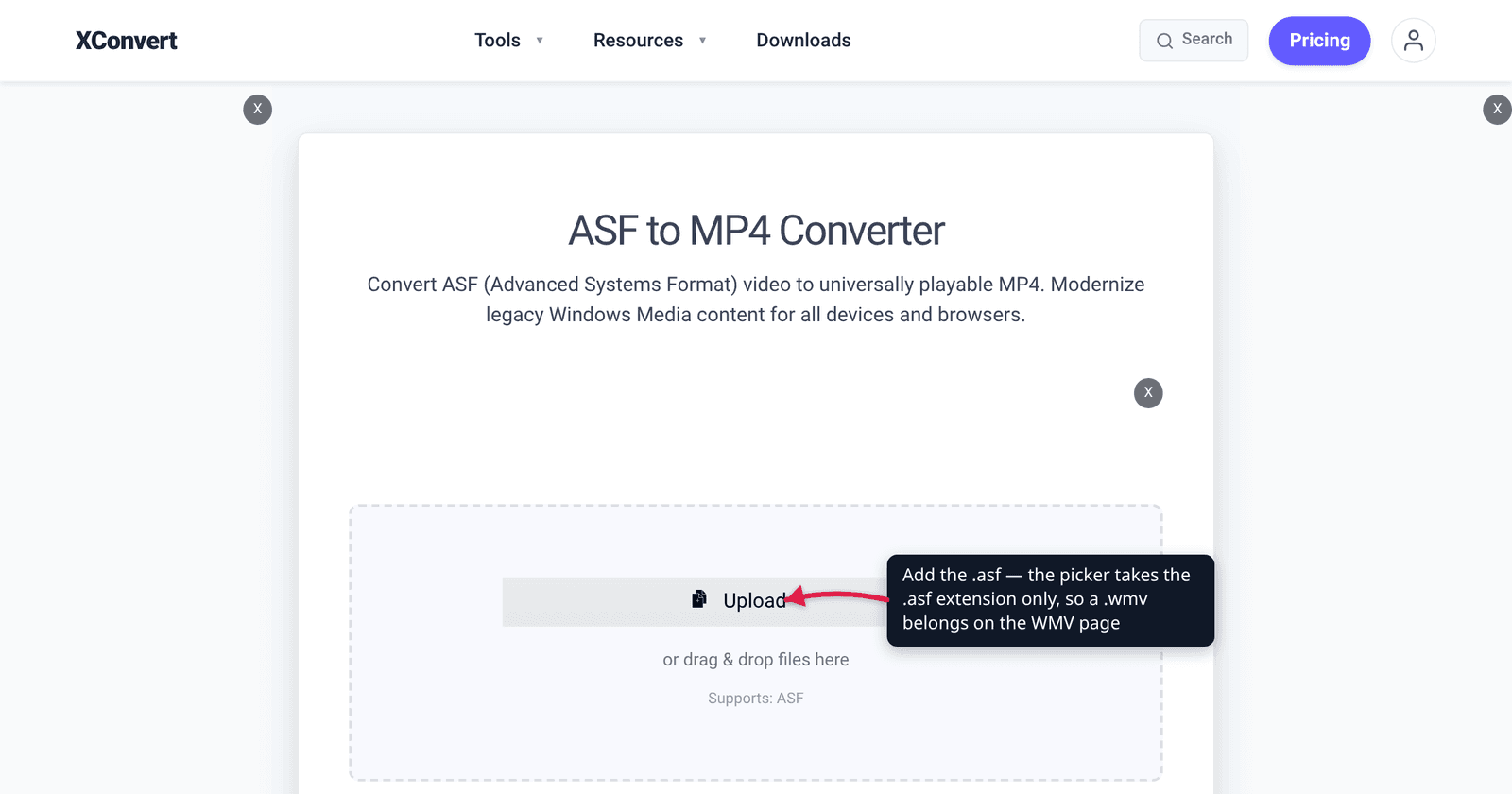
Renaming between the three changes nothing but the label (container vs codec explains why). It does, however, decide which converter page will accept the file: our ASF to MP4 converter takes .asf only, a .wmv belongs on the WMV to MP4 converter, and for a folder of mixed leftovers convert-video-to-mp4 accepts 36 video extensions including asf, wmv, avi, ts, wtv and vob.
Where .asf files come from
Almost every .asf in the wild traces to one of four places.
- Windows Media authoring tools. The Windows Media Format SDK — behind Windows Media Encoder and a long tail of third-party software — let developers “play, write, edit, encrypt, and deliver Advanced Systems Format (ASF) files and network streams.” Its version 11 lineup was Windows Media Video 9, Video 9 Advanced Profile, Video 9 Screen (for “compressing computer-screen activity”), Audio 9.1 and Audio 9.1 Voice. That Screen codec is why so many surviving
.asffiles are recordings of somebody’s desktop. - Network streams that got saved. ASF was the payload of Windows Media streaming — the SDK could deliver “ASF data through HTTP to remote computers on a network.” Capture tools with no reason to claim the content was specifically Windows Media Video wrote the generic
.asf. - Capture cards, hardware encoders and surveillance software built on Windows components. ASF holds any stream and Windows shipped the writer for free, so vendors adopted it as a house recording format. If yours came off a security recorder, the DVR and CCTV footage guide covers which recorder exports convert at all.
- Deliberately generic labelling. A multi-bitrate file, or one carrying a non-Microsoft codec, is exactly the case Microsoft’s naming rule leaves to
.asf.
Why modern players and phones stumble
ASF didn’t break. The industry standardised somewhere else and left it behind, and the evidence sits in what the current reference documents do and don’t list.
| Where you try to open it | Opens a .asf? | Why |
|---|---|---|
| Windows 10 / 11 | Yes | Media Foundation has shipped an ASF Media Source and Media Sink since Windows Vista |
| VLC, MPV, other FFmpeg-based players | Yes | FFmpeg’s format table lists ASF with both demuxing and muxing support |
| macOS QuickTime Player / Finder preview | No | Apple’s support page names .wmv among extensions that may not open without another app |
| iPhone, iPad | No | No Windows Media decoder in the system playback stack |
A browser, in a <video> tag | No | MDN’s container guide covers 3GP, ADTS, FLAC, MPEG/MPEG-2, MP4, Ogg, QuickTime, WAVE and WebM — ASF is not on the list |
| Editors, upload forms, social platforms | Usually not | All built around the MP4/H.264 baseline |
| Smart TVs, streaming boxes, car head units | Rarely | Hardware decoders target H.264 and HEVC, not Windows Media Video |
Microsoft’s own documentation agrees: the Windows Media Format 11 SDK now carries a banner saying it “is a legacy feature. It has been superseded by Source Reader and Sink Writer.” The one file that genuinely cannot be converted is a DRM-protected ASF, whose media data is encrypted — see the FAQ below.
What’s inside yours, and how to check
Because the extension is silent about the payload, look before you convert:
- VLC — open the file, then Tools → Codec Information (Ctrl+J on Windows and Linux; Window → Media Information on macOS). It names every stream’s codec.
- MediaInfo — a free inspector that reports the container, streams, bitrates and codec IDs in one panel.
ffprobe yourfile.asf— if you have FFmpeg installed, two lines and you’re done.
You’ll usually find Windows Media Video paired with Windows Media Audio — but not always, and xconvert’s own configuration illustrates why box and payload really are separate choices. Converting to .asf here preselects H.264 video with WMA v2 audio; converting to .wmv preselects WMV 2 video with the same WMA v2. Identical container, different default payload, decided purely by the extension you asked for.
That asymmetry warns you about direction of travel. WMV 2 is FFmpeg’s Windows Media Video 8 encoder, and it is the newest one FFmpeg — the engine behind most converters, ours included — has: wmv3, Windows Media Video 9, is a decoder only. Converting into a Windows Media format therefore hands you a codec generation older than what most existing .wmv files already contain. Convert out of ASF, not into it.
Convert an ASF file to MP4 on xconvert
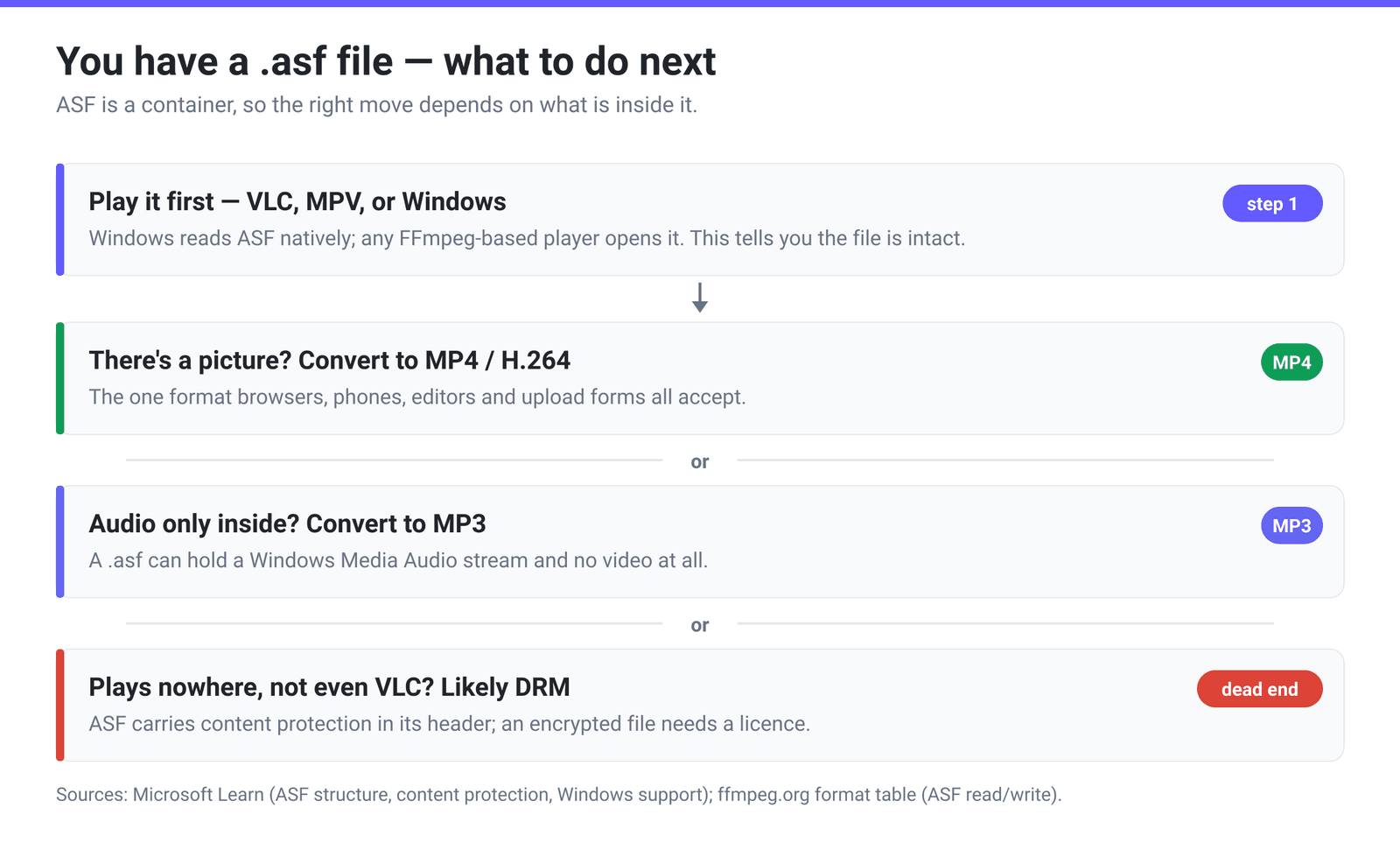
MP4 with H.264 is ASF’s opposite on the axis that matters: everything plays it.
- Open the ASF to MP4 converter and click Upload — From my Computer, From Google Drive or From Dropbox. Drop in several at once if you’re clearing a folder.
- Open Advanced Options, then click Show All Options — the codec controls live behind that toggle, not on the default panel. Video Codec is preselected at H.264 — leave it, because that re-encode is the setting doing the real work. (H.265, AV1, VP9, MPEG-4, Xvid, MPEG-1 and MPEG-2 are also offered; the newer two give smaller files but narrower playback — see H.264 vs H.265.)
- Audio Codec is preselected at AAC, MP4’s natural partner. WMA can’t be carried across, so the audio is re-encoded whichever option you pick; AC3, EAC3, MP3, MP2, Opus, Vorbis, FLAC and DTS (DCA) are the alternatives.
- File Compression starts on Quality Preset at Very High (Recommended) — the right default when you’re already transcoding out of a lossy Windows Media stream. Switch to Specific file size (B / KB / MB, with an Auto Scale toggle) when something imposes a cap, or to Constant Bitrate, Variable Bitrate, Constant Quality (a CRF slider from 16 to 51) or Constraint Quality to drive it by hand.
- Optional, both defaulting to leave things alone: Video resolution sits on Keep original — ASF-era footage is usually standard definition, and upscaling adds bytes rather than detail. Trim sits on Unchanged; switch it to Time Range and give a Start time and Duration.
- Click Convert, then download.
Your file uploads over an encrypted connection, is converted on our servers and deleted automatically a few hours later. No account, no watermark.
If the ASF holds only audio — or the audio is all you want — ASF to MP3 takes the same input, and the ASF converter hub lists the other output formats.
FAQ
How do I open an ASF file?
On Windows, natively — Media Foundation has included an ASF Media Source since Windows Vista. Everywhere else, use VLC or another FFmpeg-based player. What you should not expect is native playback on an iPhone or iPad, in a web page, or in an editor’s import dialog; for those, convert rather than hunt for a codec pack.
Is .asf the same as .wmv?
Same container, different label. Microsoft’s rule is that “the extension wma or wmv is used to specify an ASF file that contains content encoded with the Windows Media Audio and/or Windows Media Video codecs” — so .wmv promises Windows Media Video inside, .wma promises Windows Media Audio, and .asf promises nothing. Renaming between them changes no bytes and doesn’t help: converter pages match on the extension, so a .wmv belongs on the WMV to MP4 page.
Can I just rename an .asf file to .mp4?
No. Only the extension changes; the file is still a sequence of ASF objects headed by GUIDs, and an MP4 parser reading those bytes recognises none of it. Forgiving players that sniff the real structure — VLC being the classic — may play it anyway, which is what convinces people the rename worked. Browsers, phone galleries and upload forms won’t. Container vs codec walks through what goes wrong.
What codec is inside my ASF file?
Anything, in principle: Microsoft’s SDK documentation says “ASF can contain any type of data.” In practice it’s nearly always Windows Media Video (7, 8, or the 9 series) with Windows Media Audio, sometimes WMA Pro, Lossless or Voice. To be certain, check Tools → Codec Information in VLC or run ffprobe against it.
Why won’t my ASF file convert at all?
Most likely DRM. Content protection was built into the container — the Header Object can carry “content protection information,” and the SDK shipped methods for files “protected by Digital Rights Management to prevent unauthorized playback or copying.” If it came from a Windows Media–era subscription service, the media data is encrypted and needs a licence from a service that usually no longer exists. The other possibility is truncation, which ASF tolerates unusually well: a partial file “can still be read, as long as it contains the Header object and at least one Data object.”
Should I convert my ASF archive to MP4, or leave it alone?
Convert what you actually watch and keep the originals. ASF is read-mostly now: Microsoft has marked the Windows Media Format SDK a legacy feature, and MDN’s web container list omits ASF entirely. An MP4/H.264 copy plays everywhere at the cost of one lossy generation — a good trade for footage you use, an unnecessary one for a whole drive of files you don’t.
Sources
Last verified 2026-08-31.
- Microsoft Learn — Overview of the ASF Format — the ASF definition, the
.wma/.wmvextension rule, the design goals, multiple-bitrate streams, “any compressed or uncompressed format”, and the partial-file property. - Microsoft Learn — ASF File Structure — the object model (128-bit GUID plus 64-bit size), the Header / Data / Index objects, and the Header’s “content protection information”.
- Microsoft Learn — Windows Media Format 11 SDK — “ASF can contain any type of data”; the WMV 9 / WMV 9 Screen / WMA 9.1 lineup; network delivery; DRM; and the legacy banner naming Source Reader and Sink Writer.
- Microsoft Learn — Supported Media Formats in Media Foundation — one “Advanced Streaming Format (ASF)” row against
.asf, .wma, .wmv, with a Media Source and Media Sink since Windows Vista. - MDN — Media container formats — the web’s container reference (3GP, ADTS, FLAC, MPEG/MPEG-2, MP4, Ogg, QuickTime, WAVE, WebM); ASF appears nowhere, and MP4 is “the industry standard for video content”.
- FFmpeg — Supported File Formats, Codecs and Protocols — ASF demuxes and muxes; Windows Media Video 7 and 8 encode and decode, Video 9 decodes only; WMA 1 and 2 encode and decode, WMA Pro / Lossless / Voice decode only.
- Apple Support — If a media file doesn’t open or play on your Apple device — names
.wmvamong extensions that may not open without another app. - xconvert ASF to MP4 converter — live tool; controls verified on the page: Video Codec (H.264 preselected), Audio Codec (AAC preselected), File Compression (Quality Preset at Very High (Recommended), plus Specific file size, Constant/Variable Bitrate, Constant Quality at CRF 16–51, Constraint Quality), Video resolution (Keep original) and Trim (Unchanged). The reverse-direction defaults quoted above come from the same option configuration.