 By Stephanie Taylor
Something handed you a file ending in .mjpeg or .mjpg — a security camera export, a microscope capture, a dashcam clip, an old camcorder’s “movie mode” — and it is behaving strangely. It is far bigger than any video that length has a right to be, it plays at the wrong speed, or it has no sound at all. None of that is corruption. It is exactly what the format is: a video in which every single frame is a complete, standalone JPEG photo, with nothing between the frames and, in the raw case, nothing around them either.
Quick answer: MJPEG (Motion JPEG) stores video by compressing each frame as an independent JPEG image. There is no motion prediction, so every frame is a keyframe — which makes it trivially easy to cut and decode, and several times larger than an H.264 MP4 of the same footage. A bare
.mjpeg/.mjpgfile is not a container: it has no frame rate, no timing, no audio track and no index, which is why players guess the speed. Converting it to MP4 with H.264 fixes the size, the timing and the compatibility in one pass — do it at xconvert.com/convert-mjpeg-to-mp4.
Jump to a section
- What MJPEG actually is
- Why MJPEG files are so enormous
- The .mjpeg extension is not a container
- Where MJPEG still shows up
- Convert MJPEG to MP4 on xconvert
- FAQ
What MJPEG actually is
The clearest definition comes from the IETF standard that carries it over networks. RFC 2435 describes JPEG as “a family of compression algorithms for continuous-tone, still images”, and then: “This still image compression standard can be applied to video by compressing each frame of video as an independent still image and transmitting them in series. Video coded in this fashion is often called Motion-JPEG.”
Matroska’s codec specification puts it the same way for the V_MJPEG codec ID: “Motion JPEG is a video compression format in which each video frame or interlaced field is compressed separately as a JPEG image.”
That single sentence explains every behaviour that follows:
- There is no interframe compression. H.264, H.265 and AV1 spend most of their intelligence predicting each frame from its neighbours — “the background is unchanged, this object moved twelve pixels left.” MJPEG has no mechanism for that at all. A static shot of an empty corridor costs almost exactly as much per second as a car chase.
- Every frame is a keyframe. You can cut on any frame, drop any frame, and decode any frame in isolation. A dropped or corrupted packet damages one frame, not the whole group of pictures.
- It is 8-bit, 4:2:0/4:2:2/4:4:4 JPEG under the hood. MJPEG inherits JPEG’s baseline DCT design — and JPEG’s limits. No alpha channel, no 10-bit HDR, no lossless mode in practice.
- There is no audio in the codec. MJPEG describes pictures only. If your MJPEG file has sound, the sound is coming from the container around it (AVI, MOV, MKV), not from MJPEG.
Why MJPEG files are so enormous
Because “no interframe compression” means the bitrate is just frame size × frame rate, and a JPEG frame is not small.
Encode a detailed photograph across the usable MJPEG quality range and it lands between roughly 0.5 and 1.8 bits per pixel — the low end visibly soft, the top end being what FFmpeg’s mjpeg encoder produces when you ask it for its maximum quality. A 1920 × 1080 frame is 2,073,600 pixels, so that range works out like this:
| Quality | Bits per pixel | One 1080p frame | Bitrate at 30 fps |
|---|---|---|---|
| Low | 0.5 | ~127 KB | ~31 Mbit/s |
| Medium | 1.0 | ~253 KB | ~62 Mbit/s |
| Good | 1.5 | ~380 KB | ~93 Mbit/s |
| Maximum quality | 1.8 | ~456 KB | ~112 Mbit/s |
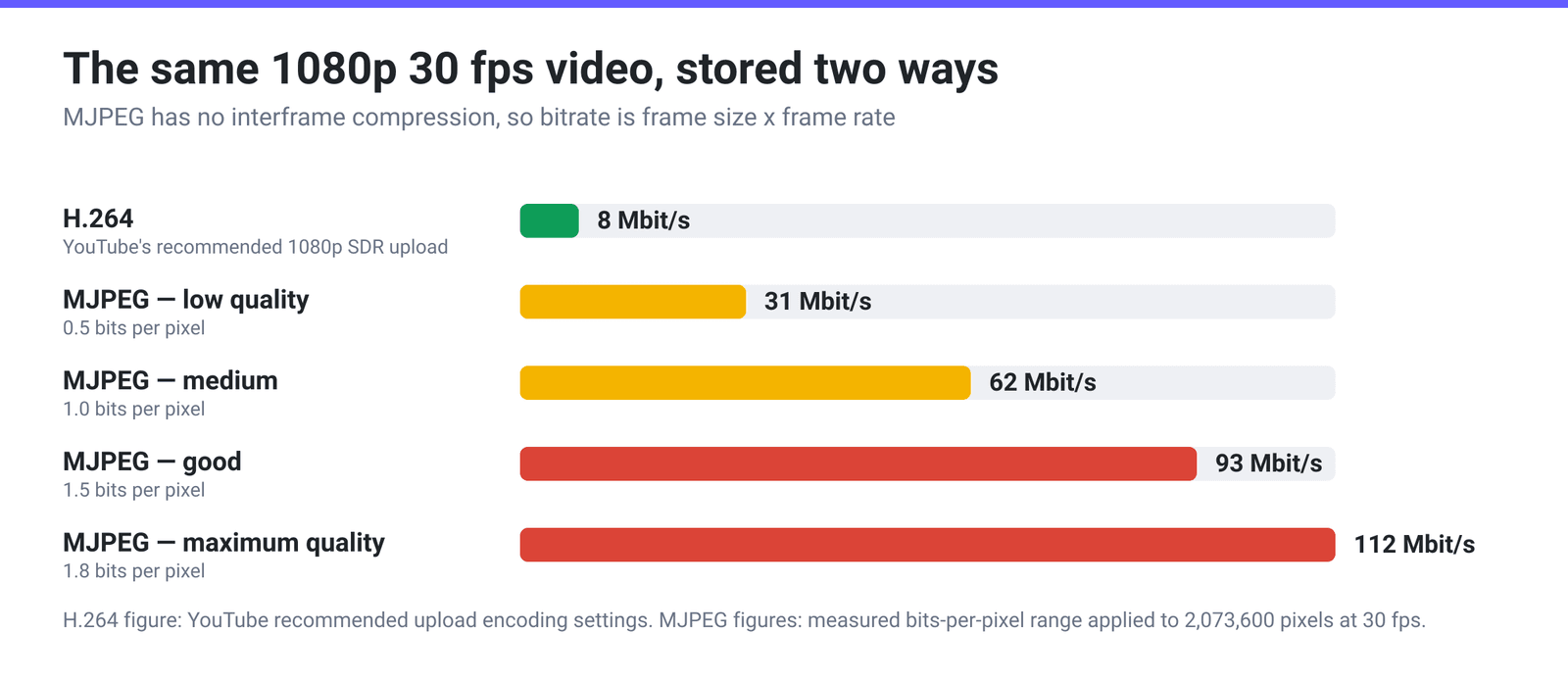
Now the comparison. YouTube’s own recommended upload bitrate for 1080p SDR H.264 at a standard frame rate is 8 Mbit/s. So the same footage in MJPEG runs roughly four to fourteen times the bitrate of the H.264 file you would normally upload — and at the middle of that range, one gigabyte buys you a little over two minutes of 1080p.
This is not a flaw so much as a trade. MJPEG buys three real things with those bytes: near-instant encoding (no motion search), frame-exact editing, and graceful failure. That is precisely why cameras and capture hardware choose it and why delivery formats do not. If you want the other side of that trade explained, H.264 vs H.265 covers what interframe prediction actually buys.
The .mjpeg extension is not a container
This is the part that causes the weird playback. A .mjpeg or .mjpg file is usually a raw elementary stream — JPEG images concatenated end to end with nothing in between. Open one in a hex editor and it starts with FF D8, the JPEG start-of-image marker, exactly like a photo.
What a raw stream does not contain:
- A frame rate. Nothing in the file says how fast to play it, so every player picks a default. FFmpeg’s raw-JPEG demuxer assumes 25 fps — which is why footage shot at 15 or 30 fps comes out running fast or slow.
- A duration or frame count. Probing a raw
.mjpegreturnsN/Afor both; the only way to know is to decode the whole thing. - An audio track. There is nowhere to put one.
- An index. No seeking to a timestamp, because there are no timestamps.
Put the same MJPEG video inside a real container and all of that comes back — the container stores timing, audio and an index, while the codec stays exactly the same:
| Container | How MJPEG is identified | Carries timing and audio |
|---|---|---|
Raw .mjpeg / .mjpg | nothing — bare concatenated JPEGs | no |
| AVI | FOURCC MJPG | yes |
QuickTime .mov | codec tag jpeg | yes |
Matroska .mkv | codec ID V_MJPEG | yes |
| MP4 | no standard mapping in common use | — |
On xconvert, that difference shows up directly in the interface: MJPEG appears in the Video Codec list when the output is AVI, MOV or MKV, and does not appear when the output is MP4. That is deliberate. MP4 has no widely-honoured way to signal a Motion JPEG track, and files produced that way tend to be written with a placeholder codec tag that many players will not decode. If you want MJPEG in a modern container, choose MOV or MKV.
Where MJPEG still shows up
A format described as “every frame is a photo” sounds obsolete, and for delivery it is. But the properties that make it wasteful over the internet make it excellent at the point of capture:
- Network and security cameras. ONVIF — the interoperability standard for IP video — specifies “JPEG over RTP” as a streaming option alongside H.264 and H.265, referencing RFC 2435 for the payload format. It is the lowest-common-denominator stream a camera can offer, and it survives packet loss without smearing.
- USB webcams and capture devices. Webcams commonly offer an MJPEG mode alongside uncompressed output, which is how a bandwidth-limited USB connection carries higher resolutions at usable frame rates — raw frames would swamp the bus.
- Microscopes, machine vision and lab capture. Every-frame-a-keyframe means you can pull any single frame out as an exact still, which matters when the frame is the measurement.
- Dashcams and older cameras. Many pre-H.264 digital cameras recorded “movie mode” as MJPEG inside AVI, and some dashcams still do because the encoder is cheap and a crash that truncates the file only costs the last frame.
- Editing intermediates. Frame-exact seeking with no GOP to decode makes MJPEG pleasant to scrub, which is why it lingers as a proxy format.
Convert MJPEG to MP4 on xconvert
Converting to MP4 with H.264 solves the size, the timing and the “won’t play on my phone” problem together:
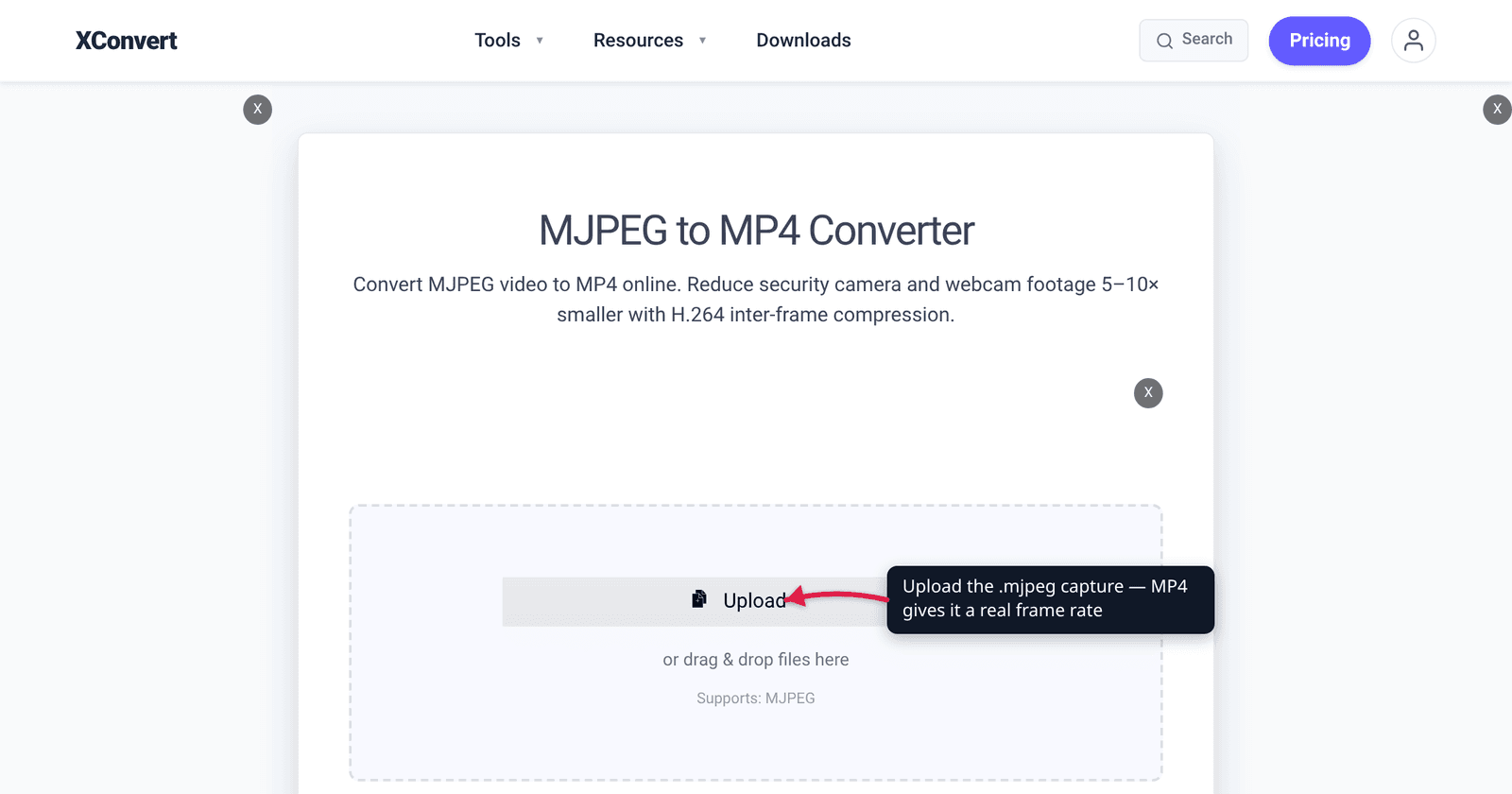
- Open xconvert.com/convert-mjpeg-to-mp4 and click Upload — From my Computer, From Google Drive or From Dropbox. The page accepts the
.mjpegextension; if your file is named.mjpg, rename it to.mjpegfirst, since it is the same raw stream under a different suffix. - Open Advanced Options and switch on the Show All Options toggle at the top of the panel — Video Codec is an advanced control and is not on the default panel. Leave it on H.264 for maximum compatibility, or pick H.265 for a smaller file if you control the playback devices. AV1, VP9, MPEG-4, MPEG-2, MPEG-1 and Xvid are in the same list.
- Under File Compression, the default is Quality Preset at Very High (Recommended). Use Specific file size if you have a byte target, or Constant Quality and set a CRF if you would rather fix the quality and let the size fall where it lands.
- If only part of the recording matters — a common case with camera exports — open Trim, switch it from Unchanged to Time Range, and set a Start time and Duration. Trimming first is worth far more than any compression setting.
- Click convert and download.
Your file uploads over an encrypted connection, is processed on our servers, and is deleted automatically a few hours later — no sign-up, no watermark. If the recording is hours long and you only want a clip out of it, see how to cut or trim a video online first.
FAQ
Why does my MJPEG file play too fast or too slow?
Because a raw .mjpeg file contains no frame rate — it is a series of JPEGs with no timing information anywhere. The player has to guess, and different players guess differently; FFmpeg’s raw-JPEG demuxer assumes 25 fps. If your camera recorded at 15 fps, playback runs about 1.7× too fast. Converting to MP4 writes a real frame rate into the file, after which every player agrees.
Is MJPEG lossy or lossless?
Lossy. Each frame is a normal JPEG, encoded with the same DCT-and-quantisation process as a photo, so each frame carries JPEG’s characteristic artefacts — blocking in flat areas and ringing around hard edges. What MJPEG doesn’t do is compound those artefacts across frames the way an interframe codec can, because no frame is predicted from another.
Does MJPEG have sound?
The codec does not — it describes pictures only. If your MJPEG video has audio, it is inside a container: an AVI, MOV or MKV holding an MJPEG video track next to a separate audio track. A bare .mjpeg file has no way to carry sound at all, so if that is what you have, the audio was never in it.
Why can’t I choose MJPEG when converting to MP4?
Because MP4 has no widely-supported mapping for a Motion JPEG track. Muxers that allow it fall back to a placeholder codec tag, and many players then refuse to decode the result. xconvert offers MJPEG as a Video Codec on AVI, MOV and MKV outputs, where the identification is well defined — MJPG, jpeg and V_MJPEG respectively.
Should I convert MJPEG to H.264 or H.265?
H.264 unless you control every device that will play the file. Either one will shrink an MJPEG dramatically, since both add the interframe prediction MJPEG lacks entirely. H.265 goes further — roughly 25–50% smaller again at equal quality — but its playback support is narrower, particularly in browsers.
Will converting MJPEG to MP4 lose quality?
Technically yes: you are re-encoding lossy frames with a different lossy codec. In practice, at the Very High preset or a low CRF the loss is hard to see, because MJPEG frames start out large and detailed enough to give the H.264 encoder plenty to work with. If the footage is evidential and must not be re-encoded at all, keep the original MJPEG and convert a copy for viewing.
Sources
Last verified 2026-08-31.
- IETF RFC 2435 — RTP Payload Format for JPEG-compressed Video — the standards-track definition: JPEG “can be applied to video by compressing each frame of video as an independent still image and transmitting them in series. Video coded in this fashion is often called Motion-JPEG.”
- Matroska — Codec Specs — codec ID
V_MJPEG, “Motion JPEG is a video compression format in which each video frame or interlaced field is compressed separately as a JPEG image.” - ONVIF Streaming Specification — “JPEG over RTP” as a specified streaming path for conformant network video devices, with RFC 2435 listed as a normative reference.
- YouTube Help — Recommended upload encoding settings — recommended video bitrate of 8 Mbps for 1080p SDR at standard frame rates (24, 25, 30), used here as the H.264 comparison point.
- FFmpeg — verified against the local build: the raw MJPEG muxer uses extensions
mjpg/mjpegand MIMEvideo/x-mjpeg; the mjpeg encoder’s supported pixel formats areyuvj420p yuvj422p yuvj444p yuv420p yuv422p yuv444p; a raw.mjpegprobes asjpeg_pipewith duration and frame countN/Aand an assumed 25 fps; and the same MJPEG stream is taggedMJPGin AVI andjpegin QuickTime. - Arithmetic and measurement — the 0.5–1.8 bits-per-pixel span is the practical output of FFmpeg’s
mjpegencoder on 1920 × 1080 frames:-q:v 2, the encoder’s maximum quality, sets the top of it, and mid-ladder quality settings land near the bottom. Re-checked on this build against maximally-detailed frames, which are an upper bound because real photographs compress better than noise does: at-q:v 2they reached 1.42 bits per pixel atyuvj420pand 1.89 atyuvj422p. The per-frame and bitrate figures in the table are that range applied to 2,073,600 pixels at 30 fps, with KB read as 1,024 bytes. - xconvert MJPEG to MP4 converter — live tool; the Upload control, the Video Codec list (AV1, H.264, H.265, MPEG-1, MPEG-2, MPEG-4, VP9, Xvid), which sits behind the Show All Options toggle, the File Compression modes with Quality Preset → Very High (Recommended) as the default, the Video resolution group and the Trim control were read from the page, along with the fact that MJPEG itself is not offered as a codec for MP4 output.