 By James
 “1 millisecond is a thousandth of a second” is technically correct and practically useless. The interesting fact about milliseconds is that the difference between 16 ms and 8 ms is the difference between a 60-Hz monitor and a 120-Hz monitor, 200 ms is the Google “good experience” cap for interactivity, and the human visual cortex needs about 13 ms to register a frame at all. This guide explains the conversion, then walks through where milliseconds actually matter in 2026: web performance, gaming, network latency, audio, and human perception.
Quick answer: 1 ms = 0.001 s (one thousandth of a second). To convert ms to seconds, divide by 1,000; for seconds to ms, multiply by 1,000. The reverse: 1 s = 1,000 ms. The fastest practical-use shortcut: count zeros — 250 ms is 0.25 s, 1,500 ms is 1.5 s, 60,000 ms is 60 s (one minute).
Jump to a section
- The conversion (and the frequency relationship)
- Web performance — Core Web Vitals in milliseconds
- Gaming — 60Hz vs 120Hz vs 240Hz frame times
- Network latency tiers
- Audio latency and sync
- Human perception thresholds
- Reference table — common time values
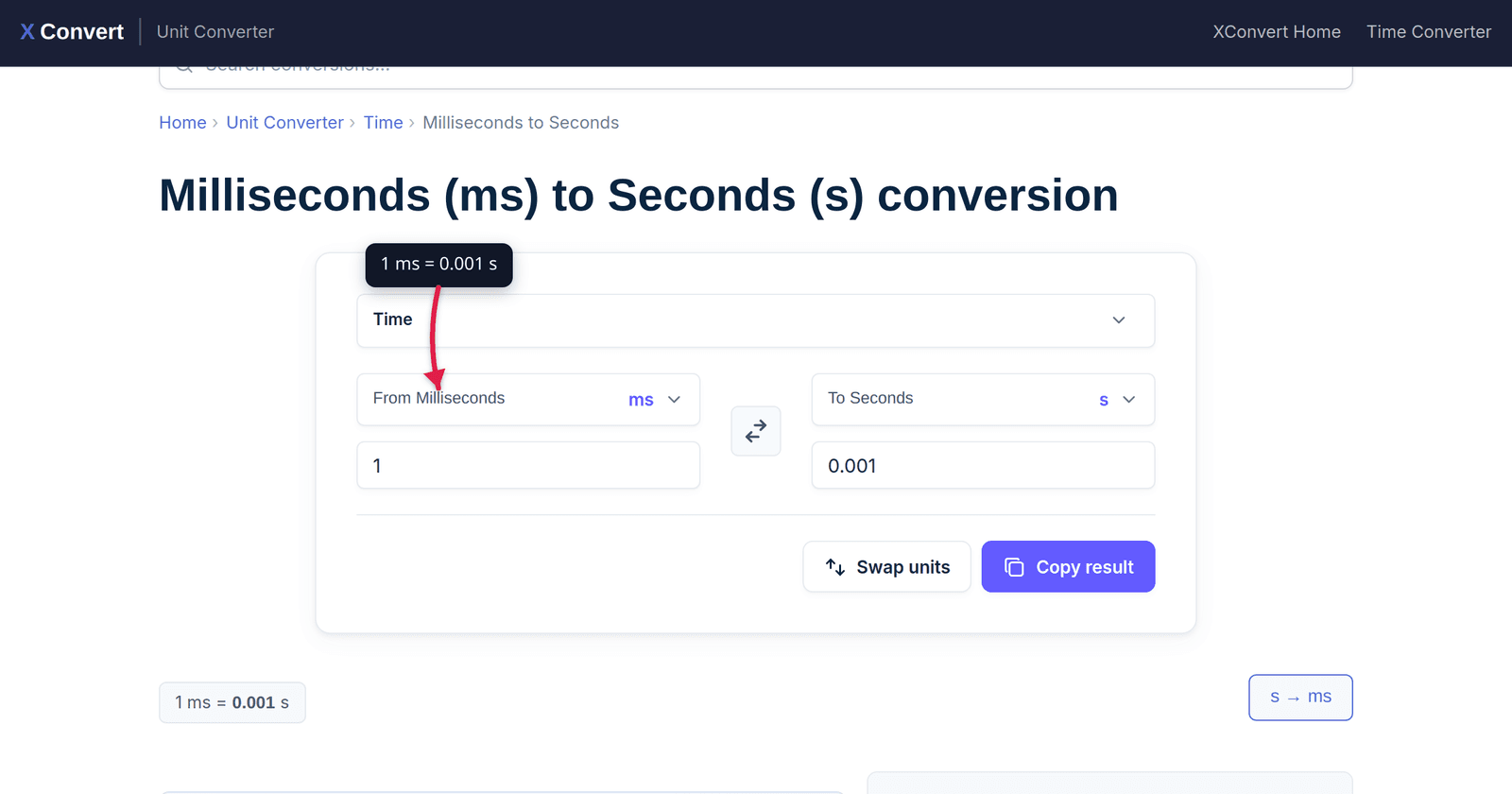
- Use the xconvert ms to seconds tool
- FAQ
The conversion (and the frequency relationship)
seconds = milliseconds ÷ 1,000
milliseconds = seconds × 1,000
1 ms = 0.001 s
1 s  = 1,000 ms
A useful related identity: frequency (Hz) and period (s) are reciprocals. If something happens every X milliseconds, its frequency is 1,000 ÷ X per second:
- 60 Hz → 1,000 ÷ 60 = 16.67 ms per cycle
- 120 Hz → 8.33 ms
- 240 Hz → 4.17 ms
- 1,000 Hz → 1 ms
- 1,000,000 Hz (1 MHz) → 0.001 ms = 1 µs
This is why “frame time in milliseconds” and “refresh rate in Hertz” describe the same thing two different ways — you’ll see both on monitor spec sheets and frame-time graphs in benchmark tools.
Web performance — Core Web Vitals in milliseconds
Google’s Core Web Vitals — three measurements that affect search ranking and user-reported satisfaction — are scored in milliseconds at the 75th percentile of real user visits:
| Metric | “Good” threshold | What it measures |
|---|---|---|
| LCP (Largest Contentful Paint) | < 2,500 ms (2.5 s) | Time to render the biggest above-the-fold element |
| INP (Interaction to Next Paint) | < 200 ms | Lag between a tap/click and a visible response |
| CLS (Cumulative Layout Shift) | < 0.1 (unitless) | Visual stability — how much content jumps around |
The 200 ms INP threshold is the one most sites fail. As of 2026, about 43% of sites still fall short — a tap or click that triggers a JavaScript handler longer than 200 ms is felt as “laggy.” The 2.5-second LCP threshold seems generous until you account for slow mobile networks and large hero images — globally, 60% of sites pass it.
INP replaced FID (First Input Delay) as a Core Web Vital in March 2024, with a tighter 200 ms ceiling (FID was 100 ms but only measured the first interaction; INP measures all interactions, so the cumulative budget is more permissive).
Practical milestones in milliseconds when optimising a web page:
- < 100 ms — instant. User perceives the response as immediate.
- 100–300 ms — perceptible but acceptable. Most UI clicks land here.
- 300–1,000 ms — sluggish. User notices but tolerates.
- > 1,000 ms — broken-feeling. User starts to wonder if the click registered.
The Core Web Vitals thresholds are calibrated to the 100–300 ms band: above 200 ms INP feels distinctly slow; below 100 ms feels instant.
Gaming — 60Hz vs 120Hz vs 240Hz frame times
For gaming monitors, frame time (ms) is more informative than refresh rate (Hz) because perceived smoothness depends on the actual gap between frames, not the marketing number.
| Refresh rate | Frame time | Marginal improvement |
|---|---|---|
| 30 Hz | 33.33 ms | (baseline, console reference) |
| 60 Hz | 16.67 ms | −16.67 ms vs 30Hz |
| 75 Hz | 13.33 ms | −3.33 ms |
| 90 Hz | 11.11 ms | −2.22 ms |
| 120 Hz | 8.33 ms | −2.78 ms |
| 144 Hz | 6.94 ms | −1.39 ms |
| 165 Hz | 6.06 ms | −0.88 ms |
| 240 Hz | 4.17 ms | −1.89 ms |
| 360 Hz | 2.78 ms | −1.39 ms |
| 480 Hz | 2.08 ms | −0.69 ms |
The diminishing-returns pattern is sharp: the jump from 60 Hz to 144 Hz cuts frame time by 9.7 ms — large and dramatically perceptible. The jump from 240 Hz to 360 Hz cuts only 1.4 ms — borderline detectable for most players. Going from 360 Hz to 480 Hz is 0.7 ms — at that point, the bottleneck is usually input device latency or human reaction time, not the display.
For competitive FPS players the small absolute gains still matter because head-to-head latency advantages compound: a 240-Hz player sees the frame 4.17 ms after it’s rendered; a 60-Hz player sees it 16.67 ms after — a 12.5 ms aim advantage on every visual cue.
Frame-time variance matters as much as average frame time. A game running at “60 fps average” but with 33 ms spikes every few seconds feels worse than a steady 50 fps (20 ms). Tools like CapFrameX and PresentMon graph the per-frame ms values directly.
Network latency tiers
Network round-trip time (RTT) is measured in milliseconds and follows roughly geographic / infrastructure tiers:
| Connection | Typical RTT | Notes |
|---|---|---|
| Local LAN (Ethernet) | < 1 ms | Sub-millisecond on switched gigabit. |
| Wi-Fi 6 to router | 1–4 ms | Wi-Fi 5 adds a few ms; mesh repeaters add more. |
| Same city, fibre ISP | 5–15 ms | Local IXP routing keeps it tight. |
| Same continent | 20–50 ms | NYC to LA ≈ 65 ms; London to Frankfurt ≈ 15 ms. |
| Transcontinental (cable) | 80–150 ms | London to NYC ≈ 75 ms; SFO to London ≈ 140 ms. |
| Intercontinental + Asia | 150–250 ms | NYC to Tokyo ≈ 180 ms; SFO to Sydney ≈ 160 ms. |
| Geostationary satellite | 500–600 ms | Speed-of-light up + down at ~36,000 km. |
| LEO satellite (Starlink) | 25–60 ms | Much lower than GEO because of low orbit. |
Why the latency floor matters for cloud gaming: for tolerable cloud gaming, total click-to-pixel latency under ~50 ms is the target. Subtract the network RTT, the server-side render time, the video-encode time, and the client-side decode time, and the network alone often consumes half the budget. This is why geographic edge nodes (AWS Local Zones, GeForce NOW PoPs, PlayStation Cloud servers) cluster in metro areas.
For online competitive games, anything over 80 ms feels noticeably “laggy”; anything over 150 ms makes precision aim untenable. Competitive tournaments require LAN connections for this reason.
For typical web browsing, individual page-load RTT is amortised across many requests; a 100 ms transcontinental RTT translates to a hundreds-of-milliseconds total page load only if requests are chained sequentially. Modern HTTP/3 and connection multiplexing hide much of the per-request cost.
Audio latency and sync
| Context | Latency target | Why |
|---|---|---|
| Live music monitoring (in-ear, performer hearing themselves) | < 10 ms | Above this, the performer’s playing tightness degrades. |
| Pro audio DAW (recording / mixing) | < 5 ms round-trip | Plug-in processing budget per insert. |
| Bluetooth (SBC codec) | 200–300 ms | Why video sometimes drifts out of sync on cheap earbuds. |
| Bluetooth (aptX Low Latency) | 30–80 ms | Targeted at gaming and video. |
| Bluetooth (LE Audio LC3) | < 30 ms | New 2023+ standard, much tighter. |
| USB audio class interfaces | 5–15 ms | Direct USB hardware path, no wireless overhead. |
| Cinema lip-sync standard | ±45 ms audio behind video | ITU-R BT.1359 — beyond this, perceptible mismatch. |
| Video conferencing (Zoom, Teams) | < 150 ms one-way | Above 200 ms, conversation turn-taking breaks down. |
Why pros chase sub-5 ms latency: when you’re tracking a drum overdub against a click, 10 ms of monitoring delay means your beat lands 10 ms behind the click — small enough to ignore solo, large enough to ruin the groove with other tracks. Apollo / RME / Focusrite interfaces with internal DSP can get under 1 ms by routing the monitor path through hardware rather than the OS audio stack.
The Bluetooth lip-sync problem comes from buffer-based audio codecs (SBC, AAC, aptX): 200–300 ms is needed to absorb wireless jitter. Modern LE Audio gets under 30 ms by reducing buffer depth at the cost of more retransmission overhead.
Human perception thresholds
Where milliseconds actually become perceptible to humans:
| Threshold | Time | What happens |
|---|---|---|
| Single-frame visual recognition | ~13 ms | Brain can identify a flashed image even at sub-conscious frame rates. |
| Conscious visual perception | 75–150 ms | “Did you see that?” requires this long for the brain to surface awareness. |
| Auditory reaction time (sound → button press) | 140–200 ms | Faster than visual because the audio path through the brain is shorter. |
| Visual reaction time (light → button press) | 200–250 ms | Typical for healthy adults; trained athletes hit 150–180 ms. |
| Tap-tempo precision | ~30–40 ms | A drummer’s swing-vs-straight feel difference. |
| Lip-sync mismatch detection | ±45 ms audio behind video | ITU recommendation; below this, the brain auto-syncs. |
| “Click and response feels instant” | < 100 ms | The 100 ms ceiling for UI feedback. |
| “Feels laggy” | > 200 ms | Google’s Core Web Vital INP threshold for “good.” |
| “Did the click register?” | > 1,000 ms | User starts re-tapping or clicking elsewhere. |
The takeaway: a 200 ms threshold isn’t arbitrary — Google’s Core Web Vital, the visual reaction time of an average user, and the lower bound of “feels laggy” all land in the same neighborhood for the same biological reason.
Reference table — common time values
| Milliseconds | Seconds | What that is |
|---|---|---|
| 1 ms | 0.001 s | Single packet on a fast LAN |
| 16.67 ms | 0.01667 s | One frame at 60 Hz |
| 100 ms | 0.1 s | Web page interactivity ceiling |
| 200 ms | 0.2 s | Core Web Vital INP threshold |
| 250 ms | 0.25 s | Average visual reaction time |
| 500 ms | 0.5 s | Half a second |
| 1,000 ms | 1 s | One second |
| 1,500 ms | 1.5 s | Half-life of working memory (~1.5 s) |
| 2,500 ms | 2.5 s | Core Web Vital LCP threshold |
| 5,000 ms | 5 s | Common HTTP request timeout |
| 60,000 ms | 60 s | One minute |
| 86,400,000 ms | 86,400 s | 24 hours |
| 1,000,000,000 ms | 10⁶ s | About 11.6 days |
For sub-millisecond precision (microseconds, nanoseconds), see the milliseconds to microseconds and milliseconds to nanoseconds converters.
Use the xconvert ms to seconds tool
For precise conversions — interpreting a server log timestamp, calculating frame times from a refresh rate, converting between API rate-limit windows — use xconvert’s milliseconds to seconds converter. Type any value in either box; the other updates instantly.
Related precision-level conversions on xconvert:
- Milliseconds to Microseconds (µs) — for CPU instruction timing, photo flash duration, scientific measurement.
- Milliseconds to Nanoseconds (ns) — for clock-cycle level work, light speed measurement.
- Seconds to Minutes / Hours — for log timestamps, scheduling.
Related explainer articles on the xconvert blog:
- Bytes to GB: Binary vs Decimal Storage Units Explained — same kind of “where each unit applies in 2026” treatment for storage.
- kW vs HP: EV Motors, ICE Engines, and Power Standards — power-unit conventions across regions.
- MPa vs Bar vs PSI: Pressure Units Explained — multi-convention unit puzzle.
FAQ
Is “ms” the same as “millisecond”?
Yes. ms is the SI symbol for millisecond, used universally in technical contexts. You’ll occasionally see “msec” (US scientific publications), but ms is the standard. Don’t capitalize it as “MS” — that risks confusion with megaseconds (10⁶ s) or “Microsoft.” Lowercase always.
What’s the difference between ms and µs?
µs is microsecond, one millionth of a second (10⁻⁶ s). ms is millisecond, one thousandth of a second (10⁻³ s). So 1 ms = 1,000 µs. Microseconds appear in CPU instruction timing, high-precision audio processing, and physics experiments; milliseconds appear in user-facing software and most engineering work.
Why is Bluetooth audio so much higher latency than wired audio?
Wireless protocols have to deal with packet loss, retransmission, and clock synchronization across two independent devices. The buffer needed to absorb that variability is what creates the latency floor — typically 200–300 ms for SBC, the original Bluetooth audio codec. Newer LE Audio LC3 codec gets under 30 ms by trading buffer depth for higher retransmission overhead.
Is a 240Hz monitor twice as smooth as a 120Hz monitor?
Numerically, frame time halves (8.33 ms → 4.17 ms). Perceptually, the improvement is small — most users describe the 60→120 Hz jump as dramatic and the 120→240 Hz jump as subtle. Competitive FPS players still benefit because every millisecond of aim latency compounds; casual gamers and productivity users rarely notice.
How do I know if my INP score is good?
Open Chrome DevTools → Performance → Record an interaction (click a button, scroll). The Interactions track shows INP for each event in milliseconds. Or use PageSpeed Insights which reports your site’s 75th-percentile INP from real Chrome user-data — that’s the same value Google uses for ranking signals.
Why is auditory reaction time faster than visual?
Sound takes a shorter neural path from the ear to motor cortex than light from the retina. The auditory signal can trigger motor responses through brainstem pathways; visual information has to traverse the visual cortex first. Trained musicians get faster on both, but the auditory advantage of ~50 ms persists.
What’s a typical microservice request latency budget?
Most service-level objectives (SLOs) for user-facing microservice calls land in the 50–200 ms range for the p99 (99th percentile) latency. The Core Web Vital INP threshold of 200 ms is calibrated so that a microservice call returning in 50 ms leaves headroom for client-side rendering. Back-end services with no user-facing dependency (batch processing, analytics) routinely run in the 1–10 second range.
Sources
Last verified 2026-05-25.
- web.dev — How Core Web Vitals thresholds were defined — Google’s primary documentation on LCP / INP / CLS thresholds and methodology.
- Google Developers — Core Web Vitals overview — current Core Web Vitals as a ranking signal.
- BIPM — The International System of Units (SI Brochure) — primary definition of the second and SI prefixes.
- Nature Scientific Reports — Perception of saccadic reaction time — peer-reviewed reference for human reaction-time research.
- ITU-R BT.1359 — Relative timing of sound and vision — international audio/video sync standard.