 By James
 A Kubernetes manifest with memory: 256M and one with memory: 256Mi describe pods that get 5% different memory allocations. A JVM started with -Xmx2g actually gets 2 GiB (2.147 × 10⁹ bytes), not 2 GB. docker images prints sizes in MB; docker-compose images prints them in MiB. Engineering tools mix decimal and binary prefixes inconsistently — usually invisibly — until a pod gets OOMKilled because someone wrote M when they meant Mi. This guide covers the conventions used by the major developer tools, the traps that catch teams in production, and the unit each tool actually uses under the suffix.
Quick answer: 1 MiB = 1,048,576 bytes (2²⁰); 1 MB = 1,000,000 bytes (10⁶) — a 4.86% difference. Kubernetes:
M= MB (decimal),Mi= MiB (binary). JVM:m/M/g/G= MiB / GiB (binary, despite the letter). Docker: decimal indocker images, binary indocker-compose images. cgroups: raw bytes. Always specify with thei(Mi, Gi) for explicit binary.
Jump to a section
- The 4.86% gap and why it bites in production
- Kubernetes: M vs Mi, and the OOMKilled trap
- JVM heap flags: -Xmx uses binary despite K/M/G suffixes
- Docker: inconsistent reporting across CLI tools
- cgroups: raw bytes in memory.max
- Prometheus metric naming conventions
- Quick reference for the common developer tools
- Use the xconvert MiB ↔ MB converter
- FAQ
The 4.86% gap and why it bites in production
Two definitions:
1 MB  = 1,000,000 bytes        (10⁶, SI decimal — for marketing, ISP, telecom)
1 MiB = 1,048,576 bytes        (2²⁰, IEC binary — for memory, container limits, JVM)
1 GB  = 1,000,000,000 bytes    (10⁹)
1 GiB = 1,073,741,824 bytes    (2³⁰)
The gap grows with each scale-up:
- KiB vs KB: 2.4% difference
- MiB vs MB: 4.9% difference
- GiB vs GB: 7.4% difference
- TiB vs TB: 10% difference
The IEC ratified the binary prefixes (kibi/mebi/gibi/tebi) in ISO/IEC 80000-13 specifically to end the ambiguity. Adoption in developer tooling is uneven — some tools follow the spec rigorously (Kubernetes, Prometheus), some quietly use binary while displaying decimal-looking suffixes (JVM, Linux df -h), and some are internally inconsistent (Docker).
The 4.9% MB-vs-MiB gap rarely matters for a 1-byte difference, but for a tightly-tuned container or JVM with limits set near actual usage, the gap is enough to either crash the workload or leave free memory unused on the host. For a deeper general treatment of binary vs decimal storage prefixes (including the hard-drive 1 TB → 931 GB puzzle), see Bytes to GB: Binary vs Decimal Storage Units Explained.
Kubernetes: M vs Mi, and the OOMKilled trap
The Kubernetes resource-management docs define two distinct memory suffix conventions:
| Suffix | Meaning | Bytes per 1 unit |
|---|---|---|
k | kilobyte (decimal) | 1,000 |
M | megabyte (decimal) | 1,000,000 |
G | gigabyte (decimal) | 1,000,000,000 |
Ki | kibibyte (binary) | 1,024 |
Mi | mebibyte (binary) | 1,048,576 |
Gi | gibibyte (binary) | 1,073,741,824 |
So:
resources:
  limits:
    memory: "256M"     # 256,000,000 bytes (~244 MiB)
    memory: "256Mi"    # 268,435,456 bytes (256 MiB exact)
The trap: if you’re sizing a JVM service to “256 MB heap,” writing memory: 256M gives the container 244 MiB of memory — less than the 256 MiB heap the JVM allocates with -Xmx256m (see next section). The pod starts, the JVM tries to allocate its heap, and gets OOMKilled because the container limit is below the JVM’s requested heap.
Recommended practice for memory limits in K8s: always use the Mi / Gi (binary) suffix. RAM is fundamentally binary; the SI decimal suffixes (M/G) are technically valid but invite the mismatch error above. K8s docs say either is allowed but explicitly recommend binary for memory.
CPU limits don’t have this problem (they’re a different unit — fractional CPU cores 0.5, 100m = 0.1 CPU, etc.), but memory is where the M-vs-Mi distinction is load-bearing.
JVM heap flags: -Xmx uses binary despite K/M/G suffixes
This is the trap that catches Java developers most often. From the Oracle HotSpot ergonomics docs:
-Xmx2g    means 2 GiB = 2 × 2³⁰ = 2,147,483,648 bytes
-Xms512m  means 512 MiB = 512 × 2²⁰ = 536,870,912 bytes
-Xmx1024k means 1024 KiB = 1,048,576 bytes
The single-letter suffixes (k, m, g, K, M, G) all use binary multipliers in the JVM, even though those letters are the SI decimal symbols everywhere else. The JVM has had this convention since at least JDK 1.4 and shows no sign of changing.
Why this is a trap: a developer reading -Xmx256m who’s been reading Kubernetes docs assumes that’s 256 MB (decimal). It’s actually 256 MiB — about 5% more memory than they thought. Set a Kubernetes container limit of memory: 256M for a JVM with -Xmx256m, and the container gets killed.
Recommended fixes:
# Bad: container limit smaller than JVM heap
resources:
  limits:
    memory: "256M"        # 244 MiB available
# JVM started with -Xmx256m wants 256 MiB heap → OOMKilled

# Good: use Mi everywhere, give headroom for non-heap memory
resources:
  limits:
    memory: "384Mi"       # 384 MiB available
# JVM with -Xmx256m has 128 MiB headroom for metaspace, threads, native
Modern JVMs (JDK 11+ container-aware mode) read the cgroup memory limit at startup and right-size their heap relative to that — set the container limit, leave -Xmx unset, and the JVM picks a sensible default (usually 25% of cgroup limit for the heap). For tightly-tuned services, still set -Xmx explicitly and leave at least 25–50% headroom between heap and container limit for non-heap memory (thread stacks, metaspace, direct buffers, native libraries).
Docker: inconsistent reporting across CLI tools
Docker is the messiest case — different CLI tools in the same ecosystem use different conventions:
| Tool | Convention | Example output |
|---|---|---|
docker images | Decimal (MB, GB) | nginx 142MB |
docker-compose images | Binary (MiB, GiB) | nginx 135MiB |
docker stats | Binary (MiB, GiB) | MEM USAGE 245.7MiB / 1.952GiB |
docker inspect | Raw bytes (no formatting) | "Size": 148723456 |
| Docker Hub web UI | Decimal (MB) | “Compressed Size: 54.3 MB” |
| Container Registry API | Raw bytes | {"size": 148723456} |
So the same image can read as 142 MB in docker images, 135 MiB in docker-compose images, and 148,723,456 bytes in docker inspect. All three are technically the same number — 142,000,000 ÷ 1,048,576 ≈ 135.5 and 148,723,456 ÷ 1,048,576 ≈ 141.8 (the small extra difference is rounding).
For image size budgets (Docker Hub auto-pull caps, deployment manifests with size thresholds), the convention depends on the system enforcing the cap. Docker Hub’s “free tier 100 GB egress” is decimal GB. A kubectl describe pod image-pulled error reporting a 1 GiB limit is binary GiB. Read which tool reported the number before doing the math.
The Docker community has tracked this inconsistency for years (see GitHub docker/cli issue #3091) — it’s not going away. The pragmatic workaround is to standardise on bytes for any automation and let the display layer decide which suffix to show.
cgroups: raw bytes in memory.max
Below Kubernetes, the Linux kernel’s cgroup v2 controller stores memory limits as raw bytes in /sys/fs/cgroup/.../memory.max. No suffix, no conversion:
$ cat /sys/fs/cgroup/system.slice/docker-abc.scope/memory.max
536870912
That’s 536,870,912 bytes = exactly 512 MiB = 512 × 2²⁰. When Kubernetes sets a memory: 512Mi limit, it writes this exact byte count to the cgroup. When you set memory: 512M instead, Kubernetes writes 512,000,000 — about 488 MiB of actual memory.
Implication for observability: any tool reading cgroup memory limits directly (Prometheus cadvisor, kubectl top, docker stats) operates on raw bytes and then converts for display. The conversion choice (MiB vs MB) is purely cosmetic; the underlying value is the byte count. When debugging “the pod has more / less memory than I configured,” diff against the byte value, not against the suffix.
Prometheus metric naming conventions
Prometheus naming conventions recommend base SI units for metric values — and for memory, that means bytes, no prefix:
node_memory_MemTotal_bytes 16777216000
node_memory_MemAvailable_bytes 8945123456
container_memory_usage_bytes 268435456
The Prometheus rationale: display tooling (Grafana, Mimir, AlertManager) handles unit conversion at presentation time; storing in base units avoids ambiguity. A Grafana dashboard then converts to MiB/GiB for display using humanize1024(value) or humanizeBytes(value).
Don’t write metrics like node_memory_MemTotal_MiB — even though it’s tempting for readability, the canonical Prometheus approach is _bytes with the conversion happening downstream. Tools that emit _mb or _gb metrics are non-canonical and will trip up automation that expects bytes.
Quick reference for the common developer tools
| Tool / context | Default unit | Notation example |
|---|---|---|
| Kubernetes memory limit | Binary (Mi, Gi) recommended | 256Mi, 2Gi |
| Kubernetes memory limit (decimal) | Allowed but error-prone | 256M, 2G (= 244 MiB, 1.86 GiB) |
JVM -Xmx, -Xms, -Xss | Binary (despite single-letter suffix) | -Xmx2g = 2 GiB |
docker images | Decimal | 142MB |
docker-compose images | Binary | 135MiB |
docker stats | Binary | 245MiB / 1.95GiB |
kubectl top pods | Binary | 245Mi |
cgroup memory.max | Raw bytes | 536870912 |
Prometheus *_bytes metrics | Raw bytes | 268435456 |
Linux free -m | Binary (MiB labelled as Mi or M) | Mem: 15920 |
Linux df -h | Binary (labelled with no i) | 4.0G, 2.0M |
| AWS EBS volume sizes | Binary (GiB billed as “GB”) | “10 GB volume” = 10 GiB |
| Cloud cost-per-GB | Mixed — check provider docs | AWS: GiB; some GCP: GB |
Bookmark this if you work across multiple stacks — the conventions differ even within the same vendor (Docker tools).
Use the xconvert MiB ↔ MB converter
For precise conversions — debugging a container size mismatch, sizing a JVM heap relative to a K8s limit, converting Prometheus byte metrics to human-readable values — use:
- Mebibytes to Megabytes (MiB → MB) — for converting K8s
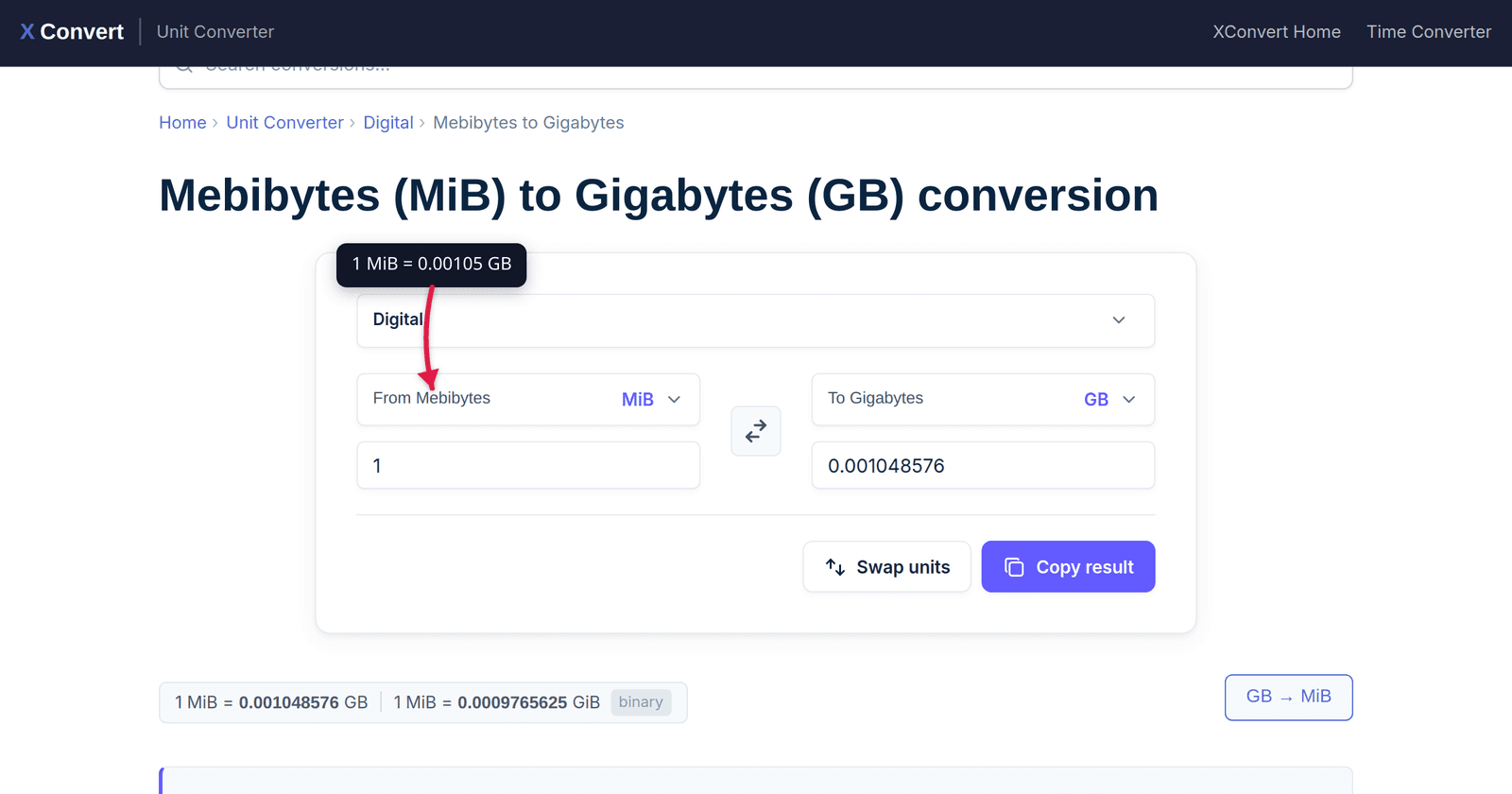
Mito decimalM. - Mebibytes to Gigabytes (MiB → GB) — for scaling up memory limits across tiers.
- Bytes to Mebibytes — for converting raw cgroup or Prometheus byte values.
- Megabytes to Mebibytes (MB → MiB) — for translating decimal marketing numbers to actual binary memory.
For the general-purpose treatment of binary vs decimal across all storage scales (KB / MB / GB / TB and the “why does my hard drive show less” puzzle), see the companion article: Bytes to GB: Binary vs Decimal Storage Units Explained.
Related explainer articles on the xconvert blog:
- ms to Seconds: Web Vitals, Frame Rates, Latency — same kind of “where each unit applies in developer tooling” treatment for time.
- kWh, MWh, GWh: Your Bill, Your EV, and the Power Grid — SI prefix ladder for energy.
FAQ
Should I use Mi or M for Kubernetes memory limits?
Use Mi (binary). It matches what your kernel, container runtime, and JVM actually allocate. The K8s docs note both work, but using M (decimal) introduces a 4–7% gap that can cause OOMKilled events when the workload’s actual memory allocation lands between the configured M and the equivalent Mi. Stick with 256Mi, 2Gi, 512Mi for memory; reserve m (lowercase) for CPU millicore notation (500m = 0.5 CPU).
Why does the JVM use single-letter suffixes that mean binary?
Historical. Java’s -Xmx flag predates the IEC binary prefixes (1998). The JVM has used k/m/g to mean binary since Java 1.4 (2002), and changing it now would break thousands of production scripts. Modern JDK documentation specifies the binary meaning explicitly — but if you only read the flag and not the docs, you’d assume decimal.
What is 256Mi in plain decimal megabytes?
256 MiB = 256 × 1,048,576 = 268,435,456 bytes = 268.43 MB (decimal). So memory: 256Mi in Kubernetes is equivalent to about 268M (decimal). The 12 MB gap (about 5%) is the source of most “I set the right limit, why did it OOMKill” issues.
Does AWS bill EBS in GB or GiB?
AWS bills EBS in GiB but labels it “GB” on the pricing page. A 10 “GB” EBS volume holds 10 × 2³⁰ = 10.74 × 10⁹ bytes. The AWS billing docs are explicit on this point (Amazon EBS pricing page); the “GB” label is a convention they keep for backward compatibility. Same convention applies to RDS storage, EFS, S3 — see AWS S3 FAQs for the formal statement.
How do I check what unit Docker is using for a specific image?
Use docker inspect <image> --format '{{.Size}}' — returns raw bytes, unambiguous. Then convert with the xconvert bytes to MB tool (decimal) or bytes to mebibytes (binary) depending on what convention you need to match.
Is kubectl top pods showing MiB or MB?
Binary (MiB, GiB) — but the suffix is rendered as Mi / Gi without the redundant B. So 245Mi means 245 MiB. The numeric value matches the cgroup memory.usage_in_bytes divided by 2²⁰.
What about CPU — is “100m” decimal or binary millicores?
Neither — CPU notation in Kubernetes is fractional cores. 100m = 100 millicores = 0.1 CPU; 1000m = 1 CPU. There’s no binary/decimal ambiguity for CPU because the unit is decimal-fractional by definition. Lowercase m (millicore) is different from uppercase M (megabyte) — confusing but well-defined.
Sources
Last verified 2026-05-25.
- Kubernetes — Resource management for Pods and Containers — primary source for M / Mi / G / Gi conventions.
- Oracle — HotSpot Virtual Machine Garbage Collection Tuning Guide —
-Xmx/-Xmsheap-flag specification. - Prometheus — Metric and label naming — naming convention for
_bytesmetrics. - ISO/IEC 80000-13 — Information science and technology — formal standard for binary prefixes.
- NIST — Definitions of the SI units: The binary prefixes — accessible reference for kibi/mebi/gibi.
- AWS — Amazon S3 FAQs — explicit AWS GiB-billed-as-GB convention.