 By James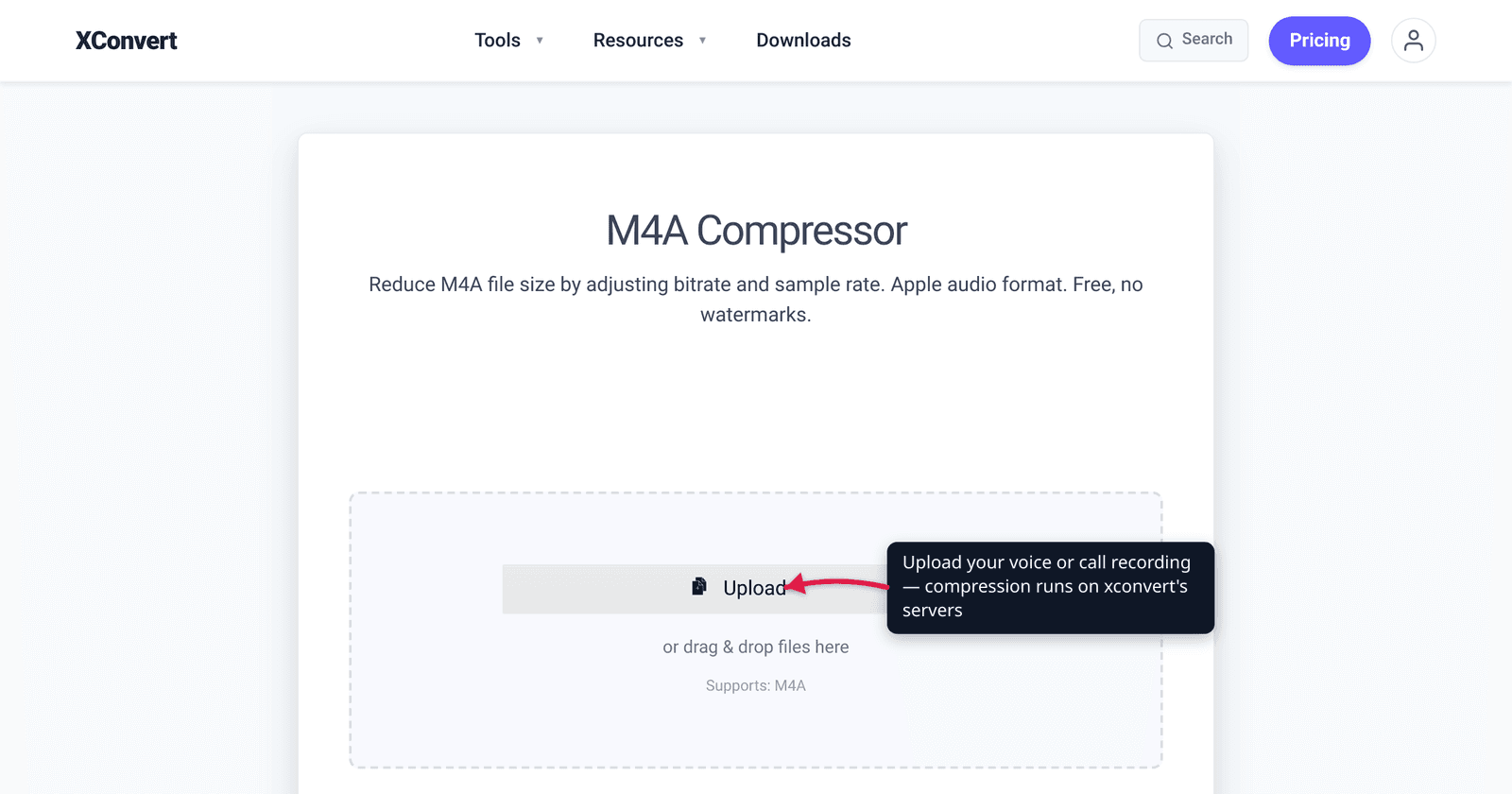
A two-hour interview on your phone, or a call recording you need to email to a lawyer, can balloon to hundreds of megabytes — then bounce off Gmail’s 25 MB cap. The good news: voice and call recordings are speech, and speech compresses far harder than music with no perceptible loss. Drop the bitrate aggressively, switch to mono, and lower the sample rate, and a clean, intelligible file lands at a fraction of the original size. We verified the bitrate guidance below against the codec authorities (Xiph/Opus, the AMR spec) so the numbers here aren’t guesswork.
Quick answer: Recordings of a human voice need far less data than music. For a call or voice recording, mono at 24–48 kbit/s (AAC) is clean and intelligible; 64 kbit/s is generous “podcast” quality. The official low-bitrate references back this up: Opus targets 16–20 kbit/s for wideband speech, and the cellular AMR codec delivers toll-quality phone speech from 7.4 kbit/s. Set the channel to mono and the sample rate to 16–22 kHz for the biggest win.
Jump to a section
- Why speech compresses so much harder than music
- What format is your recording already in?
- Speech bitrate guidance (with the numbers)
- Mono and sample rate: the other two levers
- Compress a voice or call recording on xconvert
- FAQ
Why speech compresses so much harder than music
A song fills the whole audible spectrum — deep bass, cymbal shimmer near 20 kHz, two channels of stereo imaging. A voice does almost none of that. Human speech lives mostly in a narrow band (roughly 300–3,400 Hz for telephone-grade intelligibility, a bit wider for “natural” sound), it’s effectively mono (one person, one microphone), and the ear forgives artifacts on speech far more than on music.
That’s why the entire telephone and VoIP industry runs on bitrates that would sound broken on music. Your recording isn’t low quality — a voice simply contains less information to store. So you can compress a call or voice recording far more aggressively than you’d dare with a song, and a listener won’t hear the difference.
If your source is music or a mixed recording (an interview with music stings, a podcast with intro bumpers), back off and treat it more like music — see Understanding audio bitrate and sample rate.
What format is your recording already in?
Knowing what you’re starting from matters, because many phone recordings are already in an efficient, compressed format — which changes how much further you can squeeze.
| Source | Typical format | Notes |
|---|---|---|
| iPhone Voice Memos | .m4a (AAC), default “Compressed” mode is mono AAC ~32 kbps | Already small unless switched to Lossless |
| Android voice/call recorders (modern) | .m4a (AAC) on recent Android | Default for high-quality recording |
| Older / “normal quality” Android recorders | .amr or .3ga | Cellular speech codec — already tiny |
| Desktop / dictaphone exports | .wav (uncompressed) or .mp3 | WAV is huge and has the most to gain |
The takeaway: a .wav recording is uncompressed and can shrink dramatically (often 80–90%). A file that’s already .m4a (AAC) or .amr is compressed, so re-compressing gives a smaller but still useful win — mainly by lowering the bitrate, going mono, and trimming dead air. Phone call recordings are very often AAC .m4a or cellular .amr, both speech-optimised already.
For the specific iPhone-Voice-Memos-to-email workflow (getting the file off the phone, AirDrop quirks, MP3 for Windows/Android recipients), see the dedicated guide: Compress an iPhone voice memo for email or AirDrop. This article is the general how-to for any voice or call recording, whatever device it came from.
Speech bitrate guidance (with the numbers)
This is the lever that matters most. Here’s what the codec authorities actually recommend for speech — not music — so you can pick a target with confidence:
| Goal | AAC / MP3 bitrate (mono) | What it sounds like |
|---|---|---|
| Generous, “podcast” quality | 64 kbit/s | Indistinguishable from the source for most listeners |
| Recommended default for voice | 48 kbit/s | Clean, natural speech |
| Aggressive but clear | 32 kbit/s | Clearly intelligible; AAC handles this better than MP3 |
| Smallest still-comfortable | 24 kbit/s | Phone-call clarity; fine for notes and meetings |
These align with the published references. The Opus codec — designed by the Xiph.Org Foundation for interactive speech and music — recommends 16–20 kbit/s for wideband (HD voice) speech and 12 kbit/s for narrowband, and notes 24 kbit/s gives fullband quality for VoIP. The cellular AMR-NB codec, the 3GPP standard behind mobile calls since 1999, encodes narrowband speech at 4.75–12.2 kbit/s, with toll-quality speech from 7.4 kbit/s. In short, the phone network treats a usable voice call as well under 10 kbit/s.
Everyday converters emit AAC or MP3 (not Opus or AMR), which are a little less efficient at the very bottom, so the practical mono floor is around 24–32 kbit/s before MP3 starts to “warble” on consonants. AAC degrades more gracefully than MP3 at low bitrates, which is why call/voice recorders favour it. A safe, near-transparent choice for almost any voice recording is 48 kbit/s mono.
A quick size estimate: bitrate (kbit/s) ÷ 8 = kilobytes per second. So 48 kbit/s ≈ 6 KB/s ≈ 21 MB per hour — a one-hour recording clears Gmail’s 25 MB cap; at 32 kbit/s (~14 MB/hour) even a 90-minute recording fits.
Mono and sample rate: the other two levers
Bitrate is the big one, but two more settings cut size and cost nothing audible on speech:
Channel → Mono. A recording from a single microphone is mono content even if saved as a stereo (dual-channel) file — both channels carry the same signal. Collapsing to mono roughly halves the data with zero loss, because there was no second channel of real content. For any single-speaker recording, mono is the correct choice, not a compromise. (One exception: a stereo call recording that puts the two parties on separate left/right channels, where you may want to keep both.)
Sample rate → 16–22 kHz. The sample rate sets the highest frequency you can capture (half the rate, by the Nyquist limit). Music uses 44.1 kHz to reach ~22 kHz of treble; speech tops out far lower — the telephone band ends at 3.4 kHz, “wideband”/HD voice reaches ~7–8 kHz. So 16 kHz (captures up to 8 kHz) is plenty for natural speech, and 22.05 kHz leaves comfortable headroom. Dropping from 44.1 kHz shaves more size with no perceptible effect on a voice.
Put all three together — low-but-sufficient bitrate, mono, reduced sample rate — and a bulky recording becomes a small, email-friendly file that still sounds like the person who recorded it.
Compress a voice or call recording on xconvert
If your recording is an .m4a / AAC file (the common case for phone voice memos and call recorders), the xconvert M4A compressor keeps the efficient AAC format and just makes it smaller:
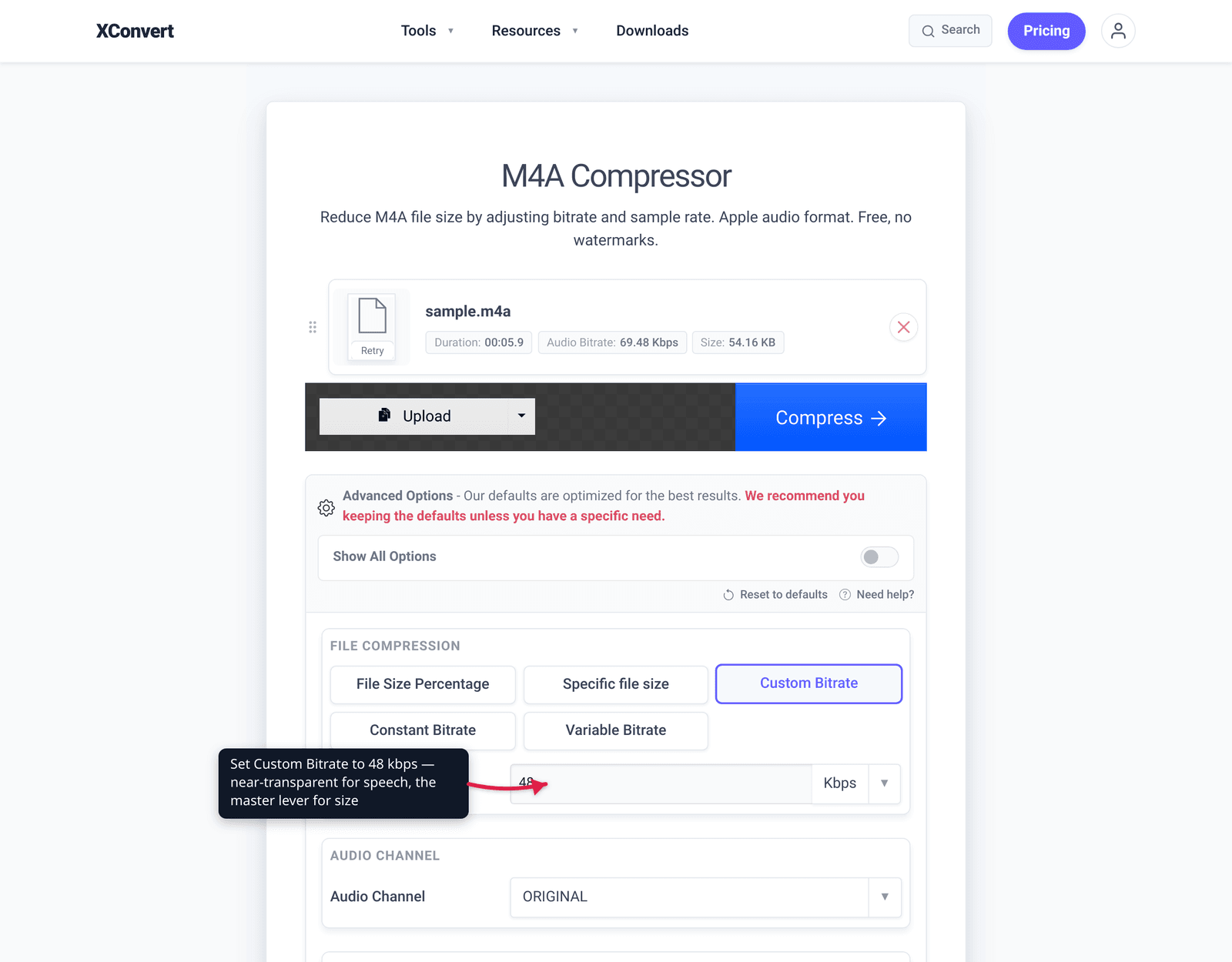
- Open xconvert.com/compress-m4a and click + Add Files to upload your recording (from your computer, Google Drive, or Dropbox).
- Open Advanced Options and click Show All Options to reveal the compression controls.
- Under Custom Bitrate, set a speech-appropriate value — 48 kbit/s for a near-transparent default, 32 kbit/s to go smaller. (Or use Specific file size / the File size (%) slider to hit an exact MB target instead.)
- Set Audio Channel to Mono (it defaults to ORIGINAL — switch it explicitly for a single-speaker recording).
- Set Audio Sample Rate to 22050 Hz (or 16000 Hz to go smaller). Use Trim to cut silent intros/outros for a free size saving.
- Click Compress, then download your smaller recording.
If your recording is a .wav, .mp3, .amr, or other format — or you want to convert it to MP3 for maximum compatibility with Windows and Android recipients — use the general xconvert audio compressor, which auto-detects the input and lets you pick the output format.
Your file uploads over an encrypted connection, is processed on our servers, and is automatically deleted a few hours later. Nothing is kept.
For related workflows: compress audio for email under Gmail’s 25 MB cap and compress audio for Discord.
FAQ
What bitrate should I use to compress a voice recording?
For a single-speaker voice or call recording, 48 kbit/s mono is a near-transparent default and 32 kbit/s is a fine aggressive setting — both stay clearly intelligible. The codec references go lower: Opus targets 16–20 kbit/s for HD-voice speech and the AMR phone codec delivers toll-quality speech from 7.4 kbit/s. With everyday MP3/AAC tools, keep mono speech at 24 kbit/s or above to avoid audible warbling on consonants.
How do I make a call recording smaller without it sounding bad?
Use the three speech levers together: drop the bitrate to 32–48 kbit/s, switch the channel to mono, and lower the sample rate to 16–22 kHz. Because a voice carries far less information than music, all three can be applied aggressively with no perceptible loss. Trimming silent intros and outros saves more for free.
My phone recording is already a .m4a or .amr file — can I still shrink it?
Yes, but with a smaller gain than an uncompressed file. .m4a (AAC) and .amr are already compressed, speech-optimised formats, so the recording starts small. You can still cut size by lowering the bitrate, forcing mono, and trimming. An uncompressed .wav recording, by contrast, has the most to gain (often 80–90% smaller).
What’s the best format for a voice recording I need to email?
For maximum compatibility with Windows, Android, and web players, MP3 is the safest output — every device and email client handles it. AAC (.m4a) is slightly more efficient at the same bitrate and plays on Apple and modern Android, but a few older Windows setups don’t open it cleanly. If your recording is already .m4a and the recipient is on Apple, keeping AAC is fine; when in doubt for a general audience, convert to MP3.
Will compressing a voice recording reduce its length or cut anything off?
No. Compression lowers the bitrate, channel count, and sample rate — it changes how the audio is stored, not how long it is. The full recording plays start to finish at the new, smaller size. The only thing that shortens a recording is the optional Trim step, which you control.
Sources
Last verified 2026-06-25.
- Xiph.Org — Opus Recommended Settings — speech bitrate targets: narrowband 12 kbit/s, wideband 16–20 kbit/s, fullband/VoIP 24 kbit/s.
- Wikipedia — Adaptive Multi-Rate (AMR) audio codec — 3GPP cellular speech codec: 8 kHz sampling, 200–3400 Hz band, 4.75–12.2 kbit/s, toll quality from 7.4 kbit/s (adopted 1999).
- RFC 6716 — Definition of the Opus Audio Codec (IETF) — Opus standard, the speech/music codec behind the bitrate references.
- Apple Support — Voice Memos User Guide — iPhone Voice Memos record to M4A (AAC); Compressed vs Lossless modes.
- xconvert M4A compressor and audio compressor — the tools and exact UI labels used in the steps above.