 By James
Reddit’s image host (i.redd.it) accepts animated GIFs up to 100 MB — far more generous than Twitter or Discord — but many big subreddits add their own AutoMod rules that reject anything bigger than 8–10 MB, longer than 60 seconds, or with low resolution. This guide covers the platform-wide limit, the common subreddit-specific caps, and the conversion settings to produce a GIF that passes mod review.
Quick answer: Reddit’s platform cap on i.redd.it animated GIFs is 100 MB, but most active subreddits (r/AskReddit, r/funny, r/HQGifs) enforce an 8–10 MB AutoMod cap. Safe target: 5 MB at 480p, 10–12 fps, ‘Remove every 3rd frame’ in xconvert.
Jump to a section
- Reddit platform limits (2026)
- Common subreddit-specific rules
- Recommended xconvert settings
- Step by step
- Why your GIF might still get auto-removed
- FAQ
Reddit platform limits (2026)
Reddit’s media host imposes:
| Spec | Limit |
|---|---|
| Animated GIF (i.redd.it) | 100 MB |
| Static image | 20 MB |
| Video (uploaded as RPAN / native video) | 1 GB or 15 minutes, whichever is shorter |
| Maximum dimensions | 4096 × 4096 px |
| Mobile app upload | Same caps as web |
For most use cases, the 100 MB platform cap is non-binding — your GIF will hit a subreddit-specific cap first.
Common subreddit-specific rules
Many high-traffic subreddits enforce AutoMod rules that override the platform limits. A non-exhaustive list:
| Subreddit | GIF rules (best understood from sticky / wiki) |
|---|---|
| r/gifs | High-quality, no Reddit-format watermarks; AutoMod removes low-effort recompresses |
| r/HighQualityGifs | Quality > size; aim for 8–15 MB at high resolution |
| r/educationalgifs | Educational content; informational accuracy enforced |
| r/funny | Generally accepts GIFs and videos; reposts auto-removed |
| r/woahdude | Aesthetic content; quality minimum |
| r/aww | Animals only; cropping rules |
| r/perfectloops | Must be a seamless loop; mods strict |
| r/oddlysatisfying | Specific category content |
| r/programming | Code-related only; no general tech content |
| r/UI_Design | UI/design content; no spam |
The pattern: subreddit rules are about content fit and quality, not file size. A 5 MB high-quality GIF posted to r/HighQualityGifs is more likely to be approved than a 20 MB low-quality one. Read the sidebar / wiki for the specific subreddit before posting.
Recommended xconvert settings
For Reddit, prioritize quality at acceptable size rather than minimum size. Reddit transcodes GIFs to MP4 for web display, so you get one re-encode regardless. Better to upload a high-quality source.
General-purpose Reddit GIF (8–15 MB)
| Setting | Value |
|---|---|
| Resolution | 720 × 405 (or original aspect) |
| Frame rate | 20–24 fps |
| Color palette | 128 colors |
| Duration | ≤ 30 seconds (longer = more file size) |
| Output | GIF |
High-quality (HQGifs target)
| Setting | Value |
|---|---|
| Resolution | 1280 × 720 |
| Frame rate | 24–30 fps |
| Color palette | 256 colors |
| Duration | ≤ 12 seconds |
| Output | GIF |
For very long content (>30 seconds), the GIF format becomes unwieldy. Convert to MP4 and upload as Reddit native video — Reddit allows up to 15 minutes / 1 GB and the video plays inline without the GIF size penalty.
Step by step
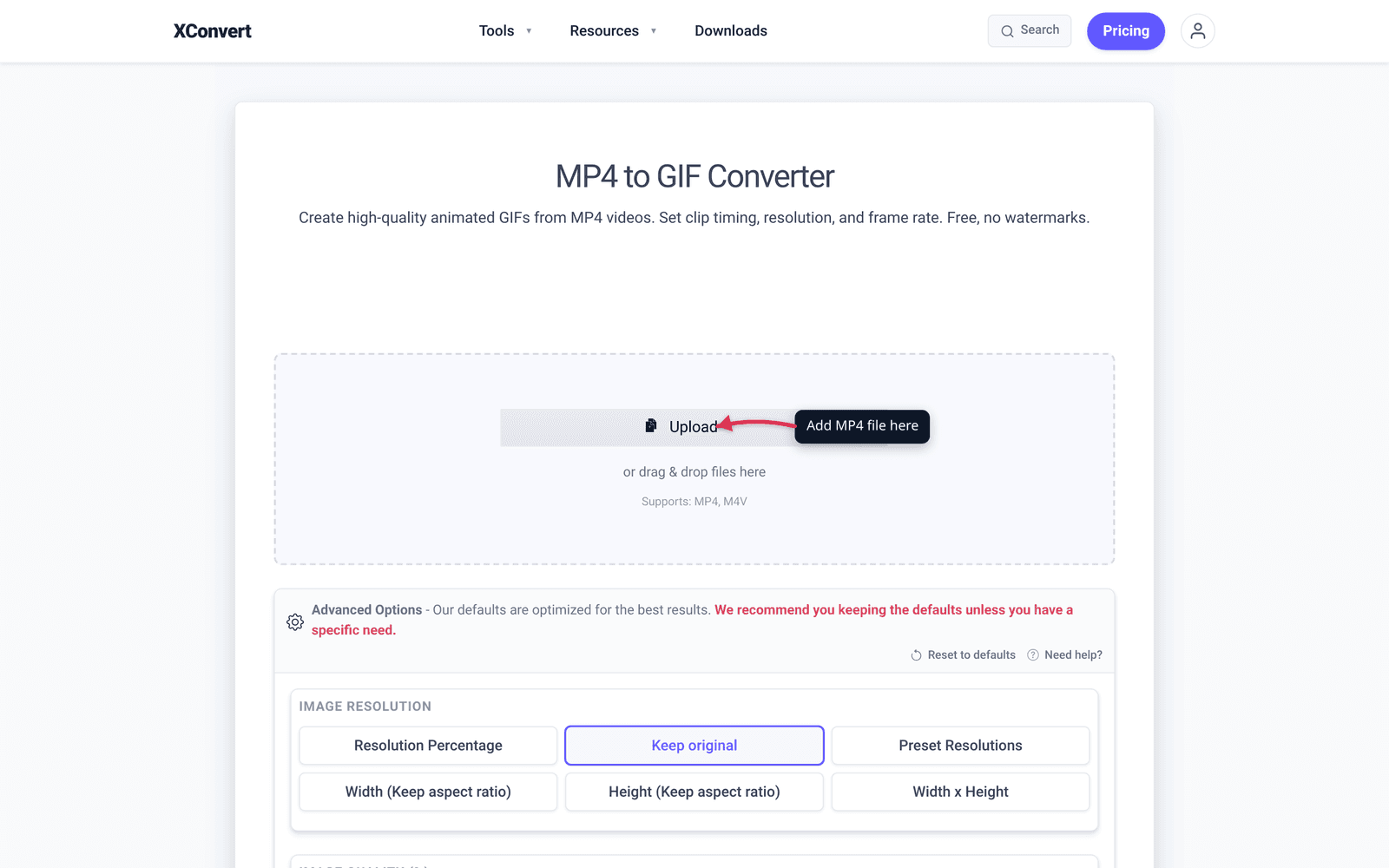
- Open xconvert.com/convert-mp4-to-gif.
- Click + Add Files and pick your MP4.
- (Optional) Trim to the most relevant portion using the file-card controls after upload.
- In Advanced Options → Image resolution, click Resolution Percentage and pull the slider down. For most general subs, ~35% of a 1920p source ≈ 670 px wide is plenty — Reddit’s feed renders GIFs at ~600 px. r/HighQualityGifs is the exception: keep around 65–70% (≈1280 px) since that sub explicitly demands high resolution.

- In Advanced Options → FRAMERATE, set 15 fps for general subs (the standard GIF baseline — smooth enough for most motion, half the file size of 30 fps). For r/HighQualityGifs, push to 30 fps if your source supports it.

- Heads-up — the GIF is going to look noticeably grainier than your source. That’s the 256-color palette ceiling and the per-frame-stored-as-full-image structure baked into the GIF spec, not anything the compressor is doing. Lower resolution and framerate are the cost of admission to the format — accept them, or skip GIF entirely and post as native Reddit video instead (i.redd.it MP4 has no practical size cap, plays inline, and gets better engagement on most subs).
- Click Convert. Wait. Download.
- Upload to Reddit via the standard post composer — pick “Image & Video” tab, drag the GIF in.
Why your GIF might still get auto-removed
Reddit’s AutoMod can reject posts for reasons beyond file size:
1. Account age / karma minimums. Many subreddits require N days of account age and X karma before allowing image posts. AutoMod removes silently. Check the sidebar.
2. Title rules. AutoMod often rejects posts with all-caps titles, missing prefixes (e.g., r/AskReddit requires [Question] prefixes), or containing banned words.
3. Cross-posting from “low-quality source” domains. Posting a Giphy URL instead of i.redd.it sometimes triggers AutoMod removal.
4. Reposts. Many subs have repost detection that catches identical pixel hashes from past months.
5. Metadata / EXIF. Some subs strip or reject media with embedded GPS coordinates or device identifiers.
6. Video / GIF length. r/gifs has historically had length caps in the 30–60 second range.
If your post disappears immediately after submission, check r/[subreddit]/about/log (mod-only) or the modmail. Usually re-submitting with a small change (different title, slightly different timestamp on the GIF) fixes the AutoMod rejection.
Frequently Asked Questions
Should I upload as GIF or as MP4?
For clips ≤ 8 seconds, GIF is fine and auto-loops. For longer content, upload as Reddit native video (MP4) instead — Reddit transcodes and serves it more efficiently than a long GIF. Native video also gets better engagement on most subs because it has a play button, scrub bar, and audio support.
What if my GIF is over 100 MB?
Compress it. Use xconvert GIF compressor with Specific file size = 95 MB. If even aggressive compression doesn’t fit, that GIF is too long or too high-resolution for Reddit — convert to MP4 and upload as native video instead. Note: subreddit AutoMod rules will usually trip much sooner than the 100 MB platform cap, so 5–15 MB is a safer everyday target.
Does Reddit add a watermark to my GIF?
No. Reddit’s transcoded version of your GIF (the one served on the timeline) doesn’t add visible watermarks. Some subreddits do require source attribution in the title or comments, but that’s a content-policy thing, not a media-modification thing.
Can I upload from mobile?
Yes — same 100 MB platform cap. The Reddit official app and Apollo / Sync handle GIF uploads through the same i.redd.it pipeline. Subreddit AutoMod rules apply regardless of upload source.
Does the GIF auto-loop on Reddit?
Yes for shorter GIFs (Reddit treats them as inline media that plays automatically and loops). For very long GIFs that get re-served as MP4, behavior varies — most desktop clients show a play button; mobile typically auto-plays once.
How do I report AutoMod removal?
If you think AutoMod removed your post incorrectly, modmail the subreddit. Mods can release the post manually. Don’t repost — that often triggers stricter rules and possible bans.
What about r/HighQualityGifs specifically?
That sub explicitly demands high resolution and frame rate. Going there: target 1280 × 720, 24–30 fps, 256-color palette, 10–15 MB. Anything that looks “compressed” gets removed. Take time on the source: render the original animation at high quality and don’t trim aggressively.
Try it now
Convert MP4 to GIF for Reddit with xconvert MP4 to GIF converter. For Slack and documentation use, see Convert a Screen Recording to GIF for Slack/Documentation. For phone-recorded content for Twitter/X, see Phone Recording to GIF for Twitter.
Related guides
- Convert Screen Recording (MP4) to GIF for Slack and Docs
- Compress a GIF Under 10 MB for Discord (No Quality Loss)
- Convert a Phone Screen Recording to GIF for Twitter/X
Sources
Last verified 2026-05-19.