 By Stephanie Taylor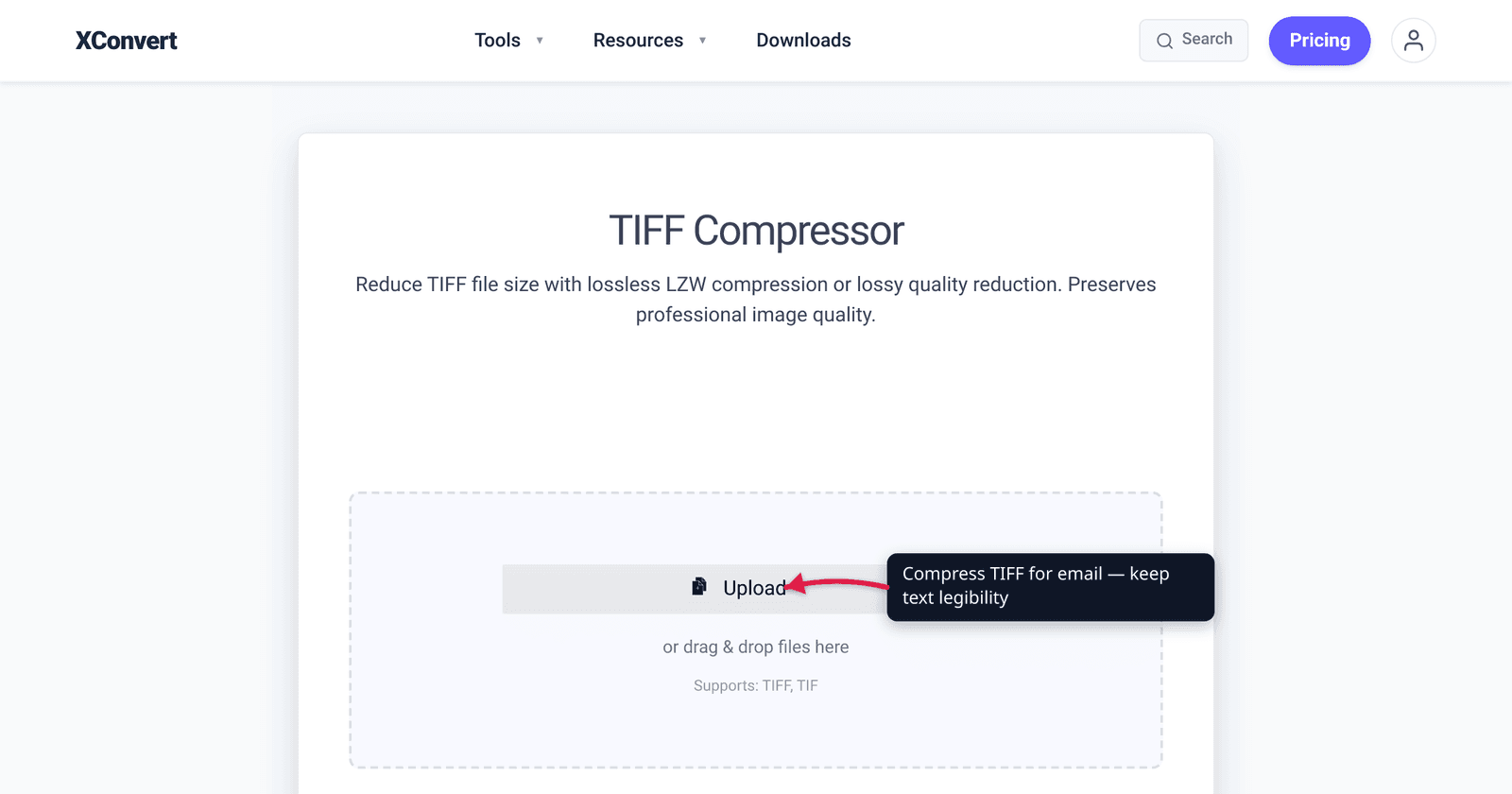
You opened a 300-DPI archival scan, saw it was 80 MB, and noticed your software offered to save it with “LZW compression” — but you don’t want to touch the quality of a master file. Good news: LZW is lossless. It shrinks the TIFF without throwing away a single pixel, so the decompressed image is bit-for-bit identical to the original. This guide explains what LZW actually is, why it’s perfect for scans and line art but barely helps on photographs, and how it compares to the other TIFF compression options (ZIP/Deflate and the lossy JPEG-in-TIFF). We verified the lossless claim, the algorithm’s origin, and the TIFF spec status against the Library of Congress and the Adobe TIFF specification history.
Quick answer: LZW (Lempel-Ziv-Welch) is a lossless, dictionary-based compression scheme for TIFF — the same algorithm family used in GIF and ZIP. It rebuilds the image exactly, so there is zero quality loss, which makes it ideal for archival masters, scanned documents, and line art with large flat areas. It shrinks those a lot (often 70–90%) but barely touches noisy photographic detail. For lossless compression of photos, ZIP/Deflate usually does slightly better; for the smallest possible file when some quality loss is acceptable, TIFF can also use lossy JPEG compression. Use LZW when “keep it identical” matters.
Jump to a section
- What LZW compression actually is
- Why LZW is lossless — and why that matters for TIFF
- When LZW helps a lot vs barely at all
- LZW vs ZIP/Deflate vs JPEG-in-TIFF
- Compress a TIFF with LZW on xconvert
- FAQ
What LZW compression actually is
LZW stands for Lempel-Ziv-Welch, named for Abraham Lempel and Jacob Ziv, who developed the predecessor algorithms in 1977–78, and Terry Welch, who published the refined version in 1984. The Library of Congress describes it precisely: “A lossless compression algorithm for digital data of many kinds… LZW is based on a translation table that maps strings of input characters into codes.”
In plain terms, LZW reads through the image data and builds a dictionary of byte sequences it has already seen. The first time it meets a run of pixels, it adds it to the table; every time that sequence repeats, it writes a short code instead of the full run. Decompression replays the dictionary in reverse to reconstruct the original exactly.
This is the same algorithm family behind the GIF image format (which baked LZW in back in 1987) and the DEFLATE method used by ZIP archives and PNG — which is why a GIF, a ZIP, and an LZW-compressed TIFF all feel “lossless but limited.”
LZW joined TIFF in Revision 5.0 (October 1988), before the current TIFF 6.0 spec. Technically it is a TIFF Extension, not Baseline — Baseline readers are only required to support uncompressed data, CCITT Group 3 1D, and PackBits. In practice, though, LZW is the most widely supported TIFF compressor; virtually every TIFF reader since the 1990s handles it. Its Compression tag value in the file metadata is 5.
Why LZW is lossless — and why that matters for TIFF
This is the whole point of choosing LZW. Lossless means the pixels survive intact. When you decompress, you get back exactly what went in — same color values, same bit depth, same detail, no smearing or blocking. The Library of Congress rates LZW’s quality and functionality as “Excellent, given that LZW offers lossless compression.”
That property is exactly why people reach for TIFF. It’s the workhorse format for archival masters, document digitization, medical and scientific imaging, and print production — contexts where the file is the authoritative copy and quality loss is unacceptable. LZW cuts the storage footprint of those files without compromising the master.
A history note that often confuses people: for years, LZW carried patent baggage. Unisys held the patent and, starting in the mid-1990s, pursued licensing fees — the controversy that directly spurred the creation of PNG. That patent has since expired: the US patent expired in June 2003, and the European and Japanese patents in June 2004, per the Library of Congress. LZW is now freely usable in TIFF, which is why every tool offers it without restriction today.
When LZW helps a lot vs barely at all
LZW’s dictionary approach rewards repetition, so how much it shrinks a file depends entirely on the content:
LZW helps a lot on:
- Line art, logos, and diagrams — large flat areas of identical color compress dramatically. These can shrink by roughly 70–90%.
- Scanned text documents — pages that are mostly white with black text have huge runs of identical pixels.
- Screenshots and UI graphics — flat backgrounds, sharp edges, limited colors.
- Maps, charts, and anything with solid fills.
LZW barely helps on:
- Photographs and continuous-tone images — fine gradients and sensor noise mean almost no two pixel runs repeat exactly, so there is little for the dictionary to exploit. A photographic TIFF compressed with LZW might only shrink a little.
There’s one genuine gotcha worth knowing: on 16-bit-per-channel TIFFs (common from high-end cameras and scanners), LZW can perform poorly and in some cases produce a file larger than uncompressed, because each 16-bit sample carries far more unique values and the dictionary balloons instead of finding repeats. For 16-bit images, ZIP/Deflate is the safer lossless choice. For 8-bit images, LZW and ZIP perform similarly.
If your goal is the smallest possible TIFF while staying lossless, it’s worth understanding all the levers — see reduce TIFF file size without losing quality for the full playbook.
LZW vs ZIP/Deflate vs JPEG-in-TIFF
TIFF is a container that supports several compression schemes. The three you’ll actually choose between:
| Method | Lossy/Lossless | Best for | Trade-off |
|---|---|---|---|
| LZW | Lossless | Line art, scans, flat-color graphics, 8-bit images | Widest compatibility; weak on photos and 16-bit data |
| ZIP / Deflate | Lossless | Photographic content, 16-bit images | Typically ~5–15% better than LZW on photos; slightly less universal in very old software |
| JPEG (in TIFF) | Lossy | Smallest files when some quality loss is acceptable | Discards detail — not for archival masters |
The key distinctions:
- LZW and ZIP/Deflate are both lossless — neither degrades the image. ZIP usually squeezes photographic content a little harder and is the better pick for 16-bit files; LZW has the edge in raw compatibility (some older readers don’t handle Deflate, but nearly all handle LZW). For maximum compatibility, choose LZW; for maximum lossless compression, choose ZIP.
- JPEG-in-TIFF is lossy. TIFF can embed JPEG compression for much smaller files, but it discards visual detail — the same trade-off as a regular
.jpg. It defeats the reason most people choose TIFF, so never use it on a master you intend to preserve.
For scanned documents specifically, it’s also worth weighing whether TIFF is even the right container versus PNG — see TIFF vs PNG for scanned documents, which both use lossless compression but suit different jobs.
Compress a TIFF with LZW on xconvert
The xconvert TIFF compressor lets you pick the compression method directly, so you can apply LZW (or any of the schemes above) without installing software:
- Open xconvert.com/compress-tiff and click Upload to add your TIFF (drag-and-drop also works).
- Open Advanced Options (the gear icon labeled Options).
- In the Compression Type dropdown, choose LZW for lossless compression. (The dropdown also offers Deflate (ZIP) — better for photos and 16-bit files — PackBits, CCITT Fax 4 for scanned text, and the lossy JPEG if you want the smallest file.)
- Leave Image Quality (%) at its maximum if you want lossless output — LZW doesn’t reduce quality, so you’re only choosing how the data is packed.
- Optionally set a Target file size (%) or Specific file size if you need to hit a number.
- Click to compress, then download your TIFF.
Your file uploads over an encrypted connection, is processed on our servers, and is deleted automatically a few hours later. Nothing is kept.
FAQ
Is LZW compression for TIFF lossless?
Yes — LZW is completely lossless. It rebuilds the image bit-for-bit identical to the original, with zero quality loss. The Library of Congress describes it as “a lossless compression algorithm” and rates its quality as “Excellent.” That’s exactly why it’s the go-to choice for archival TIFF masters and scanned documents.
How much smaller does LZW make a TIFF?
It depends entirely on the content. Line art, logos, scanned text, and flat-color graphics can shrink by roughly 70–90% because they contain long runs of identical pixels. Photographs barely compress with LZW, because their fine detail and noise leave little repetition for the dictionary to exploit. For photos, ZIP/Deflate usually does a bit better.
Is LZW or ZIP better for TIFF?
Both are lossless, so neither loses quality. Use LZW when you want the widest compatibility — nearly every TIFF reader supports it — and for 8-bit line art. Use ZIP/Deflate for photographic content (it typically compresses ~5–15% better) and especially for 16-bit images, where LZW can sometimes make the file larger than uncompressed.
Why is my LZW TIFF bigger than the uncompressed version?
This usually happens with 16-bit-per-channel TIFFs. LZW builds a dictionary of repeating byte patterns, but 16-bit samples carry so many unique values that the dictionary grows faster than it saves — overhead can exceed the compression. For 16-bit files, switch to ZIP/Deflate instead.
Does LZW compression in TIFF still have patent issues?
No — the LZW patents have expired. The US patent expired in June 2003 and the European and Japanese patents in June 2004, per the Library of Congress. LZW is now freely usable in TIFF, which is why every modern tool offers it without licensing restrictions.
Is LZW the same compression used in GIF and ZIP?
It’s the same algorithm family. GIF uses LZW directly, and ZIP/PNG use DEFLATE, a closely related dictionary-based method. All three are lossless dictionary compressors — they replace repeated byte sequences with shorter codes — which is why they behave similarly: great on flat, repetitive data, weaker on noisy photographic detail.
Sources
Last verified 2026-06-25.
- Library of Congress — LZW (Lempel-Ziv-Welch) Image Compression Encoding — “A lossless compression algorithm… based on a translation table that maps strings of input characters into codes”; quality rated “Excellent, given that LZW offers lossless compression”; Unisys US patent expired June 2003, European/Japanese patents June 2004.
- Wikipedia — TIFF — LZW added in Revision 5.0 (October 1988); LZW is a TIFF Extension, not Baseline; Compression tag value 5; Baseline readers required to support only None, CCITT Group 3 1D, and PackBits; lossless schemes LZW/PackBits/ZIP/CCITT vs lossy JPEG.
- Wikipedia — Lempel–Ziv–Welch — LZW is a universal lossless algorithm by Lempel, Ziv, and Welch (Welch’s version published 1984); used in GIF, and optionally in TIFF and PDF; Unisys US patent expired June 20, 2003.
- xconvert TIFF compressor — live tool; Compression Type dropdown (LZW, Deflate (ZIP), PackBits, CCITT Fax 4, JPEG, and others), Image Quality (%), Target/Specific file size controls.