 By Stephanie Taylor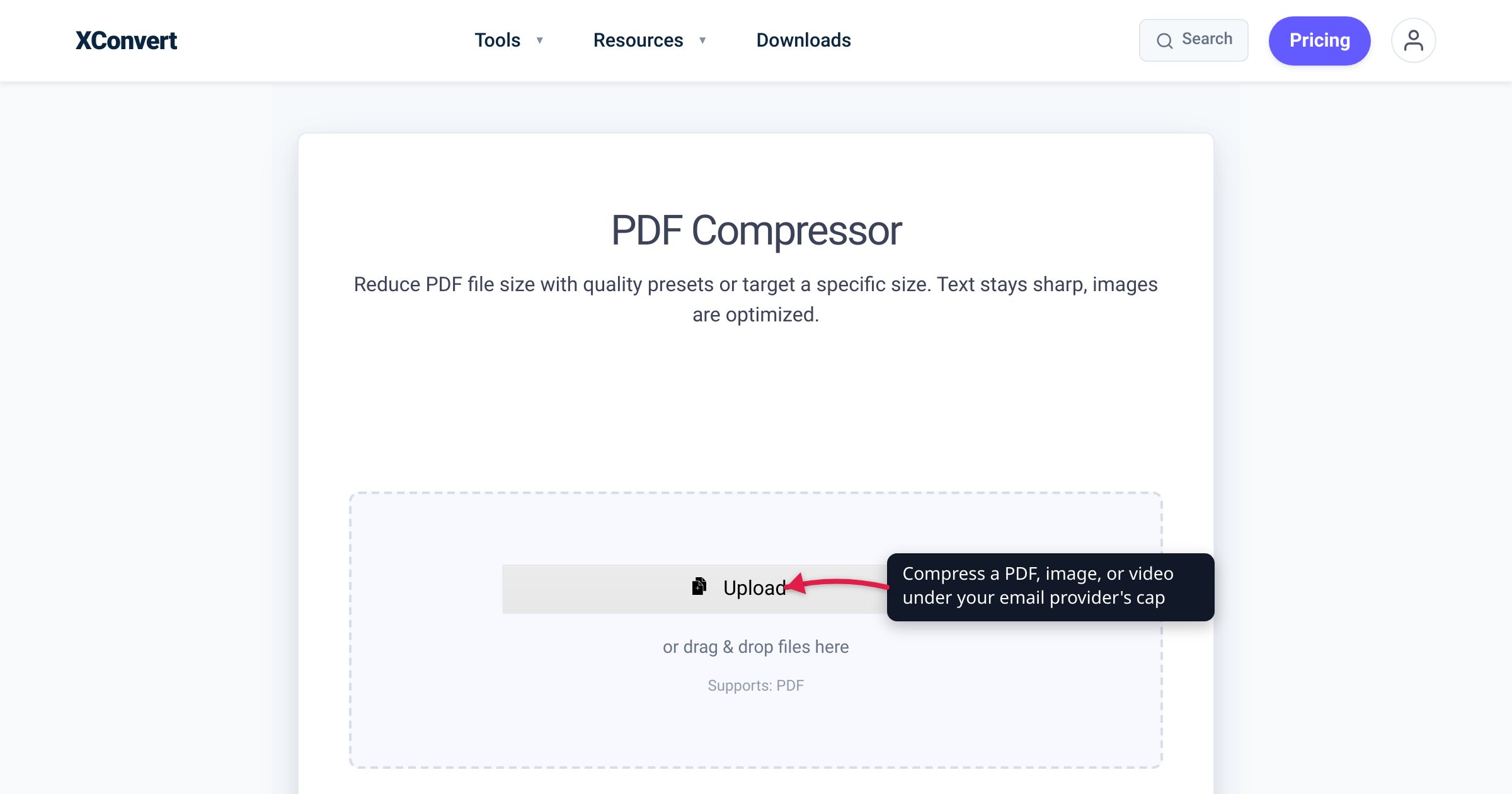
You attach a 32 MB screen recording to an email, hit Send, and it bounces straight back: attachment size exceeds the allowable limit. Or worse — it appears to send, but your provider quietly strips the file and swaps in a cloud link the recipient can’t open without signing in. Every major email service caps how big an attachment can be, the numbers differ by provider, and most people guess wrong. This is a single, verified reference: each cap below was checked against the provider’s own 2026 help documentation (linked at the end), plus the nuance nobody mentions — the recipient’s mailbox has a cap too, and the smaller of the two wins.
Quick answer: As of July 2026 the per-message attachment caps are Gmail 25 MB, Outlook.com 25 MB (Microsoft’s Outlook-app help page separately cites a 20 MB email-size figure), Yahoo Mail 25 MB, and iCloud Mail 20 MB — each per the provider’s own docs. Your effective limit is the smaller of your cap and the recipient’s. Over the limit? Compress the file — PDF, image, or video — or send a cloud link (Drive, OneDrive, Mail Drop).
Jump to a section
- The 2026 attachment limits, by provider
- Your real limit is the smaller of two caps
- Over the limit? Shrink the file first
- Compress a file to fit the cap on xconvert
- FAQ
The 2026 attachment limits, by provider
Here is the current per-message attachment cap for the four biggest consumer email providers, each figure taken from the provider’s own support page:
| Provider | Documented attachment limit | What happens when you go over |
|---|---|---|
| Gmail (personal) | 25 MB per message (Google) | Gmail removes the attachment and inserts a Google Drive link automatically |
| Outlook.com / Microsoft 365 | 25 MB per message (Microsoft) | Prompts you to share from OneDrive (up to 2 GB per file) |
| Yahoo Mail | 25 MB total per message, in and out (Yahoo) | Send is blocked; attach a cloud link yourself |
| iCloud Mail | 20 MB per message (Apple) | Offers Mail Drop — sends up to 5 GB (Apple) |
A few details behind each number:
- Gmail — 25 MB, then Drive. Personal Gmail accounts cap a message’s total attachments at 25 MB. Exceed it and, in Google’s words, Gmail “automatically removes the attachment and adds it as a Google Drive link in the email.” Google Workspace (work/school) accounts can have a different cap set by an administrator.
- Outlook.com — 25 MB on the web, 20 MB in the desktop app. Microsoft’s Sending limits in Outlook.com page states plainly: “The attachment size limit for files is 25 MB.” But Microsoft’s separate Reduce attachment size page — written for the Outlook desktop app — says “for internet email accounts such as Outlook.com or Gmail, the email size limit is 20 megabytes (MB),” and “for Exchange accounts (business email), the default email size limit is 10 MB.” Those figures describe total message size, not just the attachment, so treat 20 MB as the safe planning number for Outlook.
- Yahoo Mail — 25 MB both ways. Yahoo’s message-size page is refreshingly specific: “The sum of all attached files in a single message, both for incoming and outgoing email, must not exceed 25MB.” Note incoming — Yahoo enforces the cap on messages you receive, too.
- iCloud Mail — 20 MB, or 5 GB via Mail Drop. Apple lists the size of incoming and outgoing messages as “20MB, up to 5GB with Mail Drop turned on.” Mail Drop uploads the file to iCloud and sends a download link instead; the attachments don’t count against your iCloud storage, and recipients have 30 days to download them.
Your real limit is the smaller of two caps
The cap that actually matters is the smaller of your sending limit and your recipient’s receiving limit. A message can leave your outbox cleanly and still bounce at the far end. Three things quietly pull the ceiling below the headline number:
- The recipient’s provider. Emailing an iCloud address? You’re bound by iCloud’s 20 MB even when you send from Gmail’s 25 MB. The tighter of the two wins every time.
- Corporate / Exchange servers. Microsoft’s default for Exchange (business) accounts is 10 MB for the whole message — less than half the consumer figure — and many IT departments set it lower still.
- Encoding overhead. Attachments are base64-encoded for transport, which inflates them by about a third on the wire. A 24 MB file can cross a 25 MB message limit once that encoding, plus the message text and headers, is added.
Put together: if you don’t know the recipient’s provider, a file under ~10 MB clears essentially every mainstream mailbox — consumer or corporate. When in doubt, aim there.
Over the limit? Shrink the file first
You almost never need a different file — you need a smaller one. Most oversized attachments are heavy for a reason you can fix without anyone noticing: a PDF bloated by high-resolution scans, a photo straight off a 48-megapixel phone camera, a screen recording exported at a far higher bitrate than email needs. Compressing re-encodes that data down and hands you a normal attachment that just sends — no links to chase, no sign-in.
Route by file type:
| Your file | Compress it with | Why it shrinks |
|---|---|---|
| PDF (scanned contract, deck, report) | xconvert PDF Compressor | Downsampling embedded scans and images often cuts 70–90% |
| Photo / image (JPG, PNG) | xconvert Image Compressor | Camera photos carry far more detail than a screen needs |
| Video (MP4, MOV) | xconvert Video Compressor | Lowering the bitrate and resolution shrinks video dramatically |
If a file genuinely can’t be made small enough — a print-ready brochure that must stay full resolution, a multi-gigabyte archive — that’s when a cloud link is the right call, and it’s exactly what Gmail (Drive), Outlook (OneDrive), and iCloud (Mail Drop) fall back to automatically. Reach for it last, not first: an attachment is the recipient’s permanent copy, while a link breaks if you move the file and can trip corporate security filters.
Compress a file to fit the cap on xconvert
All three compressors work the same way — upload, choose how hard to squeeze, download — and run server-side (your file is uploaded over an encrypted connection and processed on our servers, not in the browser). The flow for each:
PDF — open the PDF Compressor:
- Click + Add Files (or drag your PDF onto the drop zone).
- Pick a compression level: Screen (Best) and Ebook produce the smallest files (ideal for email); Prepress and Printer preserve print resolution.
- Click Compress and download.
Photo / image — open the Image Compressor:
- Click + Add Image Files (or drag them in).
- Choose a method — Specific file size lets you type an exact target (say 8 MB); Image Quality (%) or Target file size (%) trade quality for size. Leave Auto Scale on to hold quality high while hitting the target.
- Click Compress and download.
Video — open the Video Compressor:
- Click Upload (or drag your MP4/MOV in).
- Choose Specific file size and enter a target under your cap — say 18 MB for a 25 MB provider, leaving encoding headroom — or use Target file size (%). Auto Scale adjusts the resolution to fit.
- Click Compress and download.
Whichever tool you use, the file is processed on our servers and deleted automatically a few hours later — nothing is kept. For fuller walkthroughs, see how to email a large PDF file and how to compress a video for email.
FAQ
What is the maximum attachment size for Gmail?
25 MB per message for personal Gmail accounts, per Google’s help page. If your attachments total more than that, Gmail automatically removes them and inserts a Google Drive link instead. Google Workspace (work/school) accounts may have a different limit set by an administrator.
What is the email attachment limit for Outlook and Yahoo?
Outlook.com’s documented attachment limit is 25 MB (Microsoft), though Microsoft’s Outlook-desktop help separately cites a 20 MB message-size figure (and 10 MB for Exchange business accounts), so plan for 20 MB to be safe. Yahoo Mail caps a message at 25 MB total, for both sending and receiving (Yahoo).
How do I email a file that’s larger than the limit?
Two options. Compress it so it fits — most PDFs, photos, and videos shrink well below the cap (PDF, image, video) — which leaves the recipient a real attachment. Or send a cloud link: Gmail uses Google Drive, Outlook uses OneDrive (up to 2 GB per file), and iCloud offers Mail Drop (up to 5 GB). Compressing is usually the better experience because the recipient doesn’t have to click out, sign in, or risk a broken link.
Why did my email bounce even though the file was under 25 MB?
Two common reasons. First, encoding inflates the size — attachments are base64-encoded for transport, adding roughly a third, so a 24 MB file can cross a 25 MB message limit once headers and body text are counted. Second, the recipient’s server may cap lower than yours — iCloud is 20 MB, and corporate Exchange defaults to 10 MB. The effective limit is always the smaller of the two.
What is iCloud Mail Drop, and how big a file can it send?
Mail Drop is Apple’s built-in large-file workaround for iCloud Mail. When an attachment is too big to email normally, Mail offers to send it via Mail Drop, which uploads the file to iCloud and delivers a download link. It handles files up to 5 GB, the attachments don’t count against your iCloud storage, and recipients have 30 days to download them (Apple).
Does compressing a file hurt its quality?
It depends how hard you squeeze. For PDFs, compression downsamples embedded images while the text stays crisp and selectable — on screen the difference is usually invisible. For photos and video you’re trading some detail for size, but files from modern phones carry far more resolution than email viewing needs, so a moderate pass is typically unnoticeable. Pick a target size just under your cap rather than the smallest possible, and quality stays high.
Sources
Last verified 2026-07-16.
- Gmail — Send attachments (size limits) — Gmail’s 25 MB per-message attachment cap and automatic Google Drive link behavior.
- Microsoft — Sending limits in Outlook.com — states the 25 MB Outlook.com attachment limit and the 2 GB OneDrive file option.
- Microsoft — Reduce attachment size to send large files with Outlook — cites the 20 MB internet-email and 10 MB Exchange message-size figures.
- Yahoo — Message size limits in Yahoo Mail — Yahoo’s 25 MB total per message, incoming and outgoing.
- Apple — Mailbox size and message sending limits in iCloud — iCloud Mail’s 20 MB message size, up to 5 GB with Mail Drop.
- Apple — Mail Drop limits — Mail Drop’s 5 GB attachment ceiling, 30-day download window, and storage exemption.