 By James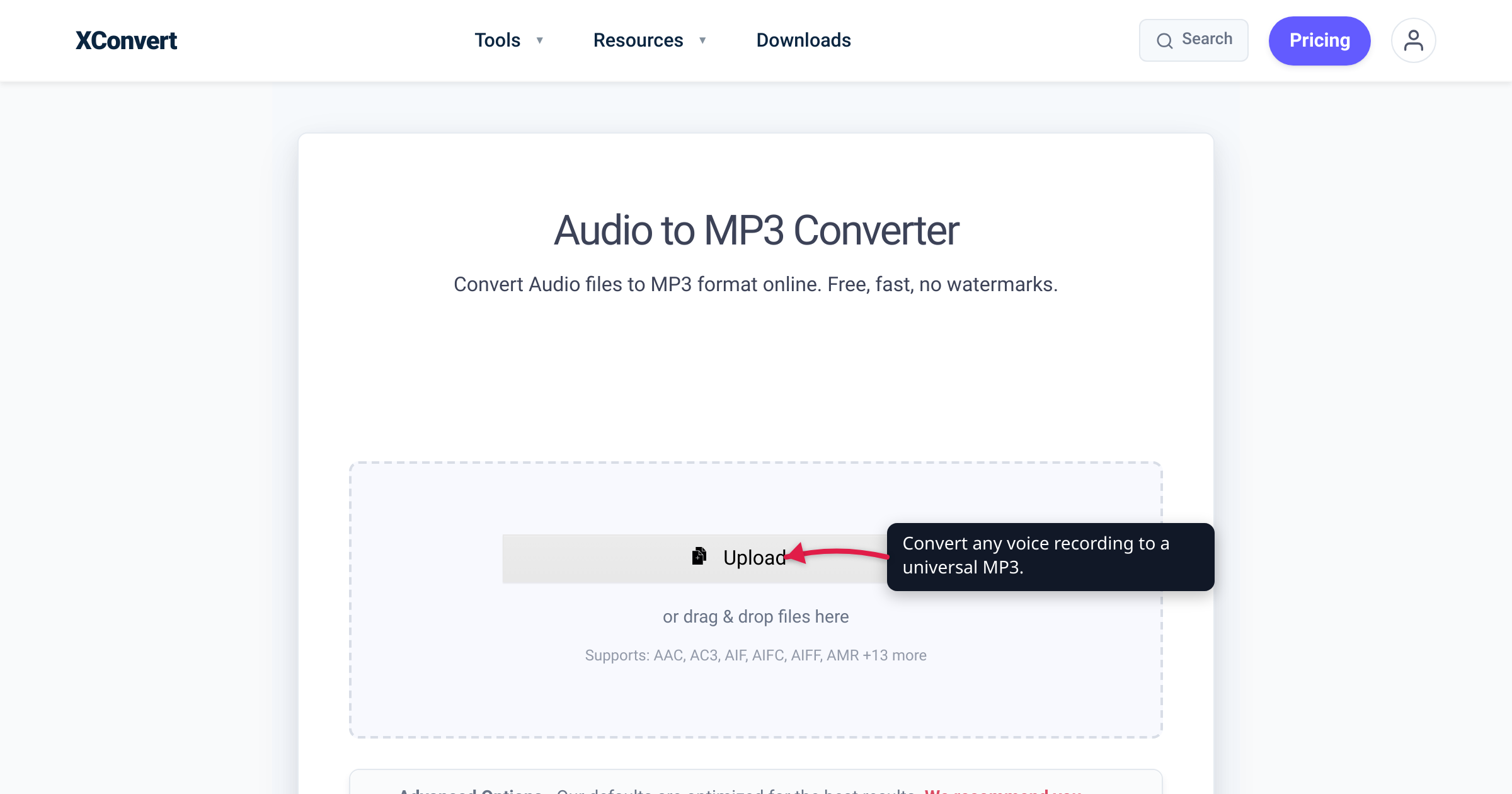
You just recorded a two-hour interview on your phone — or a lecture, a client call, a stack of quick memos. Now you have to keep it, share it, and maybe run it through a transcription tool, and something is asking what format to save in. Most “best audio format” guides answer for music, and that advice quietly misleads you here: a voice recording is a different problem — usually one or two people talking, close to mono, where all that matters is that every word stays intelligible, not that a cymbal shimmers. This guide picks the format by what you’ll actually do with the recording. We verified the codec facts against Xiph.Org and the IETF (Opus), MDN (AAC/MP3), and Apple (Voice Memos), and the tool’s controls against the live page.
Quick answer: For sharing or general keeping, use MP3 — it plays on everything, and speech needs only a fraction of music’s bitrate, so files stay tiny. On an iPhone, your recordings are already M4A (AAC) — fine to keep as-is. To save the most space (archiving hours of talk, or sending voice notes), Opus is the most efficient codec for speech — it’s what WhatsApp and Telegram use. Reach for WAV only when you’ll edit heavily or feed a transcription tool that wants raw PCM, and FLAC only for a bit-perfect archival master. Simplest rule: keep whatever your recorder made, and convert to MP3 when you need it to play anywhere.
Jump to a section
- Why voice is a different problem from music
- MP3: the safe default for sharing and keeping
- M4A / AAC: the recorder default, especially on iPhone
- Opus: the most efficient format for speech
- WAV: only when you’ll edit or transcribe
- FLAC: lossless, and overkill for voice
- Pick the format by what you’re doing
- Convert your voice recording to MP3 on xconvert
- FAQ
Why voice is a different problem from music
The whole music-format debate — lossy vs lossless, “is 320 kbps worth it” — is driven by fidelity: preserving the full frequency range and stereo image of a dense recording. Voice barely has those problems. Speech is a narrow-band, largely mono signal, and the only practical question is whether words stay clear.
That changes the math dramatically. Xiph.Org’s own Opus bitrate recommendations put clear mono speech at roughly 10–40 kb/s (about 24 kb/s for an audiobook or podcast), while stereo music wants 64–128 kb/s to sound comparable. Voice needs a small fraction of the bitrate music does — so the fidelity anxieties that fuel music-format arguments mostly evaporate. Mono is genuinely fine for voice (one microphone, one or two speakers), and choosing mono roughly halves the file versus stereo with no meaningful loss.
So instead of chasing quality, you’re optimizing three practical things: will it play where I need it, how small is it, and is it easy to edit or transcribe. If you want the music-side companion to this guide, see MP3 vs WAV vs FLAC.
MP3: the safe default for sharing and keeping
MP3 plays on essentially everything — every phone, browser, car stereo, dictation app, and decade-old device. Per MDN’s audio codec guide, MP3 is supported near-universally, and its patents have expired (in the US since 2017), so there’s no licensing friction anywhere. That ubiquity — not audio quality — is exactly what you want when you’re handing a recording to a colleague, a client, a court, or a transcription service and can’t predict their setup.
Yes, MP3 is lossy: it permanently discards data. But for speech that’s a non-issue at any sensible setting. Because voice needs so little bitrate, a 128 kbps mono MP3 is already well above what speech requires, and 64–96 kbps is fine for plain memos — a one-hour talk becomes a small file you can email without a second thought.
MP3 can’t recover quality, though — converting an already-compressed recording never adds back lost detail, so convert from the best original you have and don’t repeatedly re-encode.
Best for: sharing with anyone, uploading, and general-purpose keeping — the right answer for most people, most of the time.
M4A / AAC: the recorder default, especially on iPhone
If you record on an iPhone, you’re probably already in this format. Apple’s Voice Memos saves recordings as .m4a by default — an MPEG-4 container holding AAC audio (Apple documents the .m4a export; the Voice Memos Audio Quality setting offers Compressed (the standard, smaller AAC) or Lossless for larger files, per Apple). Plenty of standalone recorders and Android apps default to AAC as well.
AAC was built as MP3’s more efficient successor. Per MDN, it “provide[s] more compression with higher audio fidelity than MP3,” and that advantage is widest at low bitrates — exactly the range you use for voice. So an AAC/M4A voice file is typically a touch smaller than the equivalent MP3 at the same perceived quality.
Best for: keeping recordings from an iPhone or modern recorder, especially inside the Apple ecosystem, where .m4a plays natively. Two cautions: the Lossless setting swaps AAC for Apple Lossless (ALAC) in the same .m4a, making files far larger — overkill for talk; and older hardware is likelier to choke on .m4a than on MP3. If it has to reach anyone, convert to MP3. For a deeper comparison, see AAC vs MP3.
Opus: the most efficient format for speech
If storage or upload size is the priority, Opus is the standout — it was purpose-built for voice. The Opus codec is a royalty-free format its makers call “unmatched for interactive speech and music transmission over the Internet,” standardized by the IETF as RFC 6716 and built partly from Skype’s speech-tuned SILK codec. It stays clear at remarkably low bitrates — Xiph’s guidance runs speech down to around 10–24 kb/s in mono.
That efficiency is why it’s the codec behind messenger voice notes: Telegram records voice messages as OGG/Opus — its Bot API accepts a voice note as an .OGG file encoded with OPUS, or as .MP3 or .M4A — and WhatsApp voice notes are Opus too. A minute of speech is a couple hundred kilobytes — a fraction of the MP3.
Best for: archiving lots of talk cheaply, or moving voice where you control both ends. The trade-off is reach: Opus works well in modern browsers, Android, and messaging apps, but some desktop players and older devices won’t open a .opus file without extra codecs. For guaranteed playback, MP3 is safer.
WAV: only when you’ll edit or transcribe
WAV is uncompressed PCM — the raw samples, nothing discarded. For voice that means big files for no audible benefit over a good compressed copy, so it’s the wrong pick for sharing or storage. It earns its place in two situations:
- Heavy editing. If you’re cutting, noise-reducing, or multitrack-mixing (say, a podcast), working in WAV avoids repeated lossy re-encoding; export to MP3 or AAC at the end.
- Transcription that wants PCM. Many speech-to-text engines prefer or require uncompressed WAV, often mono at 16 kHz. If yours does, convert a copy to WAV just for the job and keep your compact original for everything else.
You don’t need CD-quality stereo WAV for speech; mono at a modest sample rate is plenty and far smaller.
FLAC: lossless, and overkill for voice
FLAC is lossless compression — it shrinks audio but decodes back to a bit-identical copy, as Xiph.Org describes. That’s valuable for a music archive, but for voice it’s almost always more than you need: you’d be perfectly preserving the room tone of a talk that sounds identical to a small MP3.
Best for: the rare case where you must keep a pristine, bit-perfect master — an irreplaceable field recording, an oral-history interview destined for an archive, a source you’ll re-edit for years. For everyday memos, meetings, and lectures, skip it.
Pick the format by what you’re doing
| Your situation | Use | Why |
|---|---|---|
| Sharing with anyone / general keeping | MP3 | Plays everywhere; tiny at speech bitrates |
| Recorded on iPhone / a modern recorder | M4A (AAC) | Already the default; efficient at low bitrate |
| Squeezing hours of talk / voice notes | Opus | Most efficient for speech; messenger standard |
| Editing heavily, or transcription wants PCM | WAV | Uncompressed working/ingest format |
| Pristine, bit-perfect archival master | FLAC | Lossless; only when you truly need it |
The through-line: keep whatever your recorder produced, and convert to MP3 the moment you need it to play somewhere you don’t control. You can always make a small, universal MP3 from a bigger file; the reverse adds nothing back.
Convert your voice recording to MP3 on xconvert
When you need that universal, share-anywhere copy, the xconvert Audio to MP3 converter turns an M4A, Opus, WAV, or any other recording into an MP3:
- Open xconvert.com/convert-audio-to-mp3 and click + Add Files to upload your recording (From my Computer, Google Drive, or Dropbox).
- Open Advanced Options (the gear icon).
- Set Audio Channel to Mono — voice rarely needs stereo, and mono roughly halves the size.
- Under File Compression, choose Custom Bitrate and pick a modest rate (around 96–128 kbps is more than enough for speech; go lower for plain memos). Or use Specific file size if you’re targeting an upload limit.
- Click Convert, then Download your MP3.
Your file is uploaded over an encrypted connection, is processed on our servers and deleted automatically a few hours later — no sign-up, no watermark.
FAQ
MP3 or M4A for a voice recording?
Both are excellent for speech. M4A (AAC) is a bit more efficient at low bitrates and is what iPhone Voice Memos already records, so if you’re staying on Apple or modern devices, keeping the M4A is fine. Choose MP3 when the file has to play on anything — unknown computers, old hardware, a transcription service, a court filing. A common workflow is to record in M4A and export an MP3 copy for sharing.
What’s the best audio format for voice recordings?
It depends on use. MP3 is the best default — it plays everywhere and speech files stay tiny. Pick Opus for the smallest files, WAV to edit or transcribe, and keep M4A if that’s what your recorder made. Reserve FLAC for a pristine master you can’t re-create.
Is 128 kbps enough for a voice recording?
Comfortably, yes. Speech needs far less bitrate than music — Xiph’s guidance runs clear mono speech as low as 10–24 kb/s in Opus — so a 128 kbps mono MP3 is already generous for voice, and 64–96 kbps is fine for plain memos. Higher bitrates just make bigger files without making talk any more intelligible.
Should I record voice in mono or stereo?
Mono, in almost all cases. A voice recording is typically one or two people and a single microphone, so stereo adds no useful information — it just doubles the file size. Recording or converting to mono is the single easiest way to shrink a voice file with no loss of clarity.
What format does iPhone Voice Memos use?
By default, Voice Memos records .m4a files containing AAC audio, per Apple. The app’s Audio Quality setting lets you switch to Lossless (Apple Lossless / ALAC in the same .m4a), which is much larger and unnecessary for ordinary voice. To share widely, convert the .m4a to MP3.
What audio format is best for transcription?
It depends on the tool. Many speech-to-text engines accept MP3, M4A, and WAV directly; some prefer or require uncompressed WAV (often mono, 16 kHz) for best accuracy. Check your service’s input requirements — if it asks for PCM/WAV, convert a copy to WAV for the transcription job and keep your compact original for everything else.
Why won’t my Opus (.opus) voice note open on my computer?
Opus is efficient but not universally supported by desktop media players, especially older ones, even though browsers, Android, and messaging apps handle it fine. If a .opus (or .ogg) file won’t open, convert it to MP3 for guaranteed playback anywhere.
Sources
Last verified 2026-07-16.
- Xiph.Org — Opus Recommended Settings — recommended bitrates: mono speech ~10–40 kb/s (≈24 kb/s audiobook/podcast) vs stereo music 64–128 kb/s; basis for “voice needs far less bitrate than music.”
- Opus Codec (opus-codec.org) — Opus is a royalty-free codec “unmatched for interactive speech and music transmission,” standardized by the IETF, built from Skype’s SILK and Xiph’s CELT codecs.
- IETF RFC 6716 — Definition of the Opus Audio Codec — the Opus standard.
- Telegram Bot API — sendVoice — a voice message may be sent “in an .OGG file encoded with OPUS, or in .MP3 format, or in .M4A format”; source for the messenger voice-note format.
- MDN — Web audio codec guide — AAC “provide[s] more compression with higher audio fidelity than MP3”; MP3 near-universal support and expired patents.
- Apple — Export a Voice Memos recording to Files on iPhone — Voice Memos recordings are
.m4aby default. - Apple — Change Voice Memos settings on Mac — Audio Quality: “Compressed (for lower-quality, smaller files) or Lossless (for high-quality, larger files).”
- Xiph.Org — FLAC — FLAC is lossless, decoding to an identical copy of the original audio.