 By James
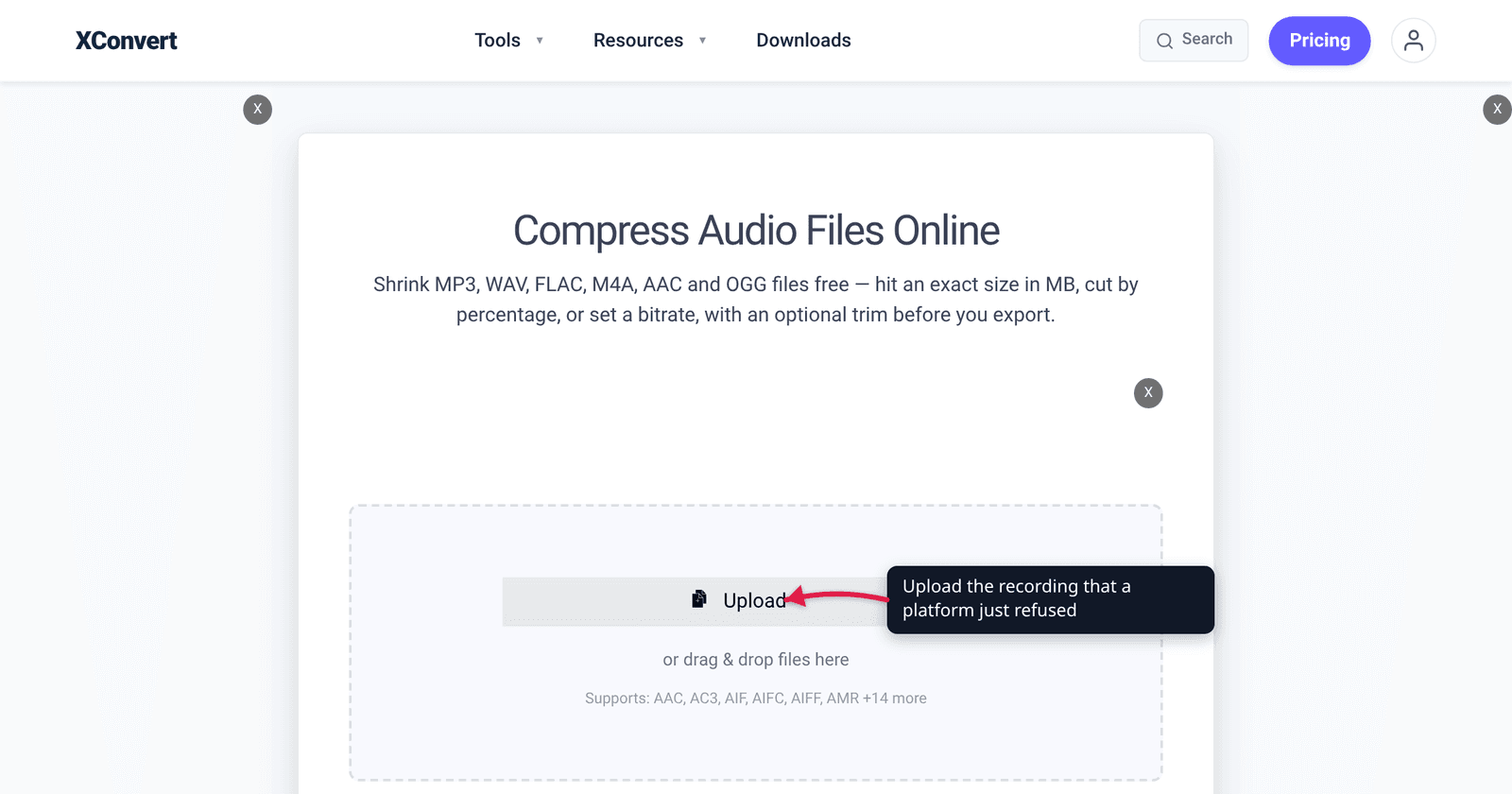
You recorded a two-hour interview, exported it as a 320 kbps MP3, and now nothing will take it. WhatsApp refuses it as an audio message. Gmail swaps it for a Drive link. Discord throws it back. Each of those apps draws its line in a different place, and unlike video — where the answer is always “compress harder” — audio size is pure arithmetic: bitrate × duration. Once you know the cap, you can work out in advance exactly what will fit and what it will sound like. Every number below was read from the platform’s own documentation on the date in the Sources block.
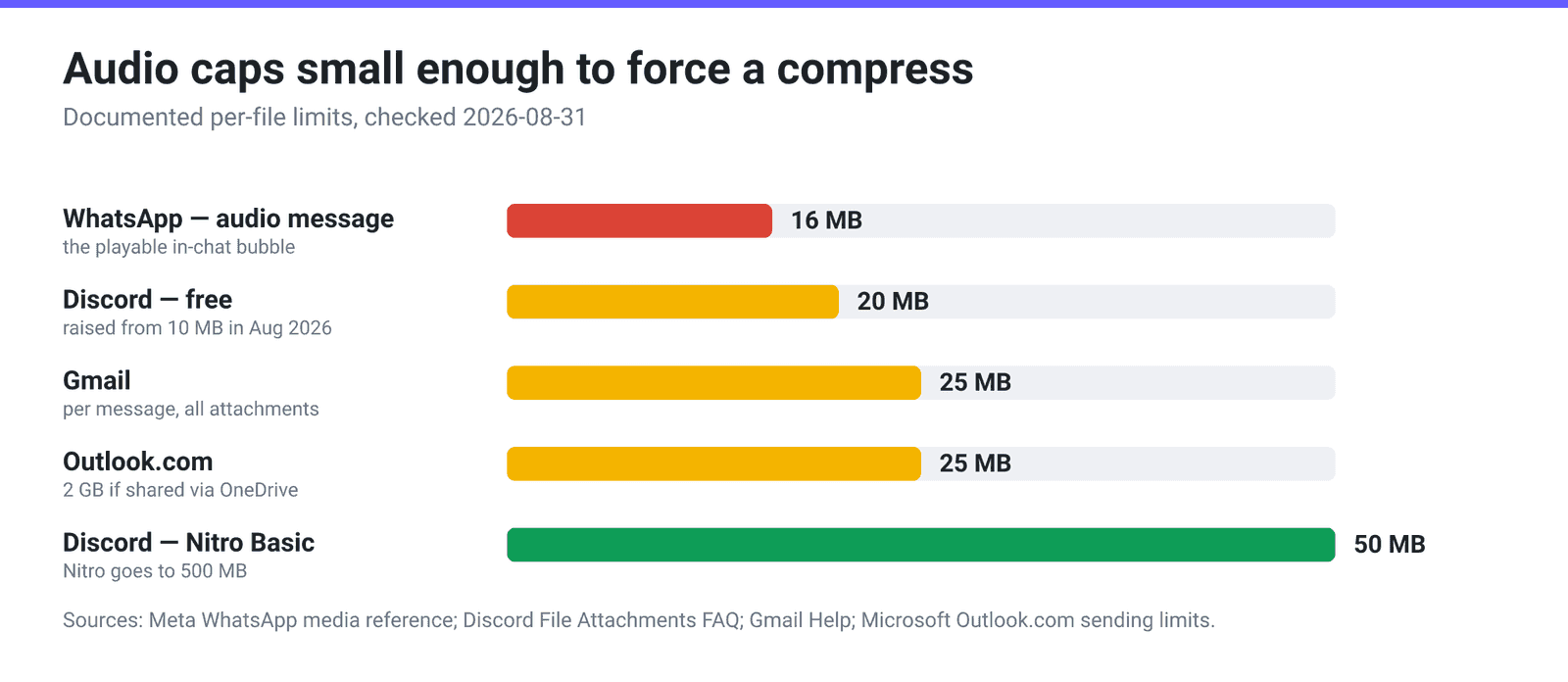
Quick answer: The caps that actually bite are WhatsApp 16 MB for an audio message, Discord 20 MB free (raised from 10 MB in August 2026), and Gmail / Outlook.com 25 MB per message. The roomy ones almost never bite: Slack 1 GB, Telegram 2 GB (4 GB Premium), SoundCloud 4 GB and 24 hours. Because audio size is bitrate × duration, a 25 MB cap holds about 26 minutes at 128 kbps or 52 minutes at 64 kbps — so the fix is usually to drop the bitrate rather than cut the recording. On xconvert.com/audio-compressor, pick File Compression → Specific file size and type the number.
Jump to a section
- The audio caps, verified
- What each cap holds, in minutes
- Chat apps: the audio message and the file are two different limits
- Music and podcast platforms cap length, not bytes
- Fit any cap with the xconvert audio compressor
- FAQ
The audio caps, verified
| Platform | What it limits | Documented limit |
|---|---|---|
| WhatsApp — audio message | per audio file (AAC, AMR, MP3, M4A, OGG/Opus) | 16 MB |
| WhatsApp — sent as a document | per file | 2 GB |
| Discord — free | per file | 20 MB (raised from 10 MB, August 2026) |
| Discord — Nitro Basic / Nitro | per file | 50 MB / up to 500 MB |
| Gmail | per message, all attachments | 25 MB |
| Outlook.com | per message, attached files | 25 MB (2 GB via OneDrive) |
| Slack — all plans | per file | 1 GB |
| Telegram — free / Premium | per file | 2 GB / 4 GB |
| SoundCloud | per track | 4 GB, max 24 hours long |
Three things in that table surprise people:
- Discord’s number moved recently, and upward. Discord’s own File Attachments FAQ says “For non-Nitro subscribers, the maximum file upload is 20MB” and explains: “As of August 2026, the free upload limit is 20MB (up from 10MB), and we’ve aligned how that limit is checked on desktop and mobile.” It also warns that it is “currently experimenting with various file upload size limits,” so a minority of accounts see something different. Any guide quoting 8 MB or 25 MB is out of date.
- Discord now checks size before compression. The same FAQ notes that mobile used to compress first and complain afterwards; both platforms now check the source file, so the number on disk is the number that counts.
- Outlook.com’s ceiling is 25 MB, not 20. Microsoft’s sending-limits page states “The attachment size limit for files is 25 MB”, with OneDrive links raising it to 2 GB. The 20 MB figure that circulates comes from a different Microsoft article about desktop Outlook.
The full email picture — Yahoo, iCloud, Mail Drop and what each provider does with an oversized attachment — is in Email attachment limits: Gmail, Outlook, Yahoo, iCloud. The video equivalent of this table lives in Video upload limits by platform.
What each cap holds, in minutes
This is the part that makes audio different from video. A compressed audio file is very close to a constant number of bits per second, so file size ≈ bitrate × duration, and you can solve it in either direction before you touch a tool.
Minutes that fit each cap, computed as MB × 8000 ÷ kbps ÷ 60 with MB read as 1,000,000 bytes:
| Bitrate | 16 MB (WhatsApp) | 20 MB (Discord free) | 25 MB (email) | 50 MB (Nitro Basic) |
|---|---|---|---|---|
| 320 kbps (MP3 max) | 6.7 min | 8.3 min | 10.4 min | 20.8 min |
| 256 kbps | 8.3 min | 10.4 min | 13.0 min | 26.0 min |
| 192 kbps | 11.1 min | 13.9 min | 17.4 min | 34.7 min |
| 128 kbps | 16.7 min | 20.8 min | 26.0 min | 52.1 min |
| 96 kbps | 22.2 min | 27.8 min | 34.7 min | 69.4 min |
| 64 kbps (speech, mono) | 33.3 min | 41.7 min | 52.1 min | 104 min |
| 32 kbps (voice, mono) | 66.7 min | 83.3 min | 104 min | 208 min |
Two useful anchors from the same arithmetic:
- Uncompressed WAV is the outlier. CD-quality PCM — 44.1 kHz, 16-bit, stereo — runs at 1,411 kbps, so 16 MB holds about 91 seconds and 25 MB about 142 seconds. If you are trying to email a WAV, converting the format is the fix; nothing else will move the needle by that much.
- Speech survives cuts that music does not. A lecture or interview at 64 kbps mono is still perfectly intelligible, and it turns a 25 MB cap into nearly an hour of runtime. Music at 64 kbps is audibly damaged — see how to make audio lower quality on purpose for what each rung actually sounds like.
Chat apps: the audio message and the file are two different limits
The single most common mistake is comparing the wrong pair of numbers. On WhatsApp there are two completely separate paths for the same MP3.
The WhatsApp Cloud API media reference publishes the media-message ceiling directly: audio — AAC (.aac), AMR (.amr), MP3 (.mp3), MP4 Audio (.m4a) and OGG (.ogg, Opus only, mono input only) — 16 MB each. That is the cap on the thing that arrives in the chat as a playable bubble with a waveform and a scrubber.
Send the very same file as a document instead and WhatsApp’s own help centre puts the ceiling at 2 GB. It arrives as a file to download and open in a player. No waveform, no in-chat playback — but no compression decision either.
So the honest framing for chat apps is: you are not compressing to make the file sendable. You are compressing to keep the in-chat player. If the recording is long enough that 16 MB would reduce it to 20 kbps mush, attaching it as a file is the better outcome. One exception worth knowing: WhatsApp’s OGG path accepts Opus only, mono only — a stereo Ogg Vorbis file is not the same thing and will not be treated as an audio message.
Music and podcast platforms cap length, not bytes
Once you leave chat and email, the byte limit usually stops mattering and something else starts.
SoundCloud publishes a 4 GB maximum file size and a 24 hour maximum track length — neither of which you will hit with a normal upload. What you will hit is the plan allowance: Basic gives you up to 2 hours of total upload time, Artist 3 hours, Artist Pro unlimited. SoundCloud also transcodes everything to AAC for streaming (up to 256k / 160k / 96k renditions depending on the quality of your source), which is why its own guidance is to upload lossless — WAV, FLAC, AIFF or ALAC at 16-bit/44.1 kHz or better — rather than an MP3 you already squeezed. Compressing before upload here actively costs you quality.
Apple Podcasts Connect is the opposite kind of constraint: it specifies formats, not sizes. It accepts WAV, FLAC or MP3, and for MP3 it publishes two columns rather than one rule. The minimum is 44.1 kHz at 64 kbps stereo (32 kbps mono); the recommended range is 44.1/48 kHz at 128–256 kbps stereo (96–128 kbps mono). So a 64 kbps stereo file is not out of spec — it is the published floor. What you are trading away by going that low is quality, not acceptance.
The practical rule: compress for delivery, never for archival.
Fit any cap with the xconvert audio compressor
The xconvert audio compressor can work backwards from a byte target instead of making you guess a bitrate:
- Open xconvert.com/audio-compressor and click Upload — From my Computer, From Google Drive or From Dropbox.
- Leave the output format on MP3 (the preselected option) unless the destination asks for something else; AAC, M4A, OGG, OPUS, WAV, FLAC, WMA, AMR and Same as source are in the same dropdown.
- Under File Compression, choose Specific file size and type your number with the unit dropdown on MB —
16for a WhatsApp audio message,20for Discord free,25for email. The alternatives are File Size Percentage, Custom Bitrate, Constant Bitrate (a fixed ladder from 8 kbps to 384 kbps, opening at 64) and Variable Bitrate. - For a long spoken recording, set Audio Channel to MONO and Audio Sample Rate to 24000 HZ or 16000 HZ. Halving the channels roughly halves the bitrate you need for the same clarity; speech carries almost nothing above 8 kHz.
- If only part of the recording matters, open Trim, switch it off Unchanged, and set Start time and Duration. Removing five minutes of silence beats squeezing five minutes of silence.
- Click Compress and download.
Your file uploads over an encrypted connection, is processed on our servers, and is deleted automatically a few hours later — no sign-up, no watermark. If your target is one of the two numbers everyone searches for, compress audio to exactly 16 MB or 14 MB works through both.
FAQ
Why does WhatsApp reject my MP3 when the file is only 30 MB?
Because 30 MB is over the 16 MB ceiling Meta publishes for an audio message. Two ways out: compress the file below 16 MB and keep the in-chat player, or attach it as a document instead, where WhatsApp’s documented limit is 2 GB. The document route costs you the waveform and inline playback but nothing else — and for anything over about half an hour of speech it is the better trade.
Is Discord’s audio limit still 8 MB or 10 MB?
Neither. Discord’s File Attachments FAQ states the free (non-Nitro) maximum is 20 MB, and says so explicitly: “As of August 2026, the free upload limit is 20MB (up from 10MB).” Nitro Basic is 50 MB and Nitro up to 500 MB. Discord also notes it is experimenting with the limit for some accounts, so treat 20 MB as the number to design for rather than a guarantee.
What bitrate do I need to fit an hour of audio into 25 MB?
25 × 8000 ÷ 3600 ≈ 55 kbps. That is fine for a mono voice recording and poor for music. If the hour is an interview or a lecture, set the compressor to a Specific file size of 25 MB, switch Audio Channel to MONO, and it will land there without you choosing a bitrate at all. If the hour is music, split it or use a link instead.
Does zipping an MP3 get it under the limit?
No, and it is worth understanding why: MP3, AAC and Opus are already entropy-coded, so a ZIP has essentially no redundancy left to exploit and typically saves 0–2%. A 26 MB MP3 does not become a 24 MB ZIP. The only levers that move audio size are bitrate, channel count, sample rate and duration.
Should I compress before uploading to SoundCloud or a podcast host?
No. SoundCloud transcodes every upload to AAC itself and explicitly recommends lossless sources (WAV, FLAC, AIFF, ALAC), so an MP3 you already compressed gets compressed a second time. Apple Podcasts Connect recommends MP3 at 128–256 kbps stereo — its published minimum is 64 kbps stereo — or WAV/FLAC, which is above, not below, the bitrates you would use to squeeze a file into a chat app. Compress for chat and email; upload the master everywhere else.
Why is my WAV enormous when the MP3 of the same recording is tiny?
WAV is normally uncompressed PCM: 44.1 kHz × 16 bits × 2 channels = 1,411 kbps, about eleven times a 128 kbps MP3 — 10.6 MB per minute. Changing the format to MP3, M4A or Opus is the fix; no size slider closes a gap that large on its own.
Sources
Last verified 2026-08-31.
- WhatsApp Cloud API — Media reference (supported media types) — the published per-file audio ceiling: AAC, AMR, MP3, MP4 Audio and OGG (Opus codecs only, mono input only) at 16 MB each; images 5 MB, documents 100 MB.
- WhatsApp Help Center — How to send media, contacts, or location — “The maximum allowed document size is 2 GB”, plus the connection-dependent video defaults (100 MB/720p and 64 MB/480p).
- Discord Support — File Attachments FAQ — “For non-Nitro subscribers, the maximum file upload is 20MB”; “As of August 2026, the free upload limit is 20MB (up from 10MB)”; Nitro Basic 50 MB and Nitro up to 500 MB; the pre-compression size check; and the note that Discord is “currently experimenting with various file upload size limits.”
- Gmail Help — Send attachments with your Gmail message — “For personal Gmail accounts, the limit is 25 MB”, with oversized attachments converted to Google Drive links.
- Microsoft Support — Sending limits in Outlook.com — “The attachment size limit for files is 25 MB”; OneDrive-shared files up to 2 GB.
- Slack Help Center — Add files to Slack — “You can add files up to 1GB in size.”
- Telegram FAQ — “Send and receive files of any type, up to 2 GB in size each (or 4 GB with Premium).”
- SoundCloud Help — Upload Requirements — “Maximum file size: 4 GB (uncompressed)”, “Maximum track length: 24 hours”, plan allowances (Basic 2 hours, Artist 3 hours, Artist Pro unlimited), the lossless recommendation, and the AAC 256k/160k/96k transcode ladder.
- Apple Podcasters Support — Audio requirements — “Apple Podcasts Connect accepts WAV, FLAC, or MP3”, and the MP3 table’s two columns: minimum “Sampling rate: 44.1 kHz / Bit rate: 64 kbps” for stereo (32 kbps mono) against recommended “Sampling rate: 44.1/48 kHz / Bit rate: 128–256 kbps” for stereo (96–128 kbps mono).
- xconvert audio compressor — live tool; the control names, the MP3 default, the File Size Percentage / Specific file size / Custom Bitrate / Constant Bitrate / Variable Bitrate modes, the 8–384 kbps constant-bitrate ladder, and the Audio Channel, Audio Sample Rate and Trim groups were read from the page.
- Arithmetic — every minutes figure is
MB × 8000 ÷ kbps ÷ 60with MB as 1,000,000 bytes, and the PCM figure is44,100 × 16 × 2 = 1,411 kbps. Computed, not measured.