 By Stephanie Taylor
“Video codec not supported” means the player could not decode the video inside the file. The message is not about the file type, MP4 included. Try another player first, then convert the file to H.264 with the video to MP4 converter.
Checked on 2026-11-20 on the Video to MP4 converter. No Samsung phone was used: statements about Galaxy phones come from Samsung’s and Android’s pages and from owners’ posts. Sources at the end.
Find your symptom
| Symptom | Cause | Fix |
|---|---|---|
| An MP4 or MKV shows the message; other videos play | A codec outside Android’s list for phones, such as 10-bit HEVC (cause 1) | Read the codec; another player; convert |
| Recorded on another Galaxy | HEVC or HDR10+, which Samsung says does not play on every device (cause 2) | An SDR copy from the sender; convert |
| A 4K or 8K video | A frame above your model’s stated playing resolution (cause 3) | Convert to a smaller frame |
| Plays in another app, not in Samsung’s player | Reported by owners in 4 of 14 threads | Keep that player, or convert |
| Played before on this phone | None stated on any Samsung or Android page read | Restart, then update: owners’ reports, mixed |
| Opens in no app and on no computer | The file may be damaged or incomplete | Get it again; the converter cannot repair it |
The order is not a frequency: from files furthest outside Android’s list to cases with no stated cause.
In 14 Samsung Community threads about a refused video (read 20 November 2026), HEVC was the only codec named, in 4. In 5, the poster says the same phone played the file before, or after a restart or an update.
Cause 1: a codec outside what the pages list
MP4 and MKV are containers: Android’s page lists H.264, HEVC and AV1 each for both. Samsung’s file-type list and its specification pages name containers, not codecs.
| Page | Lists | Leaves out |
|---|---|---|
| Samsung support | “avi, flv, mkv, mp4, 3gp, webm, and ts” | Any codec |
| Samsung, eight specification pages | Eight file types and a “Video Playing Resolution” | Any codec, profile or bit depth |
| Android, H.264 | Baseline and Main profile | High and High 10 profile |
| Android, HEVC | “Main Profile Level 3 for mobile devices” | Main 10; 10-bit HEVC is listed for “devices that support HDR” |
| Android, AV1 | Android 10+; “mandatory beginning with Android 14” | Older Android |
Read on 20 November 2026. Android adds that a device “might support additional formats or file types that are not listed in these tables”.
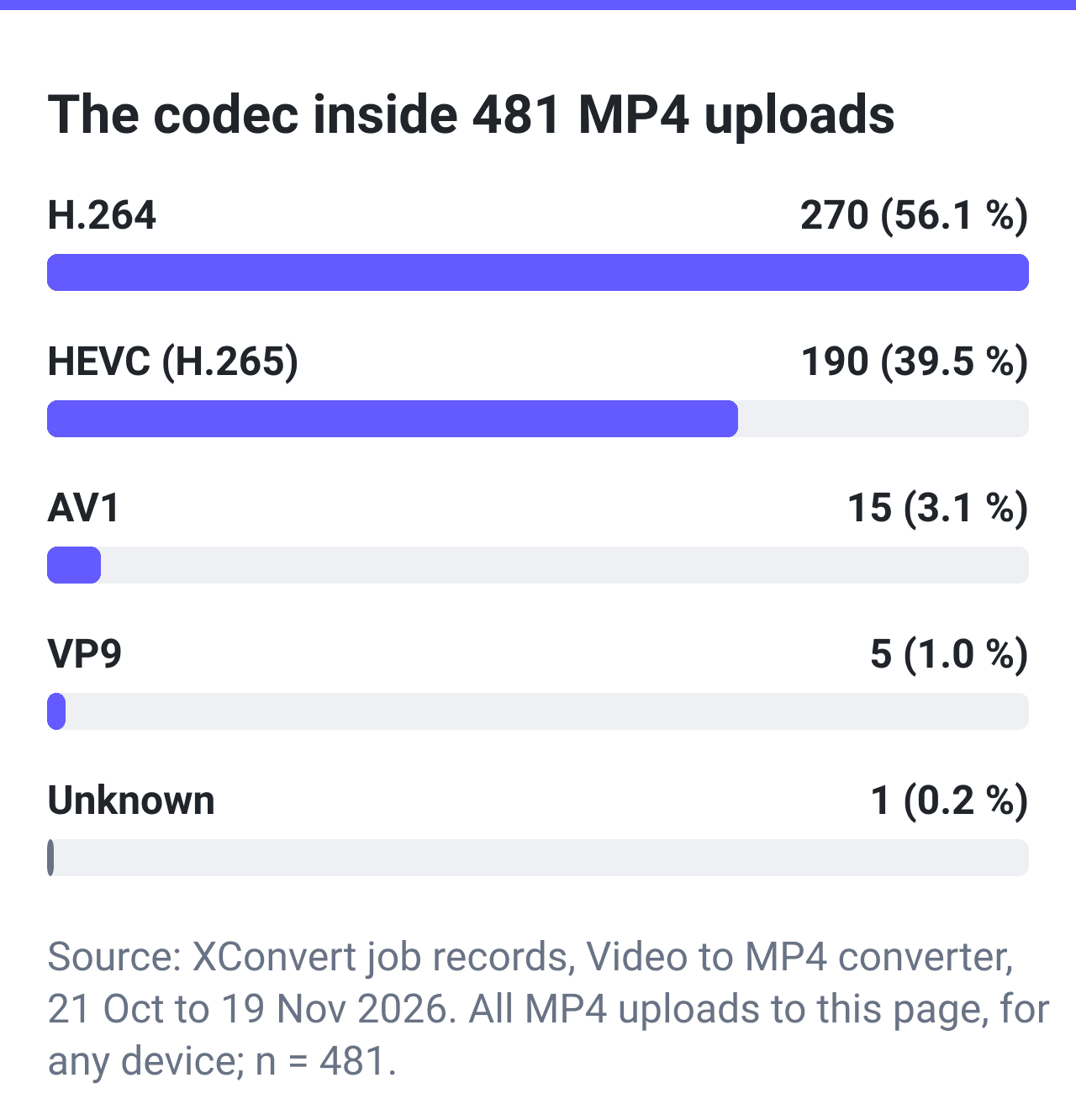
Of 481 MP4 files uploaded to the Video to MP4 converter between 21 October and 19 November 2026, for any device, 270 held H.264, 190 HEVC, 15 AV1 and 5 VP9.
Read the codec. MediaInfo shows what is inside a file; MediaArea lists an app for Android 5.0 to 17 (read November 2026).
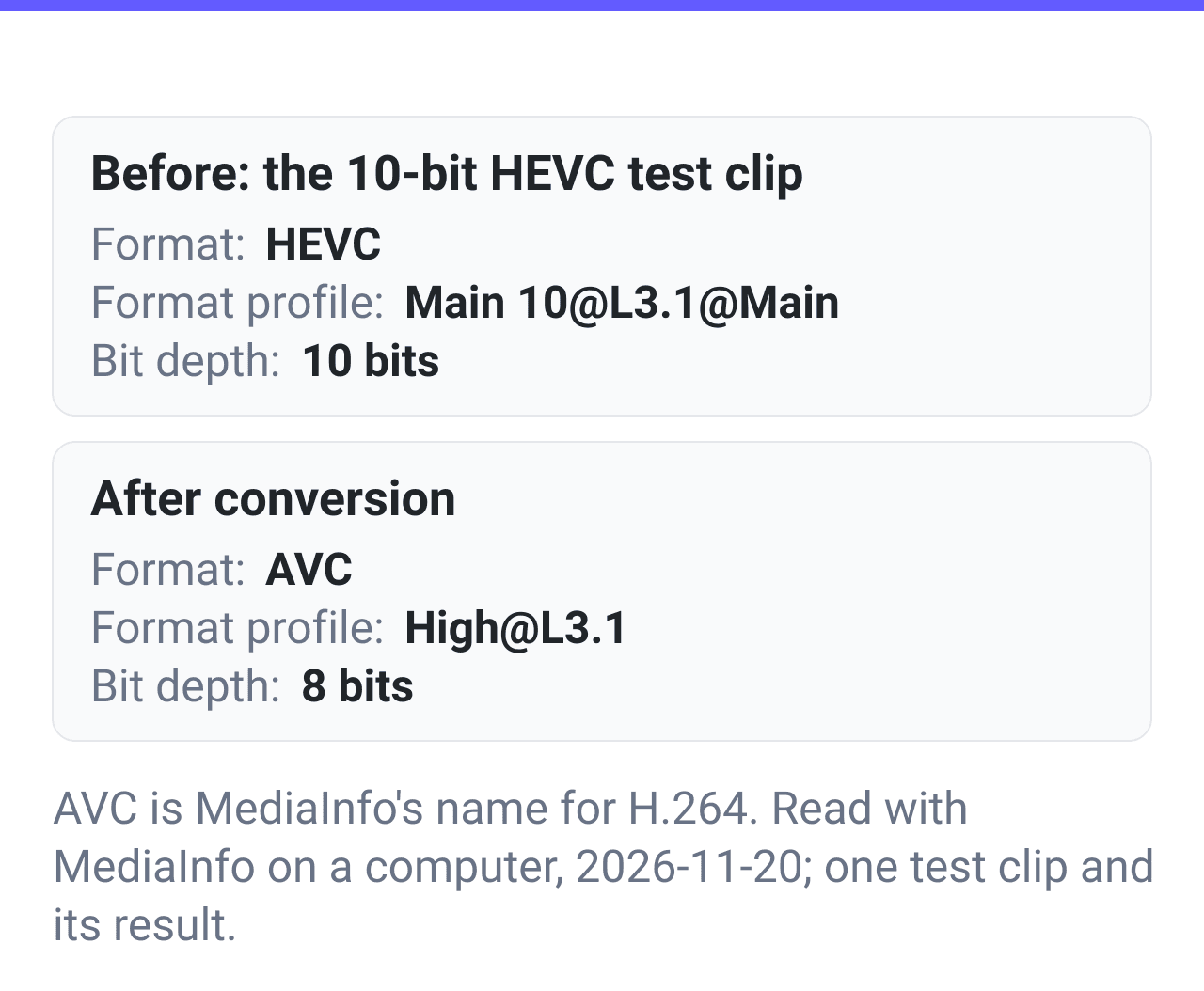
On a computer it printed, for our 10-bit HEVC test clip: Format “HEVC”, Format profile “Main 10 @ L3.1 @ Main” (spaces added), Bit depth “10 bits”. Converted: “AVC” (its name for H.264), “High @ L3.1”, “8 bits”.
The failure itself was not reproduced.
If the read-out says AV1, see why an AV1 MP4 will not play.
Try another player. Samsung’s last step for a file that does not load: “try using a different app to open it. You may need to convert the file.”
VideoLAN says VLC for Android “Plays all files, in all formats” and decodes “in software and hardware mode”.
Skip the codec pack. If a page tells you to install a K-Lite codec app on the phone, read the maker’s page first.
K-Lite’s own page reads “Compatible with Windows 7, Windows 8.x, Windows 10, and Windows 11” and does not mention Android. More in do you still need a codec pack.
Cause 2: a recording in HEVC or HDR10+ from another Galaxy
Samsung says: “HDR10+ videos will not play on devices that aren’t compatible.”
Samsung’s steps, on a phone with the HDR10+ feature: in Gallery, select the video and tap the Edit icon, then More options, “Size and format” (pick a resolution), “HDR10+” and “SDR”. Tap Done, and Gallery saves a copy.
Of the Galaxy S23’s high-bitrate 8K recordings, Samsung says: “These recordings use the HEVC (High Efficiency Video Coding) codec, which may not be supported by all devices or TVs.”
For the next recording, the sender can switch off “HDR10+ videos” in the camera’s settings, under Advanced video options.
A video the phone recorded itself and then refuses has no stated cause: 2 of the 14 threads report it.
Cause 3: a video above your model’s playing resolution
Samsung’s specification pages give each model a “Video Playing Resolution”. The eight read run from “FHD (1920 x 1080) @60fps” (Galaxy A15 5G) to “UHD 8K (7680 x 4320) @60fps” (Galaxy S26 FE).
It differs between variants: the Galaxy A16 5G has “UHD 4K (3840 x 2160) @30fps” in Canada and “FHD (1920 x 1080)@60fps” in India. Check the page of your own model code, under Audio and Video.
On the converter, click Preset Resolutions under VIDEO RESOLUTION and pick a size at or under your model’s line from the Preset list, then click Convert.
The frame rate stays: this converter has no setting for it. For a clip above the rate on your model’s line, that leaves another player (cause 1); we did not try one on a phone.
When the video to MP4 converter helps and when it does not
Use it when another player is not enough:
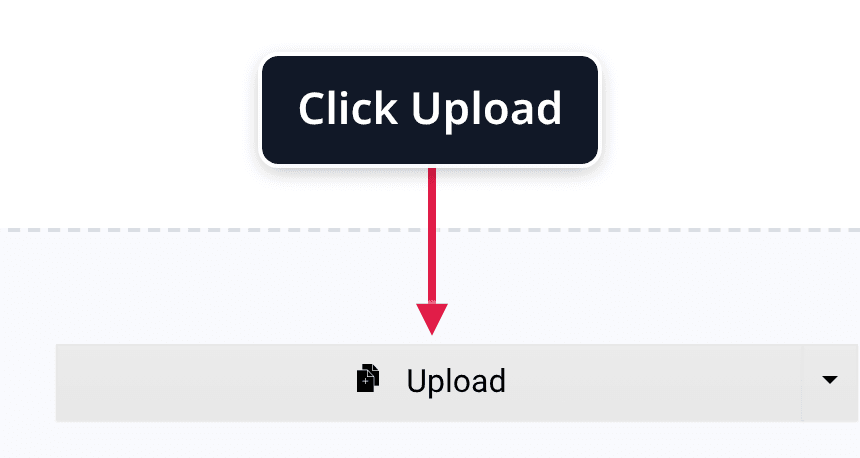
- On the video to MP4 converter, click Upload and choose the video.
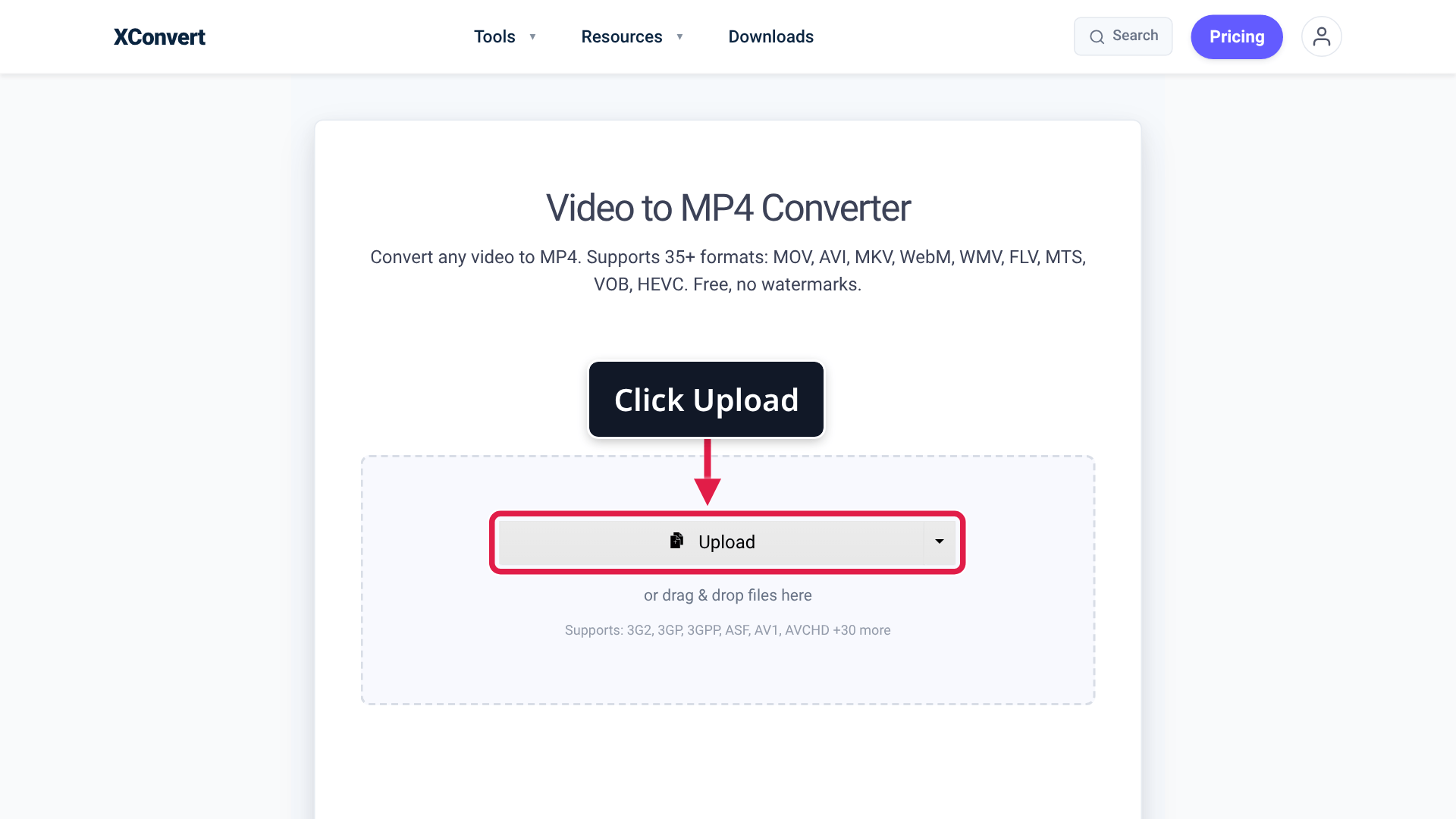
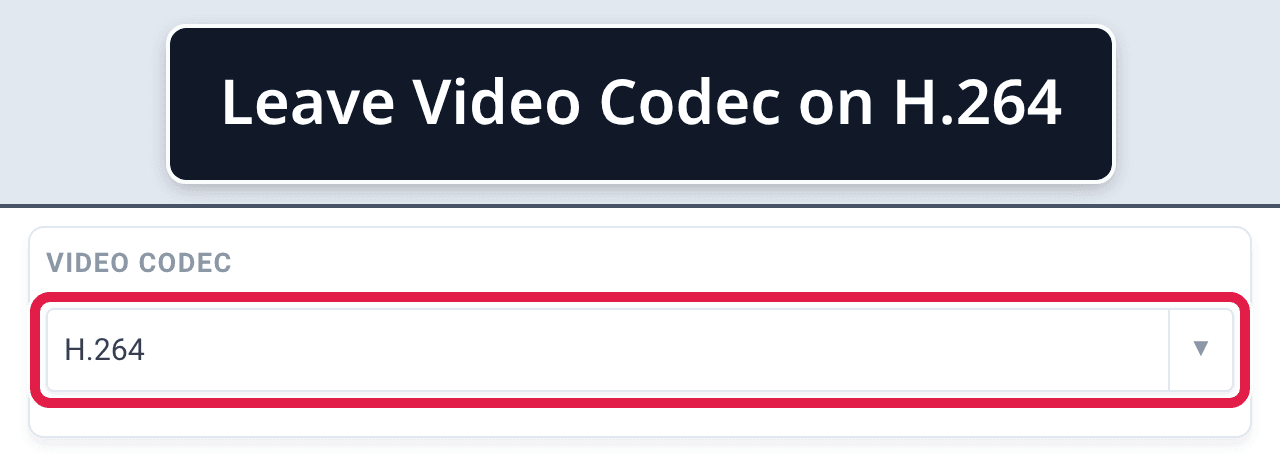
- Change nothing; for cause 3, only the resolution. Behind Show All Options, Video Codec reads “H.264”; leave it.
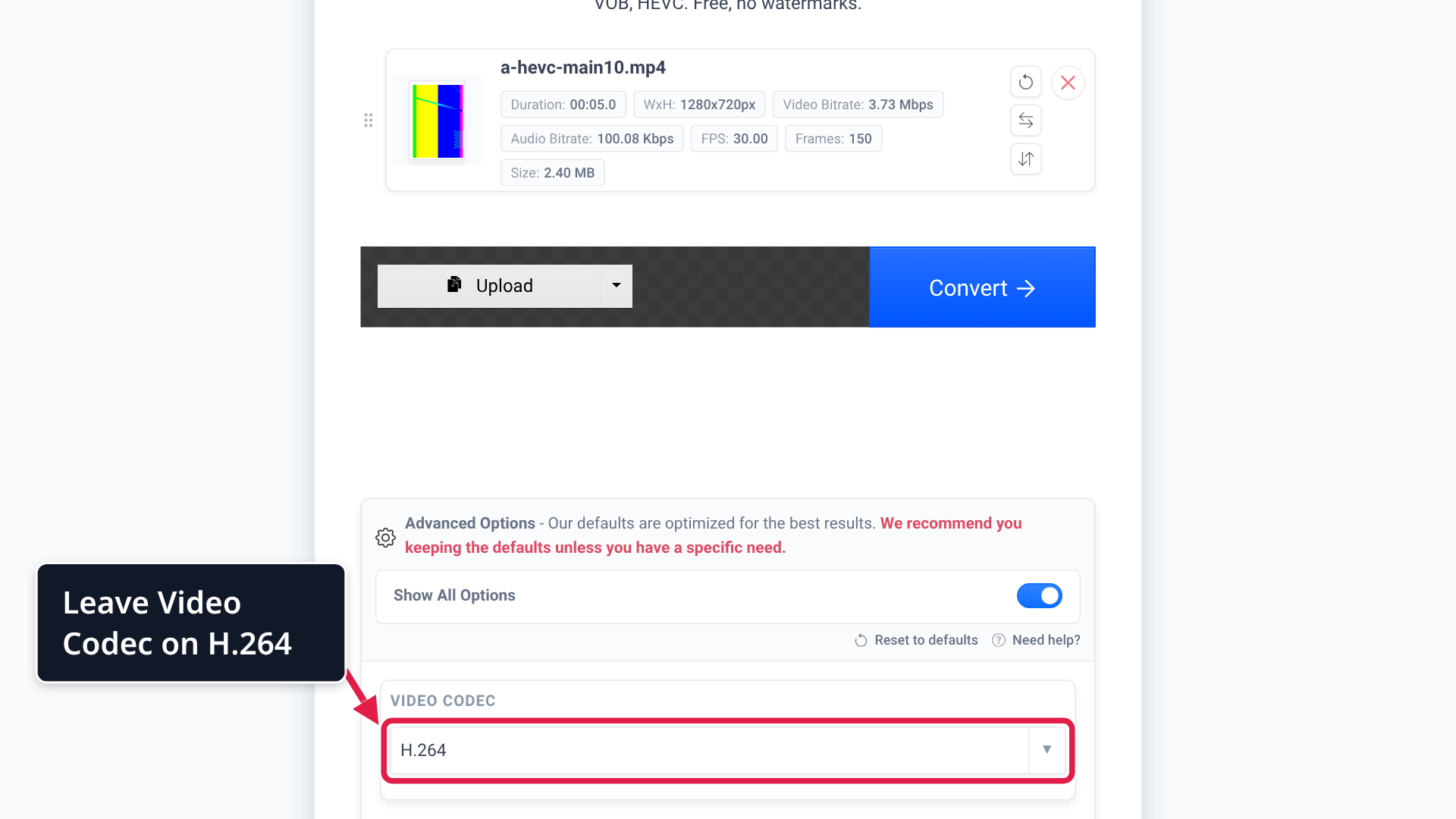
- Click Convert. The downloads page opens.
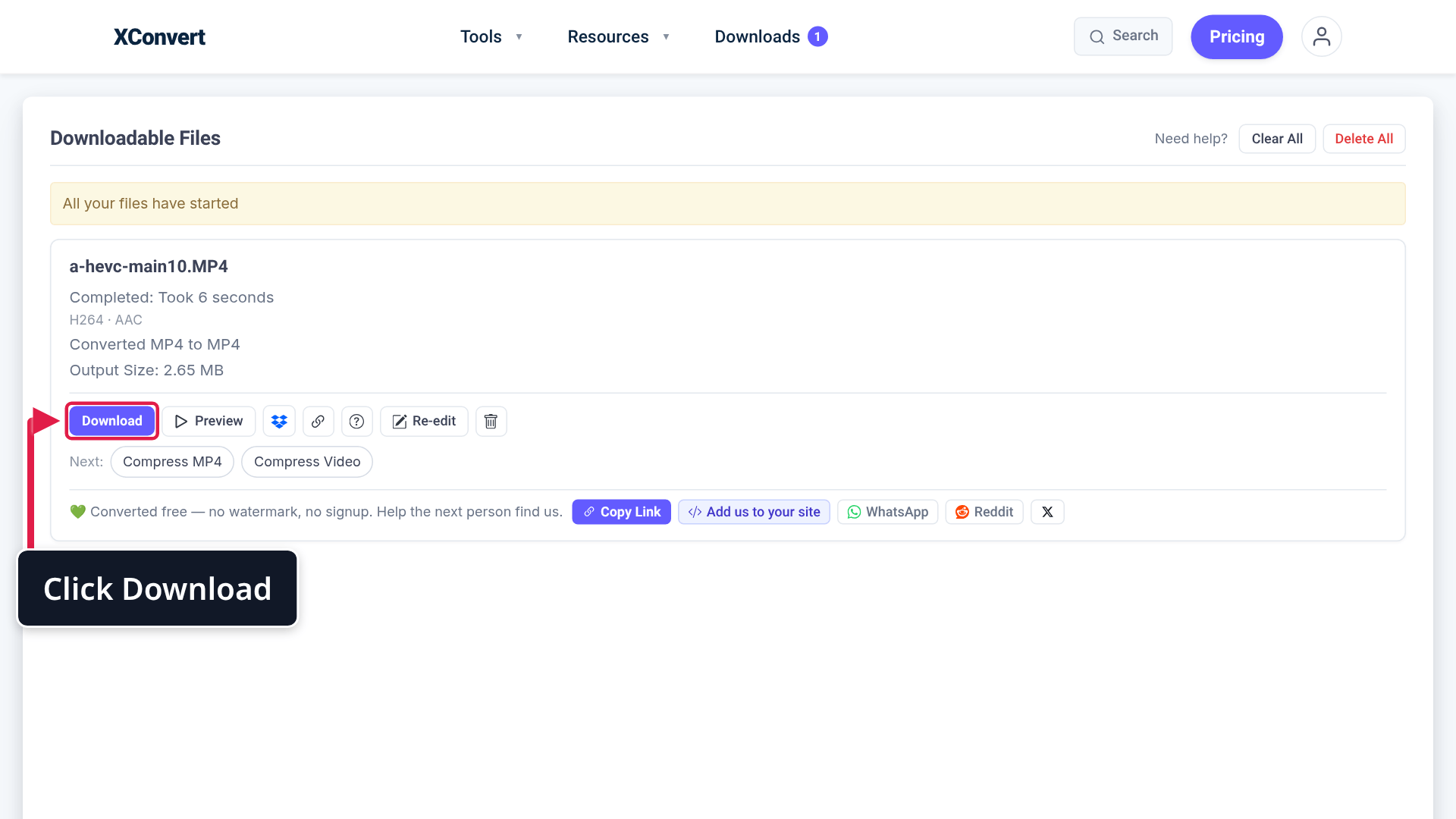
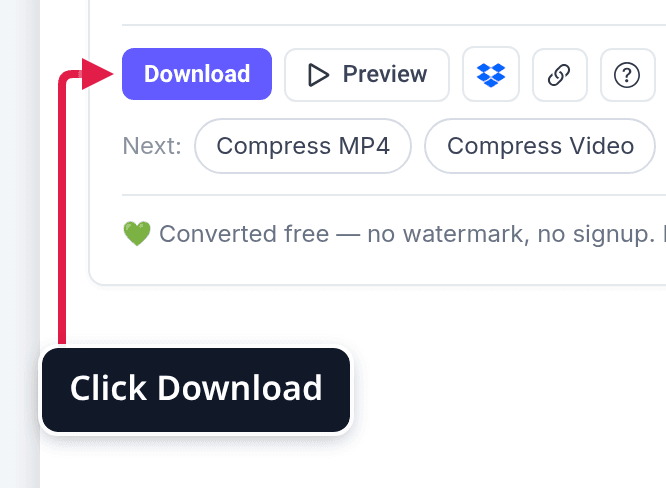
- On the finished card, which reads “H264 · AAC”, click Download.
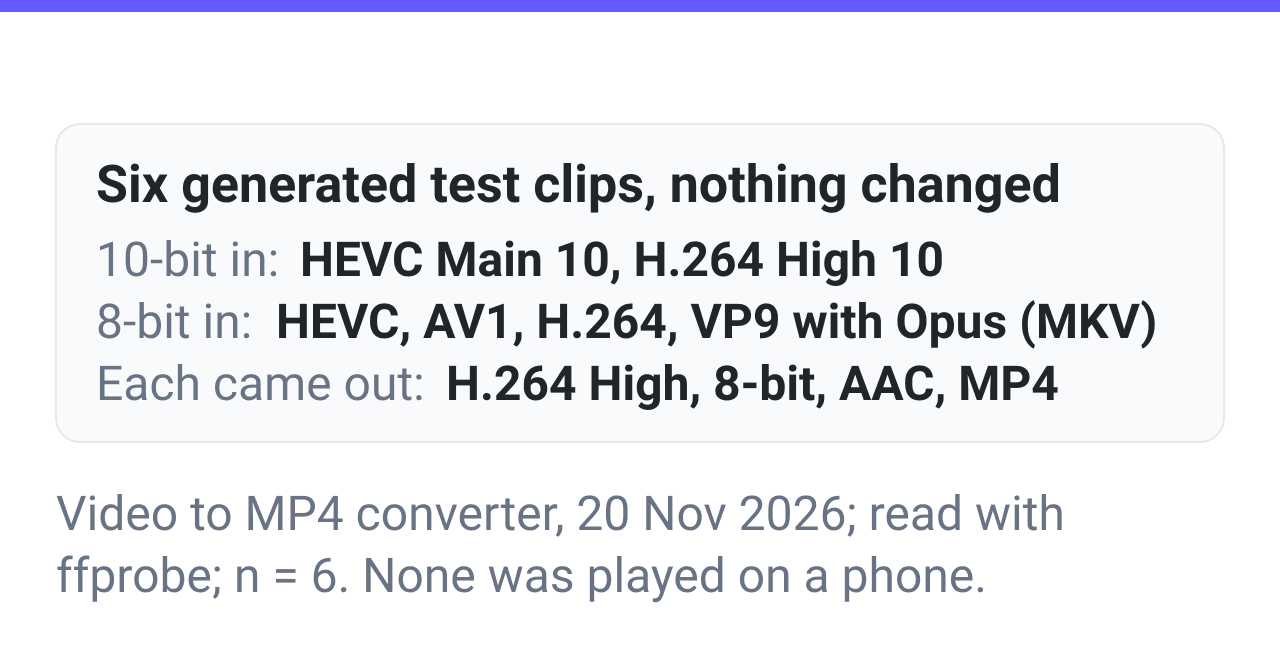
Eight generated test clips were converted on 2026-11-20, with nothing changed unless the row says so. ffprobe read every result as H.264, High profile, 8-bit, with AAC audio, in an MP4:
| Test clip | Went in, MB | Came out, MB |
|---|---|---|
| 10-bit HEVC (Main 10) | 2.40 | 2.65 |
| The same with HDR10 color tags | 2.40 | 2.65; tags still set |
| 8-bit HEVC | 1.38 | 2.26 |
| AV1 | 1.92 | 2.94 |
| 10-bit H.264 (High 10) | 2.00 | 2.58 |
| VP9 with Opus, MKV | 2.13 | 2.63 |
| HEVC, 3840 x 2160 at 60 fps | 1.93 | 4.98; still 3840 x 2160 at 60 fps |
| That clip, “Preset Resolutions” at “1080p” | 1.93 | 1.15; 1904 x 1072 at 60 fps |
| 8-bit H.264 (High) | 2.01 | 2.61; encoded again |
Clips of five seconds (the 4K clip two), 1280 x 720 in an MP4 unless the row says otherwise. None was played on a phone. 1 MB is 1,000,000 bytes.
Samsung’s list has mp4 and Android’s has H.264; neither names High profile for phones.
Expect a larger file. With nothing changed, 625 of 1,071 conversions on this page came back larger (21 October to 19 November 2026, any device); of uploads named .mp4, 209 of 310, at a median of 1.40 times the size.
If you converted on a computer, the result still has to reach the phone: a transfer step, separate from conversion. Before you send the file, check what file size the sending route takes.
It is the wrong tool when:
- HDR or 10-bit must stay. The result is 8-bit and HDR is not kept; nobody looked at the picture. Keep the original and use another player.
- The read-out already says AVC, High, 8 bits. The file is only encoded again.
- Subtitles or a second audio track matter. One video and one audio stream are kept.
- The file is damaged. Of 1,272 jobs on this page in the same 30 days, 10 failed, 9 of them on a damaged or unreadable upload.
- The file is over 400 MB without a paid plan (1,000 MB on Basic, 4,000 MB on Pro).
- Nothing may leave your phone. Files are processed on our servers, not in your browser; uploads and results are deleted about 5 hours after they were written.
What we could not test
No Samsung phone or tablet was used, so none of this was seen on a device:
- The message itself, which test clip a Galaxy refuses, and whether a converted file plays.
- Other apps on a Galaxy. What VLC plays is VideoLAN’s statement; MediaInfo’s Android app was not run.
- Samsung’s Gallery. The SDR steps are quoted, not carried out, and no Samsung page read says its details show a codec.
- Restart and update. Owners’ reports, some against the update.
Sources
All read on 2026-11-20.
- Samsung support: File isn’t recognized or doesn’t load on Galaxy phone or tablet (the list of video file types; the step “try using a different app”; no codec is named); Use the HDR10+ video feature on your Galaxy phone (the quote, the steps for an SDR copy and the camera switch); Galaxy S23 8K Video High Bitrate Issue (the HEVC quote; last updated 2026-06-29).
- Samsung specification pages, the lines “Video Playing Format” and “Video Playing Resolution”: Galaxy A15 5G, Canada, Galaxy A16 5G in Canada and India, Galaxy A17 5G in Canada, the United Kingdom and India, Galaxy A17, Singapore and Galaxy S26 FE, Canada. Each lists the same eight file types (MP4, M4V, 3GP, 3G2, AVI, FLV, MKV, WEBM) and no codec.
- Android Developers: Supported media formats (the video table with its container columns, the section on HDR video formats and the note on additional formats; last updated 2026-10-07).
- VideoLAN: VLC for Android (both quotes; the app was not run).
- MediaArea: MediaInfo for Android (the app, v26.10, for Android 5.0 to 17; it was not run. The lines quoted come from MediaInfo 26.01 on a computer).
- Codec Guide: About the K-Lite Codec Pack and its FAQ (the quote; neither page mentions Android).
- Samsung Community: 15 threads opened, 14 of them about a video the phone’s player refused. They are owners’ posts, not statements by Samsung. Among them: “Video codec not supported” when it should be??, video codec not supported and Samsung a15 video not supported.
- Tests of 2026-11-20: eight generated clips (a moving test pattern with a tone, each under 5 MB) and nine conversions on the Video to MP4 converter, without an account, one at a time; every file read with ffprobe and MediaInfo 26.01 before and after. No clip and no result was played on a phone.
- Our numbers: all 1,272 jobs on the Video to MP4 converter page from 21 October to 19 November 2026 (UTC), for any device and any reason; the codec inside the upload is on record for 1,270 of them. Each job counts once: the 481 MP4 uploads are 481 jobs on 465 files, 12 of them named .m4v. Five uploaders account for 43.3 % of the jobs; without them, 176 of 364 MP4 uploads held H.264 and 168 HEVC.