 By Stephanie Taylor
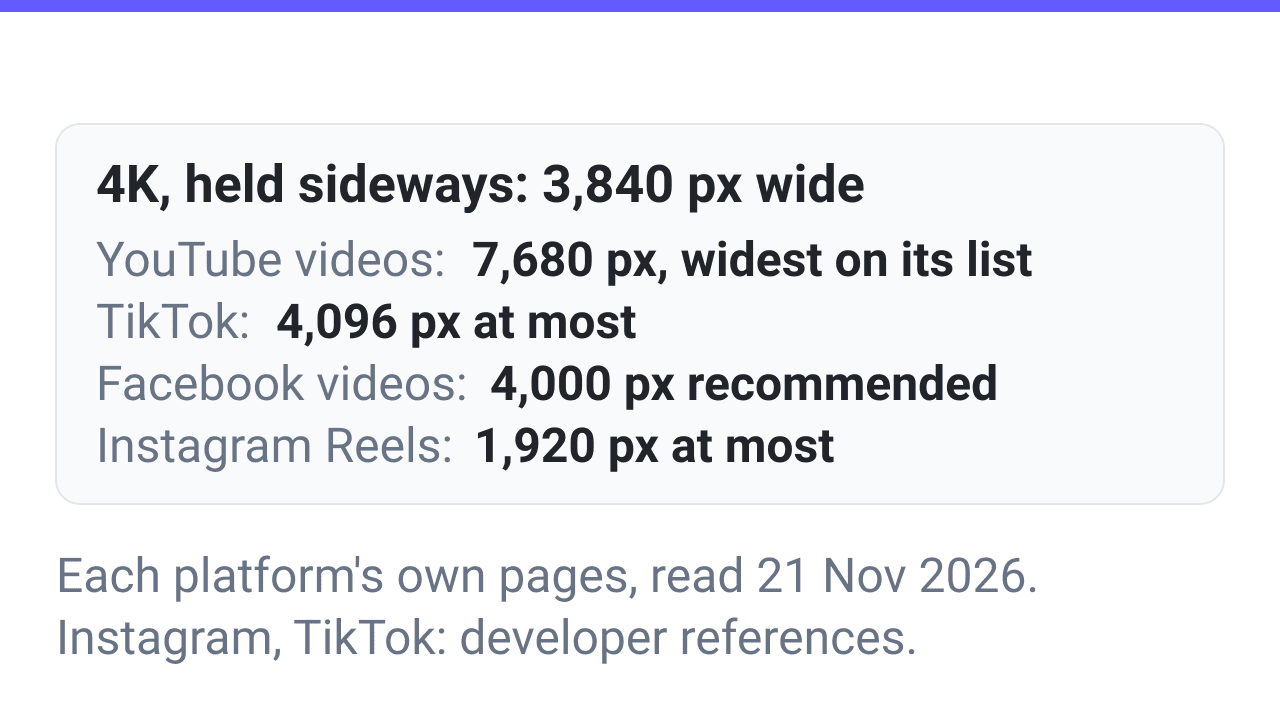
As of November 2026, a 4K video is wider than the 1,920 pixels Meta’s reference names for Instagram. It is inside TikTok’s 4,096, Facebook’s 4,000 and YouTube’s 7,680; only YouTube says it plays 4K. For Reels, make a 1080p copy.
Checked on 2026-11-21 on xconvert.com/video-compressor. Sources at the end.
What does each platform’s own page say about a 4K upload?
| Platform | Largest frame its page names | Frame rate | What it says is played | Its own page, read November 2026 |
|---|---|---|---|---|
| YouTube, videos | lists 3840 x 2160 (4K) and 7680 x 4320 (8K); names no maximum | as recorded | 4K, on a browser or device that supports VP9 | help pages on resolution and encoding |
| YouTube Shorts | “a maximum resolution of 1080p” | not stated | not stated | help page |
| Instagram Reels, in the app | not stated; a minimum of 720 pixels | a minimum of 30 | not stated | help page |
| Instagram Reels, through Meta’s platform | 1,920 pixels wide at most | 23 to 60 | not stated | developer reference |
| Facebook, videos | recommends “no larger than 4000px wide” | recommends 30 or below | not stated | help page |
| Facebook Reels, through Meta’s platform | recommends 1080 x 1920; names no maximum | 24 to 60 | not stated | developer reference |
| TikTok, through TikTok’s platform | 4,096 pixels at most, each side | 23 to 60 | not stated | developer reference |
Not stated means the page is silent, which is not a refusal.
A 4K frame is 3,840 pixels wide held sideways and 2,160 upright: above Meta’s 1,920 and inside TikTok’s 4,096 either way.
Meta’s and TikTok’s figures stand in the references for apps that publish through each platform; no page read says the phone apps hold to them. Export settings are in the guides to the best video format for Instagram and for TikTok.
What happens to a 4K upload?
- YouTube: a new upload “may seem to be missing higher qualities for several hours”; a 60-minute 4K video at 30 frames a second “can take up to 4 hours” (read November 2026).
- Instagram: Meta’s reference does not say what happens to a wider video. In the app, the Help Center names a setting, “Upload at highest quality”.
4K or 1080p: which should you send?
- YouTube video: the 4K file, which YouTube says it plays in 4K.
- YouTube Short, Instagram Reel, Facebook Reel: a 1080 x 1920 copy. Facebook’s guide recommends that frame, and 1,080 pixels of width are inside Meta’s 1,920. For a Short it is our reading of “1080p”: the page gives no pixels.
- Facebook video: the 4K file, inside the recommended 4,000 pixels of width.
- TikTok: your call. The reference’s maximum is above 4K, and no page read says what TikTok plays.
At 60 frames a second a clip is at the top of Meta’s and TikTok’s ranges and above Facebook’s recommended 30.
Look first at where the clip is made. If the phone’s camera settings or the editor’s export dialog offer 1080p, choose it there: the clip then needs no second encode. Make that choice before you convert anything.
What the compressor returns for a 4K clip (measured)
Seven jobs on 2026-11-21 with three clips generated for the test: 4 seconds each, a test pattern at about 8 Mbps.
The 4K uploads weighed 4.04 MB (landscape), 3.75 MB (upright) and 4.26 MB (landscape, 60 a second).
| Upload | Setting | Result | Size |
|---|---|---|---|
| landscape | as the page loads | 2880 x 1616 | 3.13 MB |
| landscape | Preset Resolutions, 1080p | 1904 x 1072 | 3.23 MB |
| landscape | Constant Quality with the 1080p preset | 1904 x 1072 | 1.37 MB |
| upright | Preset Resolutions, 1080p | 592 x 1072 | 2.92 MB |
| upright | Width (Keep aspect ratio), Pixels, 1080 | 1080 x 1920 | 2.95 MB |
| landscape | Width (Keep aspect ratio), Pixels, 1920 | 1920 x 1080 | 3.21 MB |
| landscape, 60 a second | the same | 1920 x 1080, 60 a second | 3.31 MB |
The 1080p preset is a maximum height: it made the upright clip 592 pixels wide, and the result card still says “1080p” and shows no frame size.
A width typed in Pixels came back as typed. At 30 frames a second and 5.8 Mbps, the 1080 x 1920 result is inside the width, frame rate and bitrate of Meta’s reference, as numbers only.
Of 15,144 compressions finished on the video compressor in the 30 days to 20 November 2026, 454 began with an upload of 3,840 pixels or more on its long side. 409 of them left Auto Scale on.
The uploads of those 454 jobs had a median bitrate of 30.7 Mbps; 256 ran above the 25 Mbps maximum of Meta’s reference. No record says where a file was headed.
For YouTube’s and TikTok’s size and length caps, see video upload limits by platform.
Make a 1080p copy of a 4K video
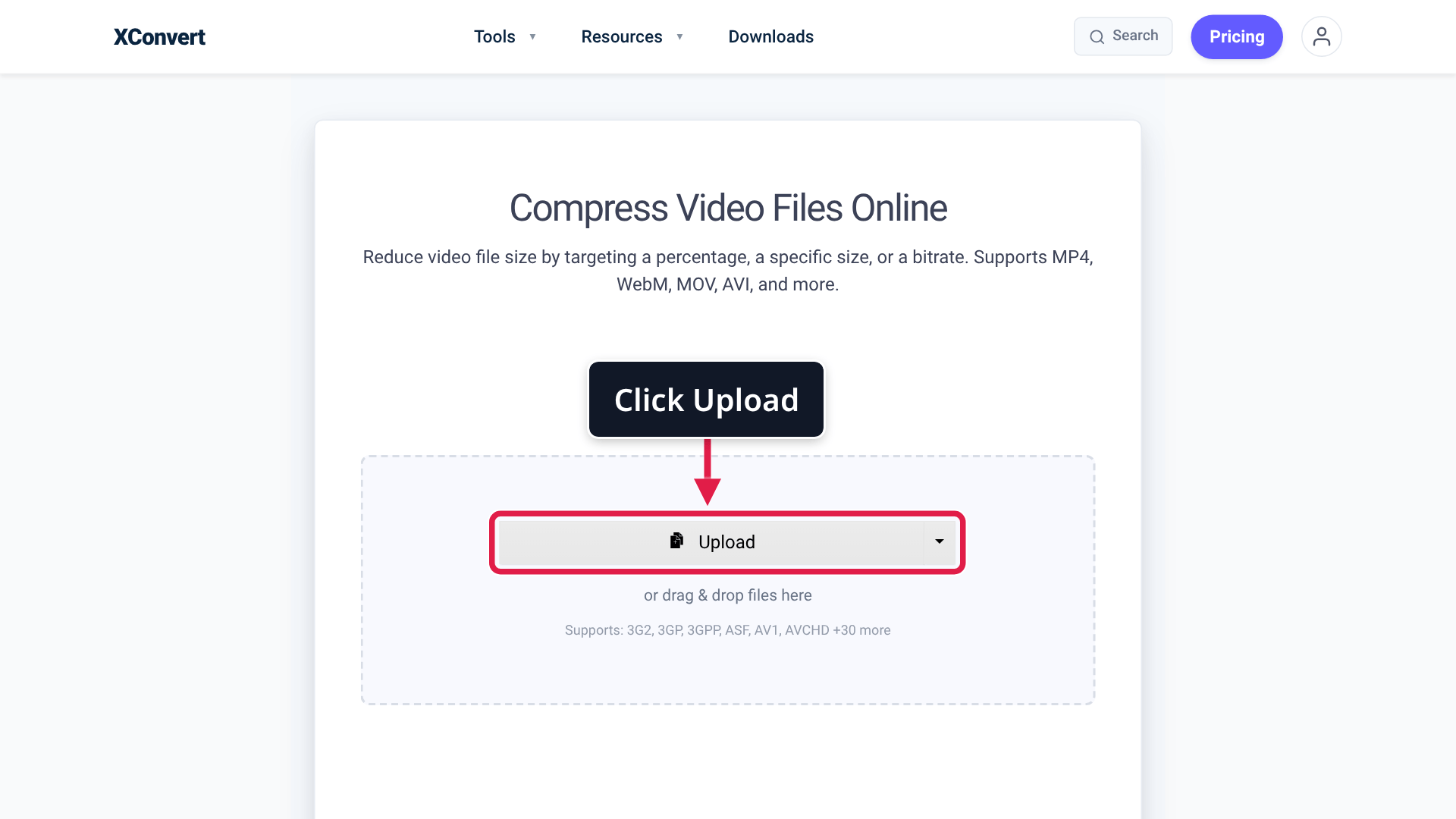
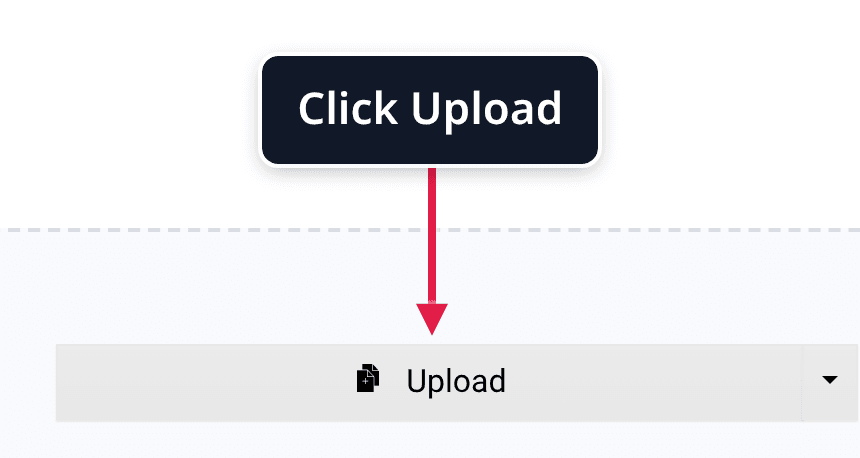
- On the video compressor, click Upload and pick the clip.
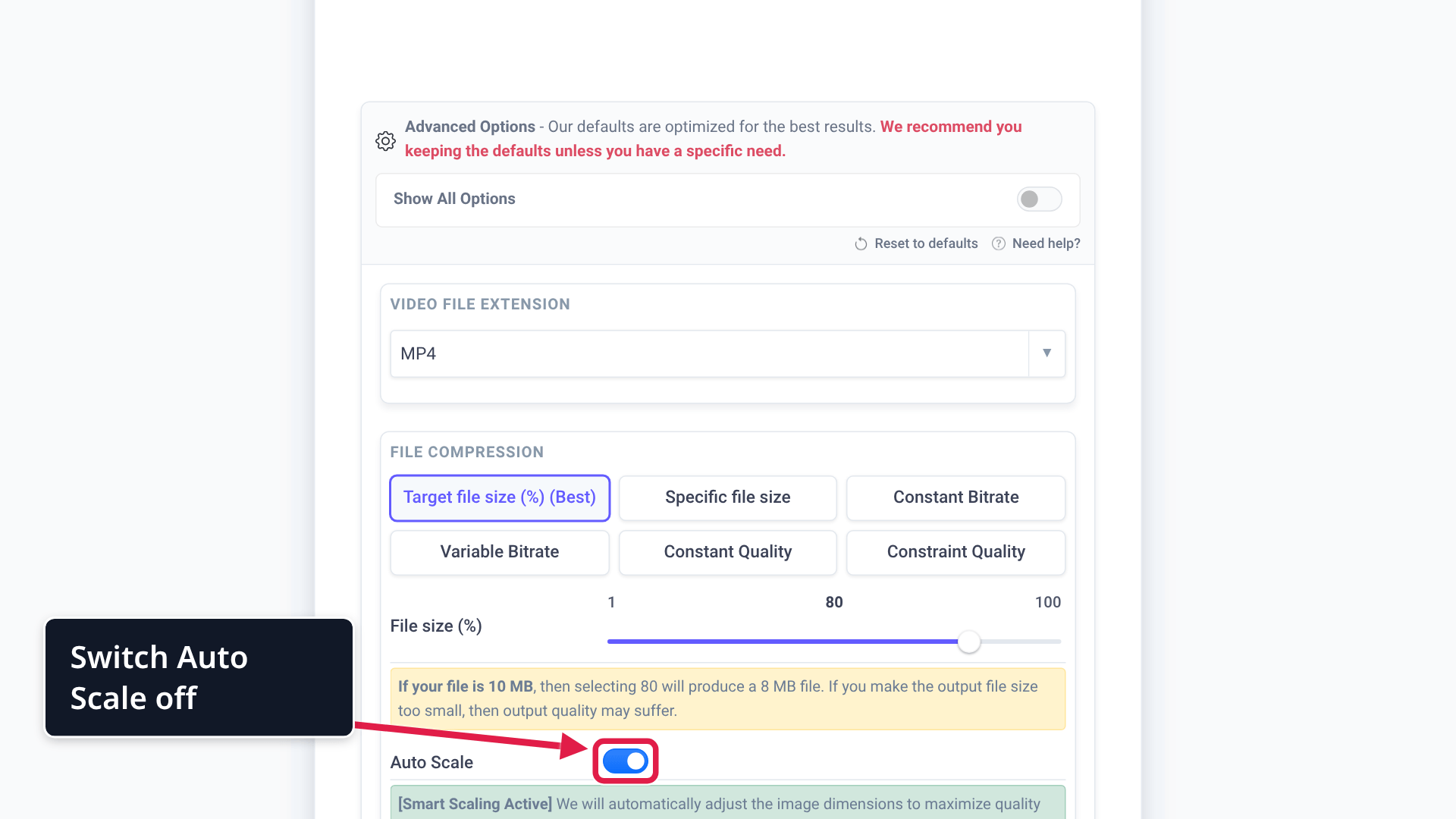
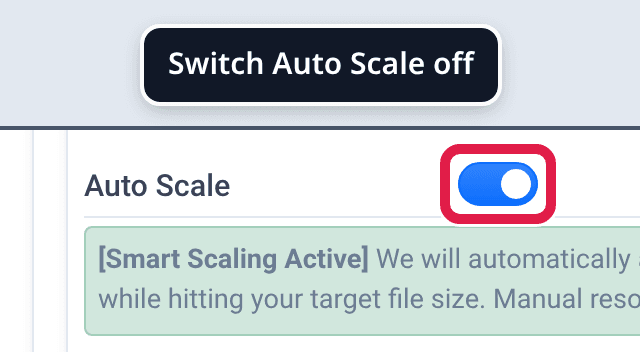
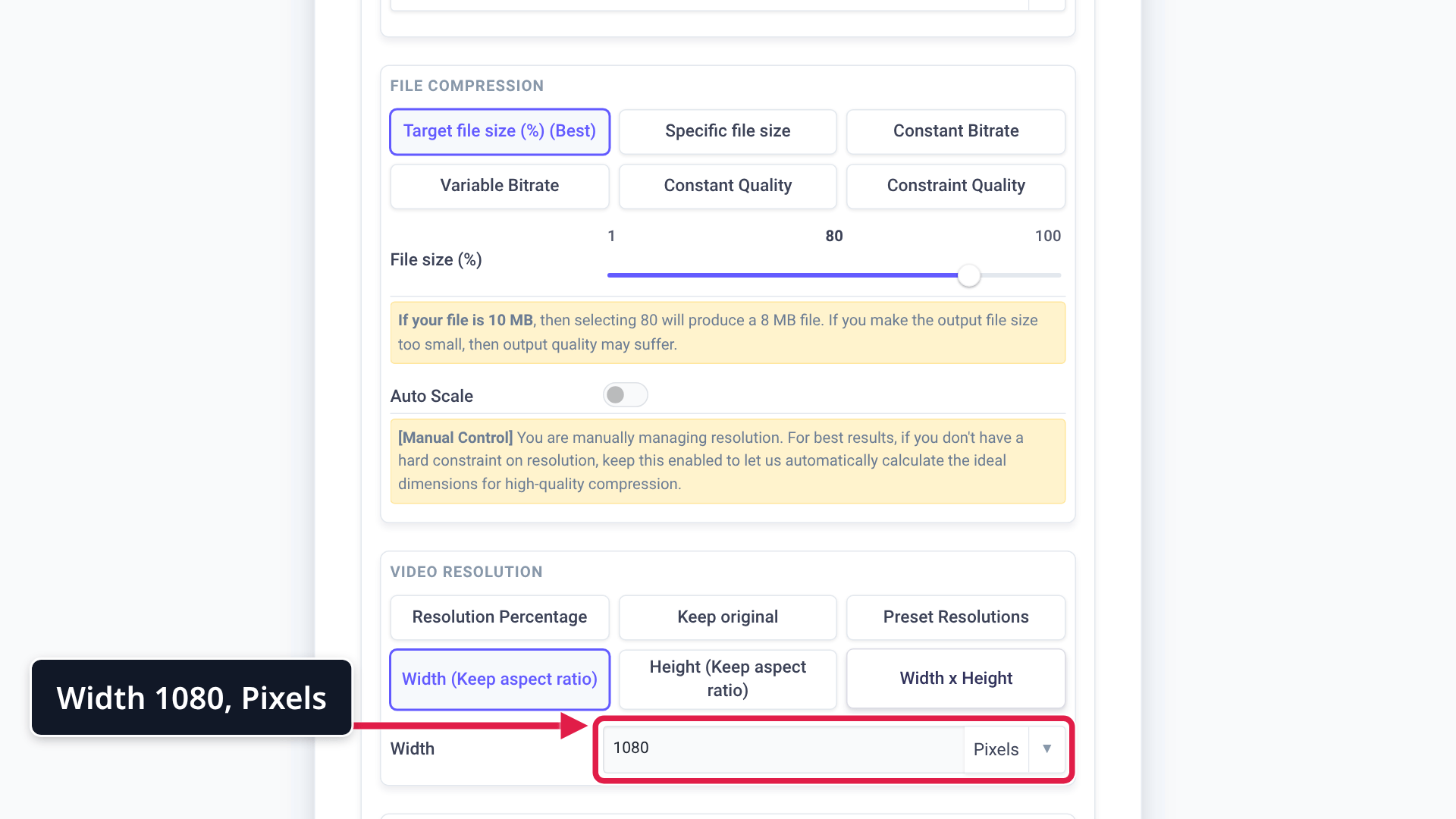
- Scroll down to FILE COMPRESSION and switch Auto Scale off. It is on as the page loads; switching it off shows the resolution choices.
- Under VIDEO RESOLUTION, click Width (Keep aspect ratio).
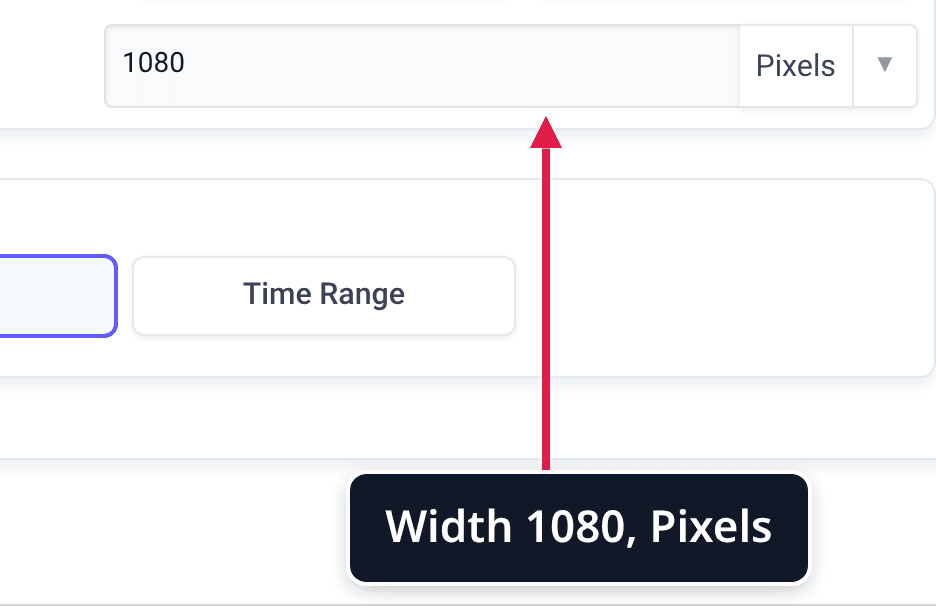
- Change the unit beside the Width field from Percent (%) to Pixels, then type 1080 for an upright clip or 1920 for a landscape one.
- Click Compress. On the downloads page, when the card reads “Completed”, click Download.
In step 4, upright means as the clip plays: test clips stored sideways with a rotation tag, in H.264 and HEVC, came back 1080 x 1920.
These steps keep the page’s 80 % size target, so the bitrate follows the upload’s: a test clip at 32.8 Mbps came back at 23.5 Mbps.
With Constant Bitrate clicked first in step 2, its field left at 4 Mbps, the clip came back at 3.6 Mbps.
Every run encodes the video again; as the page loads, the result is an MP4 with H.264 and AAC. The frame rate stays: see the last row of the results table. The panel has no crop.
For 30 frames a second or a 9:16 crop, use the phone or the editor the clip came from.
Files are processed on our servers, not in your browser, and are deleted automatically about 5 hours after they were written. Without a paid plan a file can be up to 400 MB.
What we could not confirm
- Any upload. No account was used and no file was sent to a platform.
- The size at which Instagram, Facebook and TikTok play a 4K upload. No page read states it.
- The phone apps. Instagram’s Help Center names minimums only, and TikTok’s Help Center could not be read.
- Real footage. Every test clip was generated and run in a desktop window. A phone, a real recording and HDR were not tried, and nobody judged a picture by eye.
Sources
- YouTube Help: Video resolution & aspect ratios, help page: the sizes to encode at for 16:9, “2160p (4K): 3840×2160” and “4320p (8k): 7680×4320” among them; no size is called a maximum. Read 2026-11-21.
- YouTube Help: YouTube recommended upload encoding settings, help page: “To view new 4K uploads in 4K, use a browser or device that supports VP9.”; the frame rate as recorded. Read 2026-11-21.
- YouTube Help: Low video quality after upload, help page: how long the higher qualities of a 4K upload can take. Read 2026-11-21.
- YouTube Help: Get started creating YouTube Shorts, help page: “You can upload Short videos with a maximum resolution of 1080p.”; no pixels given. Read 2026-11-21.
- Instagram Help Center: Reel size & aspect ratios on Instagram, help page: a minimum of 30 frames a second and of 720 pixels, the setting “Upload at highest quality”; no maximum and nothing on playback. Read 2026-11-21.
- Meta for Developers: IG User Media, developer reference for publishing through Meta’s platform: “Maximum columns (horizontal pixels): 1920”, “Frame rate: 23-60 FPS”, “Video bitrate: VBR, 25Mbps maximum”; nothing on a wider video or on playback. Read 2026-11-21.
- Facebook Help Center: Settings recommended to use when adding an edited video to Facebook, help page: “no larger than 4000px wide”, “A frame rate at, or below, 30fps.”; nothing on playback. Read 2026-11-21.
- Meta for Developers: Reels Publishing, developer reference for publishing through Meta’s platform: 1080 x 1920 recommended, 540 x 960 the minimum, 24 to 60 frames a second; no maximum. Read 2026-11-21.
- TikTok for Developers: Media Transfer Guide, developer reference for posting through TikTok’s platform: “Maximum of 4096 pixels for both height and width”, “Maximum of 60 FPS”; nothing on playback. Read 2026-11-21.