 By Stephanie Taylor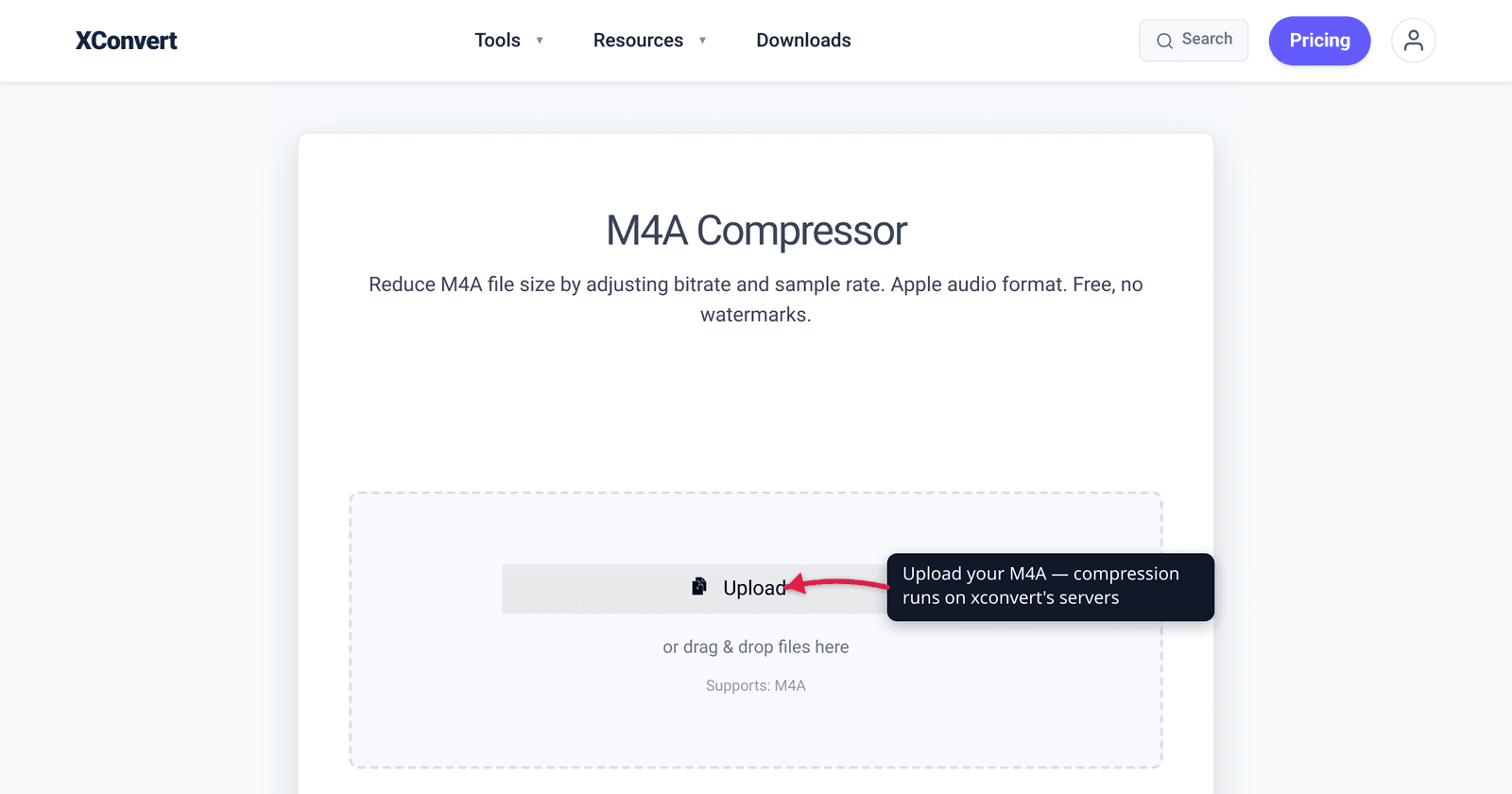
An M4A that won’t fit in an email, or a folder of voice notes eating your phone storage — the fix is a few minutes of work, but the right fix depends on one thing most guides skip: what’s actually inside the file. M4A is just a container. Almost always it holds AAC audio (already lossy and compressed), but sometimes it holds ALAC (lossless, and much bigger). Which one you have changes how aggressively you can shrink it without wrecking the sound. This guide covers the container, how to tell lossy from lossless, and the three levers — bitrate, channels, sample rate — that move the needle. The container and codec facts are verified against MDN, Apple, and the MP4 spec.
Quick answer: M4A is an MPEG-4 (MP4) audio container. If it holds AAC (the common case — iTunes downloads, voice memos, most exports), the audio is already lossy, so compress gently: drop the bitrate to ~96–128 kbps, switch voice recordings to mono, and you’ll often halve the size with little audible loss. If it holds ALAC (Apple Lossless — much rarer, e.g. Apple Music’s lossless tier), it’s uncompressed-quality and re-encoding to AAC can shrink it dramatically. Lower bitrate = smaller file = more quality loss; pick the lowest bitrate that still sounds fine for your use.
Jump to a section
- What an M4A file actually is
- Is your M4A lossy (AAC) or lossless (ALAC)?
- The three levers that shrink an M4A
- How small can you go? A practical bitrate guide
- Compress an M4A file on xconvert
- FAQ
What an M4A file actually is
M4A is not a codec — it’s a container. The .m4a extension marks an audio-only MPEG-4 (MP4) file. Per MDN, the audio/mp4 MIME type covers both .mp4 and .m4a, and the MP4 spec confirms that audio-only MPEG-4 files “generally have a .m4a (MPEG-4 Audio) extension.” The container is the box; the codec is what’s inside.
Two codecs dominate what’s inside an M4A:
- AAC (Advanced Audio Coding) — the common case. AAC is lossy, and per MDN it’s “the standard format for audio in many types of media… as well as being the format used for songs purchased from online vendors including iTunes.” iPhone Voice Memos, iTunes purchases, most editor exports — almost certainly AAC.
- ALAC (Apple Lossless Audio Codec) — the rare case. ALAC is lossless: it compresses without discarding any audio data, then reconstructs the original bit-for-bit. Apple open-sourced it on October 27, 2011, and it lives “within an MP4 container with the filename extension
.m4a.” You’ll mainly meet ALAC via Apple Music’s lossless tier or a CD ripped to Apple Lossless.
That single fact — AAC vs ALAC — is the fork in the road. A lossy AAC file has already thrown away data, so there’s less room to compress before it sounds bad. A lossless ALAC file carries full fidelity, so re-encoding it to AAC can cut the size by more than half with no audible difference for most listening.
Is your M4A lossy (AAC) or lossless (ALAC)?
You usually don’t need a tool — size and source give it away:
| Clue | Likely codec |
|---|---|
| iPhone Voice Memos, iTunes/Apple purchases, a podcast, most app exports; or ~1 MB/min or less | AAC (lossy) |
| Apple Music’s lossless tier or a CD ripped to “Apple Lossless”; or ~5–10 MB/min (like WAV/FLAC) | ALAC (lossless) |
For certainty, open the file’s info in VLC (or right-click → Get Info on a Mac) and read the codec line — it’ll say AAC or Apple Lossless.
In one line: AAC is already compressed, so compress it gently; ALAC is full-fidelity, so re-encoding to AAC is your single biggest size win.
The three levers that shrink an M4A
Whatever’s inside, you have three controls. In rough order of impact:
1. Bitrate — the master lever. Bitrate (kbps) is how many bits per second the audio is allowed. AAC tops out around 512 kbps per MDN; most M4As sit between 128 and 256 kbps. Halving the bitrate roughly halves the file. AAC stays clean as you go down — per MDN it was “designed to be able to provide more compression with higher audio fidelity than MP3,” so 128 kbps AAC sounds better than 128 kbps MP3. Speech tolerates far lower bitrates than music.
2. Channels — free 50% for voice. A stereo file carries two channels; switching to mono drops to one and cuts size by up to half. For a voice memo, lecture, interview, or call, mono loses nothing — there’s no stereo image in one person talking. (Keep stereo for music.) On xconvert this is the Audio Channel dropdown.
3. Sample rate — trim the ceiling. The sample rate (kHz) sets the highest frequency the file can store. Music is typically 44.1 kHz; speech needs far less. Dropping a voice recording to 22.05 kHz or 16 kHz removes data you’ll never hear in spoken word. Leave music at 44.1 kHz — lowering it there will dull the top end. On xconvert this is Audio Sample Rate.
The honest tradeoff across all three: smaller file = less data = more potential quality loss. Find the lowest setting that still sounds fine for how you’ll use the file — a far lower bar for a podcast than a song.
How small can you go? A practical bitrate guide
Sensible AAC bitrate targets by content type — starting points, with your ears as the final judge:
| Content | Suggested AAC bitrate | Channels | Notes |
|---|---|---|---|
| Voice memo, lecture, interview, call | 64–96 kbps | Mono | Speech is forgiving; mono + lower sample rate stack on top |
| Podcast (voice, some music) | 96–128 kbps | Mono or stereo | 128 kbps stereo is a common podcast standard |
| Music — “good enough” / sharing | 128–192 kbps | Stereo | 128 kbps AAC is widely treated as transparent for casual listening |
| Music — keep it clean | 256 kbps | Stereo | The level Apple Music streams AAC at; near-transparent |
Two realities to set expectations. On a lossy AAC source you can reduce the file a lot, but pushing the bitrate far below the original audibly degrades — you’re compressing already-compressed audio. On a lossless ALAC source the win is dramatic: a ~30 MB ALAC track can drop to a few MB as 256 kbps AAC with no audible loss for most listeners, because you’re moving from “every bit preserved” to “efficiently lossy.”
If your recording is a single voice — a memo, a call, a meeting — the voice and call recording compression guide goes deeper on the mono + low-bitrate combo. And if you’re weighing whether to keep M4A at all, M4A vs MP3 covers when AAC inside M4A beats MP3 and when MP3’s universal compatibility wins.
Compress an M4A file on xconvert
The xconvert M4A compressor reduces M4A size by adjusting bitrate, channels, and sample rate — no watermarks, no install:
- Open xconvert.com/compress-m4a and click Upload to add your file — From my Computer, From Google Drive, or From Dropbox.
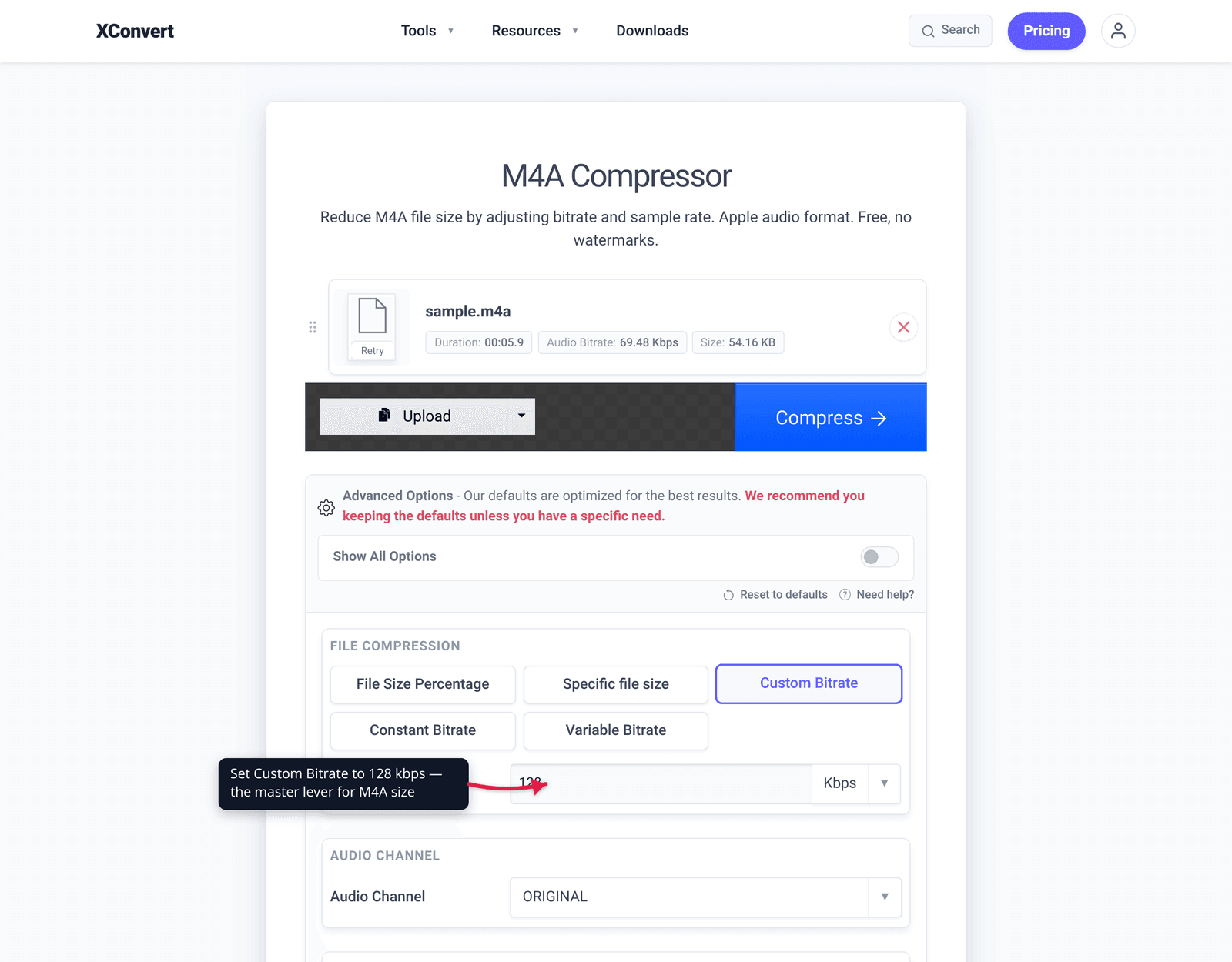
- Open Advanced Options (the gear icon) to reveal the controls.
- Under File Compression, choose how to set the size: File Size Percentage (shrink to a percentage of the original), Specific file size (hit an exact MB target for an email or upload limit), or Custom Bitrate to type the kbps directly — use the bitrate guide above.
- With Custom Bitrate, pick Constant Bitrate for a predictable size, or Variable Bitrate for slightly better quality-per-byte.
- For a voice recording, set Audio Channel to mono and consider lowering Audio Sample Rate (both default to ORIGINAL). Use Trim to cut dead air if you only need part of the recording.
- Click Compress and download. If you over-shrank, hit Reset to defaults and try a higher bitrate.
Your file is uploaded over an encrypted connection, processed on our servers, and deleted automatically a few hours later — nothing lingers.
FAQ
Is M4A lossy or lossless?
It depends on the codec inside. M4A is just an MPEG-4 container. The vast majority of M4A files hold AAC, which is lossy — iTunes downloads, voice memos, most exports. A minority hold ALAC (Apple Lossless), which is lossless — chiefly Apple Music’s lossless tier or CDs ripped to Apple Lossless. Check the file’s codec info (e.g. in VLC) if you’re unsure.
How do I compress an M4A without losing quality?
You can’t make a lossy file smaller with zero loss, but you can make the loss inaudible. For an AAC M4A, drop only to a bitrate that still sounds fine (128 kbps for music, 64–96 kbps mono for speech) — AAC degrades gracefully. For an ALAC M4A, re-encoding to a high AAC bitrate like 256 kbps shrinks it enormously while staying near-transparent for most listeners.
What bitrate should I use to compress an M4A?
For music, 128–256 kbps AAC covers “good enough sharing” to “keep it clean” (256 kbps is Apple Music’s AAC streaming rate). For voice — memos, calls, podcasts, lectures — 64–128 kbps in mono is plenty, because speech carries far less information than music. Start at the lower end and step up only if it sounds thin.
Will compressing an M4A make it mono?
Only if you choose to. Switching stereo to mono is one of the easiest ways to roughly halve a voice recording’s size, and for a single talking voice it loses nothing audible. For music, keep it stereo — mono collapses the left/right image. On xconvert it’s the Audio Channel dropdown, which defaults to ORIGINAL (no change).
Does converting M4A to MP3 make it smaller?
Not necessarily — at the same bitrate they’re roughly the same size, and you’d re-encode lossy-to-lossy (a small extra quality hit). MP3’s advantage is compatibility, not size. For a smaller file, compress the M4A in place with a lower AAC bitrate. See M4A vs MP3 for which to keep.
Why is my Apple Music or ripped M4A so much bigger than a podcast M4A?
Because it’s probably ALAC (lossless), not AAC. ALAC preserves every bit — roughly 5–10 MB per minute, like FLAC or WAV — whereas a lossy AAC podcast is closer to 1 MB per minute. Re-encoding the ALAC to AAC is the single biggest size reduction you can make.
Sources
Last verified 2026-06-25.
- MDN — Media container formats (Containers) —
.m4ais an MPEG-4 (audio/mp4) audio container; lists AAC, FLAC, MP3, Opus as MP4 audio codecs. - MDN — Web audio codec guide (AAC, ALAC) — AAC is lossy, up to 512 kbps, “the format used for songs purchased from… iTunes,” more efficient than MP3; ALAC is lossless and macOS/iOS-leaning.
- Apple Lossless (ALAC) — lossless codec, lives in an MP4
.m4acontainer, open-sourced Oct 27 2011 under Apache 2.0; cites Apple’s newsroom as primary source. - MPEG-4 Part 14 (MP4 file format) — audio-only MPEG-4 files “generally have a
.m4a(MPEG-4 Audio) extension.” - xconvert M4A compressor — the live tool; UI labels (File Compression, Custom Bitrate, Audio Channel, Audio Sample Rate, Trim) verified against the page.