 By James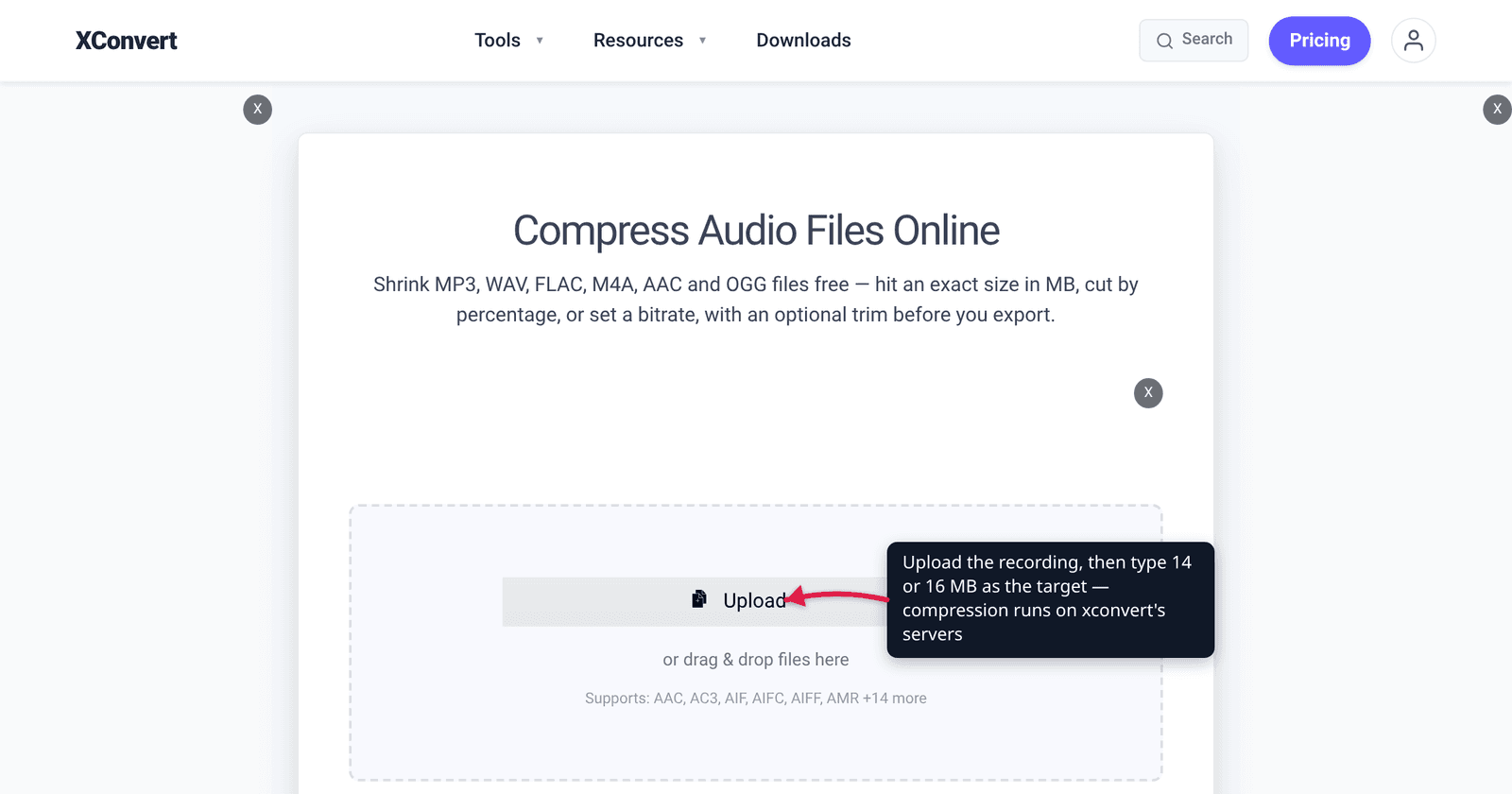
Two numbers dominate the “compress audio to X” searches, and they aren’t round: 16 MB and 14 MB. Sixteen is a real published limit. Fourteen isn’t a limit at all — it’s the safety margin that tools and forum answers settled on because a file that squeaks in at 15.9 MB has a habit of arriving at 16.1. Unlike video or GIF, audio size is genuinely predictable, so you can work out in advance whether your recording can reach either number and what it will sound like when it does.
Quick answer: Audio file size is bitrate × duration, so the bitrate you need is
target MB × 8000 ÷ duration in seconds. A 30-minute recording needs about 71 kbps to fit 16 MB and 62 kbps to fit 14 MB — comfortable for speech. A 2-hour recording needs about 18 kbps, which MP3 handles badly. On xconvert.com/audio-compressor choose File Compression → Specific file size, type16or14with the MB unit, and the server back-solves the bitrate. And if your file simply won’t fit, remember you can send it on WhatsApp as a file attachment instead — that route goes up to 2 GB. You just lose the in-chat player.
Jump to a section
- Where 16 MB comes from — and where it doesn’t
- Why tools target 14 MB instead
- The bitrate your recording actually needs
- When the math says no
- Compress audio to 16 or 14 MB on xconvert
- FAQ
Where 16 MB comes from — and where it doesn’t
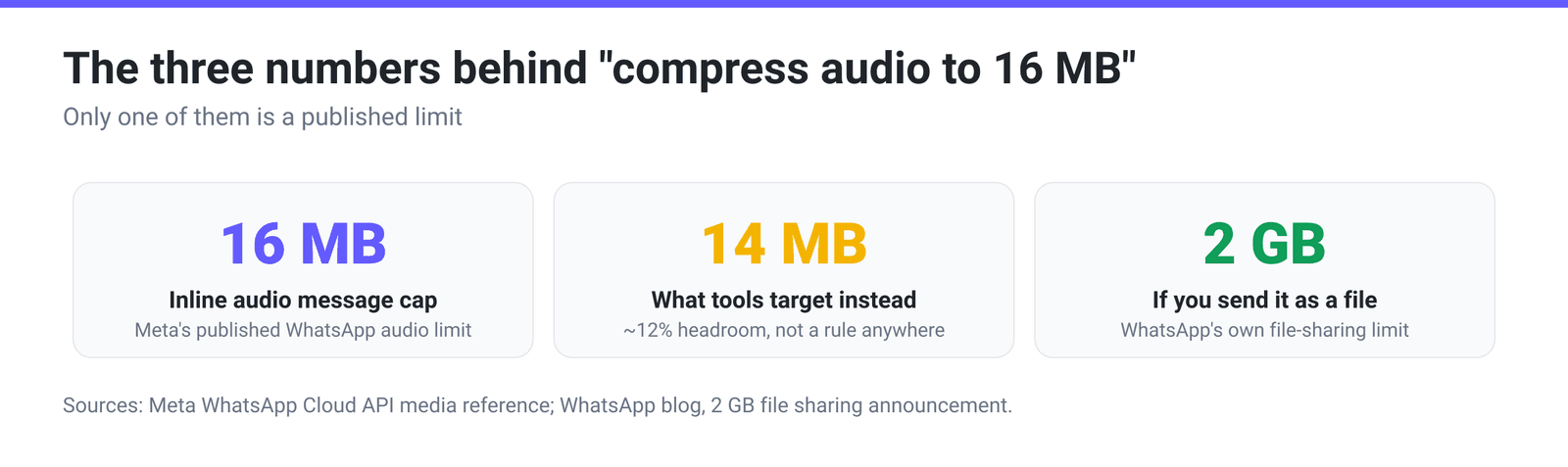
16 MB is WhatsApp’s audio number. Meta’s own WhatsApp Cloud API media reference publishes the limits directly: audio (AAC, AMR, MP3, MP4 Audio, OGG Audio) — 16 MB. Video is also 16 MB, images 5 MB, documents 100 MB. That is the cap on a media message — the thing that arrives in the chat as a playable bubble with a waveform and a play button.
Here’s the part that changes the problem, though. WhatsApp announced in 2022 that “you can now send files within WhatsApp up to 2GB in size at a time, protected by end-to-end encryption” — up from 100 MB. So a 300 MB lecture recording is perfectly sendable on WhatsApp. It just arrives as a file to download and open in a player, not as an inline audio message.
So the honest framing of the whole 16 MB problem is this: you are not compressing to make the file sendable. You are compressing to keep the in-chat player. If the recording is long enough that 16 MB would destroy it, attaching it as a file is a better outcome than a watery 18 kbps MP3.
One more caveat worth stating plainly: 16 MB is what Meta documents for its own WhatsApp platform. Other places that hand you a 16 MB number — an LMS, a forum, a submission portal — have their own reasons, and you should check whether they mean 16,000,000 bytes or 16,777,216. Which brings us to the second number.
Why tools target 14 MB instead
Nothing publishes a 14 MB limit. It’s a margin, and there are three good reasons a tool or a how-to would default to it rather than to 16.
MB is ambiguous, and the two readings differ by 5%. 16 MB read as decimal megabytes is 16,000,000 bytes; read as binary mebibytes it’s 16,777,216. A tool that aims at 16 in the wrong convention overshoots by 777,216 bytes. Aiming at 14 makes the question moot.
Encoders don’t land exactly where you asked. Bitrate-derived targets are estimates: variable-bitrate encoding, the container’s own headers, and per-frame padding all move the final byte count a little. A target with no headroom is a target you’ll sometimes miss.
Tags and artwork ride along after the encode. ID3 tags are small, but embedded cover art is not — a single high-resolution album image can add a megabyte or more to an MP3 after the audio has been encoded to the size you asked for. That alone can push a 15.8 MB file over 16.
14 MB leaves about 12% headroom against a 16 MB ceiling, which absorbs all three. It is a convention, not a rule — if you know your file has no artwork and you’re confident about the byte convention, 15 MB is fine.
The bitrate your recording actually needs
Audio is the well-behaved case. Size really is bitrate × duration, so you can compute the answer instead of guessing at it:
bitrate (kbps) = target MB × 8000 ÷ duration in seconds| Recording length | To fit 16 MB | To fit 14 MB | What that bitrate sounds like |
|---|---|---|---|
| 10 minutes | 213 kbps | 187 kbps | Full stereo music quality; nothing to worry about |
| 20 minutes | 107 kbps | 93 kbps | Fine for stereo music, excellent for speech |
| 30 minutes | 71 kbps | 62 kbps | Comfortable for speech in mono; thin for music |
| 45 minutes | 47 kbps | 42 kbps | Clearly compressed music; speech still clean in mono |
| 1 hour | 36 kbps | 31 kbps | Speech-only territory. Go mono and drop the sample rate |
| 90 minutes | 24 kbps | 21 kbps | At the edge of what MP3 does well |
| 2 hours | 18 kbps | 16 kbps | Below MP3’s comfortable floor — see the next section |
Two notes on reading this table. First, these are exact arithmetic from the formula, not measurements — your actual file will land close but not identical, which is the whole reason for the 14 MB margin. Second, the Constant Bitrate dropdown offers fixed rungs (8, 16, 24, 32, 40, 48, 64, 80, 96 kbps and up), so picking from it means rounding down and wasting budget: a 30-minute file needing 62 kbps drops to the 48 kbps rung and comes out around 11 MB instead of 14. Specific file size mode avoids that — the page’s own description is that “our servers read the file’s duration and back-solve the bitrate that lands at or just under the target.”
When the math says no
If the table put you at 24 kbps or below, MP3 is the wrong tool and there are four things to try, in order of how much they cost you.
Go mono. Set Audio Channel to MONO. For a lecture, interview, voice memo or call recording there is nothing in the second channel worth keeping, and a stereo source encoded as mono buys you roughly a doubling of effective quality at the same bitrate. This is the cheapest win on the page and most people never touch it.
Drop the sample rate. Audio Sample Rate offers 8000, 12000, 16000, 24000, 44100 and 48000 Hz. Speech lives almost entirely below 8 kHz, so a 16000 Hz sample rate keeps every consonant while removing bandwidth the encoder was spending bits on. Leave music at 44100.
Trim instead of crushing. Trim → Start time / Duration cuts the recording before it’s encoded. Twenty minutes of the meeting that actually matters, at 96 kbps, beats two hours of it at 18. If you need the whole thing, splitting it into two files under the cap is better than one unlistenable one.
Change codec. MP3 was standardised in the early 1990s and it degrades badly at very low bitrates. Opus, by contrast, was designed for exactly this range: RFC 6716 states it “scales from low bitrate narrowband speech at 6 kbit/s to very high quality stereo music at 510 kbit/s,” and identifies 16–20 kbit/s as an operating point for wideband speech and 28–40 kbit/s for fullband speech. Those are the numbers the 90-minute and 2-hour rows need. Audio File Extension on the compressor includes OPUS, OGG and AAC alongside MP3 — but check the destination accepts them, because MP3’s advantage was never quality, it was that everything plays it.
For the full derivation of the size formula and worked examples at other targets, see how to compress audio to a target size.
Compress audio to 16 or 14 MB on xconvert
- Open xconvert.com/audio-compressor and click Upload, or drag your recording in.
- Open Advanced Options. Audio File Extension defaults to MP3 — keep it unless the destination definitely accepts something better.
- Under File Compression, switch from the default File Size Percentage (which starts at 80) to Specific file size. Type
14— or16if you’re confident about the byte convention and there’s no embedded artwork — and leave the unit dropdown on MB. - For speech, set Audio Channel to MONO and Audio Sample Rate to 16000 HZ before you compress. Both raise the quality you get at whatever bitrate the target implies.
- If the recording is longer than the target can carry, use Trim → Start time / Duration to keep the part that matters instead of degrading all of it.
- Click Compress and download, then check the byte count before you send it.
Your file uploads over an encrypted connection, is processed on our servers, and is deleted automatically a few hours later — nothing stays around. The video side of the same 16 MB ceiling is covered in the best video format for WhatsApp.
FAQ
Is WhatsApp’s audio limit really 16 MB?
For an inline audio message — the playable bubble in the chat — 16 MB is the figure Meta publishes for audio on its own WhatsApp platform, alongside 16 MB for video, 5 MB for images and 100 MB for documents. But WhatsApp also states that files can be sent “up to 2GB in size at a time,” so a larger recording is still sendable; it just arrives as a file to download rather than something that plays in the conversation.
Why do compressors default to 14 MB instead of 16?
Headroom, for three reasons: “MB” can mean 16,000,000 or 16,777,216 bytes depending on who’s counting; encoders land near a bitrate target rather than exactly on it; and ID3 tags — especially embedded cover art — are added after the audio is encoded and can push a file over. About 12% of margin absorbs all three. No platform publishes a 14 MB rule.
What bitrate do I need to fit an hour of audio into 16 MB?
About 36 kbps — from 16 × 8000 ÷ 3600. For 14 MB it’s about 31 kbps. That’s speech-only territory for MP3: set Audio Channel to MONO and Audio Sample Rate to 16000 Hz and an hour of talking will be perfectly intelligible. It is not enough for music.
My file came out at 16.2 MB even though I asked for 16. Why?
Almost certainly tags or artwork added after the encode, or a mismatch between decimal MB and binary MiB. Re-run with a 14 MB target, or strip the embedded cover image. This is exactly the failure mode the 14 MB convention exists to prevent.
Should I use MP3, AAC or Opus for a very long recording?
By quality at low bitrate, Opus wins decisively — the RFC that defines it gives 16–20 kbit/s for wideband speech and 28–40 kbit/s for fullband speech as sensible operating points, which is where a two-hour file has to live. AAC sits between the two. MP3’s advantage is only that everything plays it. Choose by destination: if you control the player, use Opus; if you’re sending it to someone unknown, stay on MP3 and shorten the recording instead.
Does converting stereo to mono actually halve the file?
Not automatically — the file size is set by the bitrate you choose, not by the channel count. What mono buys you is the same bitrate spent on one channel instead of two, so the quality at a fixed target size improves substantially. For speech that’s close to a free doubling; for music you’ll lose the stereo image, so only do it when the recording is a voice.
Sources
Last verified 2026-08-31.
- Meta — WhatsApp Cloud API media reference — published media limits: audio (AAC, AMR, MP3, MP4 Audio, OGG Audio) 16 MB; video 16 MB; image 5 MB; document 100 MB; stickers 500 KB animated / 100 KB static.
- WhatsApp Blog — Reactions, 2GB File Sharing, 512 Groups — “you can now send files within WhatsApp up to 2GB in size at a time, protected by end-to-end encryption,” up from the previous 100 MB.
- IETF RFC 6716 — Definition of the Opus Audio Codec — Opus “scales from low bitrate narrowband speech at 6 kbit/s to very high quality stereo music at 510 kbit/s”; operating points of 16–20 kbit/s for wideband speech, 28–40 kbit/s for fullband speech, 48–64 kbit/s for fullband mono music.
- xconvert audio compressor — live tool; verified the controls and defaults named above: Audio File Extension (default MP3; AAC, AC3, AIF, AIFC, AIFF, AMR, AU, FLAC, M4A, M4B, OGA, OGG, OPUS, WAV, WEBA, WMA and Same as source also available); File Compression → File Size Percentage (default, starting at 80) / Specific file size (B / KB / MB, MB preselected) / Custom Bitrate / Constant Bitrate (8–384 kbps rungs, 64 kbps preselected) / Variable Bitrate — five modes in all; Audio Channel (ORIGINAL / MONO / STEREO); Audio Sample Rate (ORIGINAL / 8000 / 12000 / 16000 / 24000 / 44100 / 48000 HZ); Trim (default Unchanged). The size-target behaviour is quoted from the live page.
- Arithmetic — every bitrate figure in the table is
target MB × 8000 ÷ duration in seconds, using MB as 1,000,000 bytes, computed rather than measured.