 By Stephanie Taylor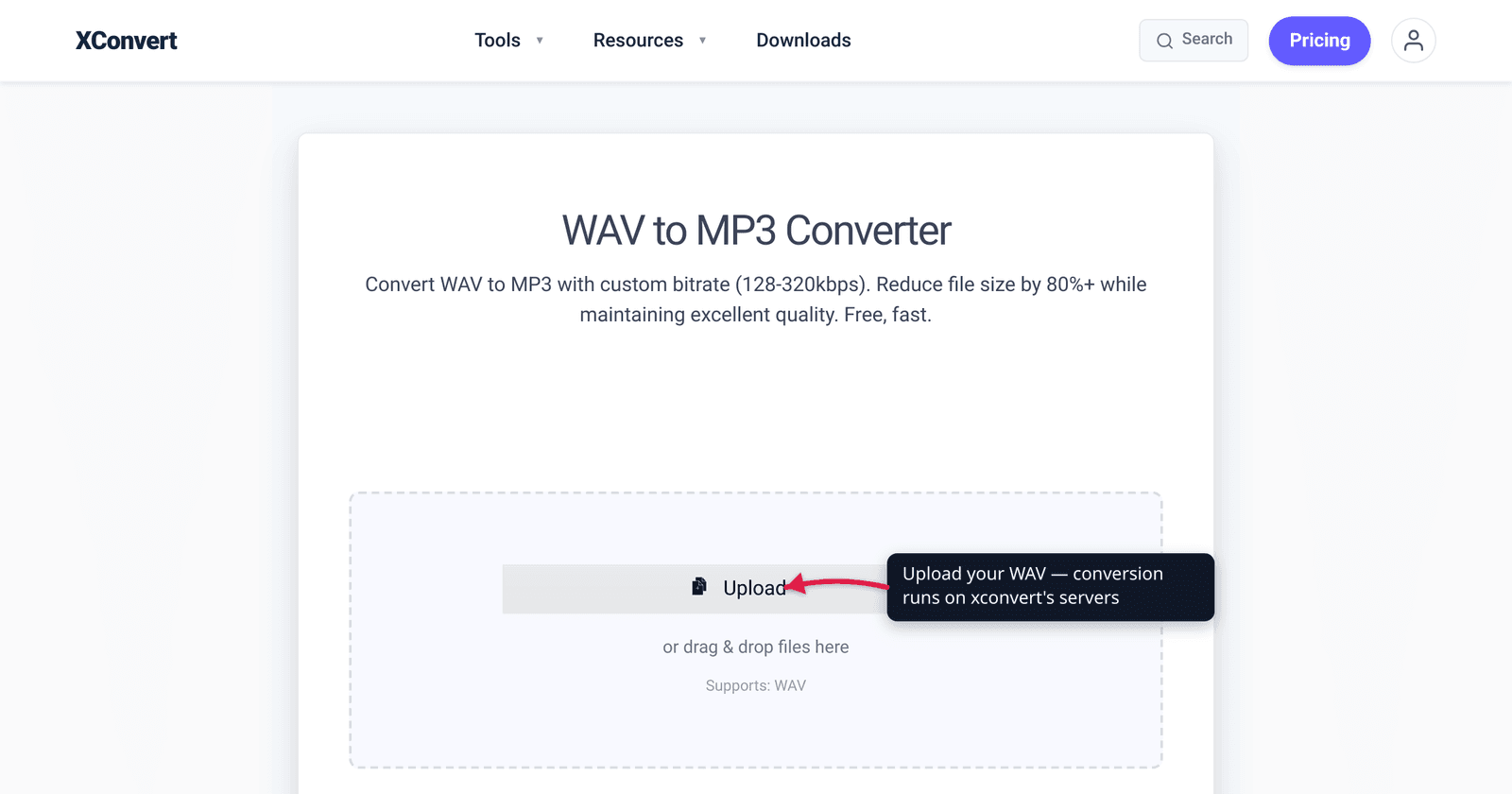
A three-minute song recorded as a WAV file is about 30 MB; the same song as a 320 kbps MP3 is about 7 MB, and most people can’t hear the difference. That gap is why “convert WAV to MP3” is one of the most common audio tasks there is — and also why it’s the wrong move in a few specific situations. WAV is uncompressed PCM (gloriously big and pristine); MP3 is lossy (much smaller, with a quality cost you usually can’t hear). This guide shows you exactly when the size win is worth it and when you should keep the WAV — and how to do the conversion. We verified the file-size math, the codec facts, and the bitrate ceilings against the standards and MDN.
Quick answer: Convert WAV to MP3 when the file is leaving your editing chain — emailing it, uploading it, fitting it on a phone, sharing with anyone. At 320 kbps the loss is inaudible to almost everyone, and the file shrinks to roughly a fifth to a quarter of the WAV’s size (about 10× smaller at 128 kbps). Keep the WAV when you’ll master, archive, or edit the audio further — MP3 throws away data permanently, and you can’t get it back by converting an MP3 to WAV. Rule of thumb: edit in WAV, ship in MP3.
Jump to a section
- WAV vs MP3: what’s actually different
- How much smaller does MP3 make it?
- When you SHOULD convert WAV to MP3
- When you should NOT — keep the WAV
- Pick a bitrate
- Convert WAV to MP3 on xconvert
- FAQ
WAV vs MP3: what’s actually different
These aren’t two flavors of the same thing — they sit at opposite ends of the compression spectrum.
- WAV is a container that almost always holds uncompressed linear PCM — the raw, sample-by-sample digital representation of the sound, with no compression at all. CD-quality WAV is 44.1 kHz, 16-bit, stereo. Because nothing is thrown away or squeezed, it’s the cleanest possible copy — and the biggest. Its size is pure arithmetic:
sample rate × bit depth × channels. - MP3 — formally MPEG-1 Audio Layer III, standardized as ISO/IEC 11172-3 in 1993 — is a lossy codec. It uses a model of human hearing (auditory masking: loud sounds hide nearby quiet ones) to permanently discard audio data you’re unlikely to perceive, then compresses what’s left. The result is dramatically smaller and, at a high enough bitrate, indistinguishable from the original to most ears.
The key word is permanent. WAV→MP3 is a one-way door: the data MP3 discards is gone. Converting that MP3 back to WAV gives you a big file again, but not the original quality — you can’t un-discard what was thrown away.
One thing you don’t lose by converting: compatibility. MP3 plays essentially everywhere — browser support is ~97% globally (every modern Chrome, Edge, Firefox, and Safari), plus every phone, car stereo, and media player made this century. WAV is widely supported too, but MP3 is the universal “just works” format for sharing.
How much smaller does MP3 make it?
The size win is the whole reason to convert, and it’s large. Here’s the math, using CD-quality stereo audio.
Uncompressed WAV runs at a fixed bitrate of 1,411 kbps (44,100 samples/sec × 16 bits × 2 channels = 1,411,200 bits/sec). That works out to roughly 10 MB per minute, or about 600 MB per hour.
An MP3 runs at whatever bitrate you choose. Compared to WAV’s 1,411 kbps:
| Format & bitrate | Bitrate | ~Size, 3-min track | vs WAV |
|---|---|---|---|
| WAV (PCM, CD quality) | 1,411 kbps | ~30 MB | baseline |
| MP3 320 kbps | 320 kbps | ~7 MB | ~4.4× smaller |
| MP3 256 kbps | 256 kbps | ~5.7 MB | ~5.5× smaller |
| MP3 192 kbps | 192 kbps | ~4.3 MB | ~7× smaller |
| MP3 128 kbps | 128 kbps | ~2.9 MB | ~11× smaller |
So MP3 at 320 kbps — the highest standard MP3 bitrate, and the quality-safe choice — gives you a file roughly a quarter the size of the WAV. Drop to 128 kbps and you’re at about a tenth the size, at the cost of audible compression on critical listening. For the trade-offs between those rungs, see MP3 bitrate: 128 vs 256 vs 320.
When you SHOULD convert WAV to MP3
Convert to MP3 whenever the audio is leaving your production chain and heading out into the world. The size and compatibility win almost always beats the inaudible quality cost:
- Sharing or sending. Emailing a track, posting it, sending a voice recording — a 30 MB WAV becomes a 7 MB MP3 that clears attachment limits and uploads faster.
- Storage on a device. Filling a phone or an old MP3 player with WAV burns space ~5–10× faster than MP3 for the same listening.
- Universal playback. If you don’t know what device will play it, MP3 is the safest bet — it plays on essentially everything.
- Podcasts and casual distribution. Spoken-word and most listening contexts don’t need the last sliver of fidelity that WAV preserves.
- Building a portable library. Ripped CDs or exported mixes you just want to listen to, not edit, belong in MP3 (or another efficient format).
In all of these, encode at a high bitrate (320 kbps, or 256) and the loss is, for practical purposes, invisible.
When you should NOT — keep the WAV
There are real cases where converting to MP3 is a mistake. The common thread: you’ll process the audio again, or you can never afford to lose quality.
- Mastering and mixing. The standard advice from audio engineers is to record, mix, and master in WAV and only export to MP3 at the very end, for distribution. Never put a lossy file into your production chain. (Why lossless matters for the master.)
- Archival / master copies. Storage is cheap; lost quality is permanent. Keep your original recordings and project masters as WAV (or another lossless format) so you always have a pristine source to re-export from.
- Further editing. Each lossy re-encode degrades the audio — editing an MP3, exporting, editing again, exporting again stacks the damage (“generation loss”). Edit the WAV, export MP3 once at the end.
- You’ll need lossless later. Mailing audio to a label, mastering house, or sync-licensing client? They’ll want the WAV. You can always make an MP3 from a WAV — you can’t make a true WAV from an MP3.
If your only problem with the WAV is its size but you still need lossless quality, don’t convert to MP3 — compress the WAV losslessly to FLAC instead (same audio, ~40–60% smaller), or shrink the WAV itself. See How to compress a WAV file for the lossless-vs-lossy decision.
Pick a bitrate
MP3 tops out at 320 kbps (the maximum standard MPEG-1 Layer III rate). For the WAV→MP3 step: 320 kbps is the quality-safe default — perceptually transparent to almost all listeners, yet still ~4× smaller than the WAV, so it’s the no-regret pick for music. 256 kbps is excellent and a bit smaller; 192 kbps suits podcasts and casual music; 128 kbps is the smallest common rung (~10× smaller than WAV), fine for spoken word but audibly compressed for detailed music. For the full breakdown, see understanding audio bitrate and sample rate.
Convert WAV to MP3 on xconvert
The xconvert WAV to MP3 converter runs the conversion on our servers, with control over the bitrate so you can apply the framework above:
- Open xconvert.com/convert-wav-to-mp3 and click Upload (or drag & drop) to add your WAV file.
- Open Advanced Options (the gear icon) to control the output.
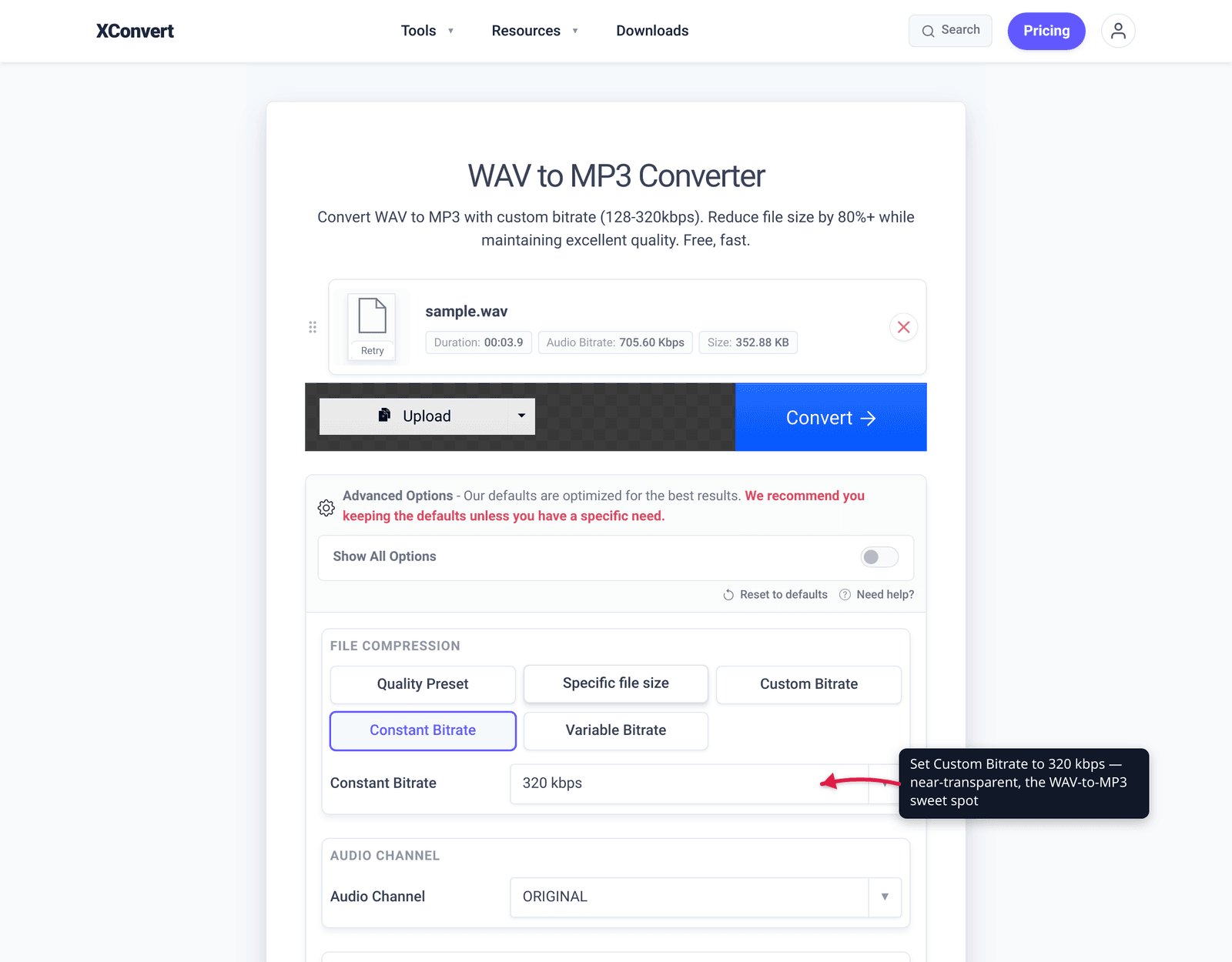
- Set the Quality Preset — leave it on Highest for transparent quality, or choose a lower preset for a smaller file. To dial it in by hand, use Custom Bitrate with Constant Bitrate or Variable Bitrate (e.g. 320, 256, or 128 kbps).
- (Optional) Use Specific file size if you need the MP3 to land under a hard limit, or adjust Audio Sample Rate / Audio Channel — leave both on ORIGINAL to preserve the source.
- Click Convert, then download your MP3 (individually, or grab everything as a ZIP for batches).
Your WAV uploads over an encrypted connection, is processed on our servers, and is automatically deleted a few hours later. Nothing stays around.
Need the reverse, or a different target? MP3 vs WAV vs FLAC compares all three, and How to compress a WAV file covers the lossless route when you must keep full quality.
FAQ
Does converting WAV to MP3 reduce quality?
Yes — MP3 is lossy, so some audio data is permanently discarded. But at a high bitrate (320 kbps) the loss is inaudible to almost everyone, because MP3 only throws away sound you’re unlikely to perceive. For sharing and listening, the quality cost is effectively invisible; for mastering or archiving, keep the WAV.
How much smaller is an MP3 than a WAV?
A lot. CD-quality WAV runs at a fixed 1,411 kbps (~10 MB/minute). A 320 kbps MP3 is roughly 4–4.5× smaller, and a 128 kbps MP3 is about 10× smaller. A 30 MB, 3-minute WAV becomes about 7 MB at 320 kbps or under 3 MB at 128 kbps.
Can I convert MP3 back to WAV to recover the quality?
No. Converting an MP3 to WAV gives you a large file again, but the audio data MP3 discarded is gone for good — the WAV will just be a bigger copy of the already-lossy sound. Always keep your original WAV if you’ll ever need true lossless quality.
Should I use WAV or MP3 for mastering?
WAV. Audio engineers record, mix, and master in WAV (or another lossless format) and only export to MP3 at the very end for distribution. Putting a lossy MP3 into your production chain bakes in compression artifacts and compounds them with each re-encode. Master in WAV; ship in MP3.
Is WAV always better quality than MP3?
WAV is an exact, uncompressed copy, so it’s never worse than the source — but a 320 kbps MP3 is perceptually transparent to most listeners, meaning you usually can’t hear WAV’s advantage. The difference matters for editing, mastering, and archiving (where you can’t afford any loss), not for everyday listening.
Is FLAC a better choice than MP3 for shrinking a WAV?
It depends on whether you can accept any quality loss. FLAC is lossless — it shrinks a WAV by ~40–60% with zero quality change, perfect when you need a smaller file but a perfect copy. MP3 is lossy — much smaller still, but with a (usually inaudible) quality cost. For listening and sharing, MP3 wins on size and compatibility; for a backup that must stay pristine, choose FLAC. See MP3 vs WAV vs FLAC.
Sources
Last verified 2026-06-25.
- MDN — Web audio codec guide — MP3 is lossy; supported bitrates 32–320 kbps (320 kbps maximum); near-universal browser support; MP3 patents expired.
- caniuse — MP3 audio format — ~97% global browser support across Chrome, Edge, Firefox, and Safari.
- ISO/IEC 11172-3:1993 — the standard defining MPEG-1 Audio (including Layer III / MP3) as a lossy coding format.
- PCM/WAV bitrate math: 44,100 Hz × 16-bit × 2 channels = 1,411,200 bps (1,411 kbps) ≈ 10 MB/minute — derived from the linear-PCM size formula (sample rate × bit depth × channels), the definition of uncompressed WAV.