 By Stephanie Taylor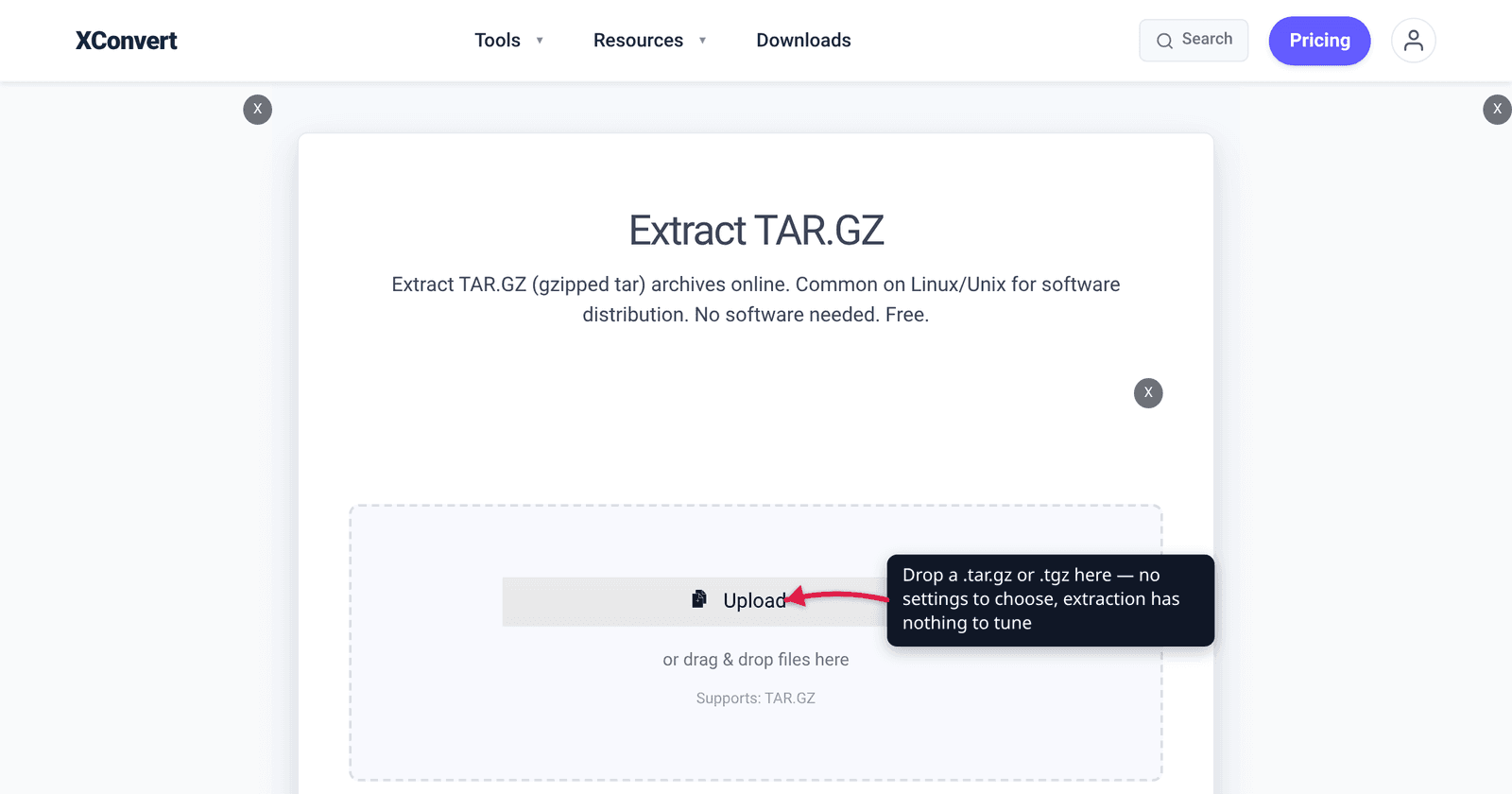
You download a release from GitHub and get project-2.4.1.tar.gz. The mirror offers project-2.4.1.tar.xz too, and something called .tgz, and further down the page a .tbz2. They look like four different formats. They are not: they are one format with three different squeezers bolted on, and one of them is just a nickname. Once you see the two-layer structure, every Linux archive ending decodes itself — and the differences that actually matter (why you cannot pull one file out of a .tar.gz, why xz can refuse to open on a small machine) stop being mysterious.
Quick answer:
.taris an archive — it glues many files into one stream and compresses nothing..gz,.bz2and.xzare compressors — each squeezes a single stream and knows nothing about files. Stack them and you get.tar.gz(tar + gzip),.tar.bz2(tar + bzip2),.tar.xz(tar + xz). The short forms are the same thing with a shorter name:.tgz=.tar.gz(gzip’s own man page says so),.tbz2/.tbz=.tar.bz2,.txz=.tar.xz. Practical ranking: gzip for maximum compatibility and speed, xz for the smallest file at a real cost in time and RAM, bzip2 mostly for older archives you have been handed.
Jump to a section
- Two layers, not one
- Every ending you will actually meet, decoded
- Why a .tar.gz behaves nothing like a .zip
- gzip vs bzip2 vs xz: what you are trading
- Extract a TAR.GZ, TGZ or TAR.XZ on xconvert
- FAQ
Two layers, not one
Layer one — the archiver. tar (short for tape archive) walks a directory tree and writes every file, plus its name, permissions, ownership and timestamps, into one continuous stream. It does no compression at all. A .tar of a folder is roughly the size of the folder.
Layer two — the compressor. gzip, bzip2, xz and zstd each take one stream of bytes and make it smaller. None of them understands files, directories or permissions. RFC 1952, which defines the gzip file format, is explicit that it “can compress or decompress a data stream (as opposed to a randomly accessible file) to produce another data stream.”
Put them together and the naming falls out of the pipeline. GNU tar’s own compression options say it plainly: -z / --gzip “Filter the archive through gzip”, -j / --bzip2 through bzip2, -J / --xz through xz. So tar czf archive.tar.gz . builds the tar stream and pipes it through gzip — hence two extensions, in the order the work happened.
This is also why the two halves show up alone. A bare .gz is one compressed file with no archive inside it (data.csv.gz is just data.csv, smaller). A bare .tar is a bundle nobody compressed — common when the contents are already-compressed media, where a second squeeze would gain nothing.
Every ending you will actually meet, decoded
| Ending | Same thing as | What it actually is | Standard command |
|---|---|---|---|
.tar | — | Archive of many files, no compression | tar xf |
.gz | — | One gzip-compressed stream, not an archive | gunzip |
.tar.gz | .tgz (and .taz, contested — see below) | tar archive filtered through gzip | tar xzf |
.tgz | .tar.gz | Shorthand — gunzip “recognizes the special extensions .tgz and .taz as shorthands for .tar.gz and .tar.Z” | tar xzf |
.bz2 | — | One bzip2-compressed stream | bunzip2 |
.tar.bz2 | .tbz2, .tbz, .tz2 | tar archive filtered through bzip2 | tar xjf |
.xz | — | One xz (LZMA2) stream | unxz |
.tar.xz | .txz | tar archive filtered through xz | tar xJf |
.zst / .tar.zst | .tzst | tar archive filtered through zstd | tar --zstd -xf |
.Z / .tar.Z | .taZ, and .taz per gzip | Legacy compress (LZW). GNU tar recommends against creating new ones | uncompress, gzip -d |
.zip, .7z, .rar | — | Archiver and compressor in one file format | unzip, 7z, unrar |
Two footnotes on the aliases. GNU tar’s --auto-compress documents the suffixes it maps to a compressor — .gz, .tgz, .taz, .bz2, .tz2, .tbz2, .tbz, .xz, .zst, .tzst, .Z, .taZ and the lzip/lzma/lzop set. You will also meet .tb2 in the wild for tar+bzip2, which is not in that documented list.
And the two tools disagree about .taz. gzip’s man page says gunzip “recognizes the special extensions .tgz and .taz as shorthands for .tar.gz and .tar.Z respectively” — so to gzip, .taz means the old compress format. GNU tar’s --auto-compress table maps .taz to gzip and reserves .taZ (capital Z) for compress. Both are current documentation; they simply resolve the same suffix differently. In practice this costs you nothing, for the reason below: tar sniffs the file rather than trusting the name. But if you are writing a script that dispatches on the extension alone, .taz is the one suffix you should not guess at. None of it usually matters, because tar identifies compression by signature — the magic bytes at the start of the file — and only falls back to the suffix if that fails. In practice tar xf whatever just works.
Why a .tar.gz behaves nothing like a .zip
Both give you “one file containing many files,” so people assume they are interchangeable. Structurally they are opposites, and three consequences follow.
.tar.gz / .tar.xz | .zip | |
|---|---|---|
| What gets compressed | The whole tar stream, as one solid block | Each entry, separately |
| Index | None — you read from the start | A central directory at the end of the file |
| Pull out one file | Must decompress everything up to it | Seek straight to that entry |
| Add or delete a member later | Not possible without rebuilding | Supported |
| Damage in the middle | Everything after it is likely lost | Usually only that entry is lost |
The ZIP layout is right there in PKWARE’s own specification: a local file header and data for each file in turn, then a central directory at the end, with every entry carrying its own compression method, CRC-32 and compressed/uncompressed sizes. That per-entry independence is what buys random access.
A .tar.gz has none of that, and GNU tar states the fallout directly: “compressed archives cannot be modified, i.e., you cannot update (--update) them or delete (--delete) members from them or add (--append) members to them.” The manual is equally blunt about damage: “Compressed archives are easily corrupted, because compressed files have little redundancy… If you lose a few blocks, the dynamic construction of the compression tables becomes unsynchronized, and there is little chance that you could recover later in the archive.”
The upside of the solid stream is compression ratio. Because gzip sees the whole tar as one continuous run of bytes, redundancy between files — a thousand near-identical source files, repeated boilerplate headers — gets compressed away. ZIP, compressing each entry in isolation, cannot exploit that. This is exactly why source releases ship as tarballs and why a folder of small text files is usually meaningfully smaller as .tar.gz than as .zip.
gzip vs bzip2 vs xz: what you are trading
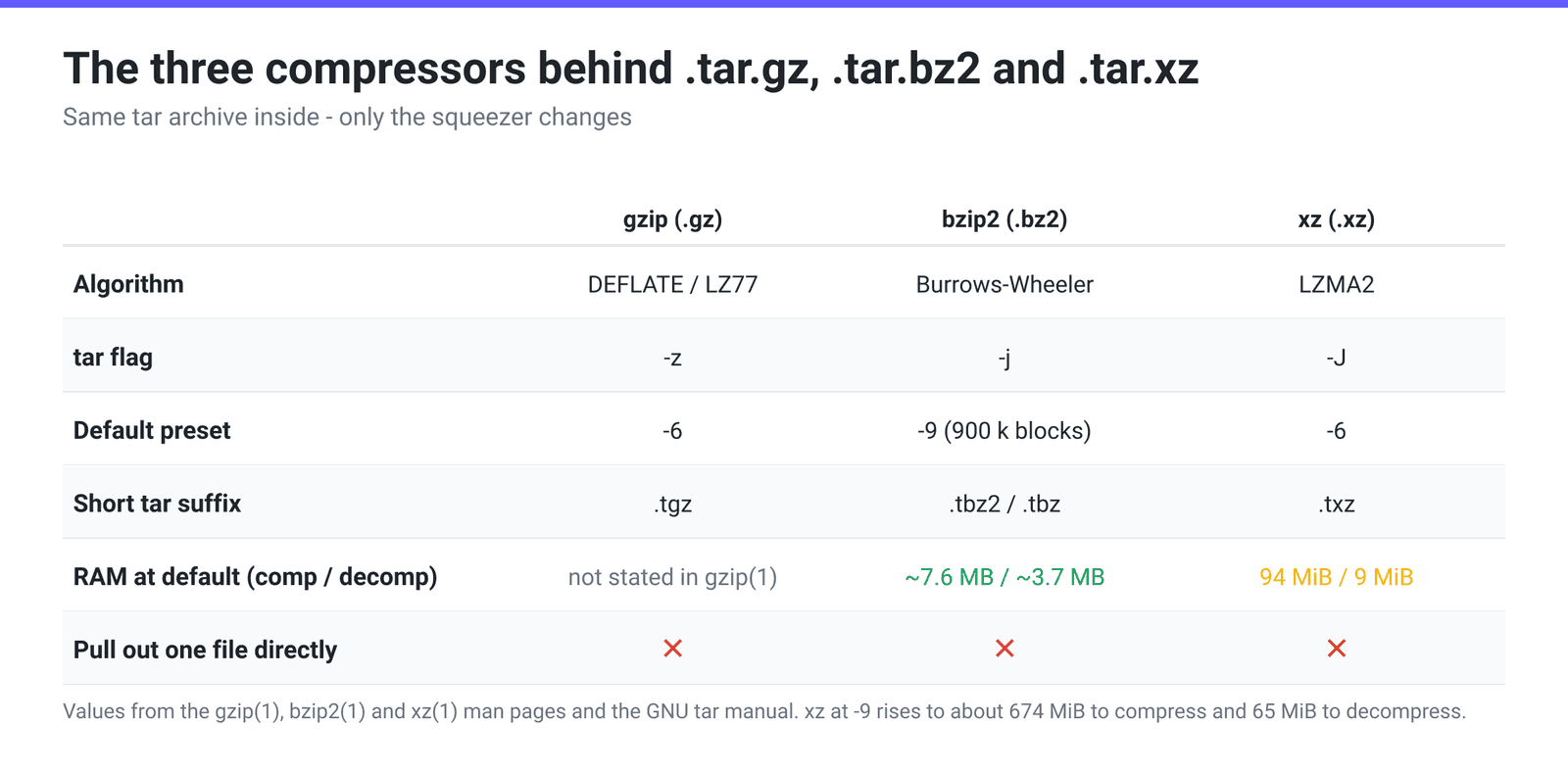
gzip uses “Lempel-Ziv coding (LZ77)” per its man page — DEFLATE, standardised in RFC 1951 with the file wrapper in RFC 1952. Its default level is -6, and the man page’s own rule of thumb is that “text such as source code or English is reduced by 60-70%.” It is the safest choice by a distance: every system that can open an archive at all can open a .tar.gz.
bzip2 compresses “using the Burrows-Wheeler block sorting text compression algorithm, and Huffman coding,” in blocks of 100 k to 900 k bytes, with 900 k (-9) as the default. Its numbers are modest and predictable: roughly 400 k + 8 × block size to compress, so about 7.6 MB at the default, and “for files compressed with the default 900 k block size, bunzip2 will require about 3700 kbytes to decompress.” It is also the only one of the three that ships a dedicated salvage tool, bzip2recover, for pulling undamaged blocks out of a broken file.
xz uses LZMA2 and generally produces the smallest of the three, but the man page is unusually candid about the price. The default preset is -6. “The selected compression settings determine the memory requirements of the decompressor, thus using a too high preset level might make it painful to decompress the file on an old system with little RAM. Specifically, it’s not a good idea to blindly use -9 for everything like it often is with gzip(1) and bzip2(1).” The published table backs that up: -6 needs about 94 MiB to compress and 9 MiB to decompress, while -9 needs about 674 MiB to compress and 65 MiB to decompress. That is roughly a hundred times bzip2’s compression footprint for a single-digit-percent gain on many inputs.
The practical rule: ship .tar.gz unless something specific says otherwise. Reach for .tar.xz when the file is large, downloaded many times, and compressed once — the classic source-tarball case. Treat .tar.bz2 as a format you receive rather than one you create.
Extract a TAR.GZ, TGZ or TAR.XZ on xconvert
If you are on Windows without 7-Zip, on a locked-down machine, or just do not want to install anything, you can unpack the archive in the browser instead of at a shell:
- Open xconvert.com/extract-tar.gz — the page is titled Extract TAR.GZ and shows Supports: TAR.GZ under the drop zone.
- Drag your archive onto the drop zone, or click Upload (From my Computer, Google Drive or Dropbox).
- There are no settings to choose. Extraction has no quality or ratio to tune — Advanced Options stays empty on this page by design.
- Click Extract, then pull individual files, whole subfolders, or the complete unpacked archive.
Have a different ending? There are dedicated pages for .tgz, .tar, .tar.xz, .tar.bz2, .zip and .7z — or use Extract Archive, which accepts 7z, rar, tar, tar.bz2, tar.gz, tar.xz, tb2, tgz, tz2 and zip and works out which it is.
Your file uploads over an encrypted connection, is extracted on our servers, and is deleted automatically a few hours later.
For the step-by-step version across Linux, macOS and Windows, see How to Extract a TAR.GZ / TGZ File. If you are choosing a format to create rather than open, ZIP vs RAR vs 7z covers the other family.
FAQ
Is .tgz the same as .tar.gz?
Yes, byte for byte. It is purely a naming convention from systems that only allowed a three-character extension. gzip’s man page states it outright: “gunzip also recognizes the special extensions .tgz and .taz as shorthands for .tar.gz and .tar.Z respectively.” Anything that opens one opens the other, and renaming between them changes nothing inside the file.
Why can’t I extract just one file out of a .tar.gz?
Because the compression wraps the entire archive as one stream, and gzip’s format offers no random access — RFC 1952 describes it as compressing “a data stream (as opposed to a randomly accessible file).” To reach file number 900 the tool has to decompress files one through 899 first. ZIP does not have this problem because each entry is compressed independently and indexed in a central directory at the end of the file.
Should I use tar.gz or tar.xz?
.tar.gz if anyone else has to open it, or if you are compressing repeatedly — it is universally supported and fast. .tar.xz if the archive is large, compressed once, and downloaded many times, and you can spare the time and memory. Note the xz man page’s warning against reflexively using -9: at that preset it wants roughly 674 MiB to compress and 65 MiB to decompress, which can genuinely fail on constrained machines.
What is a .gz file with no .tar in the name?
A single compressed file. access.log.gz decompresses to access.log and nothing else — there is no directory structure inside, because gzip never had one. If you decompress it and get one file rather than a folder, that is correct behaviour, not a broken download.
Can I add a file to an existing .tar.gz?
Not in place. GNU tar’s manual states that compressed archives “cannot be modified” — no --append, --update, --delete or --concatenate. You have to decompress to a plain .tar, add the member, and re-compress. Uncompressed .tar archives can be appended to, which is one of the few remaining reasons to keep one uncompressed.
My .tar.gz is corrupted — is any of it recoverable?
Partially, at best. GNU tar warns that with compressed archives “there is little chance that you could recover later in the archive” once blocks are lost. For gzip, the man page’s advice is zcat file > recovered to salvage everything up to the point of failure. bzip2 is the exception: it ships bzip2recover, which extracts the undamaged blocks from a broken .bz2 into separate files.
Sources
Last verified 2026-08-31.
- GNU tar manual — Creating and Reading Compressed Archives — the
-z/-j/-Jfilters, the--auto-compresssuffix list, and the “cannot be modified” and corruption warnings. - RFC 1952 — GZIP file format specification version 4.3 — gzip as a stream format with no random access; DEFLATE as the method.
- gzip(1) man page — LZ77, default level
-6, 60–70% typical text reduction, and.tgz/.tazas shorthands. - bzip2(1) man page — Burrows-Wheeler plus Huffman, 100 k–900 k block sizes, ~3700 kbytes to decompress at the default, and
bzip2recover. - xz(1) man page — LZMA2, default preset
-6, and the memory table (94 MiB / 9 MiB at-6; 674 MiB / 65 MiB at-9). - PKWARE APPNOTE.TXT 6.3.1 — .ZIP File Format Specification — per-entry local headers and the central directory at the end of the file.