 By James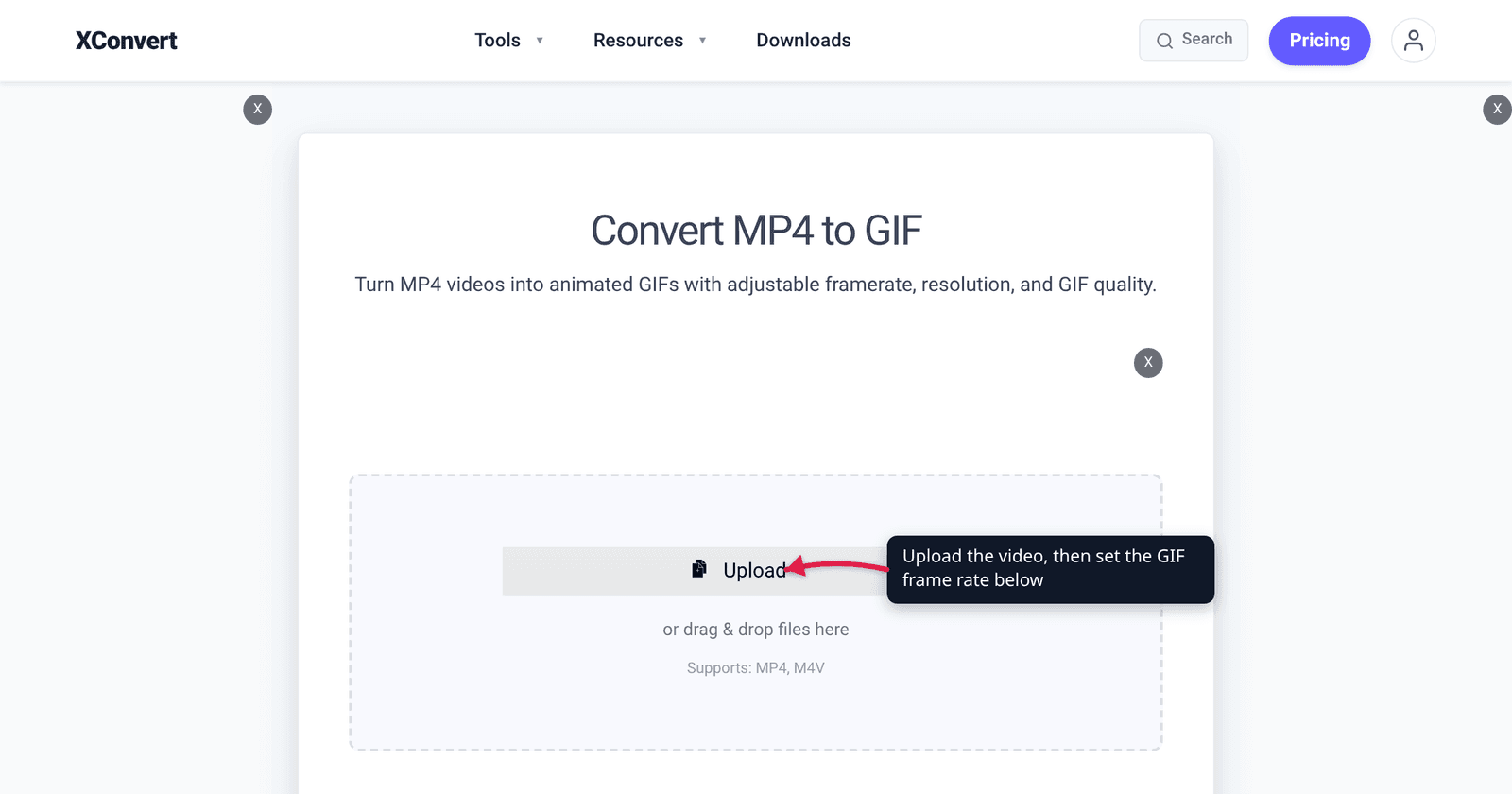
You have a buttery 60 fps screen recording and you want a GIF that looks just as smooth. Every converter tops out lower, and the one you land on preselects 10 FPS — which feels like it is throwing away five sixths of your footage. It is not a limitation the tools invented. GIF89a stores the pause between frames in hundredths of a second, and both Chrome and Firefox refuse to honour a delay of 10 ms or less, so the arithmetic runs out before it reaches 60. Here is what the format can actually represent, what browsers do to the rest, and why 10 FPS is the right default rather than a compromise.
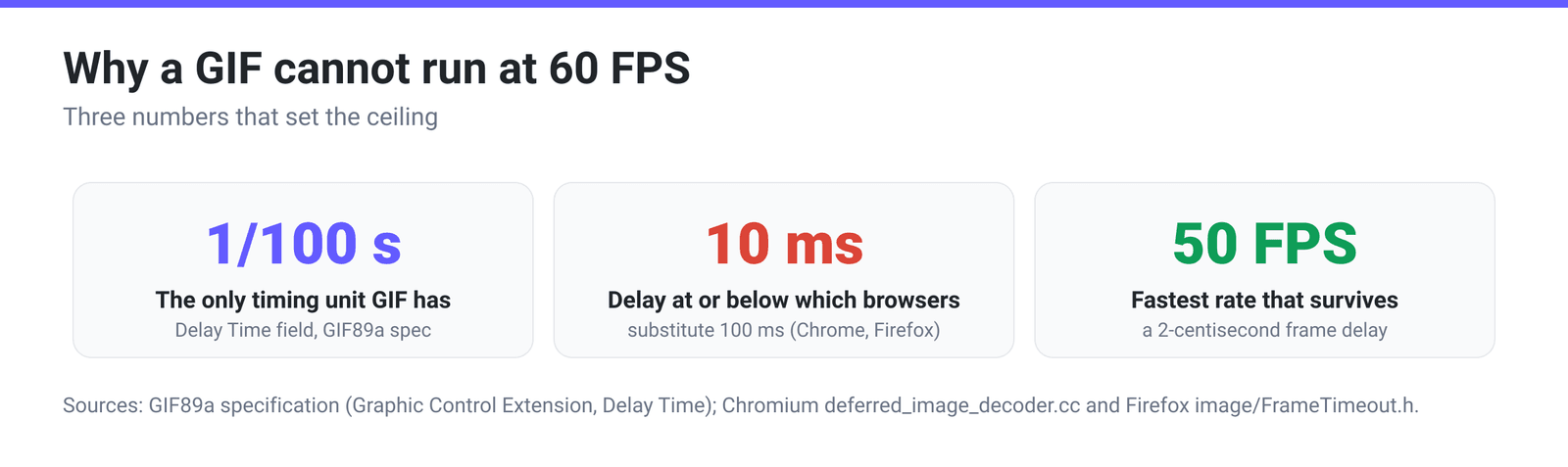
Quick answer: GIF does not store a frame rate. It stores a delay per frame, in hundredths of a second (GIF89a spec, Graphic Control Extension). So the only exactly-representable rates are 100 ÷ a whole number: 50, 25, 20, 12.5, 10, 5 fps and so on — 60 fps is not one of them. And the one delay that would give you 100 fps is dead on arrival: Chromium’s own source clamps any frame duration “<= 10 ms” to 100 ms, and Firefox does the same. 50 FPS is the practical ceiling, 10 FPS is both exactly representable and the browsers’ own fallback rate, and every frame you add is a whole extra image in the file.
Jump to a section
- GIF stores a delay, not a frame rate
- The 10 ms rule that kills fast GIFs
- Which frame rates are exactly representable
- Why 10 FPS is the recommended default
- Set the frame rate on xconvert
- FAQ
GIF stores a delay, not a frame rate
Nothing in a GIF file says “24 fps” or “60 fps.” Each frame carries a Graphic Control Extension, and inside it a two-byte field the specification describes like this:
“Delay Time – If not 0, this field specifies the number of hundredths (1/100) of a second to wait before continuing with the processing of the Data Stream.”
That is the whole timing model: an integer count of centiseconds before the next frame. Frame rate is something a player derives by dividing — 100 ÷ delay — and it is not required to be constant. Different frames in the same GIF can carry different delays, which is why a GIF can hold on a title card and then run fast.
Two consequences fall straight out of that integer. The finest step you can ask for is 1/100 s, so there is no way to express 16.67 ms (60 fps). And precision gets coarse fast at the top end: 1 cs on a 100 cs pause is a rounding error, but the difference between 2 cs and 3 cs is the difference between 50 fps and 33 fps.
The 10 ms rule that kills fast GIFs
If GIF can store a 1-centisecond delay, why is 100 fps not the ceiling? Because browsers deliberately refuse it. This is not folklore — it is in the rendering engines’ source code, with the reasoning attached.
Chromium, in deferred_image_decoder.cc:
“Many annoying ads specify a 0 duration to make an image flash as quickly as possible. We follow Firefox’s behavior and use a duration of 100 ms for any frames that specify a duration of <= 10 ms.”
Firefox, in image/FrameTimeout.h, normalises the same way — any raw timeout from 0 to 10 ms becomes 100 ms — and explains why:
“Very small timeout values are problematic for two reasons: we don’t want to burn energy redrawing animated images extremely fast, and broken tools generate these values when they actually want a ‘default’ value, so such images won’t play back right without normalization.”
So a GIF authored with a 1 cs delay does not play at 100 fps. In Chrome and Firefox it plays at 10 fps — a tenfold slowdown, silently. That single rule sets the real ceiling: the shortest delay that survives is 2 cs, which is 20 ms, which is 50 fps. It is also why the top entry in a well-built frame-rate list is 50, not 60 or 100.
Which frame rates are exactly representable
Because the delay is a whole number of centiseconds, a requested rate either divides 100 evenly or it gets rounded to a neighbour. Here is the whole picture for the rates people actually ask for:
| You ask for | Delay it needs | Whole centiseconds? | What actually plays |
|---|---|---|---|
| 100 fps | 10 ms (1 cs) | Yes | 10 fps — clamped by Chrome and Firefox |
| 60 fps | 16.67 ms | No | Not representable; rounds to 50 fps (2 cs) or 33.3 fps (3 cs) |
| 50 fps | 20 ms (2 cs) | Yes | 50 fps |
| 30 fps | 33.33 ms | No | 33.3 fps (3 cs) or 25 fps (4 cs) |
| 25 fps | 40 ms (4 cs) | Yes | 25 fps |
| 24 fps | 41.67 ms | No | 25 fps (4 cs) or 20 fps (5 cs) |
| 20 fps | 50 ms (5 cs) | Yes | 20 fps |
| 15 fps | 66.67 ms | No | 16.7 fps (6 cs) or 14.3 fps (7 cs) |
| 12 fps | 83.33 ms | No | 12.5 fps (8 cs) or 11.1 fps (9 cs) |
| 10 fps | 100 ms (10 cs) | Yes | 10 fps |
| 5 fps | 200 ms (20 cs) | Yes | 5 fps |
The exactly-representable set is small: 50, 25, 20, 12.5, 10, 5, 4, 2, 1 and the rest of the 100 ÷ n family. Everything else — including the two most familiar video rates, 24 and 30 — arrives approximately. A “30 fps GIF” is really a 3-centisecond GIF running about 11% fast, or a 4-centisecond GIF running about 17% slow, depending which way the encoder rounded. Nobody notices on most content; on anything timed to audio you no longer have, the clock drifts.
Why 10 FPS is the recommended default
Three separate reasons converge on 10.
It is exact. 10 fps is 100 ms is 10 centiseconds — no rounding, no drift, and no chance a player normalises it into something else. It is also exactly the value both Chrome and Firefox substitute when a delay is broken, so it is the format’s de-facto natural pace.
Every frame is a whole image. GIF has no inter-frame motion compensation the way a video codec does. Doubling the frame rate roughly doubles the number of images the file has to carry, and the palette and dictionary work with them. This is why GIFs balloon relative to their source: in our 30-day analysis of all 73,688 GIF-output workflows on xconvert, an MP4 converted to GIF came out about 4.9× the size of the source video at the median. Frame rate is the biggest single lever on that number.
Dropping frames pays better than dropping quality — up to a point. The same analysis found that keeping every third frame is the measured sweet spot, while output at 5 FPS lands in the worst-performing bucket. Strip too much and motion stops reading as motion; 10 FPS sits above that floor while cutting a 30 fps source’s frame count by two thirds.
Where to move off the default:
- 20–30 FPS for fast, continuous motion — gameplay, sports, anything panning quickly. Expect a much bigger file.
- 50 FPS only when smoothness is the entire point and the clip is short. This is the ceiling, not a target.
- 12–15 FPS for talking-head or webcam clips, where motion is small.
- 5 FPS or lower for near-static screen recordings, or 1 FPS (Slideshow) when you genuinely want a sequence of stills rather than an animation.
If the real problem is that the clip is too long rather than too fast, cut it first — a shorter GIF at 15 FPS beats a long one at 5 FPS on both size and watchability. Video Cutter handles the trim, since the video-to-GIF page itself has no trim control.
Set the frame rate on xconvert
The MP4 to GIF converter puts frame rate in its own group, visible without any digging:
- Open xconvert.com/convert-mp4-to-gif and drag your video onto the drop zone, or click Upload (From my Computer, Google Drive or Dropbox).
- Expand Advanced Options. Two groups are shown: File Compression and Framerate.
- Open the Framerate dropdown. It opens on 10 FPS (Recommended), and the full ladder is 50 FPS (Max Speed), 30 FPS (Smooth), 25, 20, 15, 12, 10 FPS (Recommended), 8, 5, 2 FPS (Slow) and 1 FPS (Slideshow). There is deliberately no 60 — see above.
- Leave File Compression on Quality preset → High (Recommended) for a first pass. Switch it to Max file size if you have a hard cap to hit, or Custom to expose image quality, resolution and palette controls.
- Click Convert and download.
Your file uploads over an encrypted connection, is processed on our servers, and is deleted automatically a few hours later.
Two related reads: MP4 to GIF: How to Convert in High Quality covers the other settings on that page, and GIF vs MP4 File Size explains why the format costs so much per frame in the first place.
FAQ
Can a GIF be 60 FPS?
No, not exactly. 60 fps needs a 16.67 ms delay, and GIF89a only stores delays as whole hundredths of a second — 16.67 ms is not one. The nearest representable neighbours are 2 cs (50 fps) and 3 cs (33.3 fps). You may find files labelled 60 fps; what is actually written to disk is one of those, or a 1 cs delay that Chrome and Firefox then play at 10 fps.
What is the maximum frame rate a GIF can play at?
50 FPS in practice. The format can encode a 1-centisecond (10 ms) delay, which would be 100 fps, but Chromium’s decoder replaces any duration of 10 ms or less with 100 ms, and Firefox normalises the same range to 100 ms. The shortest delay that survives untouched is 2 cs — 20 ms — which is 50 fps.
Why does my fast GIF suddenly play in slow motion?
Almost certainly the clamp. If the file was written with a 0 or 1 centisecond delay — some exporters emit 0 as “default” — Chrome and Firefox substitute 100 ms per frame, so a clip meant to fly by crawls at 10 fps instead. Re-export it with a delay of at least 2 cs (50 fps or slower) and it will play as intended.
Does lowering the frame rate make the GIF smaller?
Yes, and it is usually the most effective single change. GIF stores each frame as its own image with no motion prediction between frames, so halving the frame rate roughly halves the frame count. In our 30-day analysis of 73,688 GIF-output jobs, MP4 sources came out around 4.9× the size of the video at the median — frame count is the main reason.
Is 10 FPS too choppy?
For most screen recordings, reaction clips and UI demos, no — it is the setting that produced the best-behaving outputs in our production data. It looks choppy on fast continuous motion: panning shots, gameplay, sport. Move to 20–30 FPS there and accept a substantially larger file. Below 10 FPS, our measurements put 5 FPS output in the worst-performing bucket, so treat it as a last resort rather than a size strategy.
Do all GIF frames have to use the same delay?
No. The delay lives in each frame’s own Graphic Control Extension, so it can vary frame by frame — that is how a GIF pauses on an opening title and then runs at speed. A frame-rate setting in a converter is just telling the encoder to write the same delay on every frame.
Sources
Last verified 2026-08-31.
- GIF89a specification (W3C copy) — Graphic Control Extension: “Delay Time … specifies the number of hundredths (1/100) of a second to wait.”
- Chromium —
deferred_image_decoder.cc— “use a duration of 100 ms for any frames that specify a duration of <= 10 ms.” - Firefox —
image/FrameTimeout.h—FromRawMillisecondsnormalises any raw timeout of 0–10 ms to 100 ms, with the rationale in comments. - xconvert production data — 30-day analysis of all 73,688 GIF-output workflows: median MP4-to-GIF size ratio 4.9×, and the frame-drop performance buckets.