 By James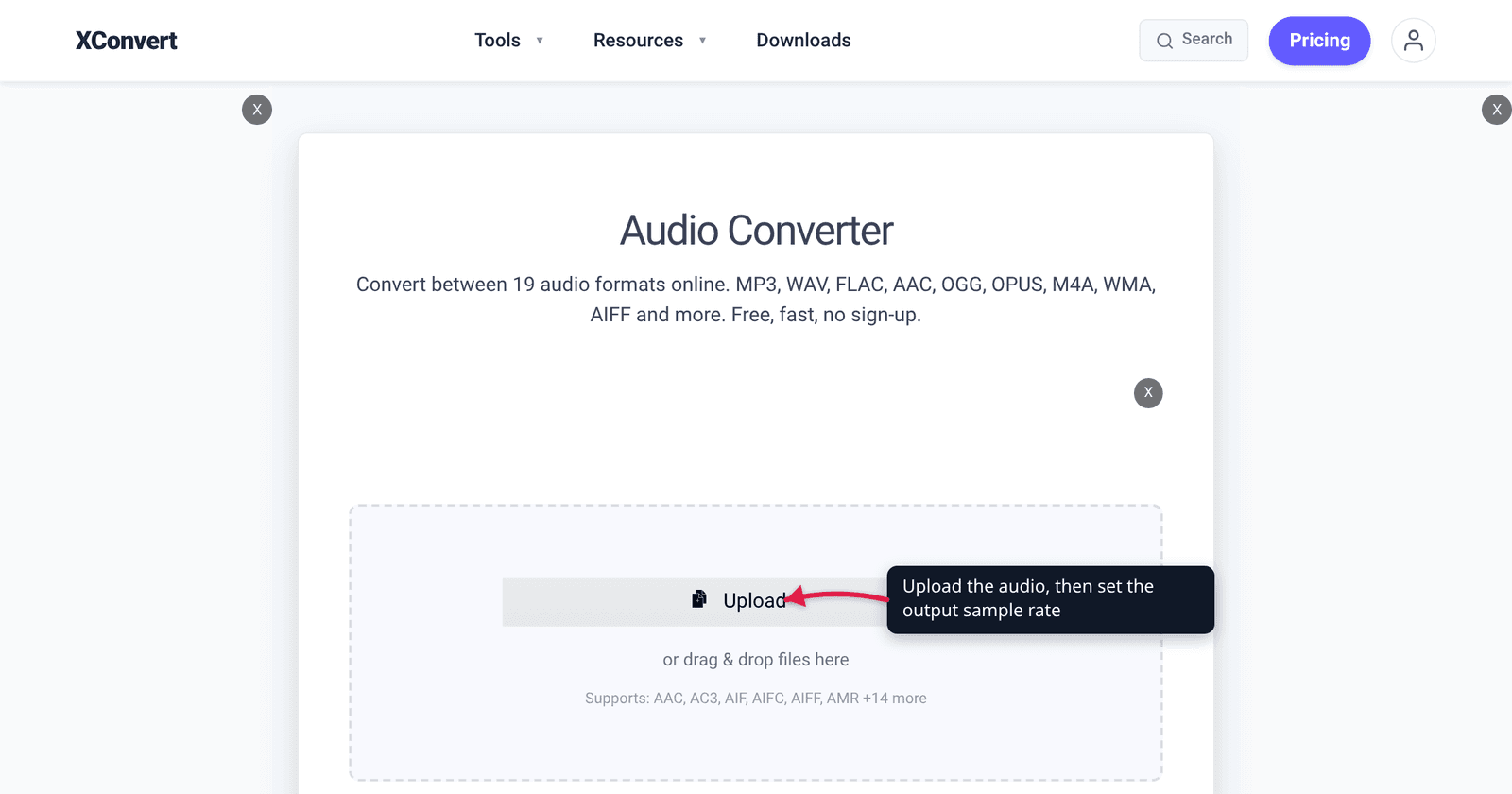
Your DAW says 44.1 kHz, the video editor you’re handing the file to says 48 kHz, and somewhere online someone insists one of them sounds better. It doesn’t. Both rates reproduce every frequency a human ear can detect, and in a blind listening test on the same material you would not tell them apart. The choice between them is a workflow decision — which industry the file is destined for — and getting it wrong costs you a silent resample rather than audible quality. Here’s where the two numbers came from, who requires which, and when it actually matters.
Quick answer: Use 48 kHz for anything that goes with picture — video editing, YouTube (whose own recommended upload settings specify 48 kHz), film, broadcast, game engines. Use 44.1 kHz for music releases — it’s the CD standard, and Spotify accepts “44.1 kHz or higher” while asking you to deliver audio exactly as it was mastered. If neither applies, leave the file at whatever rate it already is. Both rates capture the full range of human hearing (a 44.1 kHz file reaches 22.05 kHz, a 48 kHz file reaches 24 kHz; hearing tops out around 20 kHz), so converting between them buys you no fidelity and costs one interpolation pass.
Jump to a section
- Both rates already cover everything you can hear
- Where the two numbers came from
- 44.1 kHz vs 48 kHz side by side
- When the mismatch actually bites
- What a resample really costs
- Set the sample rate on xconvert
- FAQ
Both rates already cover everything you can hear
The Nyquist–Shannon sampling theorem sets the ceiling: a digitally sampled signal can only represent frequencies below half the sample rate. So:
- 44.1 kHz → everything up to 22.05 kHz
- 48 kHz → everything up to 24 kHz
Healthy young human hearing runs to roughly 20 kHz, and the top of that range falls away steadily with age. Both rates clear the requirement with room to spare — the extra 1.95 kHz that 48 kHz buys you sits above the range of a human ear.
What the headroom is actually for is the anti-aliasing filter. No real filter cuts off perfectly at 20 kHz; it needs a transition band. 44.1 kHz gives that filter 2.05 kHz to roll off in, 48 kHz gives it 4 kHz. In the early 1980s that was a meaningful engineering difference. With modern oversampling converters it isn’t, which is the technical reason the two rates sound the same today.
If you want the underlying concepts — sample rate versus bit depth versus bitrate, and which one actually drives file size — start with audio bitrate vs sample rate. This article is only about choosing between the two rates.
Where the two numbers came from
Neither number was chosen because it sounded best. Both are artefacts of the hardware their industry already owned.
44.1 kHz came from video tape. Before dedicated digital audio recorders existed, engineers stored digital audio by encoding it as a fake video signal and recording it onto a video tape machine through a PCM adaptor. That constrains the sample rate to a whole number of samples per video line. Three samples per line, across 245 usable lines at 60 fields per second (NTSC), gives 60 × 245 × 3 = 44,100. The PAL arithmetic lands on the same figure from different components: 50 × 294 × 3 = 44,100. A rate that worked on both systems was worth a great deal, and it carried into the Compact Disc Digital Audio system standardised as IEC 60908 — which is why 44.1 kHz is still the music world’s number four decades later.
48 kHz came from professional and broadcast audio, where the driving requirement was clean arithmetic against film and video frame rates and easy interchange between studio equipment. It divides evenly by common frame rates in a way 44.1 kHz does not — 48,000 samples per second is exactly 2,000 samples per frame at 24 fps, 1,920 at 25 fps and 1,600 at 30 fps, all whole numbers. 44.1 kHz gives 1,837.5 samples per frame at 24 fps. That single property is why every video and film workflow standardised on 48 kHz, and it’s still the reason today.
44.1 kHz vs 48 kHz side by side
| 44.1 kHz | 48 kHz | |
|---|---|---|
| Highest frequency represented | 22.05 kHz | 24 kHz |
| Origin | PCM-on-video-tape arithmetic; CD Digital Audio (IEC 60908) | Professional / broadcast audio; clean division by film and video frame rates |
| Native home | Music releases, CDs, most streaming catalogues | Video, film, TV, game audio, YouTube |
| Samples per frame at 24 fps | 1,837.5 (not a whole number) | 2,000 |
| Uncompressed stereo 16-bit size | 176,400 bytes/sec ≈ 10.1 MiB per minute | 192,000 bytes/sec ≈ 11.0 MiB per minute |
| Effect on a lossy file’s size | None — size follows the bitrate, not the sample rate | None |
| Audible difference on the same material | None | None |
Two rows deserve a note. The size difference only exists for uncompressed audio such as WAV or AIFF, where the byte count is literally sample rate × channels × bytes per sample; 48 kHz is 8.8% more data than 44.1 kHz. For an MP3, AAC or Opus file encoded at a fixed bitrate, changing the sample rate does not change the file size at all — the bitrate does.
When the mismatch actually bites
For listening, never. For production, in four specific places:
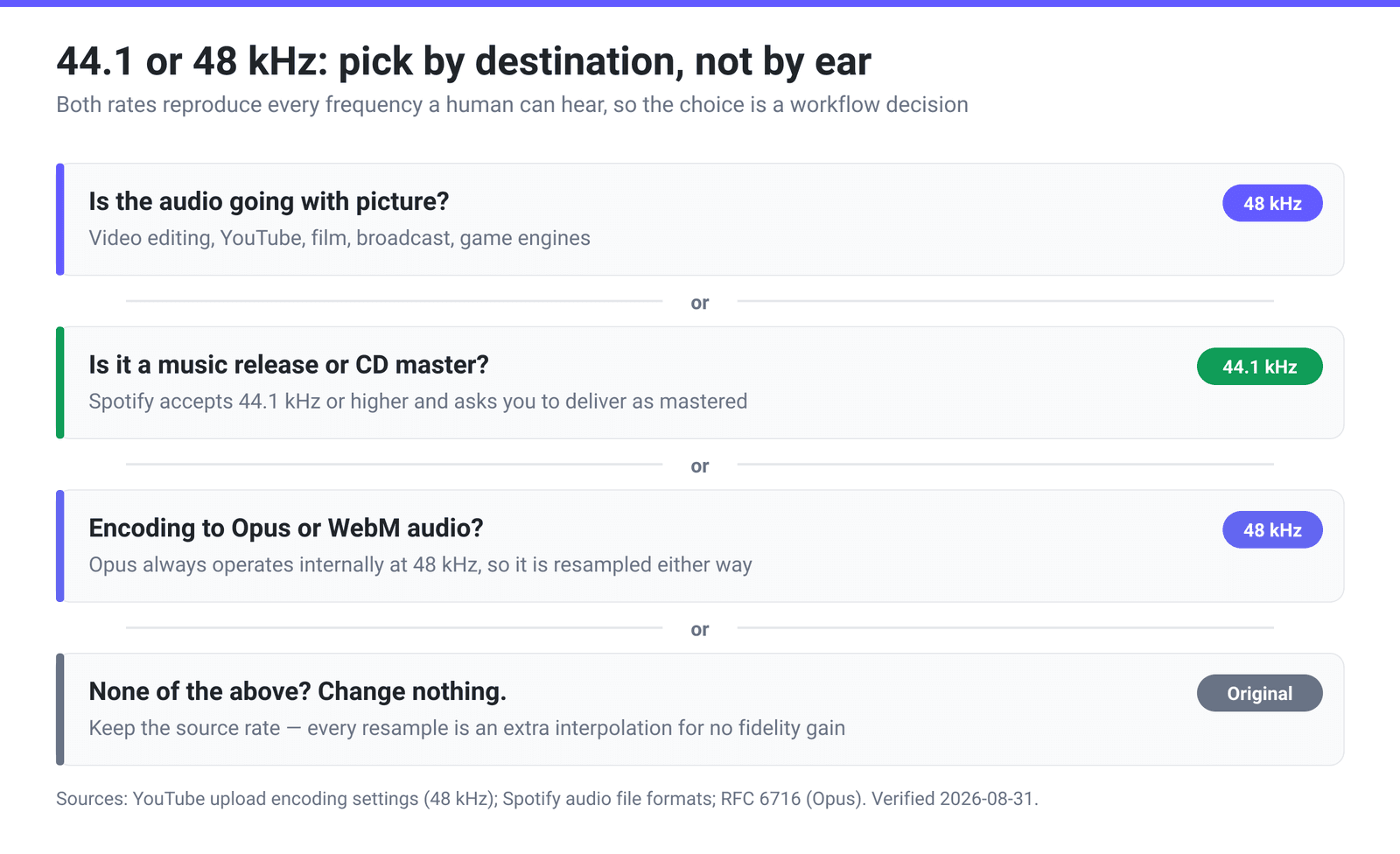
Video editing. Drop a 44.1 kHz file into a 48 kHz timeline and the editor resamples it — usually on import, sometimes only at export, sometimes in a real-time preview path that sounds worse than the final render. None of that is fatal, but it’s an extra conversion you didn’t ask for and can’t inspect. Matching the project rate removes the variable.
YouTube and video platforms. YouTube’s published recommended upload encoding settings give the audio codec as “AAC-LC or Opus or Eclipsa Audio” and the sample rate as 48kHz. Uploading 44.1 kHz audio isn’t rejected — it’s re-encoded like everything else — but you’re handing the transcoder an extra resample.
Opus and WebM. Opus does not support 44.1 kHz at all. RFC 6716’s Table 1 lists its effective sample rates as 8, 12, 16, 24 and 48 kHz, and the codec’s MDCT layer “always operates internally at a sample rate of 48 kHz”, from which the decoder “can simply decimate” to the lower rates. So a 44.1 kHz source is resampled on the way in whatever you do; handing an Opus encoder 48 kHz is the one input that needs no conversion.
Music delivery. Going the other way, Spotify’s own artist documentation asks for a sample rate of 44.1 kHz or higher and states the principle plainly: “Deliver your audio exactly as it was mastered. Keep the original sample rate and bit depth.” If you mastered at 48 kHz, deliver 48 kHz. Don’t “convert to CD rate” out of habit — that’s a resample nobody asked for.
What a resample really costs
Converting between 44.1 kHz and 48 kHz is not a simple decimation, because the two rates are not related by a small whole number. Their ratio is 147:160 in lowest terms, so a resampler has to reconstruct the waveform and re-measure it at new instants that fall between the original samples.
A good modern resampler does this very well. The honest summary is:
- One conversion, done properly: inaudible. You will not hear it on a mix, and there is no reason to fear a single pass.
- Repeated conversions: worth avoiding. 44.1 → 48 → 44.1 → 48 across a chain of tools accumulates interpolation error and, more practically, means several stages where something can be mis-configured.
- The bigger risk is a bad resampler, not resampling itself — cheap or real-time conversion in a preview path can add audible artefacts that a proper offline conversion doesn’t.
Which produces the only rule you really need: convert once, at the point you know the destination, and then leave it alone.
Set the sample rate on xconvert
The xconvert audio converter exposes the sample rate directly, so you can set it in the same pass as the format change:
- Open xconvert.com/audio-converter and click Upload to add your file (it accepts 19 audio formats, including WAV, FLAC, MP3, M4A, AAC and OPUS).
- Under Audio File Extension, choose the output format you need.
- Open Advanced Options (the gear icon).
- Find Audio Sample Rate. The dropdown offers ORIGINAL, 8000 HZ, 12000 HZ, 16000 HZ, 24000 HZ, 44100 HZ and 48000 HZ — pick 44100 HZ for a music release or 48000 HZ for anything going with video.
- Leave it on ORIGINAL if the file is already at the rate you want. That is the setting that performs no resample at all, and it is the default.
- Click Convert and download.
The low rates in that list aren’t decoration: 16000 HZ is a sensible target for spoken word destined for transcription, and 8000 HZ matches telephone-band audio. For music, don’t go below 44100 HZ — you start cutting real high frequencies rather than inaudible ones.
Your file uploads over an encrypted connection, is processed on our servers, and is deleted automatically a few hours later.
If your destination is specifically a CD-spec master, convert audio to 16-bit / 44.1 kHz WAV walks through the bit-depth half of that job too.
FAQ
Is 48 kHz better than 44.1 kHz?
No — not in any way you can hear. 48 kHz represents frequencies up to 24 kHz and 44.1 kHz up to 22.05 kHz, and human hearing stops around 20 kHz, so the extra range is inaudible. 48 kHz is more appropriate for video work because it divides cleanly into film and video frame rates and because video platforms expect it. For music, 44.1 kHz is equally correct and is the CD standard. Pick by destination, not by which number is bigger.
Should I record at 44.1 or 48 kHz?
Record at whatever rate your final delivery needs, so you never have to convert. If the material will end up in video — YouTube, a client’s edit, a game — record at 48 kHz. If it’s a music release, 44.1 kHz is the traditional choice and Spotify explicitly accepts it. If you genuinely don’t know yet, 48 kHz is the safer guess, because video destinations are the ones that actively care.
Does converting 44.1 kHz to 48 kHz improve quality?
No. Upsampling cannot add information that wasn’t captured — a 44.1 kHz recording contains nothing above 22.05 kHz, and converting it to 48 kHz doesn’t invent any. All you get is a slightly larger uncompressed file and one interpolation pass. Convert only when a destination requires the other rate.
Will 44.1 kHz audio drift out of sync in a 48 kHz video project?
Not by itself with any modern editor — they resample on import or export rather than playing the file at the wrong speed. Drift of that kind comes from other causes, most often variable frame rate footage or a recorder whose clock wasn’t locked to the camera. Matching the project’s sample rate is still good practice, because it removes a conversion you can’t see happening.
Does 48 kHz make my MP3 bigger?
No. An MP3, AAC or Opus file’s size is set by its bitrate — a 192 kbps file is roughly 1.4 MB per minute whether it’s 44.1 kHz or 48 kHz. Sample rate only changes file size for uncompressed formats like WAV, where 48 kHz stereo 16-bit is 192,000 bytes per second against 44.1 kHz’s 176,400 — about 8.8% more.
What sample rate does YouTube want?
YouTube’s own recommended upload encoding settings specify an MP4 container, H.264 video, an audio codec of “AAC-LC or Opus or Eclipsa Audio”, stereo channels, and a 48kHz sample rate. Other rates upload fine and get re-encoded, but 48 kHz is what the published spec asks for.
Why is Opus always 48 kHz?
Because that’s how the codec is built. RFC 6716 states that the MDCT layer “always operates internally at a sample rate of 48 kHz”, and since every rate Opus supports — 8, 12, 16, 24 and 48 kHz — divides evenly into it, the decoder “can simply decimate” the output to whatever rate is asked for. 44.1 kHz is not on that list, so feeding an Opus encoder 44.1 kHz audio doesn’t keep it at 44.1 kHz. It gets converted either way, so you may as well hand it 48 kHz.
Sources
Last verified 2026-08-31.
- YouTube Help — Recommended upload encoding settings — “Container: MP4”, “Audio codec: AAC-LC or Opus or Eclipsa Audio”, “Channels: Stereo or Stereo + 5.1 or Stereo + Eclipsa Audio”, “Sample rate: 48kHz”, “Video codec: H.264”.
- Spotify for Artists — Audio file formats — FLAC strongly preferred, sample rate “44.1 kHz or higher”, and “Deliver your audio exactly as it was mastered. Keep the original sample rate and bit depth.”
- RFC 6716 — Definition of the Opus Audio Codec — “The MDCT layer always operates internally at a sample rate of 48 kHz”, the decoder “can simply decimate the MDCT layer output to achieve the other supported sample rates”, and Table 1’s effective sample rates of 8, 12, 16, 24 and 48 kHz.
- IEC 60908 — Audio recording: Compact disc digital audio system — the catalogue entry for the standard that defines the Compact Disc Digital Audio system: “Applies to a pre-recorded optical reflective digital audio disc system. Defines those parameters of compact discs that affect interchangeability between discs and players” (IEC 60908:1999). The catalogue page states the standard’s title and scope only; it does not quote the 44.1 kHz sampling frequency, which is cited here as the well-established CD-DA figure rather than from this page.
- ATSC A/52 — Digital Audio Compression Standard (AC-3, E-AC-3) — Table 5.6 “Sample Rate Codes”: 48, 44.1 and 32 kHz, with 48 kHz used throughout the standard’s own worked examples for broadcast audio.