 By Stephanie Taylor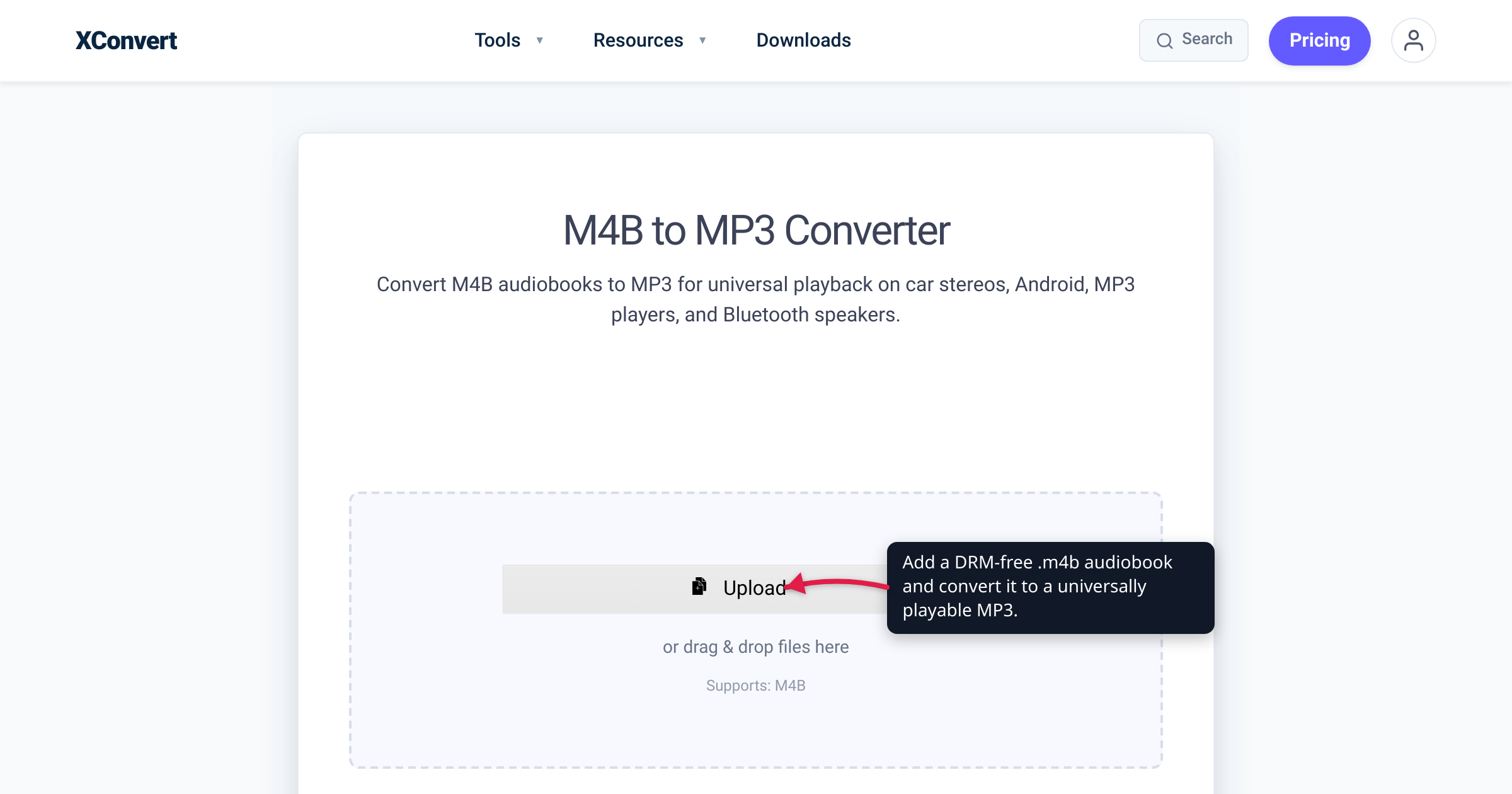
You downloaded a LibriVox classic, or exported your own recording as a .m4b, dropped it on a USB stick, plugged it into the car — and the head unit skipped straight past it. M4B is Apple’s audiobook wrapper, and outside the Apple ecosystem a lot of players simply don’t recognise it. Converting a DRM-free M4B to plain MP3 makes it play on essentially anything with a speaker: car stereos, cheap MP3 players, Bluetooth dongles, and the Android apps that ignore .m4b. This guide covers when that trade is worth it, what you give up (chapter markers and auto-resume), and the one hard limit no converter can cross — DRM. We verified the format facts against MDN and Apple’s own docs, and the tool’s real behaviour against the live page.
Quick answer: Convert M4B to MP3 when your player won’t read .m4b — car stereos, basic MP3 players, some Android and cloud players. You gain near-universal playback; you lose the chapter markers and the auto-resume position (MP3 is a plain, continuous stream), and the conversion is lossy-to-lossy (AAC→MP3), so keep your original M4B as the master. One hard limit: DRM-protected M4B and Audible .aax / .aaxc files cannot be converted by any format converter — only DRM-free files work.
DRM check first: If your audiobook came from Audible (.aax / .aaxc) or was bought from the iTunes Store / Apple Books, it is encrypted and will not convert here or on any other format converter — see the DRM wall below. Only DRM-free .m4b files (LibriVox, DRM-free stores, or your own recordings) go through.
Jump to a section
- What M4B actually is
- The DRM wall: Audible and store-bought books
- What you give up: chapters, bookmarks, one file
- Lossy-to-lossy: picking a bitrate
- Convert M4B to MP3 on xconvert
- FAQ
What M4B actually is
M4B is barely a format of its own. It’s an MPEG-4 container — the same ISO/IEC 14496-14 base file format as .mp4 and .m4a, itself derived from Apple’s QuickTime format — holding an AAC audio bitstream. AAC (Advanced Audio Coding) is the lossy audio codec defined in MPEG-4 Part 3; MDN describes it as “designed to be able to provide more compression with higher audio fidelity than MP3.” So the audio inside an M4B is technically a notch ahead of MP3 to begin with.
The only meaningful differences between an .m4b and a plain .m4a are the extension and an embedded chapter track. The .m4b extension is the signal Apple’s ecosystem uses to treat a file as an audiobook: players enable chapter navigation and remember where you stopped — Apple’s Books app syncs your listening position and bookmarks across iPhone, iPad, Mac, CarPlay, and Apple Watch via iCloud. That’s exactly what makes M4B pleasant inside Apple Books and awkward everywhere else: a device that’s never heard of the audiobook convention sees an unfamiliar extension and either refuses it or plays it as one anonymous track.
MP3 (MPEG-1 Audio Layer III, also lossy) is the opposite trade: no chapter track and no audiobook smarts, but every car stereo, USB head unit, Bluetooth speaker, and $10 MP3 player made in the last two decades plays it without a second thought. Converting swaps audiobook features for raw, universal compatibility.
Not sure your file is even an audiobook? A plain music track from iTunes is usually .m4a, and a raw AAC stream is .aac. Those hold the same AAC audio but no chapter track, so send them straight through the M4A to MP3 or AAC to MP3 converter instead.
The DRM wall: Audible and store-bought books
A format converter can only work on a file it can actually read — and a copy-protected file is encrypted, so there is nothing to decode until the protection is removed.
Audiobooks bought from the iTunes Store or Apple Books are wrapped in Apple’s FairPlay DRM. Audible’s .aax and .aaxc files use Audible’s own DRM. No online converter — xconvert included — can convert a DRM-protected file. If you upload one, the conversion will simply fail, and that is expected behaviour, not a bug.
Only DRM-free M4B files convert:
- Public-domain audiobooks from sources like LibriVox.
- DRM-free stores and publisher-direct downloads that ship unprotected files.
- Your own recordings, or a book you have a legal right to format-shift and have already turned into a DRM-free file through the rights-holder’s own authorised method.
If your file is a .aax, .aaxc, or a protected store purchase, this converter is the wrong tool — the DRM must be handled through Audible’s or Apple’s authorised channels first, by the account owner. This article does not cover removing DRM; it only converts files already free of it.
What you give up: chapters, bookmarks, one file
MP3 keeps the audio and the basic tags (title, author, cover art), but two audiobook features do not survive the trip:
- Chapter markers. M4B stores chapters in a dedicated track inside the container; MP3 has no equivalent that players honour. The ID3v2 spec defines optional
CHAP/CTOCframes, but almost nothing outside a few niche players reads them — most Android players and essentially every car stereo ignore them. Chapter-to-chapter navigation goes away. - Auto-resume / bookmarking. Remembering your place is a player feature tied to the audiobook file. A plain MP3 stream is treated as one continuous track, so the “pick up where I left off” behaviour that Apple Books syncs for you is what you trade away.
One structural expectation to set: xconvert outputs a single continuous MP3 per input M4B — it does not split the book into one file per chapter. A 20-hour book becomes one long MP3, played in order. If you want a file per chapter, that’s a separate workflow (a few desktop tools cut an M4B on its chapter track); this converter gives you one clean file.
Two alternatives worth weighing before you convert: because this is a lossy re-encode (next section), keep the original M4B as your master and treat the MP3 as a play-anywhere copy. And if chapters matter but your player just needs a friendlier container, converting M4B to M4A keeps the AAC audio and the chapter track — most players built since roughly 2010 handle AAC. Go to MP3 only when the target device is genuinely MP3-only.
Lossy-to-lossy: picking a bitrate
M4B → MP3 is a lossy-to-lossy transcode: the encoder decodes the AAC audio to raw PCM, then re-encodes it as MP3, and each lossy stage discards a little detail you can’t get back. You can’t recover quality here — you can only avoid throwing away more than necessary.
Two rules keep the loss inaudible:
- Don’t set the MP3 bitrate below the source. Check the M4B’s bitrate in its file properties and match or exceed it. Audiobooks are often encoded low (frequently in the 32–128 kbps range), so this is usually easy.
- Match the bitrate to the content. For plain spoken word, 64 kbps mono is the long-standing sweet spot — the human voice sits comfortably in that envelope, roughly 28 MB per hour, so a 10-hour book lands near 280 MB. Step up to 96–128 kbps if the book has music beds, sound effects, or full-cast audio-drama production.
One counter-intuitive result: the MP3 can come out larger than the M4B. AAC is more efficient than MP3 at equal quality, so matching your source often needs a comparable or higher MP3 bitrate — and a bigger file. That’s not extra quality, just a less efficient codec.
Convert M4B to MP3 on xconvert
The xconvert M4B to MP3 converter runs entirely on the server, so it doesn’t matter what device or browser you’re on:
- Open xconvert.com/convert-m4b-to-mp3 and click Upload — or drag your audiobook onto the drop zone — to add your DRM-free
.m4b(from your computer, Google Drive, or Dropbox). The button also reads Add Files. - Pick a Quality Preset — the Highest preset targets transparent quality; lower presets shrink the file — or switch to Custom Bitrate and set it directly (64 kbps is the spoken-word default).
- (Optional) Set Audio Channel to Mono for voice-only books to roughly halve the bitrate, leave Audio Sample Rate on ORIGINAL, and choose Constant Bitrate for a predictable size or Variable Bitrate for a slightly smaller file at the same perceived quality.
- (Optional) Use Trim to cut an intro, outro, or “this audiobook is brought to you by…” segment by setting a start time and duration.
- Click Convert, then download your MP3.
Your .m4b is uploaded over an encrypted connection, is processed on our servers, and deleted automatically a few hours later — no sign-up, no watermark, and the file is never shared.
FAQ
How do I convert an M4B to MP3?
Upload the DRM-free .m4b, pick a bitrate (64 kbps mono is fine for spoken word), and convert. On xconvert: click Upload, choose a Quality Preset or Custom Bitrate, then Convert. You get one continuous MP3 that plays anywhere — but with no chapter markers.
Can I convert Audible (.aax) or DRM-protected audiobooks to MP3?
No. Audible .aax / .aaxc files and iTunes / Apple Books purchases are DRM-encrypted, and no format converter can read an encrypted file. The account owner must first obtain a DRM-free copy through the rights-holder’s own authorised means. Only DRM-free M4B files (LibriVox, DRM-free stores, your own recordings) convert.
Will my chapter markers and bookmarks survive the conversion?
No. MP3 has no chapter track that players honour — the optional ID3v2 CHAP frames are ignored by nearly everything, including car stereos — and the auto-resume position goes away because a plain MP3 is one continuous stream. To keep chapters, stay on M4B or convert to M4A instead.
Will the audiobook be one file or split into chapters?
One file. xconvert produces a single continuous MP3 per input M4B — it does not split by chapter. One MP3 per chapter is a separate workflow that reads the M4B’s chapter timestamps and cuts the audio in a dedicated desktop tool.
What bitrate should I use for an audiobook?
64 kbps mono for plain spoken word (about 28 MB per hour); 96–128 kbps if the book has music beds or full-cast production. The rule that matters: don’t encode below the source bitrate, or you discard quality you can’t recover.
Why is my converted MP3 bigger than the original M4B?
Because AAC is a more efficient codec than MP3. Matching your source’s quality needs a comparable or higher MP3 bitrate, so the file grows — that’s not better sound, just an older codec. For the smallest file, keep the M4B.
Should I convert to MP3 at all, or keep M4B?
Convert only when the target device is genuinely MP3-only — many car stereos and cheap players. If your player handles AAC (most since roughly 2010) and you want chapters, M4B to M4A is the better trade. Archiving for quality? Keep the original M4B and treat the MP3 as a disposable copy.
Sources
Last verified 2026-07-16.
- MDN — Web audio codec guide (AAC, MP3) — AAC is a lossy MPEG-4 Part 3 codec “designed to provide more compression with higher audio fidelity than MP3”; MP3 is lossy.
- MDN — Media container formats (MPEG-4 / MP4) — MP4 is defined by MPEG-4 Part 14 (ISO/IEC 14496-14), derived from Apple’s QuickTime format, and carries AAC audio;
.m4aand.mp4share this base. - Apple Support — Listen to audiobooks in Books on Mac — Apple Books’ audiobook playback and controls.
- Apple Support — Use iCloud to read and listen on all your devices — Books syncs listening position and bookmarks across devices, CarPlay, and Apple Watch (the audiobook behaviour lost when converting to a plain MP3).
- xconvert — M4B to MP3 converter — live tool UI, controls, single-continuous-MP3 output, and DRM limitation, verified against the running page.