 By James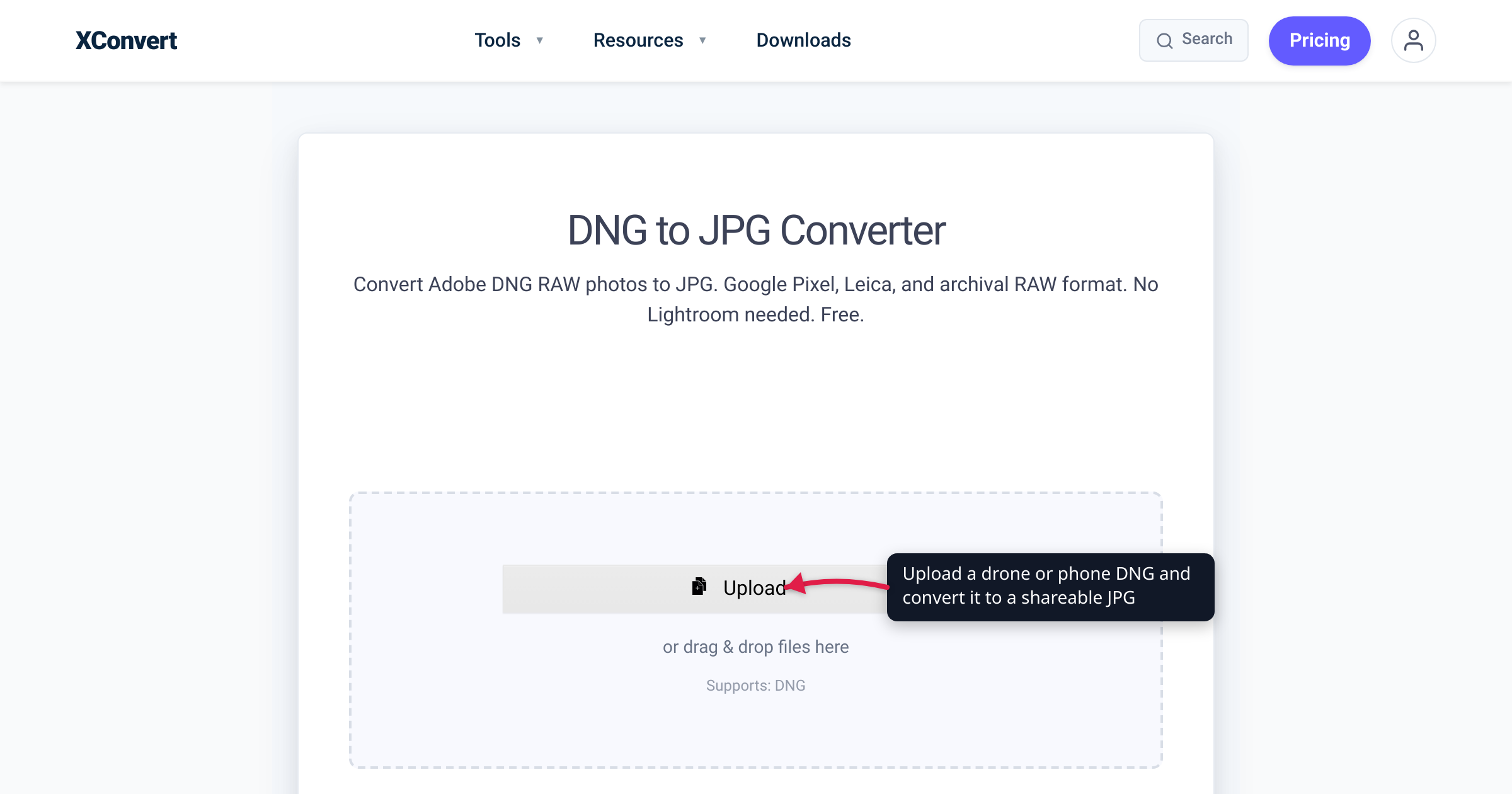
You pull the SD card from a DJI drone, or copy a “RAW” shot off your phone, and the .DNG files won’t open — or show up as a tiny, dark preview. Nothing is corrupt. DNG is a RAW format, and unlike Canon’s CR2 or Nikon’s NEF it isn’t one camera brand’s secret: it’s Adobe’s openly published Digital Negative format, which is exactly why drones, phones, and several camera makers adopted it. This guide covers what DNG is, which devices write it, and how to convert it to a JPG that opens everywhere — verified against Adobe, DJI, Apple, and Android documentation.
Quick answer: DNG (Digital Negative) is the RAW image format Adobe published in 2004 as an open alternative to proprietary RAW formats. Because the spec is public, it’s the RAW format written by DJI drones, iPhone ProRAW, Android RAW capture, and Leica and Pentax cameras. It’s still unrendered sensor data, so basic viewers and upload forms often reject it. To share the photo, drop the file into the xconvert DNG to JPG converter and convert. JPG is 8-bit and lossy, so keep the original DNG as your master and convert a copy.
Jump to a section
- What a DNG file actually is
- Which devices save DNG
- Why your DNG won’t open — and why JPG will
- What you lose converting DNG to JPG
- Convert DNG to JPG on xconvert
- FAQ
- Sources
What a DNG file actually is
DNG stands for Digital Negative — the name is the film analogy: the DNG is the negative, and a JPG is a print made from it. Adobe defines it as “a publicly available archival format for raw files” and launched the specification in 2004 to give the industry one documented RAW format instead of a new proprietary one per camera model. The spec is openly published (current version 1.7.1.0, September 2023) and, in Adobe’s words, “freely available for other software and hardware vendors to support”; structurally it’s an extension of the TIFF 6.0 format.
That openness is what makes DNG the odd RAW out. Canon’s CR2, Nikon’s NEF, and Sony’s ARW are proprietary, reverse-engineered by everyone else; DNG is the one RAW format any manufacturer can implement straight from the published spec. (If your RAW files are Canon’s instead, that’s a different walkthrough: convert CR2 to JPG.)
Two things follow from “open,” and neither of them is “easy to open”:
- A DNG is still RAW sensor data, not a picture. It stores, per Adobe, “the ‘raw’ pixel data captured by the digital camera sensor before it has been converted to JPEG or TIFF,” plus metadata. Turning that into a viewable image requires raw development — demosaicing the sensor’s color mosaic, then tone, white-balance, and color rendering — and that’s the step basic photo viewers can’t do.
- DNGs come from two directions. Some devices capture straight to DNG (the list below), and Adobe’s tools also create DNGs from other RAW formats for long-term archiving — the free Adobe DNG Converter (“converts files from more than 600 cameras to DNG”) and Lightroom Classic’s Copy as DNG import option. A mystery
.dngmay be a drone photo, a phone RAW shot, or someone’s converted Lightroom archive.
Which devices save DNG
Every entry here is checked against the maker’s own documentation, not folklore:
| Where your DNG came from | What the maker’s docs say |
|---|---|
| DJI drones | Spec sheets list the photo format as “JPEG/DNG (RAW)” — e.g., the Mini 4 Pro and the Mavic 3 series. |
| iPhone (Apple ProRAW) | Apple: “ProRAW uses the industry standard digital negative (DNG) file format.” Available on iPhone 12 Pro and later Pro models with iOS 14.3 or later; the shared original carries the .dng extension. |
| Android phones | The camera APIs write RAW captures as DNG — Google’s CameraX docs describe “DNG (RAW) capture” of “the unprocessed, uncompressed image data directly from the camera sensor,” via the platform’s dedicated DngCreator class. A “RAW” toggle on Android generally means DNG. |
| Leica | Writes DNG natively — the M11’s spec sheet lists DNG and JPEG capture at 60, 36, or 18 MP. |
| Pentax (Ricoh) | Lets you choose your RAW flavor — the K-3 Mark III records “RAW (PEF/DNG)” at 14-bit, so DNG is a native in-camera option. |
| Adobe Lightroom / DNG Converter | Not a camera, but a major source of DNGs: RAW files from other brands converted to DNG for archiving. |
Adobe’s own page sums up the landscape: camera manufacturers “such as Leica, Casio, Ricoh, Samsung, and Pentax” provide direct DNG support, and “hundreds of software manufacturers such as Apple and Google” support the format.
Why your DNG won’t open — and why JPG will
If DNG is open and widely supported, why is your folder full of blank thumbnails?
- RAW needs developing, and most software can’t. Browsers, email clients, office apps, web upload forms, and print kiosks expect finished images (JPG/PNG). They don’t ship a raw-development engine, so the DNG is rejected or shows as a generic icon.
- OS support is an add-on, and it’s uneven. On Windows, DNG thumbnails and Photos-app viewing require Microsoft’s free Raw Image Extension (Windows 10 version 1903 or later). Even then, drone and phone DNGs are a common pain point — community threads on DJI’s forum and Microsoft Q&A report files that render only as a small embedded JPEG preview, look too dark, or won’t open at all.
- Even when it opens, it looks “wrong.” A rendered-by-default RAW often appears flatter and duller than the processed preview you saw on the drone controller or phone screen — that processed look isn’t baked into the RAW data.
Converting DNG → JPG fixes all three at once: JPG is a finished, universally supported, 8-bit image that opens everywhere and passes every upload form — and it’s far smaller than the RAW. The honest framing: DNG is for editing and archiving; JPG is for viewing and sharing.
What you lose converting DNG to JPG
The same tradeoff as any RAW-to-JPG conversion — worth stating plainly:
- Bit depth and editing headroom. Camera RAW is typically captured at 12–14 bits per channel (Pentax’s K-3 Mark III writes 14-bit DNG, for example), while JPG is 8-bit. Flattening to JPG discards the latitude that lets you recover blown highlights, lift shadows, or re-set white balance cleanly after the fact.
- Lossy compression. JPG throws away data to get small. At a high quality setting the result is visually indistinguishable from the RAW render for normal viewing and printing — but re-editing and re-saving a JPG compounds the loss.
- The archival copy. Adobe’s core pitch for DNG is longevity: archiving as a Digital Negative “eliminates worries that the raw file will no longer be readable once the camera format that created it becomes obsolete.” Your DNG is the digital negative — so don’t destroy it to make a print.
The professional workflow is the same one we recommend for every RAW format: keep the DNG as your master, convert a copy to JPG for sharing. If you’re facing a whole card of RAW files rather than one, the bulk workflow is covered in batch-convert RAW photos to JPG.
Convert DNG to JPG on xconvert
The xconvert DNG to JPG converter develops the RAW and renders a standard JPG on our servers — nothing to install, no sign-up, no watermark:
- Open xconvert.com/convert-dng-to-jpg and click Upload to add your DNG — From my Computer, From Google Drive, or From Dropbox — or just drag and drop it onto the page. The page shows Supports: DNG.
- If you want to tune the output, open Advanced Options (the gear). The page’s own advice applies: the defaults are optimized, so leave them unless you have a specific need.
- Under File Extension, pick JPG (or JPEG — both are listed, and they’re the same format).
- Leave the Quality Preset at Very High (Recommended) for a near-lossless render, or lower it for a smaller file. Image Resolution lets you downscale by percentage, preset sizes, or a custom width/height.
- Click Convert, then download your JPG.
Your file uploads over an encrypted connection, is processed on our servers, and is deleted automatically a few hours later. Because the raw development happens server-side, it works the same from a phone, a Chromebook, or any desktop — no Adobe software, no drone-brand app.
Shooting a mix of DNG, CR2, and NEF? The multi-format Image Converter handles them together — see the batch RAW-to-JPG guide for that workflow.
FAQ
What is a DNG file?
A DNG (Digital Negative) is a RAW image file in Adobe’s openly published format — unprocessed sensor data plus metadata, based on TIFF 6.0. It comes from DJI drones, iPhone ProRAW, Android RAW capture, Leica and Pentax cameras, or Adobe’s archival conversion tools. It must be rendered (“developed”) before it’s a viewable picture.
Why won’t my DJI drone’s DNG files open in Windows Photos?
Windows needs Microsoft’s free Raw Image Extension (Microsoft Store, Windows 10 version 1903 or later) to show DNG thumbnails and open them in Photos. Even then, drone DNGs are community-reported to misbehave — showing only a tiny embedded preview or looking dark. The reliable fix is to convert the DNG to JPG, which opens everywhere with no codec packs.
Does converting DNG to JPG lose quality?
You lose editing latitude more than visible quality. JPG is 8-bit and lossy, while the DNG holds the sensor’s 12–14-bit data — so highlight recovery and white-balance freedom go away. At a high quality setting, the JPG looks the same as the RAW render for viewing, sharing, and printing. Keep the DNG if you may re-edit.
How do I convert iPhone ProRAW photos to JPG?
Apple ProRAW photos are DNG files (.dng extension), per Apple’s own documentation. To get a universally shareable copy, upload the .dng from your iPhone’s browser to the DNG to JPG converter and download the JPG — the conversion runs on our servers, so no app is required.
Is DNG better than JPG?
They do different jobs. DNG is better for editing and archiving — full sensor data, openly documented, Adobe’s recommended long-term RAW container. JPG is better for viewing and sharing — small, finished, and supported by effectively everything. The standard workflow uses both: shoot or archive in DNG, deliver in JPG.
Should I delete the DNG files after converting?
Not if there’s any chance you’ll re-edit. The DNG is your digital negative — the full-quality master with all the recovery headroom — and Adobe’s archival format is designed to stay readable for decades. Keep the DNGs (or back them up) and treat the JPGs as disposable prints.
Sources
Last verified 2026-07-16.
- Adobe — Digital Negative (DNG) — Adobe’s definition (“a publicly available archival format for raw files”), the openly published spec, TIFF 6.0 basis, archival rationale, and the manufacturer list (Leica, Casio, Ricoh, Samsung, Pentax; Apple and Google in software).
- Adobe — Digital Negative (DNG) Specification 1.7.1.0, September 2023 (PDF) — the current publicly downloadable DNG spec version.
- Adobe — Adobe DNG Converter — the free utility that “converts files from more than 600 cameras to DNG.”
- Adobe — Lightroom Classic import options — the Copy as DNG import option that converts RAW files to DNG on import.
- Apple — About Apple ProRAW — “ProRAW uses the industry standard digital negative (DNG) file format”; iPhone 12 Pro and later Pro models with iOS 14.3 or later; shared originals use the
.dngextension. - DJI — Mini 4 Pro specs — photo format listed as “JPEG/DNG (RAW)” (the Mavic 3 series spec pages list the same).
- Android Developers — CameraX 1.5 announcement — “CameraX now supports DNG (RAW) capture… access to the unprocessed, uncompressed image data directly from the camera sensor,” including simultaneous JPEG + DNG.
- Android Developers — DngCreator API reference — the platform class that writes camera RAW buffers as DNG files.
- Ricoh Imaging — PENTAX K-3 Mark III specifications — file format “RAW (PEF/DNG)”; quality level “RAW (14bit): PEF, DNG.”
- Leica — M11 technical data — records DNG (raw) and JPEG at 60, 36, or 18 MP.
- Microsoft — Raw Image Extension (Microsoft Store) — adds raw-format viewing (thumbnails in File Explorer, viewing in Photos); requires Windows 10 version 1903 or later.
- xconvert DNG to JPG converter — live tool: Upload (From my Computer / Google Drive / Dropbox), “Supports: DNG”, Advanced Options, File Extension (JPG/JPEG), Quality Preset, Image Resolution, and the server-side processing/deletion wording, as shown on the page.