 By James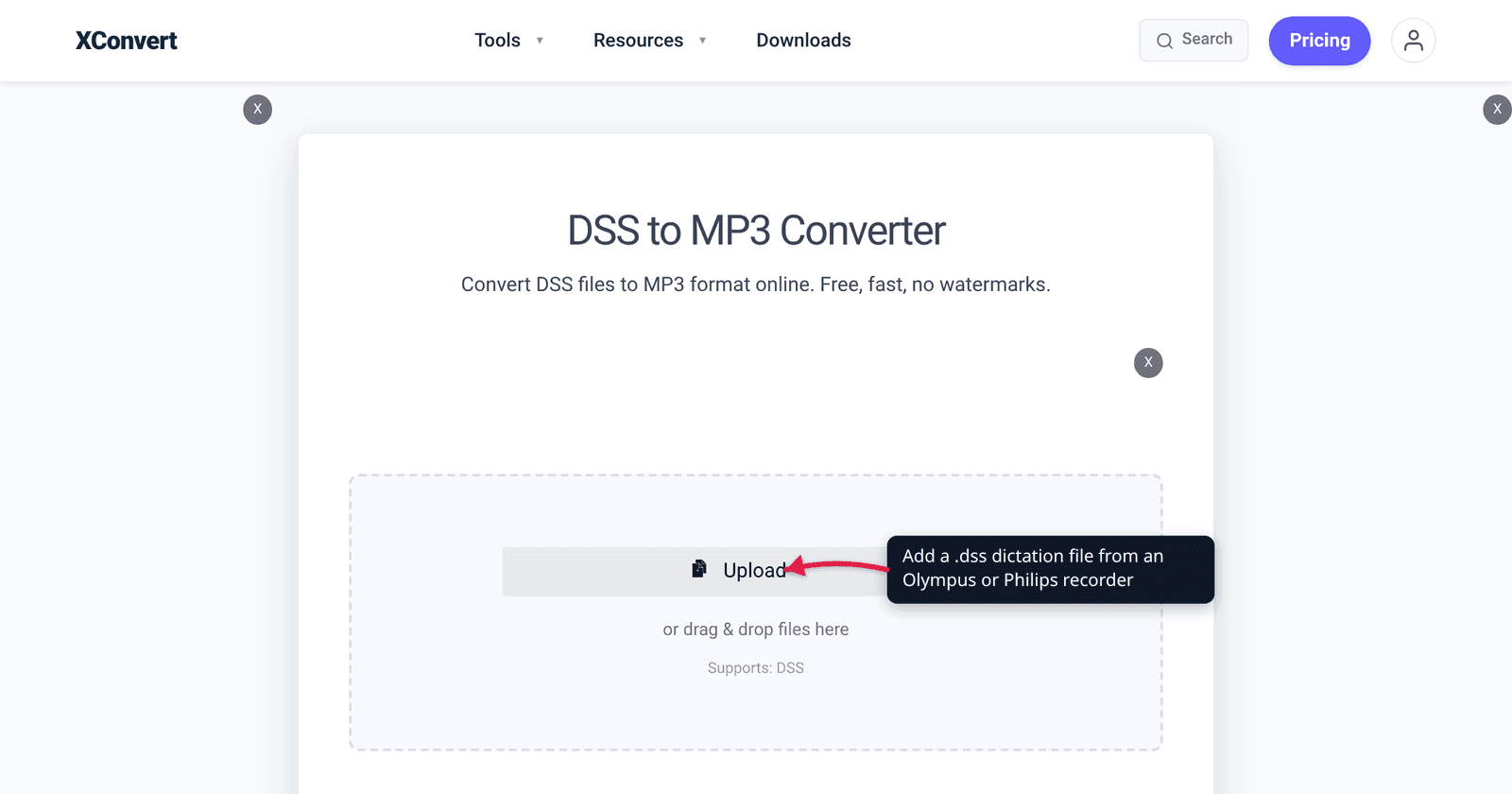
A solicitor hands you a memory card, or a consultant’s dictation lands in your inbox, and the file is called DS500001.dss. Windows Media Player won’t touch it. VLC won’t touch it. Your transcription software wants MP3 or WAV. DSS is a closed, speech-only format built for dictation hardware, and outside the manufacturer’s own software almost nothing reads it. Converting it to MP3 is the standard fix — but the settings that work for music are the wrong ones here, and there is one variant of the format that cannot be converted at all.
Quick answer:
.dssis a Digital Speech Standard recording — a heavily compressed, mono, speech-only format from dictation recorders. Convert it with xconvert’s DSS to MP3 converter, and set Audio Channel → MONO with a Constant Bitrate of 32–48 kbps: the source is mono at roughly 13.7 kbit/s and a 12 kHz sample rate, so anything higher just inflates the file without adding information. Two hard limits:.ds2(DSS Pro) files are not supported — this converter accepts.dssonly — and a recording that was encrypted on the device cannot be converted by any general tool, because there is nothing readable inside it without the key.
Jump to a section
- What a DSS file actually is
- Why .ds2 (DSS Pro) is a different problem
- MP3 settings for a 12 kHz mono voice file
- Confidential dictation and a server-side converter
- Convert DSS to MP3 on xconvert
- FAQ
What a DSS file actually is
DSS — Digital Speech Standard — is a proprietary format defined by the International Voice Association, a consortium of Olympus, Philips and Grundig Business Systems. It exists for one purpose: to make a spoken recording as small as possible while staying intelligible. It is to speech what MP3 is to music, except tuned so aggressively for the human voice that music played through it sounds broken.
Philips publishes the recording modes for its PocketMemo DPM8000 series, and they make the design obvious:
| Recording mode | Extension | Channels | Bit rate | Sample rate | Hours on a 4 GB card |
|---|---|---|---|---|---|
| DSS SP (Standard Play) | .dss | mono | 13.7 kbit/s | 12 kHz | 700 |
| DSS QP (Quality Play / DSS Pro) | .ds2 | mono | 28 kbit/s | 16 kHz | 350 |
| MP3 | .mp3 | stereo | 192 kbit/s | 44.1 kHz | 50 |
| PCM Voice | .wav | mono | 353 kbit/s | 22.05 kHz | 27 |
| PCM Stereo | .wav | stereo | 705 kbit/s | 22.05 kHz | 13 |
Read the first row again: 13.7 kilobits per second — less than a tenth of a standard 128 kbps music MP3, and a fourteenth of the 192 kbps MP3 the same recorder can produce. A 12 kHz sample rate caps the audio bandwidth at roughly 6 kHz: plenty for speech intelligibility, nowhere near enough for anything else. An hour-long deposition therefore fits in about 6 MB.
Two consequences follow. The conversion cannot add quality — no bitrate, sample rate or “enhance” setting recovers frequencies the recorder never captured. And the MP3 will almost certainly be larger than the DSS, because MP3 is general-purpose and isn’t allowed to make the speech-specific assumptions DSS makes.
Why .ds2 (DSS Pro) is a different problem
This is the part worth being blunt about. xconvert converts .dss files. It does not convert .ds2. The upload area says “Supports: DSS” and it means it — there is no DSS Pro configuration behind any of the DSS pages.
That isn’t an arbitrary gap. DSS Pro’s QP mode is a different codec from DSS SP, and the open-source decoding that general-purpose converters are built on only implements SP. FFmpeg’s own format and codec tables list exactly one DSS decoder — “Digital Speech Standard – Standard Play mode (DSS SP)” — and no QP or Pro entry. Check it yourself on any machine with FFmpeg installed: ffmpeg -decoders | grep dss returns dss_sp and nothing else. Every tool inheriting that decoder inherits the limitation, so a converter claiming general .ds2 support is either using licensed manufacturer code or is about to disappoint you.
Encryption is the second wall. Professional dictation recorders encrypt in real time — the DPM8000 series uses AES (Rijndael) with a 256-bit key, alongside a device PIN and per-user IDs. An encrypted recording is ciphertext until the right key is supplied, and no general-purpose converter has that key. If the file came off a locked device, the conversion has to happen inside the manufacturer’s workflow software with the credentials, not in a converter.
So, in order:
.dss, not encrypted — convert it here, normally..ds2— open it in the recorder vendor’s software (Philips SpeechExec or Olympus/OM System’s dictation software) and export or save-as.dss,.wavor.mp3from there; then convert that if you still need to.- Encrypted, either extension — the same vendor software with the password or PIN is the only route. There is no workaround, and any tool promising one is not decrypting anything.
MP3 settings for a 12 kHz mono voice file
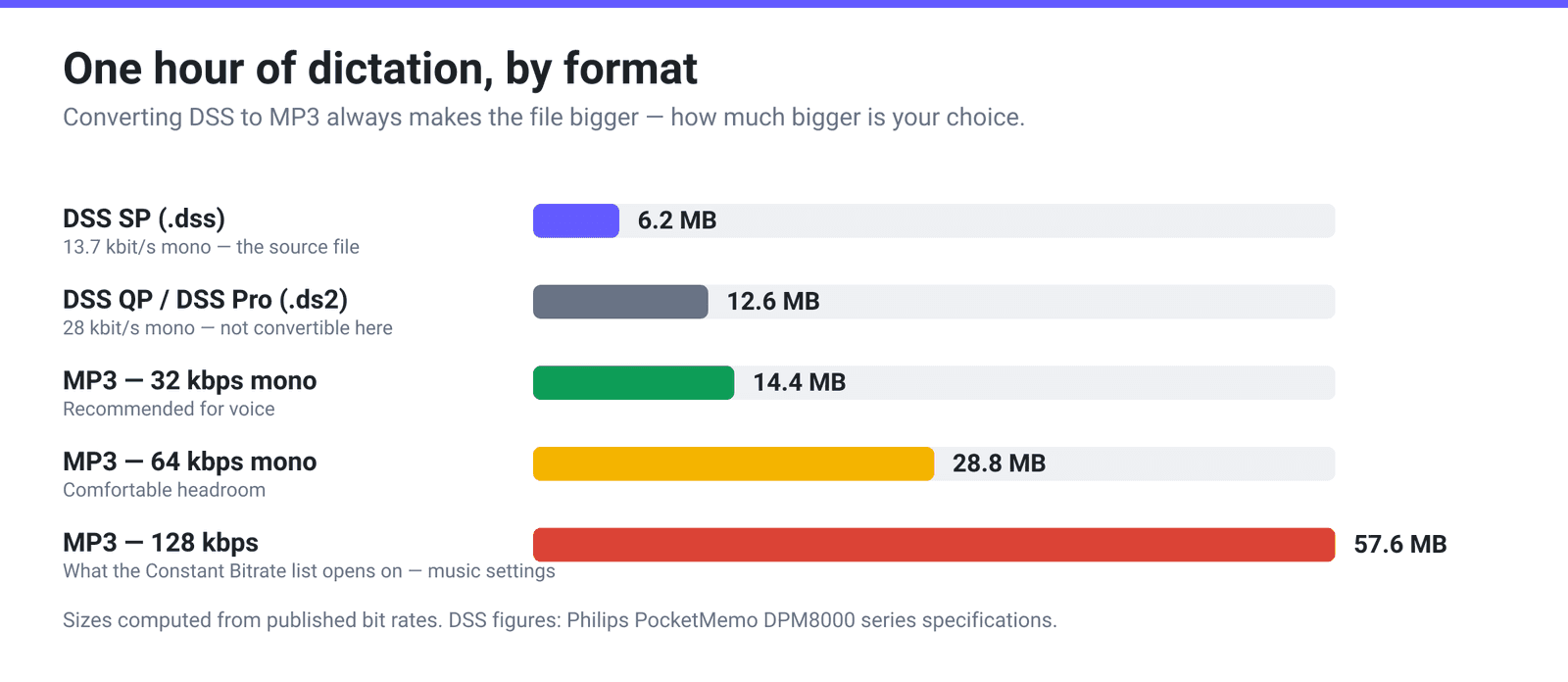
Default MP3 settings are built for music. Applied to a 13.7 kbit/s mono voice file, they produce a file many times bigger than the original containing exactly the same amount of information.
Three settings decide almost everything:
Audio Channel → MONO. Every DSS mode is mono. Leaving the output stereo duplicates one channel into two and can double the bitrate needed for the same result. This single change matters more than any other.
Constant Bitrate → 32–48 kbps. For a mono voice source at 12 kHz, 32 kbps is already generous and 48 kbps is comfortably transparent. The constant-bitrate list starts at 8 kbps and opens on 128 — which for this material is roughly nine times the size of the original for no audible gain. If your transcription vendor specifies a minimum bitrate, use theirs; otherwise 32–48 kbps mono is the sensible band.
Audio Sample Rate. Leaving it on ORIGINAL preserves the source’s 12 kHz exactly, which is the most honest option. Setting it to 16000 HZ costs a little size and produces a more conventionally-supported MP3 for older software, but it invents nothing — resampling upward cannot create detail that was never recorded.
| What you’re doing | Channel | Bitrate | Sample rate |
|---|---|---|---|
| Feeding transcription or speech-recognition software | MONO | 32–48 kbps | ORIGINAL |
| Emailing to a colleague to listen to | MONO | 32 kbps | ORIGINAL |
| Meeting a vendor’s stated minimum spec | MONO | Whatever they specify | Whatever they specify |
| Long-term archive alongside the original | — | Keep the .dss as well; it’s smaller than any MP3 you can make | — |
That last row is not a joke. At about 6 MB per hour, the original DSS is the most storage-efficient copy you will ever have of that recording. Convert for access; keep the original for the file.
Confidential dictation and a server-side converter
Dictation is rarely casual audio: medical notes, client instructions, witness statements — material with real confidentiality obligations attached. So be precise about what an online converter does.
xconvert is server-side. Your file travels over an encrypted connection to our servers, is converted there, and is automatically deleted a few hours later. It is not published, listed or shared, and there is no sign-up. That is the accurate description, and it is what are online file converters safe? sets out in more detail.
What it is not is a substitute for your organisation’s rules. If your practice, trust or firm requires that protected health information or privileged material never leaves systems you control, then no online converter is appropriate — not this one and not any other, regardless of what its marketing says. In that situation the right answer is desktop software: Philips SpeechExec or the Olympus/OM System dictation application if you have a licence, or ffmpeg on your own machine, which decodes DSS SP directly. Make that call before you upload, not after.
Convert DSS to MP3 on xconvert
- Open xconvert.com/convert-dss-to-mp3 and click Upload to add your file — from your computer, Google Drive or Dropbox. The upload area shows Supports: DSS.
- Open Advanced Options.
- Set Audio Channel to MONO. Every DSS recording is mono, and this is the setting that stops the MP3 from being needlessly large.
- Under File Compression, choose Constant Bitrate and pick 32 kbps or 48 kbps from the dropdown. (The alternatives — Quality Preset, Specific file size, Custom Bitrate and Variable Bitrate — are all available if you have a different requirement.)
- Leave Audio Sample Rate on ORIGINAL unless you specifically need 16000 HZ for older playback software.
- If you only need part of a long dictation, set Trim to a Start time and Duration — both fields accept plain Seconds or HH:MM:SS.sss.
- Click Convert and download the MP3.
Your file uploads over an encrypted connection, is processed on our servers, and is automatically deleted a few hours later. Nothing stays around.
FAQ
Can I convert a .ds2 file here?
No. The DSS pages accept .dss only. .ds2 is DSS Pro’s QP mode, which uses a different codec, and the open-source decoder that general converters rely on implements Standard Play only — FFmpeg’s codec table lists dss_sp and no QP equivalent. To move a .ds2 recording, open it in the recorder manufacturer’s software (Philips SpeechExec, or Olympus/OM System’s dictation application) and export it to .wav or .mp3 there.
Will converting DSS to MP3 make the recording sound better?
No, and it can only make it slightly worse. DSS SP records mono at about 13.7 kbit/s with a 12 kHz sample rate, so the highest frequency present is roughly 6 kHz. MP3 encoding re-compresses what’s already there; it cannot restore a frequency range that was never captured. Pick a bitrate high enough that the re-encode is inaudible — 32 to 48 kbps mono — and stop there.
Why is my MP3 bigger than the DSS file it came from?
Because DSS is a speech-only codec and MP3 is a general-purpose one. DSS SP gets away with 13.7 kbit/s by assuming the signal is a single human voice; MP3 makes no such assumption and needs more bits to reach the same perceived quality. Even a well-chosen 32 kbps mono MP3 is a bit over twice the size of the original DSS, and a 128 kbps encode is roughly nine times. That’s expected, not a fault.
My DSS file is password protected or came off a locked recorder. Can it be converted?
Not by a general-purpose converter. Professional recorders encrypt on the fly — Philips’ PocketMemo DPM8000 series uses AES with a 256-bit key plus a device PIN — and an encrypted file is unreadable data until the correct key is applied. Decrypt it inside the manufacturer’s workflow software using the proper credentials first; only then is there audio to convert.
Will the author, work type and priority fields survive the conversion?
No. DSS files carry a dictation header that workflow software reads for fields like author or user ID, work type and priority. MP3 uses ID3 tags, an unrelated scheme with no equivalent fields, so that information does not cross over. If those fields matter to your process — and in legal and medical workflows they usually do — keep the original .dss alongside the MP3, or record the values before converting.
What should I send to a transcription service or speech-recognition engine?
Ask them first: most publish a required format, and matching it beats guessing. Absent a spec, a mono MP3 at 32–48 kbps preserving the original sample rate is a safe submission — it’s universally readable, it doesn’t discard anything the recorder captured, and it’s small enough to email. If they’ll take uncompressed audio, converting to WAV avoids a second lossy generation entirely; xconvert has a DSS to WAV converter for that.
Sources
Last verified 2026-08-31.
- Philips Dictation — PocketMemo Voice Recorder DPM8000 series specifications — “Recording modes: DSS QP (.ds2/mono), DSS SP (.dss/mono), MP3 (.mp3/stereo), PCM Voice (.wav/mono), PCM Stereo (.wav/stereo)”; “Bit rate: 13.7 kbit/s (DSS SP), 28 kbit/s (DSS QP), 192 kbit/s (MP3), 353 kbit/s (PCM Voice), 705 kbit/s (PCM Stereo)”; “Sample rate: 44.1 kHz (MP3), 22.05 kHz (PCM), 16 kHz (DSS QP), 12 kHz (DSS SP)”; recording time on a 4 GB card; and “Recordings can be encrypted in real time using the Advanced Encryption Standard (AES or Rijndael Algorithm) with a key length of 256 bits.”
- FFmpeg — General Documentation, supported formats and codecs — lists “Digital Speech Standard (DSS)” as a decode-only file format and “Digital Speech Standard – Standard Play mode (DSS SP)” as the only DSS audio decoder; there is no QP / DSS Pro entry.
- Wikipedia — Digital Speech Standard — DSS as “a proprietary compressed digital audio file format defined by the International Voice Association, a consortium of Olympus, Philips and Grundig Business Systems,” originally developed in 1994 and released in 1997. (Aggregator; the technical figures above come from Philips directly.)
- xconvert’s own feature configuration and live tool, checked 2026-08-31 — /convert-dss-to-mp3 accepts
dssonly, with no.ds2configuration on any DSS page; the Audio Channel (ORIGINAL / MONO / STEREO), Audio Sample Rate (ORIGINAL / 8000 / 12000 / 16000 / 24000 / 44100 / 48000 HZ), File Compression (Quality Preset, Specific file size, Custom Bitrate, Constant Bitrate from 8 to 384 kbps, Variable Bitrate) and Trim groups.