 By Stephanie Taylor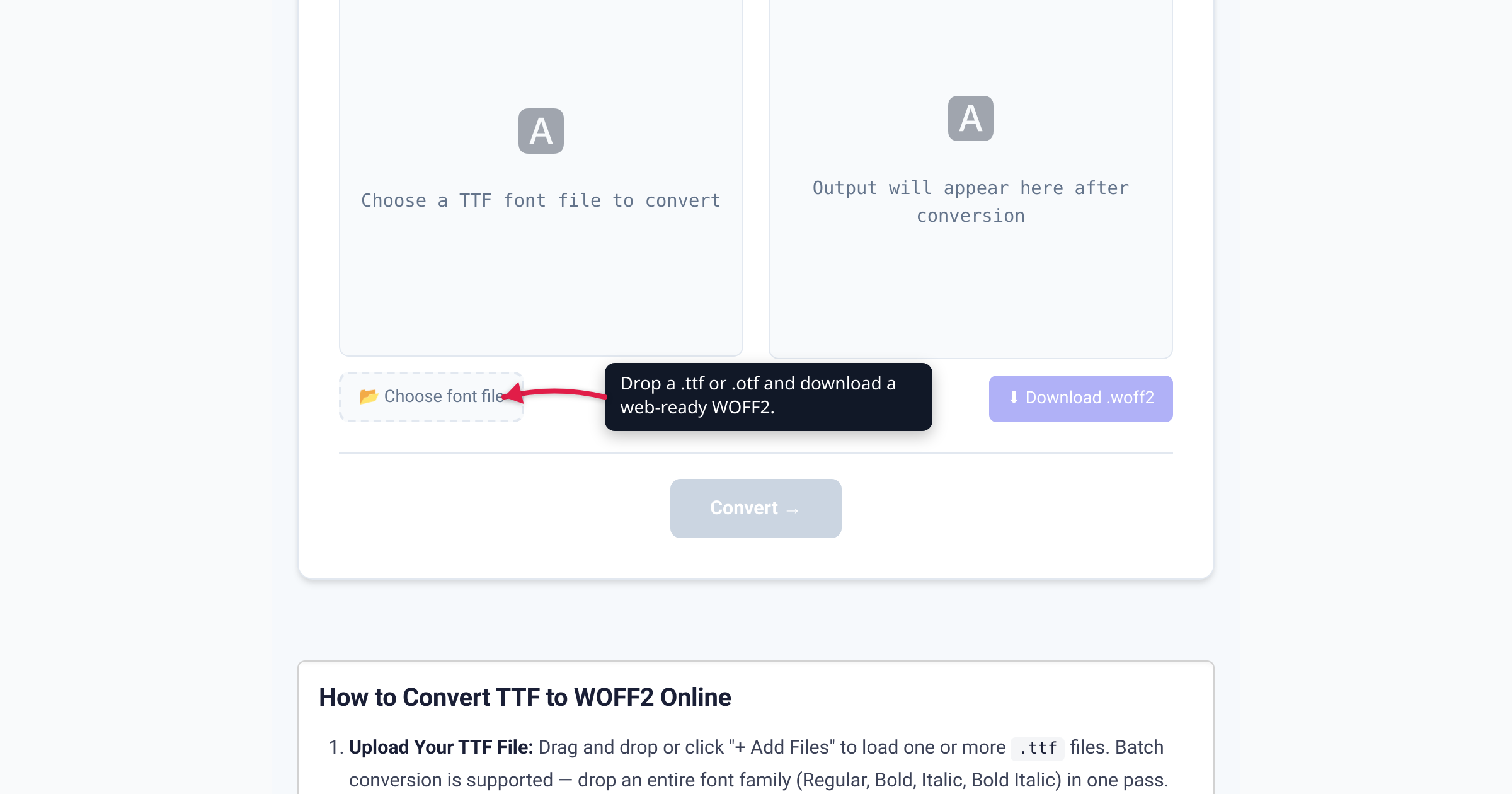
You found the perfect typeface, downloaded the .ttf, dropped it into your CSS — and now every page ships a fat, uncompressed desktop font that blocks your text from painting until it lands. That desktop file was never meant for the network. WOFF2 is: the exact same font data, losslessly repackaged with Brotli compression, and the format the web standard itself names for @font-face. This guide covers what actually changes when you convert (and what doesn’t), how much you save, whether you still need fallbacks in 2026, and the one caveat that has nothing to do with the file format — licensing. We verified the compression figures against the W3C, browser support against caniuse, and the “use WOFF2” recommendation against web.dev and MDN.
Quick answer: Convert your desktop TTF or OTF to WOFF2 before putting a font on the web. WOFF2 is the same font wrapped in Brotli compression — roughly 24–30% smaller than WOFF 1.0 (W3C / web.dev) and far smaller than the raw, uncompressed TTF. It’s supported by ~97% of browsers (caniuse) and is the format the W3C WOFF2 spec built for
@font-face. Serve WOFF2 first; add a WOFF/TTF fallback only for ancient browsers. One caveat: converting the format does not grant web-embedding rights — confirm the font’s license allows self-hosting first. On xconvert, processing happens locally in your browser.
Jump to a section
- TTF, OTF, and WOFF2 — what each one is
- How much smaller is WOFF2 (and why it speeds up your page)
- Browser support: do you still need fallbacks?
- Using WOFF2 with @font-face
- The licensing caveat nobody mentions
- Convert TTF to WOFF2 on xconvert
- FAQ
TTF, OTF, and WOFF2 — what each one is
These are not four rival “kinds” of font. Three of them are the same font data packaged for different jobs.
- TTF (TrueType) and OTF (OpenType) are desktop font files. TrueType came from Apple and Microsoft in the late 1980s; OpenType (Adobe + Microsoft) extended it with PostScript/CFF outlines and advanced typographic features. Both are built on the table-based
sfntstructure, and both are meant to be installed on an operating system — so they’re stored uncompressed, optimized for a font engine reading them off disk, not for shipping over a network. - WOFF and WOFF2 are web font formats. As MDN puts it, WOFF “uses a compressed version of the same table-based
sfntstructure used by TrueType, OpenType, and Open Font Format, but adds metadata and private-use data structures, including predefined fields allowing foundries and vendors to provide license information.” In other words: it’s your TTF/OTF, compressed for transport, with room for license metadata baked in.
The only real difference between the two web formats is the compressor. WOFF 1.0 uses zlib/gzip; WOFF 2.0 uses Brotli — “The compression algorithm used for both the compressed font data stream and extended metadata block is Brotli,” per the W3C spec. The spec is blunt about what WOFF2 is for: “The primary purpose of the WOFF2 format is to efficiently package fonts linked to Web documents by means of CSS @font-face rules.” It’s a W3C Recommendation — the web’s official standards stamp (current edition dated 8 August 2024).
The key mental model: converting TTF → WOFF2 does not create a different font. It’s a lossless repack — the same glyph outlines, the same hinting, the same metrics — that the browser decompresses back to equivalent OpenType data at load time. Nothing about how the type looks changes.
How much smaller is WOFF2 (and why it speeds up your page)
Two comparisons matter, and it’s worth being precise about both because most guides blur them.
vs. WOFF 1.0 — this is the well-measured figure. The W3C’s own WOFF 2.0 Evaluation Report (Chris Lilley) measured a median reduction of ~24% over WOFF 1.0 for TrueType-outline fonts on the Google Fonts corpus (average ~25%, ranging from about 7% up to 71% depending on the font), and about 13.5% for OpenType/CFF fonts. Google’s web.dev guidance rounds this to the number you’ll see everywhere: “WOFF2 compresses 30% better than WOFF.” Either way, same font, smaller file, zero visual cost.
vs. a raw TTF/OTF — the win is bigger still, simply because the desktop file carries no compression at all. How much bigger depends entirely on the font (how many glyphs, how complex the outlines), so treat any single “70% smaller!” claim as font-specific rather than a law — but for a typical Latin text face, a WOFF2 is a small fraction of the original TTF.
Why this shows up as page speed. Web fonts sit on the critical rendering path. By default a browser holds a block period while the font downloads — and as web.dev explains, “if the web font isn’t available, the font is rendered in an invisible fallback font and thus the text is invisible to the user.” That’s the dreaded flash-of-invisible-text (FOIT): your visitor stares at a blank paragraph until the font arrives. A smaller WOFF2 arrives sooner, so the invisible window is shorter — and pairing it with font-display: swap (which web.dev notes “delays text render the least”) shows readable fallback text immediately while the real font streams in.
For an extra cut on top of the format win, subset the font to the glyphs you actually use — web.dev notes a CJK font can carry “over 10,000 characters” versus 100–1000 for Latin, so subsetting matters most for non-Latin scripts. But converting to WOFF2 is the universal first step every self-hosted font should take.
Browser support: do you still need fallbacks?
Short version: for a modern site, no.
Per caniuse, WOFF2 sits at roughly 97% global support (96.68% at time of writing). It’s been shipping in every major engine for years:
| Browser | WOFF2 supported from |
|---|---|
| Chrome | 36+ (2014) |
| Edge | 14+ |
| Firefox | 39+ |
| Safari (macOS) | 12+ (partial from 10) |
| iOS Safari | 10+ |
| Android browser / Chrome | Yes (modern versions) |
| Internet Explorer | Never — the only real gap |
The only meaningful holdouts are Internet Explorer (all versions) and Opera Mini. That’s why web.dev’s advice is now simply: “Use only WOFF2 and forget about everything else” — “WOFF2 is now supported everywhere. So, unless you need to support really ancient browsers, just use WOFF2.”
If you do still have to serve IE11 or similarly old clients, add a WOFF (or even raw TTF) fallback in the src list. Because browsers download the first format they understand, listing WOFF2 first means modern browsers grab only the WOFF2 and never touch the fallback — no double downloads, no wasted bytes.
Using WOFF2 with @font-face
WOFF2 “works exactly like OpenType and TrueType format fonts do,” as MDN notes — you just point @font-face at the file and give it the format('woff2') descriptor. The minimal, modern declaration is WOFF2-only:
@font-face {
  font-family: 'MyFont';
  src: url('/fonts/myfont.woff2') format('woff2');
  font-weight: 400;
  font-style: normal;
  font-display: swap;
}

body {
  font-family: 'MyFont', system-ui, sans-serif;
}
If you need a legacy fallback, list WOFF2 first, then WOFF (or TTF):
src: url('/fonts/myfont.woff2') format('woff2'),
     url('/fonts/myfont.woff')  format('woff');
A few practical notes:
- One
@font-faceblock per weight and style. Convert and declareregular,bold, anditalicas separate files rather than relying on the browser to fake them — synthesized bold/italic looks wrong. font-display: swapkeeps text visible while the font loads (avoids the invisible-text period above). Use it unless you have a specific reason not to.- Host it same-origin, and if you serve fonts from a separate domain/CDN, send the right CORS header (
Access-Control-Allow-Origin) or the browser will refuse the font. - Preload the critical font (
<link rel="preload" as="font" type="font/woff2" crossorigin>) if it renders above the fold, so the download starts before the CSS is parsed.
The licensing caveat nobody mentions
Here is the part most “convert your font” tutorials skip, and it’s the one that can actually get you in trouble. Converting a font’s format does not change what its license lets you do with it.
A font you bought or downloaded for desktop use — installed on your machine to make graphics, documents, or an app UI — is very often licensed only for that. Many commercial EULAs do not include web embedding, some explicitly forbid self-hosting via @font-face, and others require a separate webfont license (sometimes metered by monthly pageviews). The conversion is trivial and lossless; the permission to publish the font on a public web server is a completely separate question.
So before you self-host:
- Read the EULA for the words “web embedding,” “@font-face,” or “webfonts.” If it’s silent or restrictive, assume web use isn’t covered.
- Buy the webfont license if the foundry sells one separately.
- Or use a font whose license explicitly allows it. Fonts under the SIL Open Font License (OFL) — which covers the vast majority of Google Fonts — expressly permit embedding, self-hosting, and redistribution. That’s the safe, friction-free path. (Fittingly, the WOFF format even reserves metadata fields for license info, per MDN.)
Converting the file is the easy 10 seconds. Confirming you’re allowed to publish it is the part that protects you.
Convert TTF to WOFF2 on xconvert
The xconvert TTF to WOFF2 converter turns a desktop font into a web-ready WOFF2 in a couple of clicks — and it handles OTF sources too:
- Open xconvert.com/convert-ttf-to-woff2 and click Choose font file — or drag your
.ttf(or.otf) straight onto the page. - The From format is detected automatically; confirm the To format is WOFF2. (The same tool can also target OTF, WOFF, or EOT if you ever need one of those.)
- Add more files to convert a whole family — regular, bold, italic — in one batch.
- Click Convert →.
- Download each WOFF2 (or grab them all as a ZIP if you converted several), then wire them into your CSS with the
@font-facerule above.
xconvert parses and converts the font locally in your browser with a lazy-loaded JavaScript worker. That’s a nice bonus for a licensed font, since you’re not handing the file to any third party — but it doesn’t change the licensing rules above: you still need the right to publish the font on your site.
FAQ
TTF vs WOFF2 — which should I use for a website?
WOFF2, every time, for the web. TTF is a desktop/installable font format; WOFF2 is the same font data compressed for the network and designed for @font-face. Keep the TTF/OTF as your source (and for desktop use), convert a WOFF2 copy for the site. There’s no visual difference — only a smaller, faster-loading file.
How much smaller is WOFF2 than WOFF or TTF?
Against WOFF 1.0, the W3C’s evaluation measured a median ~24% reduction for TrueType-based fonts (web.dev rounds it to “~30% better”). Against a raw, uncompressed TTF the saving is larger still, because the desktop file isn’t compressed at all — though the exact ratio depends on the font. The mechanism is Brotli compression, which WOFF2 uses in place of WOFF 1.0’s zlib/gzip.
Does converting TTF to WOFF2 reduce quality?
No — it’s lossless. WOFF2 doesn’t rasterize or re-draw anything; it compresses the exact same sfnt outline data and the browser decompresses it back at load time. The glyphs, hinting, and metrics are identical. “Quality” only enters the picture for images, not for this kind of font repackaging.
Do I still need a WOFF or TTF fallback in 2026?
Usually not. WOFF2 has ~97% global browser support (caniuse), and web.dev’s guidance is to “use only WOFF2.” Add a WOFF/TTF fallback in your src list only if you must support Internet Explorer or similarly ancient browsers — and even then, list WOFF2 first so modern browsers ignore the fallback.
Can I convert any font to WOFF2 and put it on my site?
Technically yes; legally, not always. Converting the format does not grant web-embedding rights. Many desktop font licenses exclude @font-face/self-hosting or require a separate webfont license. Check the EULA, or use an SIL Open Font License font (most Google Fonts) that explicitly permits web use.
Can I convert OTF to WOFF2 as well?
Yes. The converter accepts OTF sources and produces WOFF2 the same way. OpenType/CFF fonts compress a little less dramatically than TrueType ones (the W3C measured ~13.5% over WOFF 1.0 for CFF vs ~24% for TTF outlines), but WOFF2 is still the right web format for them.
How do I add the WOFF2 file to my CSS?
Declare an @font-face rule pointing src at the file with format('woff2'), add font-display: swap so text stays visible while it loads, then reference the font-family name in your styles. Use one @font-face block per weight/style, and preload the font if it’s above the fold. See the snippet above.
Sources
Last verified 2026-07-16.
- W3C — WOFF File Format 2.0 (Recommendation) — WOFF2 uses Brotli compression; its purpose is to package fonts for CSS
@font-face; current edition 8 August 2024. - W3C — WOFF 2.0 Evaluation Report — measured size reduction over WOFF 1.0: median ~24% for TrueType-outline fonts (range ~7–71%), ~13.5% for CFF/OpenType.
- web.dev — Best practices for fonts — “Use only WOFF2”; “WOFF2 compresses 30% better than WOFF”; invisible-text (FOIT) block period;
font-display: swap; subsetting. - MDN — Web Open Font Format (WOFF) — WOFF is the same
sfntstructure compressed, with license-metadata fields; works with@font-facelike TTF/OTF;woff/woff2format descriptors. - caniuse — WOFF 2.0 — ~97% global support; Chrome 36+, Edge 14+, Firefox 39+, Safari 12+, iOS 10+; Internet Explorer unsupported.