 By James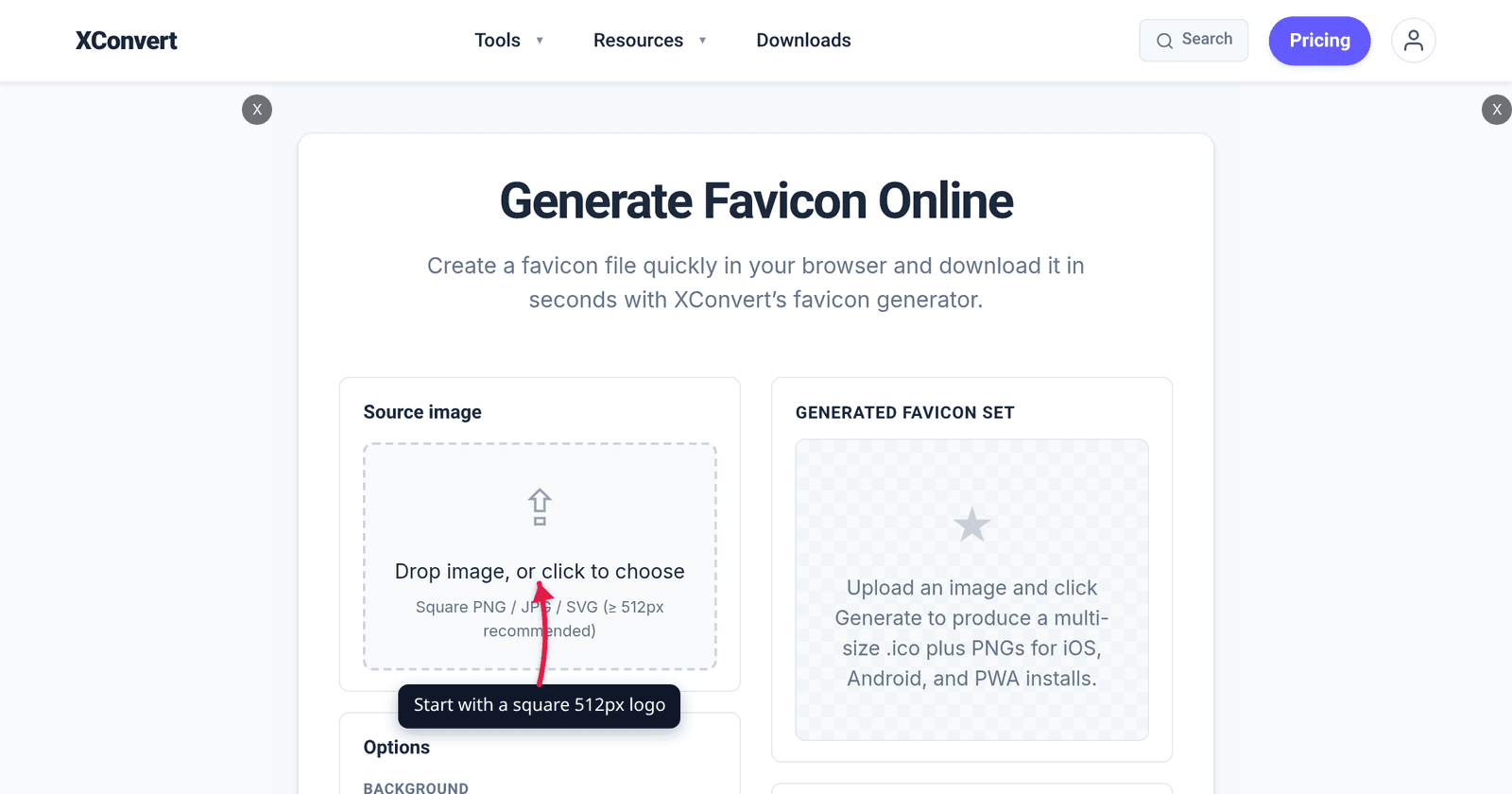
Run your logo through most favicon generators and you get a zip with twenty-odd files, a browserconfig.xml, and eleven <link> tags to paste into your <head>. Almost all of it is archaeology — dead weight for platforms that no longer exist or that never needed a separate file. In 2026 the working set is five images and one manifest, and this article covers exactly which, at what dimensions, and which of the old ones you can delete without anything breaking.
Quick answer: Ship
favicon.ico(16 + 32 inside one file),favicon-32x32.png,apple-touch-icon.pngat 180×180, and 192×192 plus 512×512 PNGs referenced from asite.webmanifest. Chromium requires the last two for an installable web app; Apple requires the 180 because iOS ignoresrel="icon"entirely. An SVG favicon is a nice extra but not a replacement — Safari and Safari on iOS both waited until 26.0, so every device still on 18.x needs the PNGs. Build the ICO and all the PNGs from one square image with xconvert’s favicon generator, which runs on your device; you write the one-page manifest yourself.
Jump to a section
- The five files
- What you can stop shipping
- Why favicon.ico still exists — and why 256 is its ceiling
- The HTML you actually need
- Generate the full set on xconvert
- FAQ
The five files
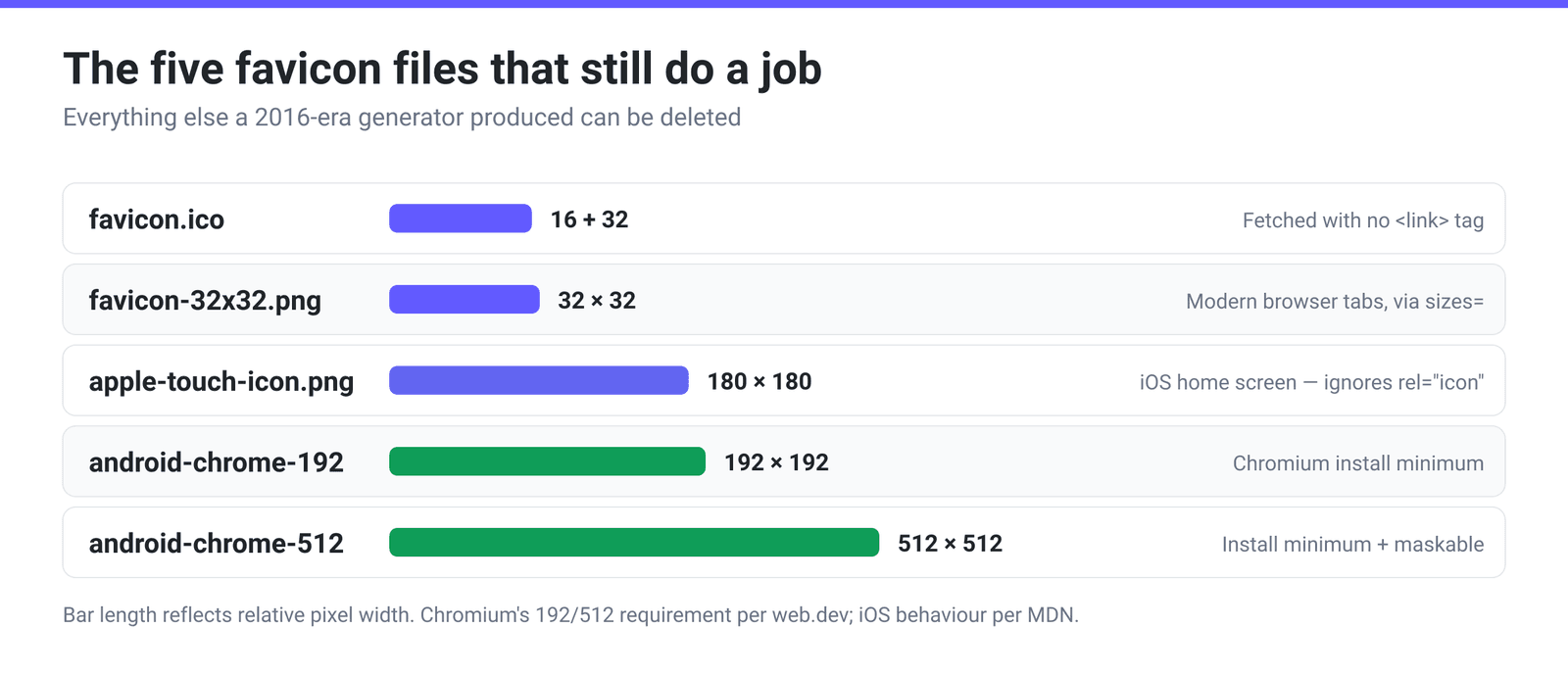
Each one exists because a specific platform will not read any of the others:
favicon.ico — 16×16 and 32×32 in a single file, at the site root. ICO is a container format that holds several images at different sizes, and the browser picks the closest match. This is the only file browsers will fetch without a <link> tag, by convention probing /favicon.ico, which is why it is still worth having even in a fully modern setup. Google Search accepts ICO among its supported favicon formats.
favicon-32x32.png — modern browser tabs. A plain PNG that browsers select via the sizes attribute. MDN describes the selection: browsers use the media, type and sizes attributes of your <link rel="icon"> tags to pick the most appropriate icon, falling through to the next one if the chosen format turns out to be unsupported.
apple-touch-icon.png — 180×180. iOS is the reason this file is separate rather than another sizes entry. As MDN puts it, “Apple’s iOS does not use this link type, nor the sizes attribute, like others mobile browsers do, to select a webpage icon for Web Clip” — it uses the non-standard apple-touch-icon relation instead. 180×180 is the size to ship; iOS downsamples it for smaller targets.
android-chrome-192x192.png and android-chrome-512x512.png. These are not decorative. Chromium’s install criteria are explicit: “For Chromium, you must provide at least a 192×192 pixel icon and a 512×512 pixel icon.” Supply just those two and Chrome scales them for everything else. They are declared in the manifest, not in a <link rel="icon">.
site.webmanifest — the sixth file, and it is text. It is what connects the 192 and 512 PNGs to the browser’s install prompt. Without it, those two PNGs are just files nobody reads. If you want an Android adaptive icon that isn’t awkwardly cropped, add "purpose": "any maskable" to the icon entry and design with a safe margin.
One optional extra: an SVG favicon. It scales perfectly and can respond to dark mode via a media query inside the SVG. But treat it strictly as an enhancement: per caniuse it sits at about 90% global support — Chrome and Edge from 80, Firefox from 41, but Safari and Safari on iOS only from 26.0, with every earlier version, up to and including 18.7, unsupported. Ship it alongside the PNGs, never instead of them.
What you can stop shipping
If you inherited a favicon folder from a generator circa 2016, most of it can go:
| File | Verdict |
|---|---|
mstile-*.png + browserconfig.xml | Delete. These were for Windows 8/10 Start-menu live tiles, a feature that no longer exists |
apple-touch-icon-57x57 … -152x152 (the full ladder) | Delete. Modern iOS takes one 180×180 and downsamples |
apple-touch-icon-precomposed.png | Delete unless you support genuinely ancient iOS. Google still recognises the rel value, but nothing needs the extra file |
favicon-96x96.png | Optional. Harmless, but nothing specifically requires it |
favicon-16x16.png as a separate file | Optional. Useful as an explicit sizes="16x16" entry, but the ICO already carries a 16×16 |
android-chrome-* at every intermediate size | Delete. Chromium wants 192 and 512 and scales the rest |
safari-pinned-tab.svg | Delete. This was for macOS Safari’s pinned-tab monochrome mask, no longer needed |
The net effect is going from about twenty files and a dozen <link> tags to five images, one manifest and four lines of HTML.
Why favicon.ico still exists — and why 256 is its ceiling
ICO is a genuinely odd format to still be using in 2026, and understanding its shape explains a constraint people hit constantly.
An ICO file is a directory of images. Microsoft’s own format documentation defines each entry as an ICONDIRENTRY, and the very first two fields are:
BYTE  bWidth;   // Width, in pixels, of the image
BYTE  bHeight;  // Height, in pixels, of the image
Single bytes. That is the whole story: a dimension in an ICO directory cannot be declared above 255, and later implementations adopted the convention that a stored 0 means 256. So 256×256 is the practical ceiling for an ICO entry, and anything wider or taller than that cannot be described by the directory at all. (The same document recommends including 16×16, 32×32 and 48×48 as a minimum set — advice from 1995 that still holds.)
This has a practical consequence if you convert an image to ICO directly rather than using a favicon generator. On xconvert’s JPEG to ICO converter, Image resolution → Preset Resolutions is the only resizing mode, and its dropdown carries the whole video ladder from 4320p down before the ICO-scale entries — 256P, 192P, 180P, 128P, 64P, 48P, 32P, 24P, 16P — appear at the bottom. It opens on 768p, so you must change it; leaving it alone produces a 768-pixel-tall image that no ICO directory entry can describe. Like every “p” preset, each one sets the height and lets the width follow the aspect ratio. Feed it a square logo and 256P gives you 256×256, exactly at the ceiling. Feed it a landscape logo and 256P gives you something like 455×256 — wider than an ICO entry can declare. With a wide source, 128P is the safe maximum, or better, crop the image square before converting. (That converter processes on our servers: the file uploads over an encrypted connection and is automatically deleted a few hours later.)
The HTML you actually need
Four lines in <head>, plus the manifest:
<link rel="icon" href="/favicon.ico" sizes="16x16 32x32">
<link rel="icon" href="/favicon-32x32.png" type="image/png" sizes="32x32">
<link rel="apple-touch-icon" href="/apple-touch-icon.png">
<link rel="manifest" href="/site.webmanifest">
And the icon block inside site.webmanifest:
"icons": [
  { "src": "/android-chrome-192x192.png", "sizes": "192x192", "type": "image/png" },
  { "src": "/android-chrome-512x512.png", "sizes": "512x512", "type": "image/png",
    "purpose": "any maskable" }
]
If you are adding the optional SVG, put it before the PNG line so browsers that support it prefer it: <link rel="icon" href="/favicon.svg" type="image/svg+xml">.
Generate the full set on xconvert
- Open xconvert.com/favicon-generator and use Drop image, or click to choose. The tool asks for a square PNG / JPG / SVG (≥ 512px recommended) — start square, because everything downstream is square and cropping later is worse than cropping first.
- Pick a Background. This is a colour swatch, not a toggle: it opens on white and there is no transparent option, so every icon the tool produces is drawn on a solid fill of whatever colour you choose. That is usually the right outcome anyway — a transparent logo can vanish against a dark browser tab — but if you specifically need an icon with an alpha channel, this is not the tool for it.
- Turn on Rounded corners (iOS-style) if you want the Apple home-screen look baked in. Leave it off if your logo already has its own shape.
- Click ⚙ Generate favicon set. It is a button, not a checkbox. The preview panel fills with seven cards: favicon.ico, which packs 16, 32 and 48 into one file, and a separate PNG at 16×16, 32×32, 48×48, 180×180, 192×192 and 512×512.
- Download the ones you need with each card’s ⬇ button — there is no zip, and nothing is saved until you click. The ICO arrives as
favicon.ico; every PNG arrives asfavicon-NxN.png, so the 180 lands asfavicon-180x180.pngrather thanapple-touch-icon.png, and the 192 and 512 land asfavicon-192x192.pngandfavicon-512x512.pngrather thanandroid-chrome-*. Rename them to match the convention above, or keep the tool’s names and point your<link>tags and manifest at those instead — filenames are yours to choose, only therelandsizesvalues have to be right. - 📋 Copy HTML gives you a starting block rather than a finished one. It emits five lines referencing
favicon.ico,favicon-16x16.png,favicon-32x32.png,favicon-180x180.pngas the apple-touch-icon, and/site.webmanifest— and the tool does not write that manifest. Createsite.webmanifestyourself using the icon block from the HTML you actually need above, pointed at whichever 192 and 512 filenames you kept.
The whole set is built client-side — your logo is processed on your own device and never sent to a server, so there is nothing uploaded and nothing stored anywhere but your machine.
If you only need the single ICO file rather than the whole set, how to convert an image to ICO covers that narrower job.
FAQ
What favicon sizes do I actually need in 2026?
Five images: 16 and 32 inside favicon.ico, a 32×32 PNG, a 180×180 apple-touch-icon, and 192×192 plus 512×512 PNGs wired up through a web app manifest. Everything beyond that — the mstile set, the ladder of apple-touch-icon sizes, intermediate Android sizes — is legacy. Five files and one manifest covers browser tabs, bookmarks, iOS home screens, Android install prompts and search results.
Do I still need favicon.ico, or is PNG enough?
Keep it. favicon.ico is the one icon browsers request without being told to, by probing /favicon.ico at your site root, and various crawlers and link-preview tools do the same. Because ICO holds several sizes in one file, a single favicon.ico with 16×16 and 32×32 inside handles the legacy path cleanly. PNG covers modern browsers; ICO covers everything that never asks.
What size does Google want for the favicon in search results?
Per Google Search Central, your favicon “must be a square (1:1 aspect ratio) that’s at least 8x8px,” and Google recommends “using a favicon that’s larger than 48x48px so that it looks good on various surfaces.” Google accepts BMP, GIF, ICO, PNG, JPEG, PPM and TIFF, and reads rel="icon", rel="apple-touch-icon" and rel="apple-touch-icon-precomposed". The 192 and 512 PNGs you are already shipping comfortably clear the recommendation.
Can I just use one SVG favicon and skip the rest?
Not yet. SVG favicons sit at about 90% global support on caniuse — good, but the gap is in exactly the wrong place: Safari and Safari on iOS both added support only in 26.0, so every iPhone still on 18.7 or earlier sees nothing. Add the SVG as a progressive enhancement in front of your PNG line and keep the raster files as the fallback.
Why can’t I make a 512×512 ICO file?
Because the ICO directory stores each image’s width and height as single-byte fields — Microsoft’s format documentation defines them as BYTE bWidth and BYTE bHeight. A byte cannot express 512, and the widely implemented convention is that a stored 0 means 256, which makes 256×256 the ceiling for an ICO entry. Anything larger has to be a PNG. That is precisely why the 192 and 512 icons in the modern set are PNGs and not extra ICO entries.
My logo is wide, not square. What happens when I convert it to ICO?
The “p” presets on the ICO converter set the height, so a landscape source at 256P comes out wider than 256 pixels — beyond what an ICO directory entry can declare. With a wide source, 128P is the safe maximum. The better fix is to crop or pad the image to a square before you start: favicons are displayed square everywhere, so a wide logo will be squeezed or cropped by someone eventually, and it may as well be you making that decision.
Should my favicon have a transparent background?
Usually not. A transparent PNG picks up whatever is behind it, which means a dark logo disappears in a dark-themed browser tab and a light one disappears in a light theme. A solid background — the Background option in the generator — makes the icon behave predictably everywhere. The exception is a maskable Android icon, where the platform supplies the shape and you want to leave a safe margin inside it.
Sources
Last verified 2026-08-31.
- Google Search Central — Define a favicon to show in search results — square 1:1, “at least 8x8px,” recommended larger than 48×48; supported formats and
relvalues. - MDN — HTML
relattribute — how browsers select among multiplerel="icon"links, and the note that iOS uses the non-standardapple-touch-iconinstead. - web.dev — Add a web app manifest — “For Chromium, you must provide at least a 192×192 pixel icon and a 512×512 pixel icon,” plus
"purpose": "any maskable". - Microsoft — Icons (ICO file format) — the
ICONDIRENTRYstructure withBYTE bWidth/BYTE bHeight, and the recommended minimum 16/32/48 set. - caniuse — SVG favicons — 90.48% global support; Chrome/Edge 80+, Firefox 41+, Safari and iOS Safari 26.0+, unsupported in both through 18.7.