 By James
You have a screen recording, you need a GIF, and somewhere in the settings there is a resolution box waiting for a number. Nobody tells you which number. Go too wide and the file balloons past whatever limit you are aiming at; go too narrow and the text in your demo turns to mush. The awkward truth is that almost no platform publishes a pixel size for GIFs — they publish a byte limit, and width is the lever that gets you there.
Quick answer: Match the GIF’s width to the box it will actually be displayed in — anything wider is bytes you paid for and nobody sees. Only a handful of destinations publish a pixel size at all: Discord custom emoji are 128 × 128, Discord stickers are 320 × 320, and Telegram stickers must have one side exactly 512 px (though Telegram does not take GIF for stickers). Everywhere else — Slack emoji, GitHub READMEs, forums, email — the published limit is in kilobytes, and width is how you hit it. Halving the width quarters the pixel count, which is the single biggest thing you can do to a GIF’s size.
Jump to a section
- Why width is the lever, not “quality”
- Destinations that publish a pixel size
- Destinations that publish only a byte budget
- A width ladder you can pick from
- Set an exact pixel width on xconvert
- FAQ
Why width is the lever, not “quality”
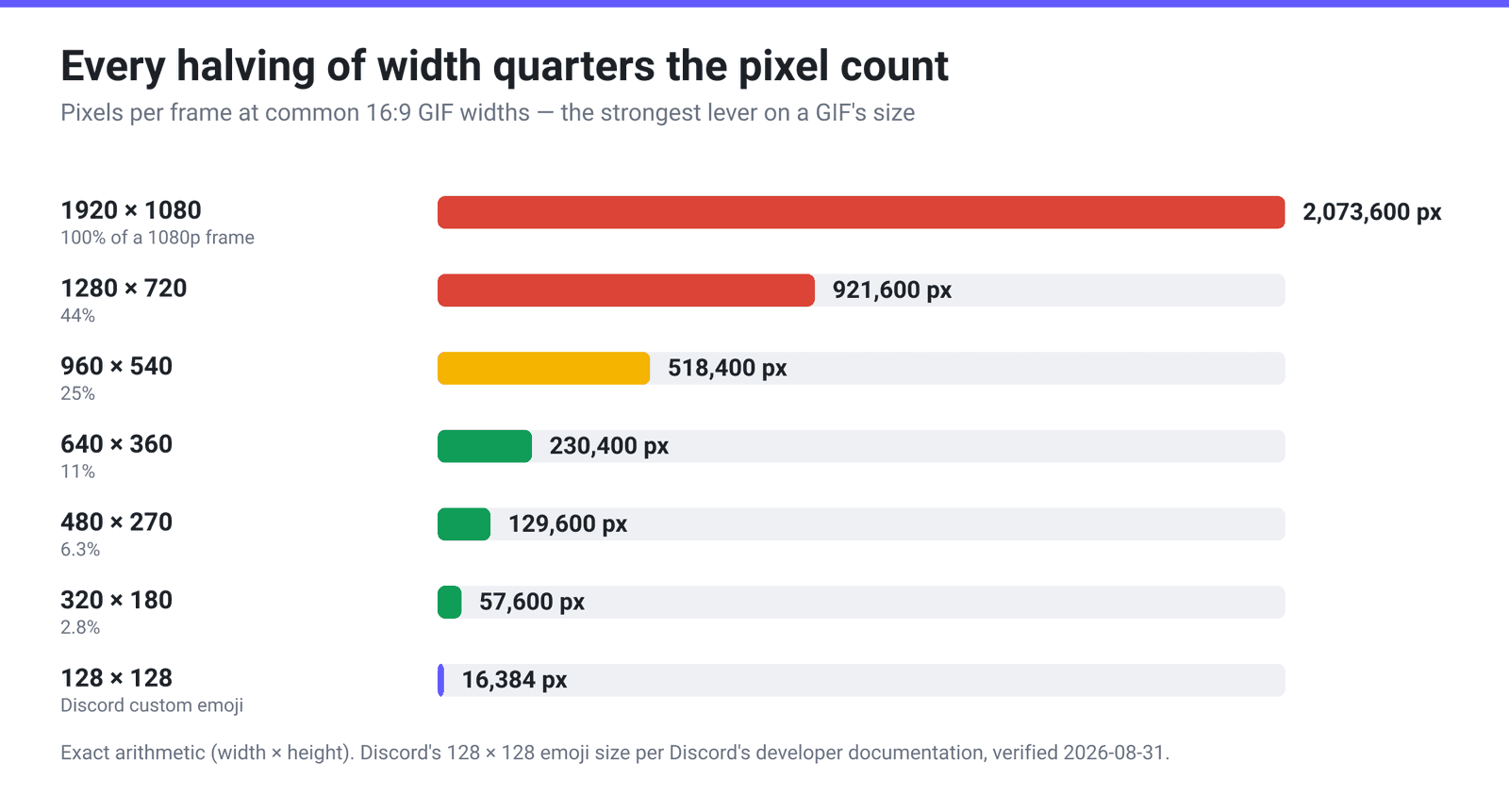
A GIF’s weight is driven by how many pixels it has to describe: width × height × frame count. Because width and height move together when you keep the aspect ratio, halving the width quarters the area — a 1280 px-wide GIF has roughly four times the pixel data of the same clip at 640 px, before compression even starts.
That matters more for GIF than for other formats because GIF has no graceful quality curve to fall back on. A JPEG can absorb a bad size target by getting softer. GIF compresses with LZW over a palette of at most 256 colours, so once you have cut colours and dropped frames you have run out of gentle options — the remaining lever is how many pixels exist in the first place. (For what the palette and dithering choices do, see how GIF optimization actually works.)
It also explains the number that surprises everyone: across all 73,688 GIF-output conversions we processed in a 30-day window, converting an MP4 to a GIF produced a file 4.9 times larger than the source video at the median. Video codecs describe motion between frames; GIF largely re-describes each frame. Keeping the source video’s width is what turns a 3 MB clip into a 15 MB GIF — see how big will your GIF be for the full arithmetic.
Destinations that publish a pixel size
This is a short list, and it is worth knowing exactly how short. These are the pixel dimensions the platforms themselves document.
| Destination | Pixel size | Other published limits | GIF accepted? |
|---|---|---|---|
| Discord custom emoji | 128 × 128 | Max 256 KiB | Yes |
| Discord sticker | 320 × 320 | Max 512 KiB; animated stickers capped at 5 seconds | Yes — PNG, APNG, GIF or Lottie JSON per Discord’s developer docs |
| Telegram sticker | One side exactly 512 px, the other 512 or less | Animated .TGS ≤ 3 s; video stickers .WEBM/VP9 ≤ 3 s, ≤ 30 FPS, ≤ 256 KB | No — static is PNG/WEBP only |
| Telegram custom emoji | Exactly 100 × 100 | Same format rules as stickers | No |
When a platform does name a pixel size it is because the artwork sits in a fixed slot, so do not second-guess it — a 512 px emoji does not look better in a 128 px slot, it just wastes the byte budget. Telegram is the trap worth naming: its sticker pipeline takes PNG, WEBP, Lottie .TGS or VP9 .WEBM, not GIF, so there the format conversion is the real job.
For the Discord case specifically, fitting an animated GIF into 128 × 128 and 256 KiB goes through which lever to pull first when the square is already tiny.
Destinations that publish only a byte budget
Far more common. Here the platform tells you how many bytes you get and leaves the pixel decision entirely to you — which is exactly why “what size should my GIF be” has no single answer.
| Destination | Published limit | Pixel size published? | What that means for width |
|---|---|---|---|
| Slack custom emoji | “Square images under 128KB… GIFs can include up to 50 frames” | No | Square is required, bytes and frames are capped, width is yours to choose — and with 50 frames to fit under 128 KB, small is the only way |
| GitHub (README, issues, PRs) | 10 MB for images and GIFs | No | GitHub renders the image inside the content column, so anything much wider than that column is downscaled in the browser |
| Email / forums | Varies by provider and by forum | No | Our own size presets cover the common cases: Email (25 MB max) and Forum (2 MB max) |
The rule that fills the gap: a GIF wider than the box it renders in gets scaled down by the browser or app anyway. You paid the bytes; the viewer never sees the detail. Going the other way — narrower than its box — gets upscaled and looks soft, which is the direction genuinely worth avoiding.
The retina temptation is real and, for GIFs, usually wrong. Rendering at 2× the display width does look crisper on a high-DPI screen, but it costs roughly four times the pixel data, and GIF has no efficient way to absorb that. For photographic or screen-recording content, 1× at the display width is nearly always the better trade.
A width ladder you can pick from
Pixel counts for the common 16:9 widths, so you can see the cost of each step. These are exact — width × height, per frame.
| Width × height | Pixels per frame | Share of 1080p | Reasonable for |
|---|---|---|---|
| 1920 × 1080 | 2,073,600 | 100% | Essentially never for a GIF |
| 1280 × 720 | 921,600 | 44% | A full-bleed demo where small on-screen text must stay legible |
| 960 × 540 | 518,400 | 25% | A wide blog or docs column |
| 854 × 480 | 409,920 | 20% | A narrower article column |
| 640 × 360 | 230,400 | 11% | Chat and inline embeds — the workhorse width |
| 480 × 270 | 129,600 | 6.3% | Forum posts and tight byte budgets |
| 320 × 180 | 57,600 | 2.8% | Thumbnails and previews |
And the squares, for the emoji and sticker cases:
| Square size | Pixels per frame | Where it applies |
|---|---|---|
| 512 × 512 | 262,144 | Telegram sticker canvas (not GIF) |
| 320 × 320 | 102,400 | Discord sticker |
| 128 × 128 | 16,384 | Discord custom emoji |
| 100 × 100 | 10,000 | Telegram custom emoji (not GIF) |
Read the two tables together and the emoji case stops being mysterious: a 128 × 128 frame holds 16,384 pixels, about 0.8% of a 1080p frame — which is why an emoji can carry a couple of dozen frames inside 256 KiB while a 720p GIF cannot.
Set an exact pixel width on xconvert
The width control lives inside Custom mode on the video to GIF converter — it is not shown in the default Quality preset mode, so you have to switch first.
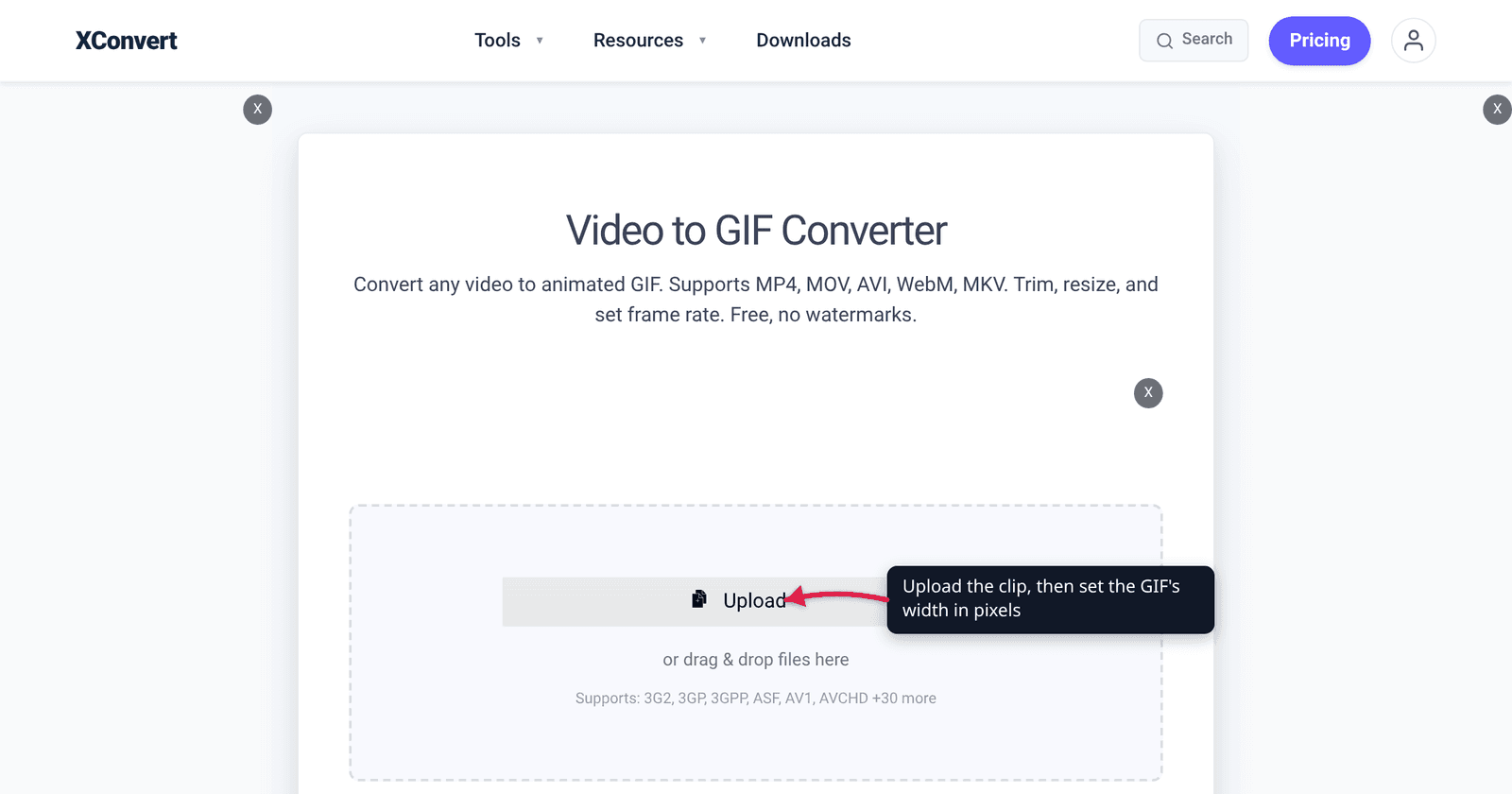
- Open xconvert.com/convert-video-to-gif and click Upload, then From my Computer (Google Drive and Dropbox are in the same menu), or drop the file onto the page.
- Open Advanced Options (the gear icon). File Compression starts on Quality preset with High (Recommended) selected. Switch it to Custom — this is what reveals the resolution controls.
- In the Image resolution group, choose Width (Keep aspect ratio). The unit dropdown next to the box opens on Percent (%); change it to Pixels and type your width — 640 for chat, 960 for a blog column, 320 for a thumbnail. The height follows automatically.
- If you would rather pick from a list, use Preset Resolutions instead. Note that those presets are heights — 720p means 720 lines, not 720 pixels wide — and Use as max resolution is on by default, so a preset acts as a ceiling and will not upscale a smaller source.
- Leave Framerate on 10 FPS (Recommended) unless the motion demands more, then click Convert and download.
There is no trim control on the video-to-GIF page, so if you only want a few seconds of a long clip, cut it first with the video cutter and convert the result. Shortening the clip and narrowing the frame are the two levers that move a GIF’s size the most.
Your file uploads over an encrypted connection, is converted on our servers, and is deleted automatically a few hours later. No account, no watermark.
FAQ
What is the best pixel size for a GIF?
The width of the box it will be displayed in — there is no universal number. For chat and inline embeds 640 px wide is a sensible default; for a wide blog column 960 px; for a thumbnail 320 px. The exceptions are the places that publish a fixed size, chiefly Discord custom emoji at 128 × 128 and Discord stickers at 320 × 320.
Does making a GIF smaller in pixels reduce the file size?
Yes, and more than most people expect, because area scales with the square of the width. Going from 1280 px wide to 640 px cuts the pixel count by 75% — from 921,600 to 230,400 per frame. It is the strongest single lever on a GIF’s size, ahead of palette reduction and roughly comparable to cutting the clip’s length.
Should I export a GIF at 2× for retina screens?
Usually not. A 2× GIF costs about four times the pixel data with no efficient compression to absorb it, and GIF’s 256-colour palette limits how much extra detail actually survives. The exception is a tiny square where the absolute cost stays trivial — but for emoji and stickers the platform fixes the size anyway, so there is no decision to make.
What size should a GIF be for Slack emoji?
Slack does not publish a pixel size. Its guidance is that “square images under 128KB and with transparent backgrounds work best” and that GIFs “can include up to 50 frames”. So the constraint is bytes and frames, not pixels — pick a small square that gets you comfortably under 128 KB, and remember that every extra frame is spending from the same budget.
Why does my GIF look blurry after I resize it?
Two common causes. Either the GIF is being displayed wider than it was made — the browser upscales and everything softens — or the width is fine but the palette is doing the damage, because heavy colour reduction on a downscaled frame smears gradients. Check the display size first; it is the cheaper fix.
Can I set the width in pixels rather than a percentage?
Yes, but the control defaults to percent. Under Image resolution, pick Width (Keep aspect ratio), then change the unit dropdown from Percent (%) to Pixels before typing the number. The whole Image resolution group only appears once File Compression is switched from Quality preset to Custom.
Sources
Last verified 2026-08-31.
- Discord Developer Docs — Emoji resource — “the 128×128 emoji image”; 256 KiB maximum file size.
- Discord Developer Docs — Sticker resource — “constrained to 5 seconds in length for animated stickers, and 320 x 320 pixels”; “PNG, APNG, GIF, or Lottie JSON file, max 512 KiB”.
- Slack Help Center — Add custom emoji and aliases to your workspace — “Square images under 128KB… GIFs can include up to 50 frames”; no pixel size published.
- GitHub Docs — Attaching files — “The maximum file size is: 10MB for images and gifs”.
- Telegram — Stickers documentation — “one side must be exactly 512 pixels”; custom emoji “exactly 100×100 pixels”; formats PNG/WEBP,
.TGS, VP9.WEBM. - xconvert production data — median 4.9× GIF-to-source inflation, measured across all 73,688 GIF-output conversions in a 30-day window.