 By James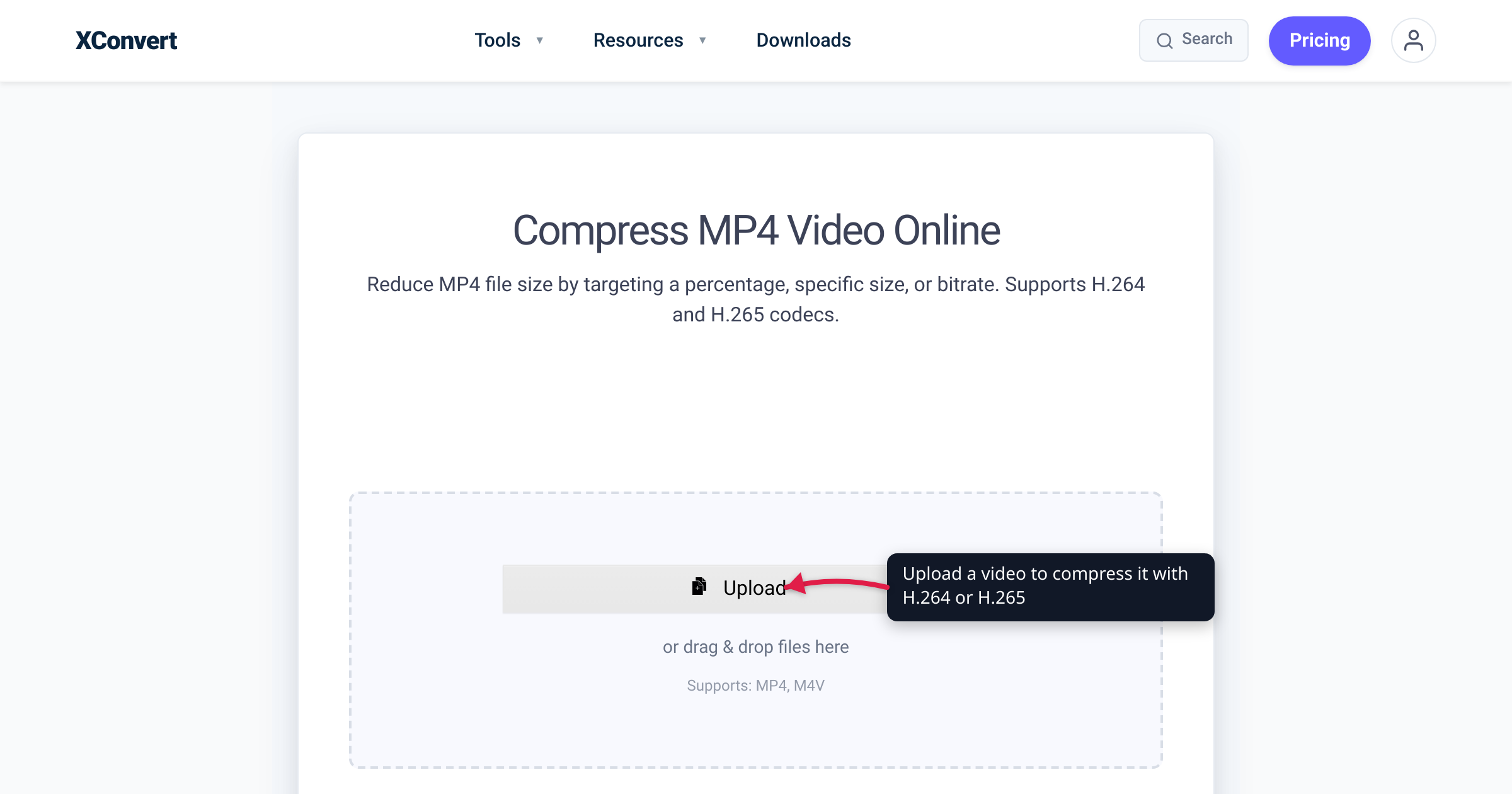
You ripped a home-movie DVD and got a folder full of .VOB files. Or you pulled footage off a Sony camcorder and found .MTS files that no app will open. Or someone handed you a .m2ts from a Blu-ray and your editor just shrugged. These three extensions trip up the same people for the same reason: they’re disc and camcorder delivery formats, built to play in a set-top box or stream off a disc — not to double-click on a laptop or drop into an editor. This guide explains exactly what each one is, where it comes from, and why converting to MP4 makes all three behave. We verified the containers, codecs, and folder structures against the DVD-Video, AVCHD, and Blu-ray BDAV specifications.
Quick answer: VOB is the DVD-Video container — MPEG-2 video in an MPEG-2 program stream, stored in the VIDEO_TS folder on a DVD. M2TS is the Blu-ray/AVCHD container — usually H.264 video in an MPEG-2 transport stream. MTS is the same AVCHD stream as recorded inside a camcorder; the only real difference from M2TS is the filename (.MTS uses the old 8.3 naming on the camera; it becomes .m2ts when copied to a computer or pressed to a Blu-ray). All three resist normal playback and editing because they’re disc-delivery formats. Converting any of them to MP4 (H.264) makes them play and edit everywhere.
Jump to a section
- The 30-second comparison table
- VOB — the DVD-Video container
- M2TS and MTS — the AVCHD/Blu-ray twins
- Why all three resist playback and editing
- Convert VOB, M2TS, or MTS to MP4 on xconvert
- FAQ
The 30-second comparison table
| VOB | M2TS | MTS | |
|---|---|---|---|
| Comes from | DVD-Video discs | Blu-ray discs & AVCHD media | AVCHD camcorders (in-camera) |
| Container | MPEG-2 program stream (PS) | BDAV MPEG-2 transport stream (TS) | BDAV MPEG-2 transport stream (TS) |
| Usual video codec | MPEG-2 (H.262) | H.264/AVC (also MPEG-2, VC-1) | H.264/AVC |
| Usual audio | Dolby Digital (AC-3), LPCM, DTS, MP2 | Dolby Digital, LPCM, DTS, Dolby TrueHD | Dolby Digital (AC-3) or LPCM |
| Where you find it | VIDEO_TS\ folder on a DVD | BDMV\STREAM\ on a Blu-ray; AVCHD\BDMV\STREAM\ on camcorder media | Directly off the camcorder’s card/AVCHD folder |
| Filename style | VTS_01_1.VOB | long names: 00001.m2ts | 8.3 names: 00001.MTS |
| Typical resolution | 720×480 (NTSC) / 720×576 (PAL) — SD | up to 1920×1080 HD | up to 1920×1080 HD |
The single most useful thing to understand: MTS and M2TS are the same format — the same AVCHD transport stream — distinguished only by where the file lives and how it’s named. VOB is the older, separate, standard-definition DVD relative.
VOB — the DVD-Video container
VOB stands for “Video Object,” and it is the container format used on DVD-Video discs. Per the format’s specification, “the VOB format is based on the MPEG program stream format” — the same kind of stream you’d find on a Video CD, but with extra DVD-specific structure layered on for menus and navigation. A .vob file multiplexes “digital video, digital audio, subtitles, DVD menus and navigation contents together into a stream form.”
Concretely, on a standard DVD that means:
- Video: MPEG-2 Part 2 (H.262) — DVD-Video uses MPEG-2 compression at up to 9.8 Mbit/s (a few discs use MPEG-1).
- Audio: Dolby Digital (AC-3), LPCM, DTS, or MPEG-1 Audio Layer II.
- Resolution: standard definition — 720×480 in NTSC regions, 720×576 in PAL regions. VOB predates HD; you will never get a true HD picture out of a DVD VOB no matter what you convert it to.
VOB files live in the VIDEO_TS directory at the root of a DVD, alongside .IFO (information) and .BUP (backup) files. They follow a fixed naming pattern — VTS_01_1.VOB, VTS_01_2.VOB, and so on — and each VOB is capped at 1 GiB so that older operating systems and file systems can read it. That’s why a single 90-minute movie often spans several VOB files: it was sliced to fit the 1 GiB ceiling, not because there are multiple titles.
M2TS and MTS — the AVCHD/Blu-ray twins
Here’s the part that confuses everyone. M2TS and MTS are two names for the same underlying container. M2TS is “a filename extension used for the Blu-ray disc Audio-Video (BDAV) MPEG-2 Transport Stream container file format,” used to multiplex audio, video, and subtitle streams. The video inside is most often H.264/MPEG-4 AVC (the format also allows MPEG-2 and SMPTE VC-1).
AVCHD — the consumer HD camcorder format developed jointly by Sony and Panasonic and introduced in 2006 — records into this exact same transport-stream container. AVCHD uses H.264/MPEG-4 AVC for video and Dolby AC-3 or linear PCM for audio, and the streams are multiplexed into an MPEG transport stream stored on the card. So the camcorder’s clips and a Blu-ray’s clips are structurally the same thing.
So why two extensions? The 8.3 filename convention. AVCHD media uses legacy 8.3 filenames (8 characters, a dot, then 3), while Blu-ray discs use long filenames. M2TS is four characters, which won’t fit the 3-character limit — so the camera writes .MTS instead. As the Blu-ray BDAV documentation puts it: “the filename extension of video files is ‘.MTS’ instead of Blu-ray disc’s ‘.m2ts’” because AVCHD uses the legacy convention. The same stream that’s 00001.MTS on your camcorder’s card becomes 00001.m2ts when it’s copied to a computer or authored to a Blu-ray.
The folders line up too:
- Blu-ray: the file lives at
\BDMV\STREAM\00001.m2ts(or\BDAV\STREAM\…). - AVCHD camcorder: the file lives at
\AVCHD\BDMV\STREAM\00001.MTS— on Panasonic and Canon solid-state models the wholeAVCHDfolder is nested inside aPRIVATEdirectory.
Practical takeaway: if you’re staring at .MTS files, treat them exactly as you’d treat .m2ts. Any tool that converts one converts the other; the choice of extension tells you the file’s origin (camera vs. disc/computer), not its contents.
Why all three resist playback and editing
None of these formats was designed for the open desktop. They were designed to be read by a DVD player, a Blu-ray player, or a camcorder’s own software, in a controlled environment where the hardware already knows the container, the codec, and the navigation structure. Drop them into a general-purpose world and three problems show up:
- Players don’t recognize the container. Stock players on Windows and macOS, web browsers, and most phones expect MP4/MOV. They often can’t demux an MPEG program/transport stream meant for a set-top box — so you get “unsupported format,” no audio, or nothing at all. (Specialist players like VLC can open all three; the point is that the default experience fails.)
- Editors choke on the stream type. Transport streams are built for broadcast/disc delivery — robust against dropped packets, not optimized for frame-accurate scrubbing. Many editors either refuse AVCHD/transport-stream files or force a slow “transcode on import” step before you can cut.
- DVDs add navigation and the 1 GiB split. VOB files carry menus and navigation packs and are chopped into 1 GiB pieces, so even when one VOB opens, a single movie may be scattered across several files with the menu interleaved.
Converting to MP4 with H.264 video fixes all three at once: MP4 is the universally-recognized container, H.264 is the universally-decodable codec, and the output is a clean, single, editor-friendly file. (For AVCHD sources that are already H.264, this is essentially a re-wrap plus a codec normalize; for MPEG-2 DVD VOBs it’s a true re-encode to H.264, and SD stays SD — converting can’t add detail that the DVD never captured.)
Convert VOB, M2TS, or MTS to MP4 on xconvert
The xconvert MTS to MP4 converter handles the AVCHD camcorder formats (.MTS and .m2ts) and produces a standard MP4 that plays and edits anywhere. There are matching tools for the other two formats: convert M2TS to MP4 and convert VOB to MP4.
- Open xconvert.com/convert-mts-to-mp4 and click Upload — choose From my Computer, From Google Drive, or From Dropbox. (For a DVD rip, copy the
.VOBfiles off the disc first, then use the VOB tool.) - Once the file is added, open Advanced Options (the gear icon) if you want to change anything — defaults give you a clean H.264 MP4.
- Under Video resolution, leave it on Keep original to preserve your camcorder’s 1080p (AVCHD), or pick a Preset Resolution to scale down. For DVD VOBs, keep the original 720×480/576 — upscaling can’t recover detail the disc never had.
- If you need a smaller file, use File Compression and pick a mode — Quality Preset, Specific file size, Constant Quality, or Constant/Variable Bitrate.
- Click Convert, then download your MP4.
Your file uploads over an encrypted connection, is processed on our servers, and is automatically deleted a few hours later. Nothing stays around.
For the step-by-step on the camcorder side specifically, see how to convert MTS/M2TS (AVCHD camcorder) to MP4. If you’re weighing the codec inside the output, H.264 vs H.265 covers when each makes sense.
FAQ
What is a VOB file?
A VOB (“Video Object”) file is the container DVD-Video discs use. It’s based on the MPEG program stream format and holds MPEG-2 video, audio (usually Dolby Digital), subtitles, menus, and navigation, multiplexed together. VOB files sit in the VIDEO_TS folder on a DVD, are named like VTS_01_1.VOB, and are capped at 1 GiB each — which is why one movie is often split across several VOBs.
What is an M2TS file?
M2TS is the container format used on Blu-ray discs and AVCHD media — formally the BDAV MPEG-2 Transport Stream. It multiplexes video (most often H.264/AVC), audio, and subtitles. On a Blu-ray you’ll find it at \BDMV\STREAM\00001.m2ts. It’s a delivery format for players, which is why a stock media player or video editor often can’t open it directly.
What’s the difference between MTS and M2TS?
They’re the same format with different filenames. .MTS is what an AVCHD camcorder writes to its memory card, because camcorder media uses the legacy 8.3 filename convention and “M2TS” (four characters) won’t fit the 3-character extension limit. When you copy the file to a computer or author it to a Blu-ray — which use long filenames — it becomes .m2ts. The video stream inside is identical; only the name and origin differ.
Why won’t my MTS or VOB file play on my computer?
Because these are disc/camcorder delivery formats, not desktop formats. Stock players and browsers expect MP4 or MOV and often can’t demux an MPEG program/transport stream meant for a set-top box, so you get “unsupported format,” missing audio, or nothing. VLC can usually open all three, but the fix for everything else is to convert to MP4 (H.264), which plays everywhere.
Will converting VOB to MP4 give me HD video?
No — DVD VOBs are standard definition (720×480 NTSC or 720×576 PAL), so the MP4 will be SD too. Converting changes the container and codec, not the source resolution; it can’t add detail the DVD never recorded. Upscaling only stretches the existing pixels. AVCHD .MTS/.m2ts files, by contrast, are typically already 1080p HD.
Can I edit MTS/M2TS files directly, or should I convert first?
You can, but many editors either refuse AVCHD transport-stream files or force a slow “transcode on import.” Converting to MP4 (H.264) up front gives you a single, clean, frame-friendly file that drops into any editor without the import-transcode wait — and it’s the same H.264 video your camcorder already recorded, just re-wrapped into a universal container.
Sources
Last verified 2026-06-25.
- Wikipedia — DVD-Video — DVD-Video uses MPEG-2 Part 2 video, Dolby Digital/LPCM/DTS/MP2 audio, 720×480 (NTSC)/720×576 (PAL);
VIDEO_TSdirectory withVTS_zz_x.VOB/.IFO/.BUPnaming. - Wikipedia — VOB — “Video Object”; based on the MPEG program stream; holds video/audio/subtitles/menus/navigation; stored in
VIDEO_TS; broken into 1 GiB files for compatibility. - Wikipedia — AVCHD — developed jointly by Sony and Panasonic, introduced 2006; H.264/MPEG-4 AVC video, Dolby AC-3/LPCM audio;
.MTSon camera /.m2tsafter import;PRIVATE/AVCHD/BDMV/STREAMdirectory; based on the Blu-ray BDAV transport stream; up to 1920×1080. - Wikipedia — .m2ts — BDAV MPEG-2 Transport Stream container;
\BDMV\STREAM\00001.m2tson Blu-ray vs\AVCHD\BDMV\STREAM\00001.MTSon camcorders; the 8.3 filename reason for.MTSvs.m2ts; video codecs H.262/MPEG-2, H.264/AVC, or SMPTE VC-1.