 By James
A JPEG is large because it holds many pixels saved at a high quality level; in twelve test photos metadata stayed under 4 %. At quality 80 on the JPEG compressor, a 2.96 MB iPhone photo came out at 1.55 MB with every pixel kept.
Checked on 2026-11-23 on the JPG / JPEG Compressor with three phone photos of 2.96 to 3.92 MB. Not tested: a camera above 24 megapixels, a file over 5 MB on the tool. Sources at the end.
Find your symptom
A JPG file that is too large shows one of these symptoms. The first four are ordered by the bytes each cause moved in most of our twelve test photos. We have not counted how often readers meet each.
| Symptom | Cause | Fix |
|---|---|---|
| Every photo from the phone or camera is several MB | Many pixels at a high quality level (cause 1) | Lower the quality level, the pixel count, or both |
| One photo is twice the size of the next | A different scene (cause 2) | None needed |
| It grew after an edit | Saved again at a higher setting (cause 3) | Export once, at a lower level |
| It is heavier than its pixels explain | A second picture or metadata inside (cause 4) | Remove them with ExifTool |
| It is a screenshot or a drawing | Not tested here | See why a PNG file is so big |
Cause 1: megapixels and the quality level
Megapixels are width times height, divided by a million: 4032 x 3024 pixels are 12.2.
Twelve photos as their phone or camera wrote them, read on 23 November 2026, at a quality level of 92 to 98 by ImageMagick’s estimate:
| Photos, as shot | Megapixels | Size in MB |
|---|---|---|
| iPhone 12 Pro Max, Pixel 7 (2 photos) | 12.2 to 12.5 | 2.86 to 3.74 |
| Galaxy S23 | 12.0 | 8.21 (cause 4) |
| Galaxy A54 5G | 9.4 | 3.77 |
| iPhone 15 Pro (2 photos) | 24.5 | 3.92 and 4.52 |
| iPhone 14 Pro; Pixel 8 Pro | 48.8; 50.1 | 15.72; 5.84 |
| Canon EOS 80D (2 photos), Nikon D5300 | 24.0 | 6.68 to 10.36 |
The same twelve, resized to each pixel count below their own and saved again on 23 November 2026. Median size in MB:
| Megapixels | Photos | Quality 100 | Quality 90 | Quality 80 | Quality 60 |
|---|---|---|---|---|---|
| 48 | 2 | 30.33 | 9.17 | 5.32 | 3.45 |
| 24 | 4 | 13.10 | 3.51 | 1.88 | 1.13 |
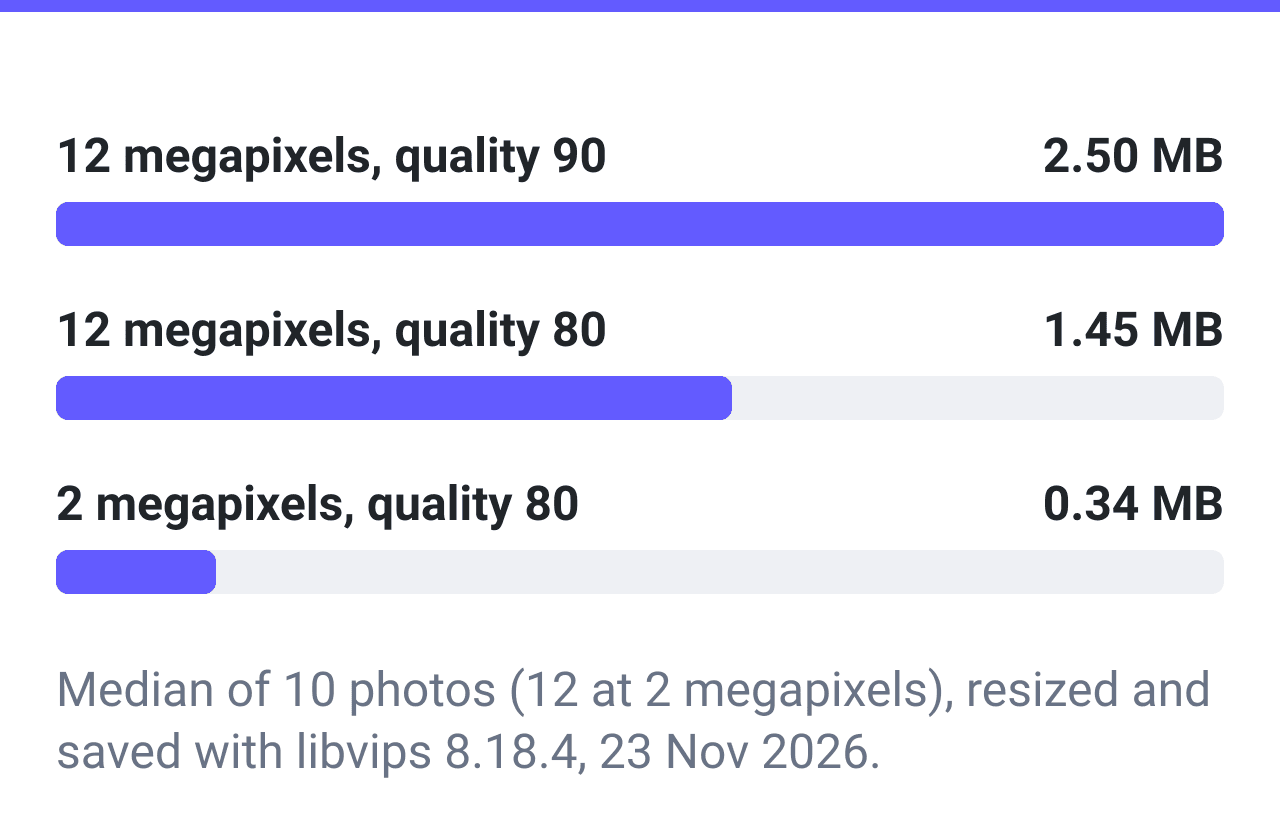
| 12 | 10 | 8.76 | 2.50 | 1.45 | 0.88 |
| 8 | 12 | 6.16 | 1.78 | 1.02 | 0.64 |
| 2 | 12 | 1.89 | 0.58 | 0.34 | 0.23 |
| 1 | 12 | 1.05 | 0.33 | 0.20 | 0.14 |
Saved with libvips 8.18.4 on our test machine, with the settings our compressor’s code sends. At quality 80 the compressor returned two of three photos byte for byte as saved here, and a Pixel 7 photo 2.7 % larger.
By the medians, quality 90 is under a third of quality 100 in every row, and quality 80 is 54 to 60 % of quality 90. A quarter of the pixels, from 8 to 2 megapixels, leaves 31 to 36 % of the bytes.
The quality level sets the encoder’s quantization tables and is not a percentage: see JPEG quality settings explained.
Confirm it. Divide the megabytes by the megapixels. As shot, eleven of the twelve photos weigh 0.12 to 0.43 MB per megapixel; the Galaxy S23 file, at 0.68, is cause 4.
Fix it. Lower the quality level and keep the pixels:
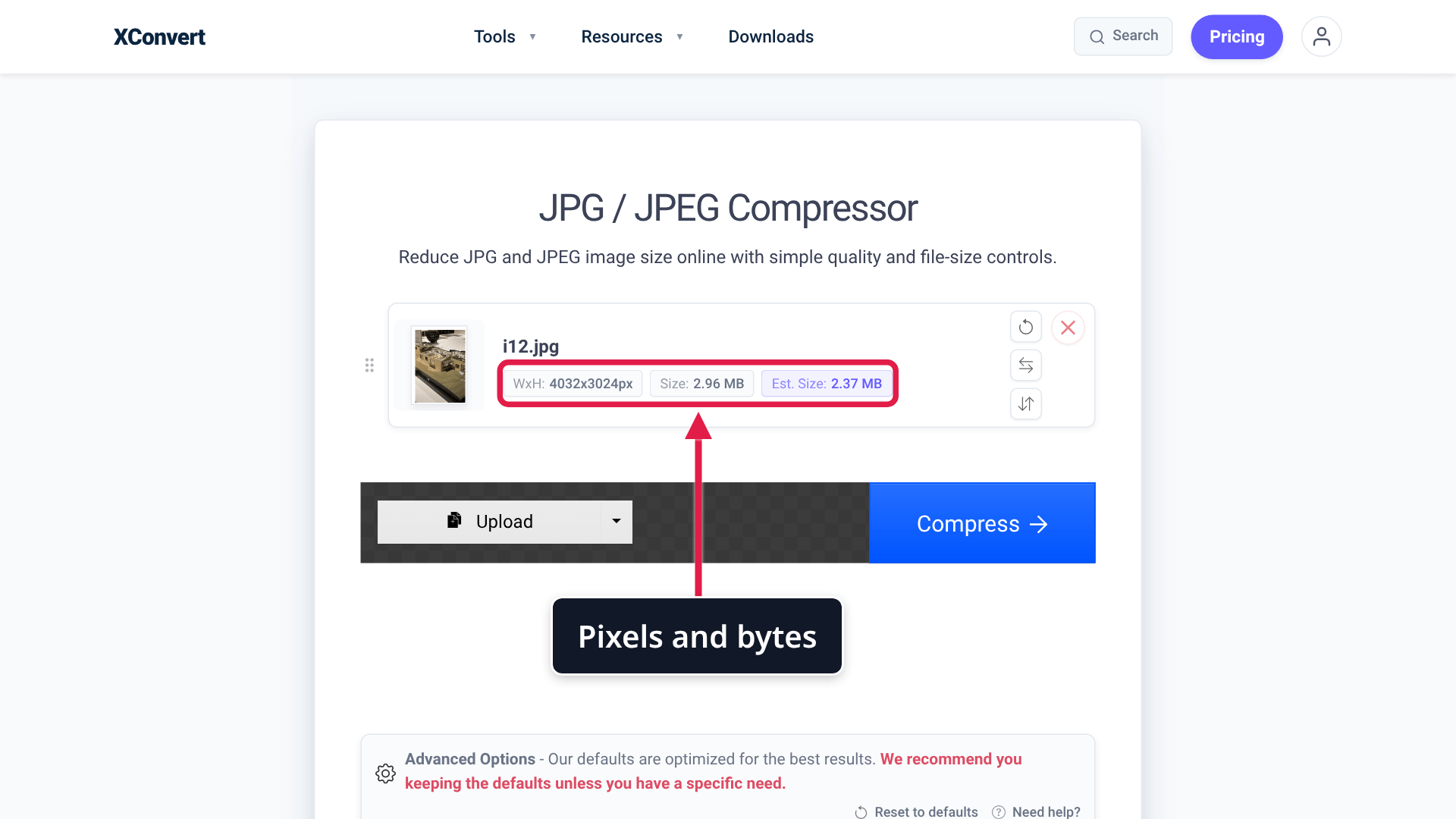
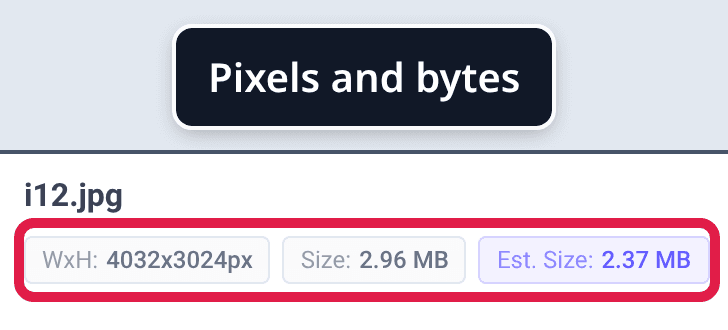
- On the JPG / JPEG Compressor page, click Upload and choose the photo. Its card shows the pixels and bytes, here “WxH: 4032x3024px” and “Size: 2.96 MB”.
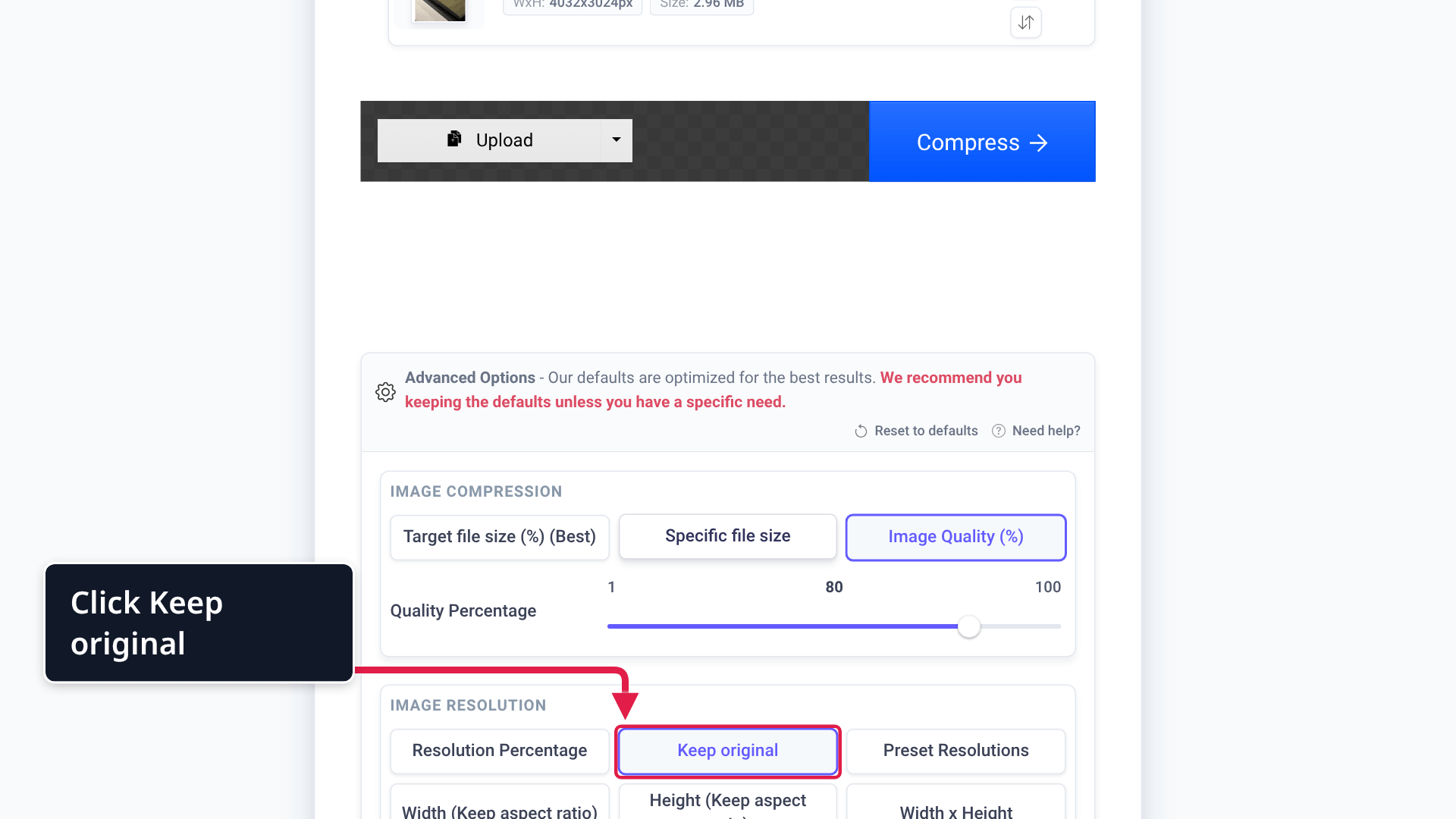
- Click Image Quality (%) and set Quality Percentage, which opens at 65, to 80.
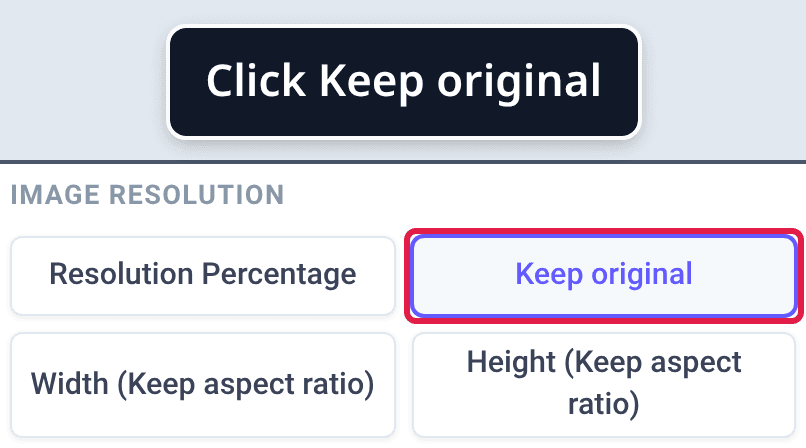
- Under IMAGE RESOLUTION, click Keep original. The group opens on Resolution Percentage at 80, which cuts each side by a fifth.
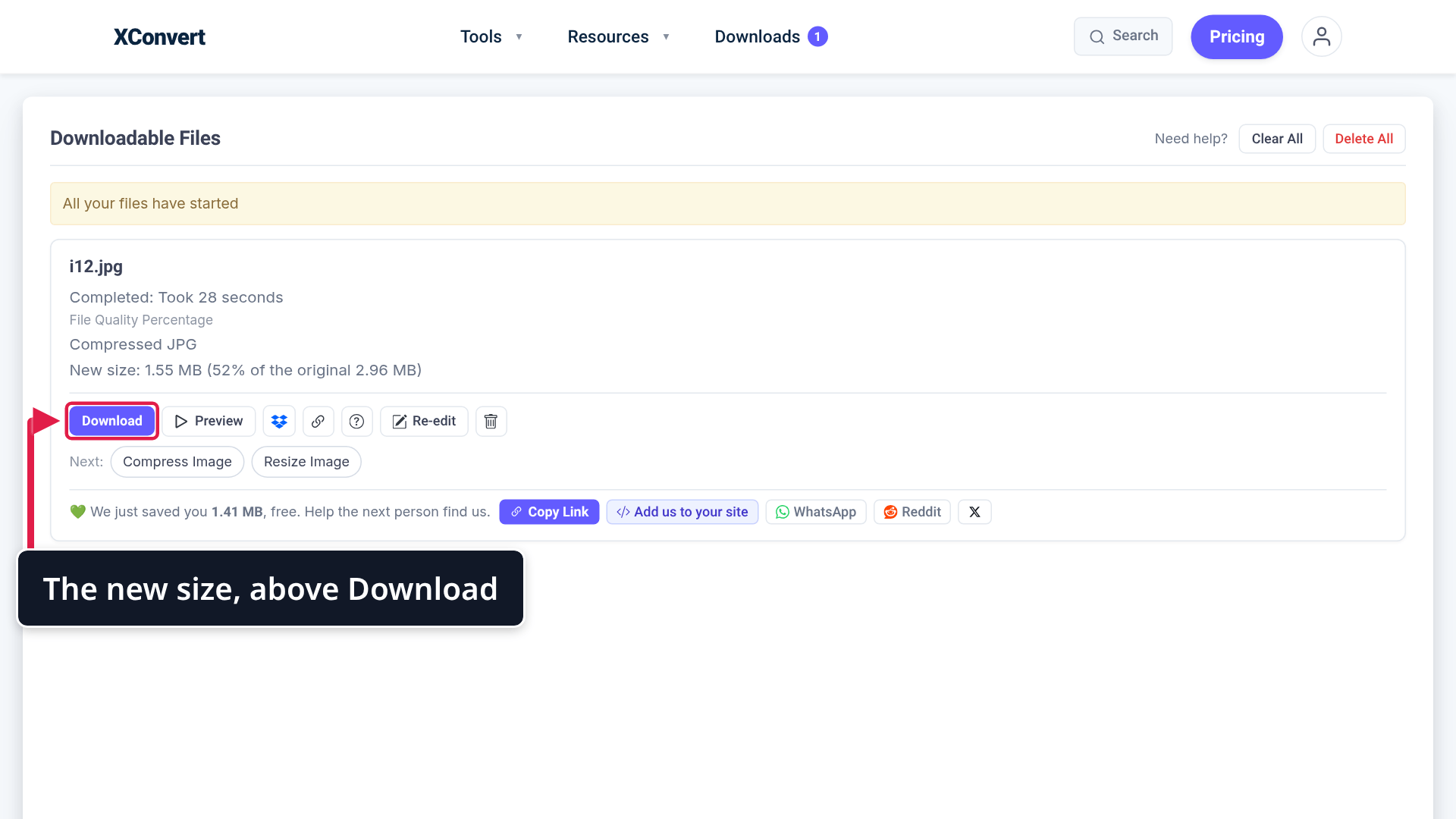
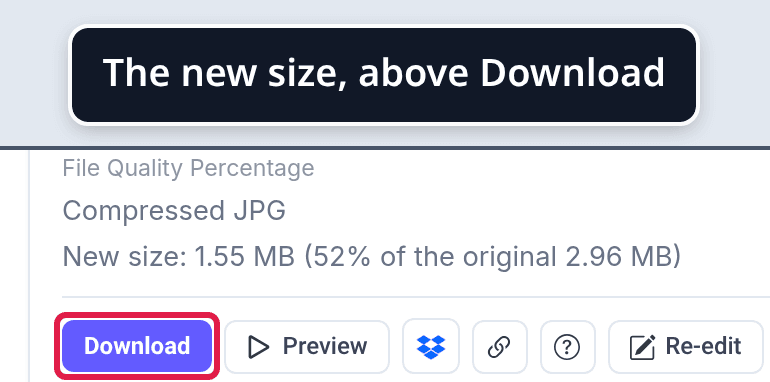
- Click Compress. The result card gives the new size, above Download: 1.55 MB, row two of the last table.
Cause 2: the scene
Two iPhone 15 Pro photos of 24.5 megapixels, saved again at quality 80, weigh 1.20 and 2.40 MB: two different scenes.
In our two pairs at low and high ISO (a Pixel 7, a Canon EOS 80D), the high-ISO photo was the lighter one at quality 80 in both.
Confirm it. Compare photos of the same pixel size from one device. Ten of ours, resized to 12 megapixels at quality 80, run from 0.57 to 2.61 MB.
Fix it. Nothing is wrong with the file. If it has to fit, use the steps of cause 1.
Cause 3: it was saved again at a higher setting
Saved again at a higher quality level, the picture in a JPEG gets heavier. The iPhone photo, 2.96 MB as shot at about 94, is 3.32 MB saved again at 95 and 5.52 MB at 100.
The encoder our compressor uses stores color at full resolution from quality 90 up and at half resolution below (libvips). The one step from 90 to 89 took 9 to 26 % off each of the twelve photos.
Confirm it. Compare megabytes per megapixel with an untouched photo from the same device.
Fix it. Export the file from before the edit once, below 90. With Keep original chosen, our compressor returns the original when the result would not be smaller: at Image Quality (%) 100 the card read “we kept your original unchanged”.
Cause 4: a second picture and metadata
A JPEG file can hold metadata (the EXIF block with its thumbnail, a color profile) and further pictures stored after the first. Their share of each photo as shot, measured on 23 November 2026:
| Photos | After the first picture | Metadata |
|---|---|---|
| iPhone 12 Pro Max, 14 Pro, 15 Pro (4 photos) | 9.2 to 14.7 % | 0.04 to 0.45 % |
| Pixel 7 (2 photos), Pixel 8 Pro | 1.4 to 2.7 % | 1.5 to 3.5 % |
| Galaxy S23 | 71.4 % | 0.8 % |
| Galaxy A54 5G | under 0.01 % | 2.3 % |
| Canon EOS 80D (2 photos) | none | 0.3 % |
| Nikon D5300 | 7.5 % | 1.1 % |
The weight is what follows the first picture: on the Galaxy S23 file 5.86 of 8.21 MB, most of it an embedded image that ExifTool names “DualShot_1”.
What the further pictures of the iPhone and Pixel photos are for was not established.
Metadata counts once the picture is small: on 1-megapixel copies at quality 80 it was 6.4 % of the iPhone 12 Pro Max photo and 29.8 % of the Galaxy S23 photo.
Confirm it. Run the command below on a copy and compare the sizes.
Fix it. ExifTool, a command-line program, removes both without re-encoding the picture: exiftool -all= photo.jpg took the Galaxy S23 photo from 8.21 to 2.29 MB. The color profile goes too, so compare the colors afterwards.
When the JPEG compressor helps and when it does not
Three phone photos at four settings on 23 November 2026. Each cell is the result as a share of the upload:
| Setting | iPhone 12 Pro Max, 2.96 MB | Pixel 7, 3.74 MB | iPhone 15 Pro, 3.92 MB | Width kept |
|---|---|---|---|---|
| As the page opens: Target file size (%) (Best) at 80 | 87 % | 73 % | 73 % | 75 to 85 % |
| Image Quality (%) 80, Keep original | 52 % | 55 % | 31 % | all |
| Image Quality (%) 80, Resolution Percentage 80 | 37 % | 38 % | 19 % | 80 % |
| Specific file size, 1 MB, Auto Scale left on | 30 % | 25 % | 13 % | 36 to 44 % |
It helps when the file may be encoded again: quality alone left 31 to 55 % of the upload with every pixel kept, and all three photos met the 1 MB target.
It is the wrong tool, or needs care, when:
- You count on the default. It aims for 80 % of the upload and landed at 87 % on one photo. It removes pixels; the quality level stayed within one step of the upload’s.
- Metadata has to go. All twelve compressed results kept the EXIF block and the color profile, and the GPS position and the thumbnail where the upload had them. No option removes them.
- A second picture has to stay. It was gone from all eight iPhone results; the four Pixel 7 results kept a smaller one.
- Nothing may leave your computer. Files are processed on our servers, not in your browser, and deleted a few hours later. ExifTool runs on your computer. For cause 1 on a Mac, Apple’s Preview guide gives File > Export: with JPEG “you can adjust the image’s quality” (not tested).
For an exact KB cap, see compress a JPEG to 100 KB or 200 KB.
When the recipient may need the full-size original too, put it in a shared folder and send the link with the small copy. Open the link in a browser where you are not signed in before you send it.
Sources
All read on 2026-11-23. MB means 1,000,000 bytes, KB 1,000 bytes.
- Tests of 2026-11-23 on the JPG / JPEG Compressor (/compress-jpeg): 13 jobs, one at a time and one run each, with three phone photos of 2.96 to 3.92 MB. The results were read with ExifTool 13.50 and ImageMagick.
- Measurements of 2026-11-23: twelve photos as their phone or camera wrote them, resized and saved with libvips 8.18.4 at nine quality levels, taken apart segment by segment, and stripped with
exiftool -all=. - The twelve photos are from Wikimedia Commons, CC0 or public domain.
- iPhone 12 Pro Max: Model of Chochikukyo House 1.jpg, by 1904.CC, CC0.
- Pixel 7: 2024-03-24 SA133-024B at Toruń Główny.jpg, by RAIL P (RAIL.PHOTOGRAPHY), CC0.
- Pixel 7: 2024-02-16 EN57ALd at Toruń Główny.jpg, by RAIL P (RAIL.PHOTOGRAPHY), CC0.
- Galaxy S23: 20241207 123129 Little Free Library 96 Atlas Ave.jpg, by ArthurGron, CC0.
- Galaxy A54 5G: 20230509 104028 May 2023 in Ramat Gan.jpg, by Rakoon, CC0.
- iPhone 15 Pro: “monument” for V. Tatlin, CR 102.jpg, by Toohool, Public domain.
- iPhone 15 Pro: D C National Guard attends Emergency Operations Center Subject Matter Expert Exchange (SMEE) (8273401).jpg, by U.S. Air National Guard photo by Master Sgt. Arthur Wright, Public domain.
- iPhone 14 Pro: Amtrak Station Sign(Omaha) 2024.jpg, by Declan M Martin, Public domain.
- Pixel 8 Pro: 8 Chicken Nuggets – Captain Cook’s 2025-06-30.jpg, by Andy Li, CC0.
- Canon EOS 80D: 18. divisioonan muistokivi.JPG, by MKFI, Public domain.
- Canon EOS 80D: 76 RK 27 Kasarminkankaan vanhassa paloasemassa 2.JPG, by MKFI, Public domain.
- Nikon D5300: “Boycott Japan” banner at entrance of tunnel on Tongil-daero.jpg, by Syced, CC0.
- libjpeg-turbo, libjpeg.txt: the quality value constructs the quantization tables.
- libvips, jpegsave: “Chroma subsampling is normally automatically disabled for Q >= 90.”
- ExifTool, application documentation:
exiftool -all= dst.jpg, “Delete all meta information from an image.” - Apple, Preview User Guide: Convert image file types using Preview on Mac: “If you choose JPEG or JPEG-2000, you can adjust the image’s quality.” No Mac was tested.


