 By James
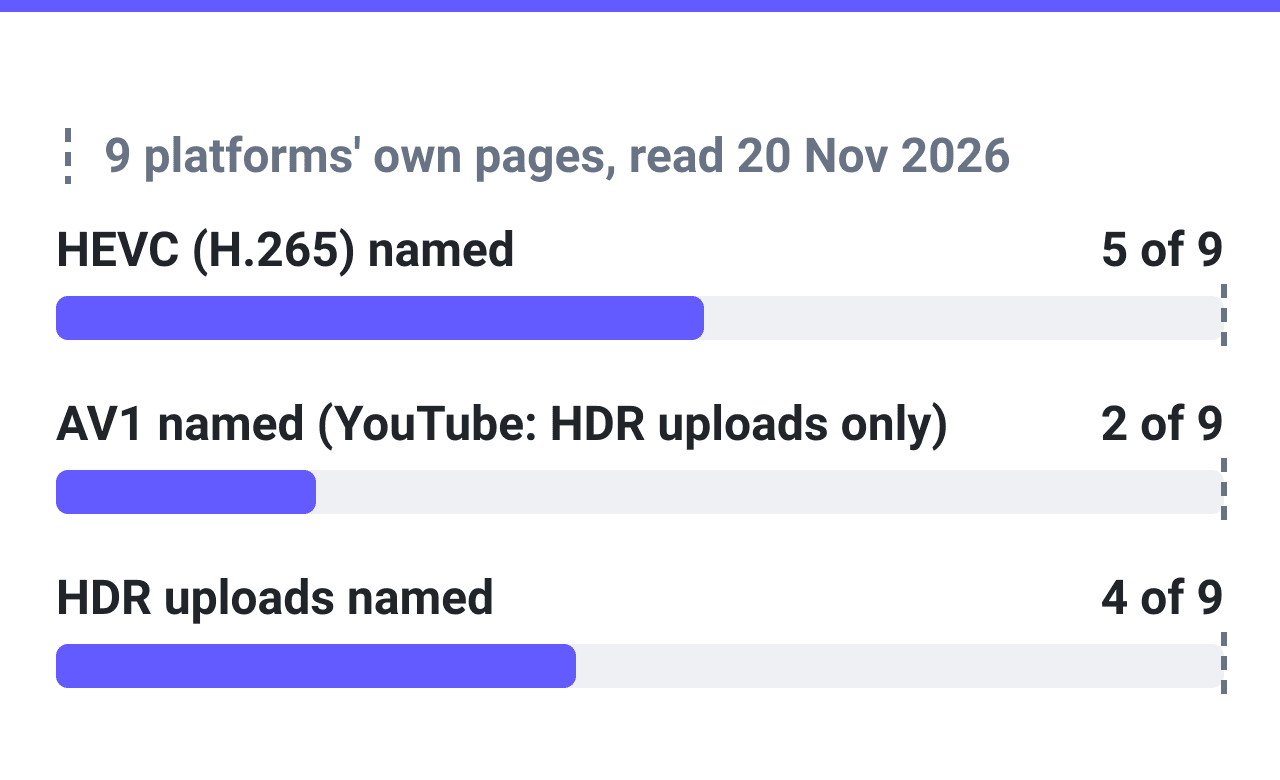
As of November 2026, Meta’s publishing reference for Instagram names HEVC, as do YouTube, TikTok, Discord and Vimeo. AV1: Discord and, for HDR uploads, YouTube. X recommends H.264. File refused? Convert it to an H.264 MP4.
Checked on 2026-11-20 on xconvert.com/convert-hevc-to-mp4 and xconvert.com/convert-av1-to-mp4. No file was uploaded to any platform. Sources at the end.
Which platforms accept HEVC, AV1 and HDR uploads?
| Platform | HEVC (H.265) | AV1 | HDR | Recommends | Its own page, read November 2026 |
|---|---|---|---|---|---|
| YouTube | named | named, for HDR uploads only | named | MP4 with H.264 | help pages on formats, encoding and HDR |
| named: “HEVC or H264” | not stated | named, for Reels | specifies HEVC or H.264 in MOV or MP4 | developer reference; Meta’s engineering posts of 17 July 2023 and 17 November 2025 | |
| not stated | not stated | named, for Reels | H.264 with AAC in MOV or MP4 | help pages on formats and settings; the same two posts | |
| TikTok | named: “H.265” | not stated | not stated | MP4 with H.264 | developer guide |
| X | not stated | not stated | not stated | H.264 High Profile | developer page, help page |
| Discord | named | named | not stated | nothing | help page |
| app: not stated; Business Platform: “Only H.264” | not stated | not stated | app: 3GP, AVI, FLV, MKV, MOV or MP4 | help page, developer reference | |
| Vimeo | named | not stated | named | H.264, ProRes 422 (HQ) or H.265 | help page |
| LinkedIn, Pages | not stated | not stated | not stated | MP4 and “H264/AVC” are on its list | help page |
Named means the platform’s own page lists it for uploads. Not stated means the page does not list it for uploads, which is not a refusal. Of the nine platforms, five name HEVC, two AV1 and four HDR uploads.
Instagram’s and TikTok’s codec lines stand in the references for publishing through each platform; no page read lists the codecs the phone apps take. Export settings are in the guides to the best video format for Instagram and for TikTok.
Named for uploads is not what viewers get. Meta’s post of 17 November 2025 says an HDR upload gets “an SDR version for devices that don’t support HDR”, and “We don’t deliver HEVC”.
What happens when a platform does not take the file, or converts it?
YouTube’s and X’s help pages say what the uploader sees.
- YouTube: the message is “invalid file format”. The page then lists the formats to use, “HEVC (H.265)” among them.
- X: “You’ll be prompted if the video isn’t in a supported format.” The page names no format.
YouTube also changes color it does not take as HDR: primaries such as BT.2020 “without a supported HDR transfer function” are converted “to BT.709 (8-bit)”.
On YouTube, an upload with HDR metadata gets “HDR transcodes for HDR devices and an SDR downconversion for other devices”.
What you get when you convert to H.264 (measured)
Five jobs on 2026-11-20 with four clips generated for the test: 10 seconds, 1280 x 720, a moving test pattern, not real footage. The two 10-bit clips are HDR by their tags only.
| Upload | Video Codec | Result | Size | Took |
|---|---|---|---|---|
| HEVC, 8-bit, 1.91 MB | H.264, as loaded | H.264, 8-bit | 3.26 MB | 13 s |
| HEVC, 10-bit, HLG tags, 2.51 MB | H.264, as loaded | H.264, 8-bit, HLG tags kept | 3.80 MB | 7 s |
| the same | H.265, chosen | HEVC, 8-bit, HLG tags kept | 4.91 MB | 8 s |
| AV1, 8-bit, 1.95 MB | H.264, as loaded | H.264, 8-bit | 3.38 MB | 6 s |
| AV1, 10-bit, PQ tags, 2.00 MB | H.264, as loaded | H.264, 8-bit, PQ tags kept | 3.50 MB | 8 s |
All five results were larger than their uploads, 1.5 to 2.0 times.
Of 4,776 conversions of HEVC uploads on the HEVC page with the settings it loads with, 21 October to 19 November 2026, 49 % came back larger than the upload and 14 % at twice its size or more.
On the AV1 page, same settings and window, 302 of 319 AV1 uploads (95 %) came back larger. Of the HEVC conversions, 1,535 (32 %) had a 10-bit upload, as had 38 of the AV1 ones; the record does not show which were HDR.
Check the new size against each platform’s upload limit.
For HDR, the three 10-bit jobs show:
- 8 bits come back, also with H.265 chosen. Nothing on the page or the result card says so.
- No tone mapping. Mean brightness of the HLG-tagged clip, on a scale of 0 to 255: 122.52 before, 122.59 after.
- The HDR tags stay. The result still carries BT.2020 with HLG or PQ: it is neither the HDR original nor a file marked SDR. How a player or a platform shows it was not tested.
When the converter is the wrong choice
Look first at where the clip was made. If the editor’s export dialog or the phone’s camera settings offer a choice of H.264 or HEVC, SDR or HDR, make it there. Check that setting before you convert anything.
- The platform’s page names your codec. Upload the file as it is. Every conversion encodes the video and the audio again.
- You want HDR kept, or a tone-mapped SDR copy. This converter makes neither. Upload the original to a platform whose page names HDR; for an SDR copy, use the phone or the editor that shot or graded the clip.
Convert HEVC or AV1 to an H.264 MP4
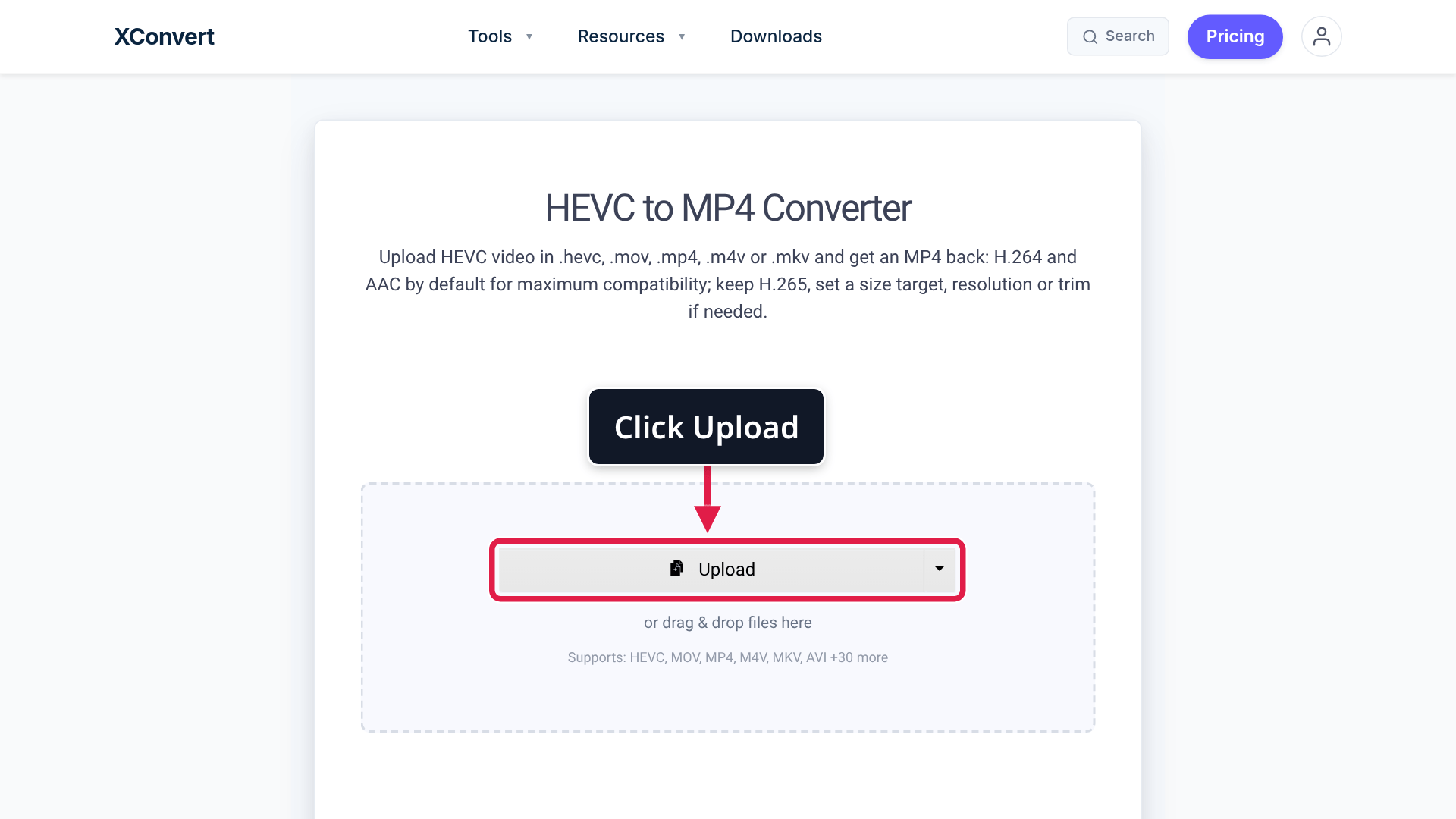
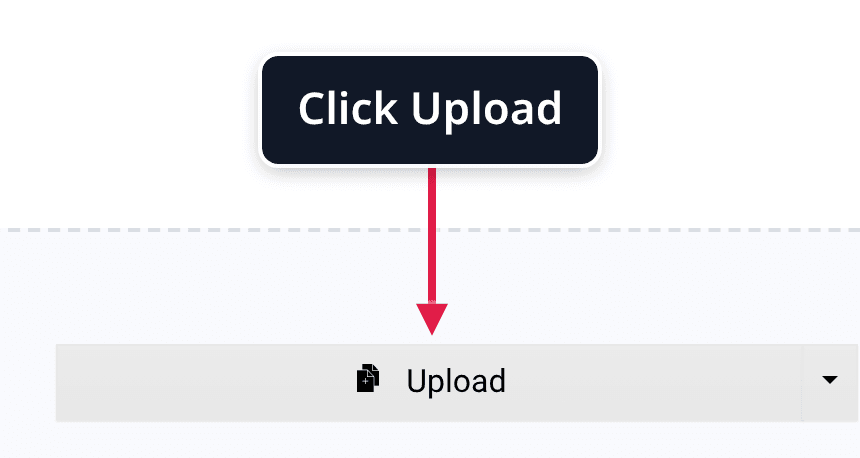
- On the HEVC to MP4 page, click Upload and pick the file.
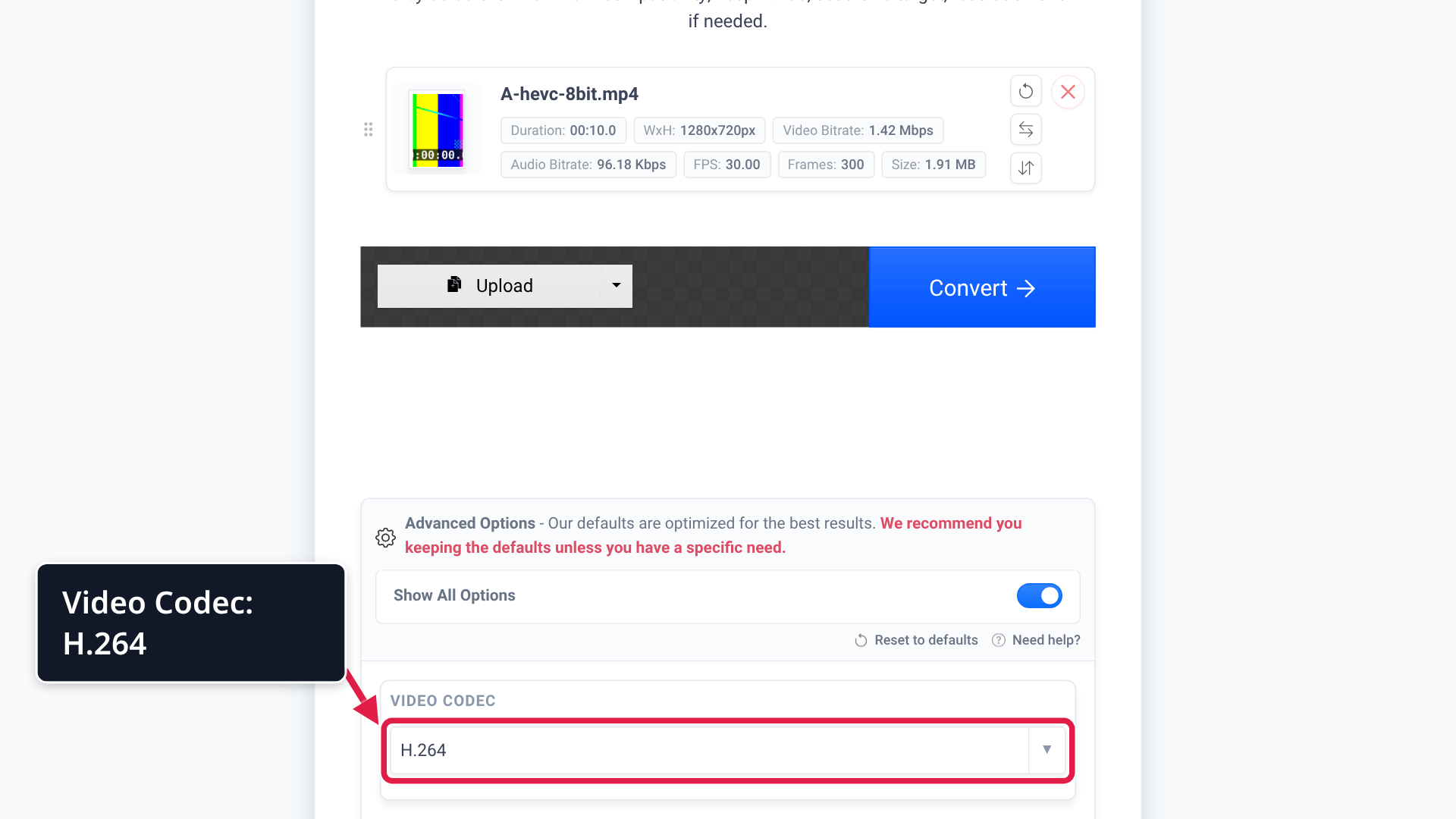
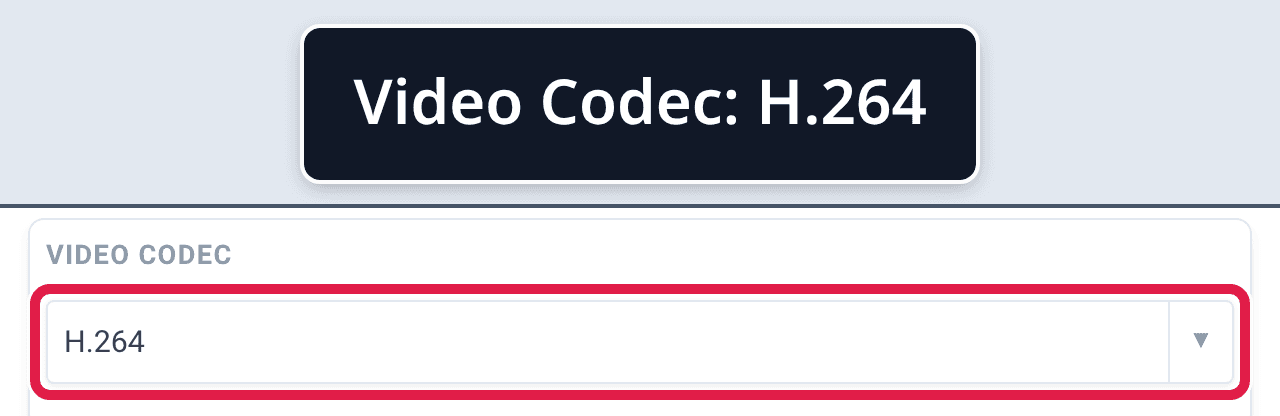
- To check what you will get, switch on Show All Options: Video Codec reads H.264 and Audio Codec reads AAC. Leave both.
- Click Convert. On the downloads page, when the card reads “Completed”, click Download.
An AV1 file takes the same steps on the AV1 to MP4 page, which has the same options. Frame size, frame rate and length came back unchanged in all five tests.
Files are processed on our servers, not in your browser, and are deleted automatically about 5 hours after they were written. Without a paid plan a file can be up to 400 MB.
What we could not confirm
- Any upload. No account was used and no file was sent to a platform.
- The phone apps. Instagram’s Help Center page on Reels, read in the archive copy of 4 November 2026, names no codec under “Video codec”. TikTok’s Help Center page could not be read.
- WhatsApp, inside the app. Its help page lists six containers and no codec.
- Playback in Discord. Its page says nothing on which codec plays in the chat.
- Real HDR footage. None of the test clips carries Dolby Vision, and none was judged by eye.
Sources
- YouTube Help: Supported YouTube file formats, help page: the “invalid file format” message and the list of formats, “HEVC (H.265)” among them; AV1 is not on the list. Read 2026-11-20.
- YouTube Help: YouTube recommended upload encoding settings, help page: “Container: MP4”, “Video codec: H.264”, BT.2020 without an HDR transfer function converted to BT.709 (8-bit). Read 2026-11-20.
- YouTube Help: Upload High Dynamic Range (HDR) videos, help page: VP9 Profile 2, AV1 and HEVC/H.265 recommended for HDR uploads; HDR transcodes and an SDR downconversion. Read 2026-11-20.
- Meta for Developers: IG User Media, developer reference for publishing through Meta’s platform: “Video codec: HEVC or H264”, “Container: MOV or MP4”; it names neither AV1 nor HDR. Read 2026-11-20.
- Engineering at Meta: Bringing HDR video to Reels, the company’s engineering blog, 17 July 2023: HDR uploads from the phone’s camera roll to Reels on Facebook and Instagram. Read 2026-11-20.
- Engineering at Meta: Enhancing HDR on Instagram for iOS With Dolby Vision, the company’s engineering blog, 17 November 2025: the SDR version of an HDR upload, “We don’t deliver HEVC”. Read 2026-11-20.
- Facebook Help Center: What video file formats can you upload on Facebook, help page: 30 file types, no codec. Read 2026-11-20.
- Facebook Help Center: Settings recommended to use when adding an edited video to Facebook, help page: “H.264 video with AAC audio in MOV or MP4 format”. Read 2026-11-20.
- TikTok for Developers: Media Transfer Guide, developer reference for posting through TikTok’s platform: “MP4 (recommended)”, “H.264 (recommended)”, “H.265”, VP8 and VP9; it names neither AV1 nor HDR. Read 2026-11-20.
- X Developer Platform: media best practices, developer reference for uploads through X’s API: “H264 High Profile” under Recommended; no word on HEVC, AV1 or HDR. Read 2026-11-20.
- X Help Center: How to share and watch videos on X, help page: “You’ll be prompted if the video isn’t in a supported format.”; it names no format. Read 2026-11-20.
- Discord: File Attachments FAQ, help page: “MP4 (Video encoded with H264, HEVC/H265, or AV1)”; nothing on HDR or on playback. Read 2026-11-20.
- WhatsApp Help Center: How to send media, contacts, or location, help page for the app: 3GP, AVI, FLV, MKV, MOV, MP4; no codec. Read 2026-11-20.
- Meta for Developers: WhatsApp Business Platform, Media, developer reference for messages a business sends: “Only H.264 video codec and AAC audio codec supported.” Read 2026-11-20.
- Vimeo Help Center: Video and audio compression guidelines, help page: “H.264, Apple ProRes 422 (HQ), or H.265 (HEVC)”; PQ or HLG for HDR; it does not name AV1. Read 2026-11-20.
- LinkedIn Help: Video specifications for your LinkedIn Pages and Career Pages, help page for Pages that shows “Last updated: 4 years ago”: its list of file types; no HEVC, AV1 or HDR. Read 2026-11-20.
- Instagram Help Center: Reel size & aspect ratios on Instagram, help page, read in the archive copy of 2026-11-04: six items under “Video codec”, none of them a codec; no word on HDR. Read 2026-11-20.
- Our measurements: five jobs on xconvert.com/convert-hevc-to-mp4 and xconvert.com/convert-av1-to-mp4 on 2026-11-20 with four clips generated for the test; each upload and each result read with ffprobe; brightness read with ffmpeg from the frame at 5 seconds; megabytes are bytes divided by 1,000,000. Job counts: finished conversions of one file, run with the settings each page loads with, 21 October to 19 November 2026 (UTC): 4,776 of uploads that held HEVC on the HEVC page (of 5,095 conversions there), 319 of uploads that held AV1 on the AV1 page (of 379); the codec and the bit depth are what our servers read from each file when it was uploaded; conversions, not people.