 By James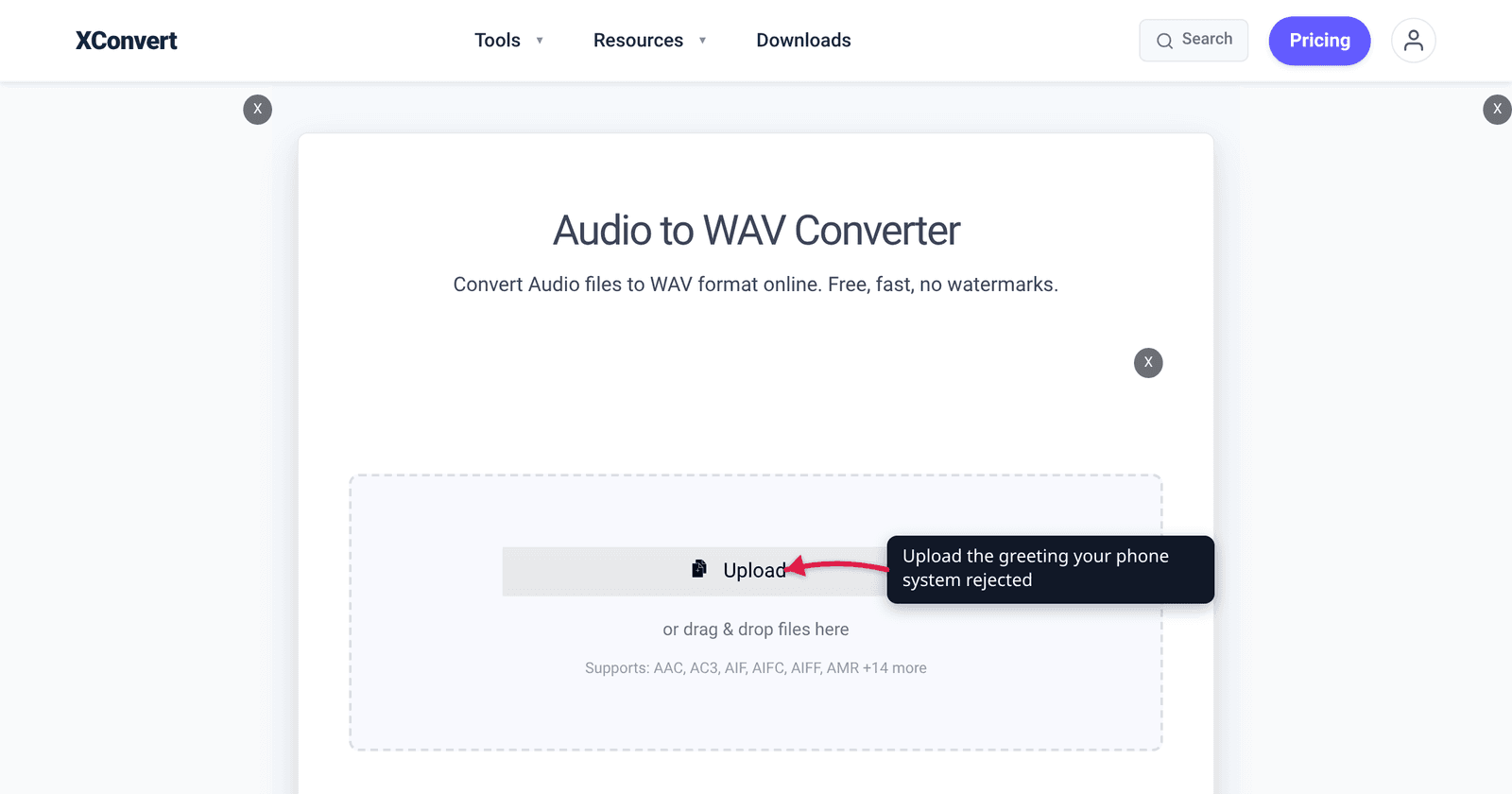
You recorded a clean greeting in Audacity, exported it as a WAV, uploaded it to FreePBX — and got “Incorrect audio format.” Or it uploaded fine and callers hear static. The problem is almost never the recording: phone systems are built around a 1988 telephony standard that expects 8 kHz, mono, one specific byte layout, and your editor exported 44.1 kHz stereo. Here is what each platform actually parses, and why “WAV” alone is not an answer.
Quick answer: For Asterisk, FreePBX and FusionPBX, convert to PCM 16-bit Little Endian, 8000 Hz, Mono — Asterisk’s
.wavreader is signed-linear, not µ-law. For any system whose documentation asks for “G.711” — most Cisco, Avaya and SIP hardware — use PCM mu-law (or PCM A-law outside North America and Japan) at 8000 Hz, Mono. 3CX wants PCM, 8 kHz, 16-bit, mono. Three settings fix nearly every rejection: codec, sample rate, channel count. Do all three on xconvert’s audio-to-WAV converter.
Jump to a section
- Why phone systems are still stuck at 8 kHz
- mu-law, A-law and 16-bit PCM: what your PBX actually parses
- What each phone system wants
- The three settings behind almost every rejection
- Where AMR fits (and where it doesn’t)
- Convert audio for your phone system on xconvert
- FAQ
Why phone systems are still stuck at 8 kHz
The reference point is ITU-T Recommendation G.711, “Pulse code modulation (PCM) of voice frequencies,” published in November 1988. Its §2 gives the sampling rate as 8000 samples per second and its §3.1 states that eight binary digits per sample should be used for international circuits; multiply the two and you get the 64 kbit/s figure the telecom world quotes, which the Recommendation itself never spells out. It also specifies two companding laws, A-law and µ-law, rather than one.
That single sentence explains most of the friction:
- 8 kHz sampling caps the reproducible audio at roughly 4 kHz. Voice survives; music and sibilance do not. This is why on-hold music always sounds thin — it is the channel, not your file.
- 8 bits per sample, companded. G.711 does not store linear 16-bit samples; it squeezes a wider dynamic range into 8 bits using a logarithmic curve. That is why a “G.711 WAV” is exactly half the size of a 16-bit WAV at the same sample rate.
- Two laws, not one. A µ-law file played by an A-law decoder is not silent — it is audible but distorted, the worst kind of failure, because it looks like a bad recording.
Modern systems do support wideband codecs (G.722 at 16 kHz, Opus), but prompt files are still overwhelmingly stored at 8 kHz mono — the lowest common denominator every trunk and handset in the path carries without a transcode.
mu-law, A-law and 16-bit PCM: what your PBX actually parses
Here is the distinction that trips people up: “WAV” is a container, not a codec. A .wav file is a RIFF wrapper with a fmt chunk that declares which encoding is inside. Three of those declarations matter for telephony:
| Inside the WAV | Format tag | Bits/sample | Bytes per minute (8 kHz mono) | Who asks for it |
|---|---|---|---|---|
| 16-bit signed linear PCM | 0x0001 | 16 | ~960 KB | Asterisk / FreePBX .wav, 3CX, FusionPBX |
| G.711 µ-law | 0x0007 | 8 (companded) | ~480 KB | Any system whose manual asks for “G.711 u-law”; North America and Japan |
| G.711 A-law | 0x0006 | 8 (companded) | ~480 KB | European / international G.711 deployments |
(Bytes per minute is arithmetic from sample rate × sample width: 8,000 × 2 × 60 for 16-bit, 8,000 × 1 × 60 for companded 8-bit, plus a few hundred bytes of header.)
The trap: a µ-law WAV and a 16-bit PCM WAV both end in .wav, and a system that reads one may reject the other outright. Asterisk is the clearest example. Its own documentation lists the supported file formats as wav (SLIN) and WAV (GSM) — lowercase .wav means signed linear (16-bit PCM), uppercase .WAV means GSM 6.10, and µ-law is supported as a raw, headerless .ulaw file rather than as a WAV. So if your FreePBX greeting keeps failing and you carefully set it to “G.711 mu-law” because that is what the trunk negotiates, you have picked the one flavour Asterisk’s WAV reader does not want.
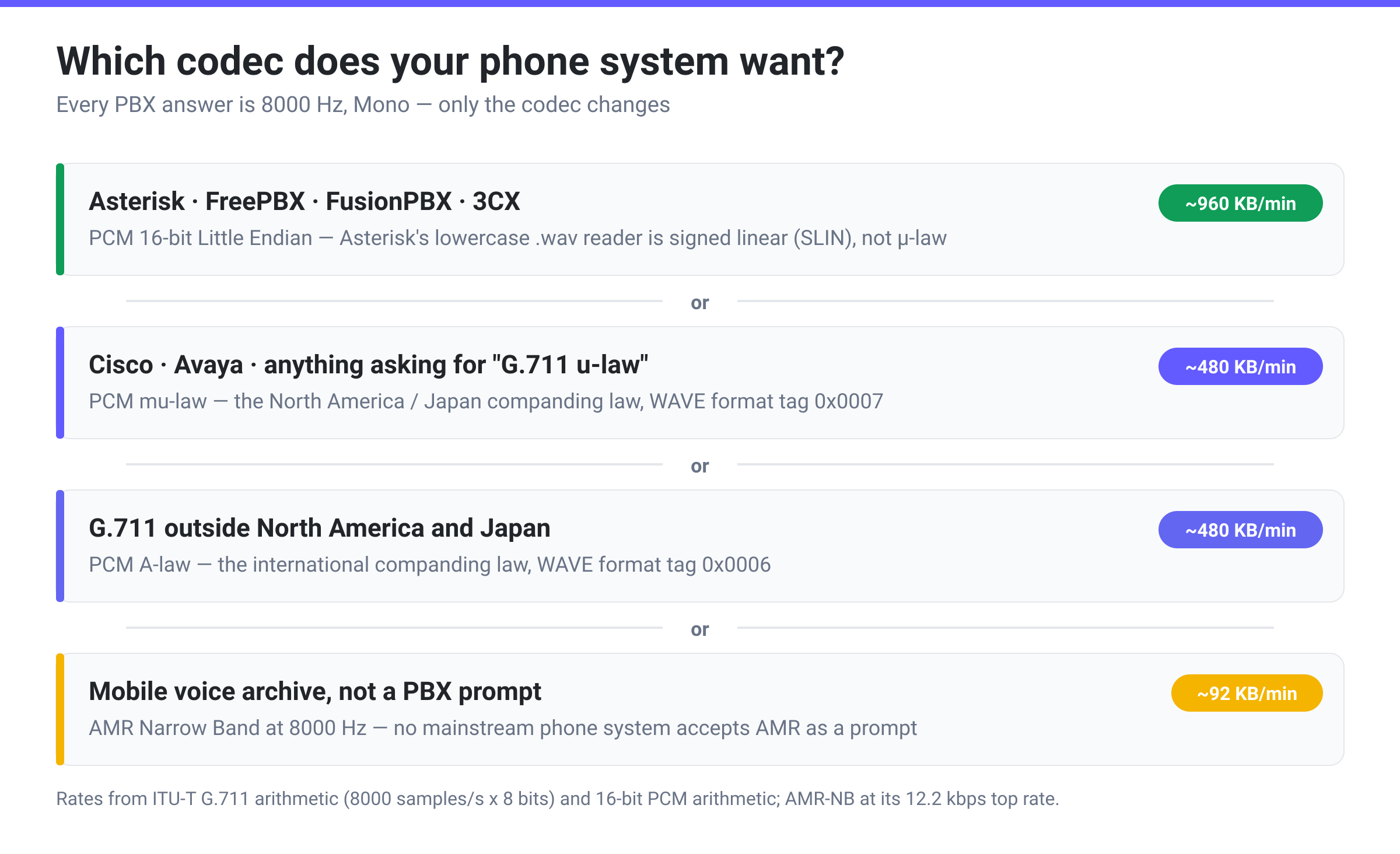
xconvert’s PCM mu-law and PCM A-law options encode G.711 into a RIFF/WAVE container (format tags 0x0007 and 0x0006); PCM 16-bit Little Endian produces the classic 0x0001 signed-linear WAV. Pick from that menu using the platform table below, not by what your SIP trunk negotiates — those are two different questions.
What each phone system wants
| Platform | Required prompt / greeting format | Notes |
|---|---|---|
Asterisk / FreePBX / FusionPBX (.wav) | 16-bit signed linear PCM, 8000 Hz, mono | Asterisk docs list wav (SLIN); the FreePBX community thread on greeting formats asks for “WAV Microsoft Signed 16-bit PCM 8000hz mono” |
Asterisk (.ulaw / .alaw) | Raw headerless G.711 | Not a WAV — no RIFF header at all |
Asterisk (.WAV, uppercase) | GSM 6.10 in a WAV container | xconvert does not encode GSM 6.10 — use the SLIN route instead |
| 3CX prompts & music on hold | WAV, PCM, 8 kHz, 16 bit, mono | 3CX’s own docs state PCM / mono / 8 kHz / 16-bit |
| Cisco Unity Connection / Unity Express | G.711 µ-law WAV, 8 kHz, 8-bit, mono | We have no vendor page we can point you at for this one — check your own release notes before you batch-convert. 16-bit PCM 8 kHz mono is also widely reported to import |
Twilio <Play> | MP3, WAV, AIFF, GSM or µ-law | Twilio transcodes for you; files over 40 minutes can drop the call |
| Generic SIP handsets / door stations | Usually 8 kHz mono; check whether the manual says “G.711” or “PCM” | “G.711” in a manual almost always means µ-law or A-law, not 16-bit |
Twilio is the useful outlier: it accepts almost anything and transcodes server-side, and its documentation notes that “High bitrate, lossy encoded files, such as 128kbps mp3 files, will take longer to transcode and potentially sound worse than files that are in lossless 8kbps formats.” Even on a platform that accepts your 44.1 kHz MP3, handing it a properly prepared 8 kHz file produces a better result — the downsample happens either way, and doing it once cleanly beats doing it inside a real-time transcoder.
The three settings behind almost every rejection
1. Sample rate. Editors default to 44.1 kHz or 48 kHz. A 44.1 kHz file handed to a system expecting 8 kHz either fails validation or plays at the wrong speed. Set 8000 Hz explicitly.
2. Channel count. Every telephony format above is mono, and uploading stereo is the second most common rejection. In a desktop editor, deleting one channel of a stereo track is not the same as mixing to mono — you lose everything panned to the discarded side. A converter that downmixes properly avoids this entirely.
3. Codec inside the container. Covered above — the one people get wrong after fixing the first two, because “WAV” feels like it should be enough.
Two smaller ones, both our own advice rather than a vendor rule: trim the dead air off the head and tail of a prompt, but leave the cut a hair short of the first and last syllable, because an abrupt cut on a non-zero sample produces an audible click. And keep levels conservative — an 8-bit companded channel has far less headroom than a 16-bit master, so a prompt normalised for headphones often sounds harsh over a handset.
Where AMR fits (and where it doesn’t)
AMR is not an IVR format. Adaptive Multi-Rate is the codec cellular networks used for the voice channel itself and that older handsets used for voice memos — it is what you find inside a .amr file recovered from a feature phone. No mainstream PBX takes an AMR file as a prompt.
It matters in the other direction: if you are digitising old voice recordings, AMR is what you convert from. xconvert’s WAV to AMR converter offers AMR Narrow Band (8000 Hz) and AMR Wide Band (16000 Hz), mono only in both cases — the format has no stereo mode. At AMR-NB’s top rate of 12.2 kbps a minute of speech is roughly 92 KB, about a fifth of a G.711 WAV, which is why it survived on storage-starved handsets. To play those files on anything modern, converting AMR to MP3 is the simpler route.
One honest limitation: xconvert does not encode GSM 6.10 or G.729. If your system will only take one of those, prepare a 16-bit PCM 8 kHz mono WAV here and run the final step in your PBX. For GSM that is straightforward — Asterisk’s own codec table marks codec_gsm as distributed with Asterisk and needing no commercial licence. G.729 is the harder one: the same table marks codec_g729a as Codec(NO) Format(YES) — Asterisk ships the file-format module but not the transcoder — and flags a commercial licence as required, so you need a licensed codec module to encode it at all.
Convert audio for your phone system on xconvert
- Open xconvert.com/convert-audio-to-wav and click Upload to add your MP3, M4A, WAV or other recording.
- Open Advanced Options, then click Show All Options. Audio Codec is an advanced control — it is not on the default Advanced Options panel, which is why so many people never find it.
- Under Audio Codec, choose PCM 16-bit Little Endian for Asterisk / FreePBX / 3CX, or PCM mu-law (PCM A-law outside North America and Japan) for any system whose manual asks for G.711.
- Under Audio Sample Rate, select 8000 HZ. Under Audio Channel, select MONO. Both are required — leaving either on the original value is the usual cause of a rejected upload.
- Optionally use Trim with a Start time and Duration to cut dead air off the head and tail of the prompt.
- Click Convert and download the WAV, then upload it to your PBX’s recordings module.
Your file uploads over an encrypted connection, is processed on our servers, and is automatically deleted a few hours later.
Related: Convert audio to 16-bit / 44.1 kHz WAV covers the CD-quality end of the same three controls, and Best audio format for voice recordings covers the size-versus-clarity tradeoff when the destination isn’t a phone system.
FAQ
What audio format does FreePBX need for system recordings?
A WAV containing 16-bit signed linear PCM at 8000 Hz, mono. FreePBX sits on Asterisk, and Asterisk’s documentation lists its lowercase .wav support as wav (SLIN) — signed linear. The 2017 FreePBX community thread on greeting formats says the same thing in the users’ own words — the format wanted is “WAV Microsoft Signed 16-bit PCM 8000hz mono”, and a FreePBX developer walks through “what a 16bit 8KHz mono audio file looks like” in Audacity. Choosing µ-law here is the most common wrong turn, because “G.711 µ-law” is what your trunk uses, not what the file reader wants.
Should I use mu-law or A-law?
Geography decides it. µ-law is the deployed convention in North America and Japan; A-law is used across most of the rest of the world, and G.711 designates A-law for international circuits between countries using different laws. If your platform’s docs just say “G.711” with no qualifier and you are in the US or Canada, it means µ-law. Getting this backwards produces audio that plays but sounds distorted rather than failing outright — so if a prompt is audible but harsh and gritty, swap the law before you re-record.
Why does my IVR prompt sound muffled or thin?
Because it is band-limited to about 4 kHz by the 8 kHz sample rate — inherent to the channel, not to your file. Uploading a 48 kHz master will not fix it; the system downsamples anyway. What you can control: record close to the mic, keep the delivery clear rather than breathy, and avoid background music, which loses more to the 4 kHz ceiling than speech does.
Can I upload an MP3 to my phone system instead?
Rarely the right answer. Twilio explicitly accepts MP3 for <Play> and transcodes it, but most on-premises PBXes do not — Asterisk has no MP3 playback format in its standard build, and 3CX asks for WAV. Even where MP3 works, Twilio’s own docs warn that high-bitrate lossy files take longer to transcode and can sound worse than a lossless 8 kHz file.
How big should an IVR prompt file be?
Small, by design. At 8 kHz mono, 16-bit PCM is about 960 KB per minute and G.711 µ-law/A-law about 480 KB per minute — so a 20-second greeting lands near 320 KB and 160 KB respectively. If your export is several megabytes for a 20-second prompt, you are still at 44.1 kHz or still in stereo.
Does xconvert support GSM or G.729 for Asterisk?
No — neither GSM 6.10 nor G.729 is in our encoder list. What we cover is the input side of both: convert to PCM 16-bit Little Endian, 8000 Hz, mono here, then let Asterisk or FreePBX handle the last step. GSM is easy — codec_gsm ships with Asterisk. G.729 is not: Asterisk’s codec table lists codec_g729a as Codec(NO) Format(YES), meaning Asterisk can play a .g729 file but cannot transcode into one without a separately licensed codec module. That licensing is also why G.729 stays out of most general-purpose converters.
Sources
Last verified 2026-08-31.
- ITU-T Recommendation G.711 — the ITU’s own record for the Recommendation: title “Pulse code modulation (PCM) of voice frequencies”, approval date 25 November 1988, status “In force”. Note that this record page carries no technical figures. The numbers above come from the Recommendation text itself: §2 (“The nominal value recommended for the sampling rate is 8000 samples per second”), §3.1 (“Eight binary digits per sample should be used for international circuits”), §3.2 (the A-law and µ-law encoding laws) and §3.4 (paths “between countries which have adopted different encoding laws should carry signals encoded in accordance with the A-law”). The familiar 64 kbit/s figure is §2 and §3.1 multiplied, not a line anywhere in the text.
- Asterisk Documentation — Asterisk Audio and Video Capabilities — lists supported file formats including
wav (SLIN),WAV (GSM),.ulaw,.alaw,.gsm,.g722and the.slnsample-rate family; and the codec table whose “Distributed w/ Asterisk?” column reads YES for GSM (codec_gsm, commercial licence NO) and Codec(NO) Format(YES) for G.729A (codec_g729a, commercial licence YES). - 3CX — How to create 3CX supported System Prompts Sets — the supported System Prompts format stated as WAV / PCM / Mono / 8 kHz / 16 bit / 128 kbps.
- Twilio Docs — TwiML
<Play>— accepted MIME types, the transcoding-quality note, and the 40-minute playback caveat. - FreePBX Community — Correct audio formats for greetings and system recordings — a single 12-post thread from June–July 2017 in which the requested format is stated as “WAV Microsoft Signed 16-bit PCM 8000hz mono” and a FreePBX developer demonstrates “what a 16bit 8KHz mono audio file looks like”.