 By Stephanie Taylor
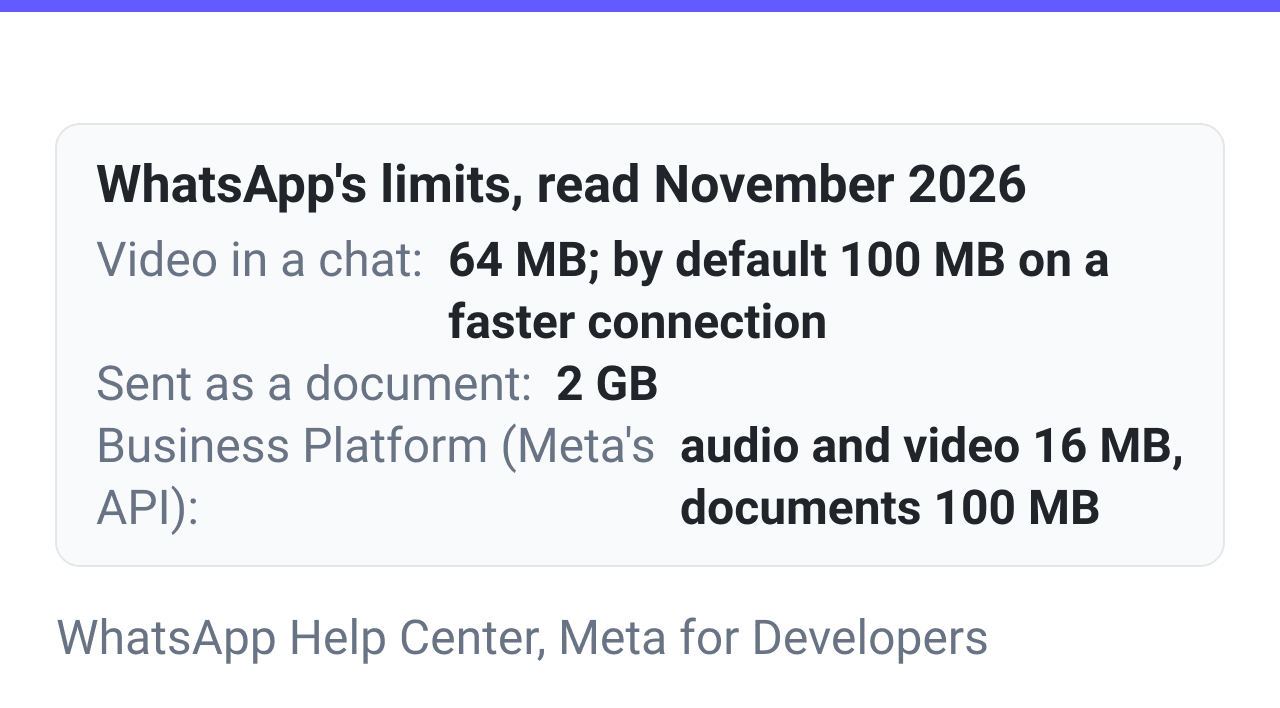
As of November 2026, WhatsApp’s Help Center gives 64 MB for a video in a chat, by default 100 MB on a faster connection, and 2 GB for a file sent as a document. Video too big? Compress it to a size you type.
Checked on 2026-11-20 on xconvert.com/video-compressor. No phone and no WhatsApp account was used: WhatsApp’s limits are quoted from its own pages. Sources at the end.
WhatsApp’s limits by kind of file
| What you send | What WhatsApp’s page states | Help Center page, read November 2026 |
|---|---|---|
| Video in a chat | 64 MB “on all platforms”; by default 100 MB and 720p on a faster connection, 64 MB and 480p on a slower one | Can’t send longer videos |
| File sent as a document (photos, videos and PDFs are named; ZIP is not) | 2 GB | the same page; How to send media |
| Status video | 90 seconds; no size stated | both pages |
| Video note | up to 60 seconds; no size stated | About video notes |
| Photo | no size stated; up to 100 at once | How to send media; About HD photos and videos |
| Audio file, voice message | no size stated for either | How to send media, Android tab; How to send voice messages |
Plan for 64 MB, the figure the page gives “on all platforms”.
For photos that arrive soft, see sending WhatsApp photos in full quality.
Why you still read 16 MB and 100 MB
Both were WhatsApp’s own figures. The page “Can’t send longer videos” said a video “is limited to 16 Megabytes” in its archive copy of 1 October 2023.
The copy of 22 February 2024 says 64 MB, or 32 MB on a slower connection. WhatsApp’s blog post of May 5, 2022 announced 2 GB for files, “an increase from the previous limit of 100MB”.
Both figures still stand on Meta’s developer page for the WhatsApp Business Platform. That page is for businesses that send through Meta’s API, not for the app on your phone.
| Business Platform, read November 2026 | Maximum on Meta’s page |
|---|---|
| Audio | 16 MB |
| Video | 16 MB |
| Document | 100 MB |
| Image | 5 MB |
For other platforms, see video upload limits by platform.
What happens over the limit
For a video, WhatsApp’s page names two ways out: “You have the option to trim the length of the video before sending it”, or “choose Document and select a photo or video”, up to 2 GB.
Trimming is an editing step, and it comes before compression. Cut the video down to the part the other person needs, then compress what is left.
On the Business Platform, a business that is sent a file over 100 MB receives error 131052, “Media file size too big.”
Settings that fit (measured)
Five jobs on 2026-11-20, one per row. The test files were generated, with no real footage or voice: two 20-second clips of 1280 x 720 and a 45-second mono WAV. In the size box, 1 MB is 1,000,000 bytes.
| Upload | Size typed | Result, bytes | Of the size typed | Came back as |
|---|---|---|---|---|
| MP4 (H.264), 4,445,166 bytes | 2 MB | 1,942,671 | 97.1 % | MP4, H.264, AAC |
| the same | 1 MB | 952,553 | 95.3 % | MP4, H.264, AAC |
| MOV (HEVC), 4,393,968 bytes | 2 MB, No in the MOV box | 1,939,118 | 97.0 % | MP4, H.264, AAC |
| the same | 2 MB, Yes in the MOV box | 1,941,058 | 97.1 % | MOV, H.264, AAC |
| WAV, 3,969,078 bytes | 1 MB, audio compressor, No in the WAV box | 907,981 | 90.8 % | MP3, mono |
Every result came in under the size typed. The four videos also came back at 960 x 528: Auto Scale is on when the page loads, and the card said “Resolution reduced by 25% to fit your size limit”.
No file near 64 MB was run; our job records cover that size.
On the video compressor and the MP4 compressor, 14,160 finished jobs between 21 October and 19 November 2026 used Specific file size with a size below the upload and no trim.
In the 48 that typed 60 to 64 MB, every result was at or under the size typed, at a median of 97.5 % of it. Across all 14,160, 116 (0.8 %) ended above it.
A typed 60 MB does not prove the video was meant for WhatsApp. Still, type a little under the limit, 60 for 64 MB, and read the card’s “New size” before you send.
Computed, not measured: 64,000,000 bytes hold 8 min 32 s at 1 megabit a second in all, 4 min 16 s at 2.
Compress a video or audio file for WhatsApp: the steps
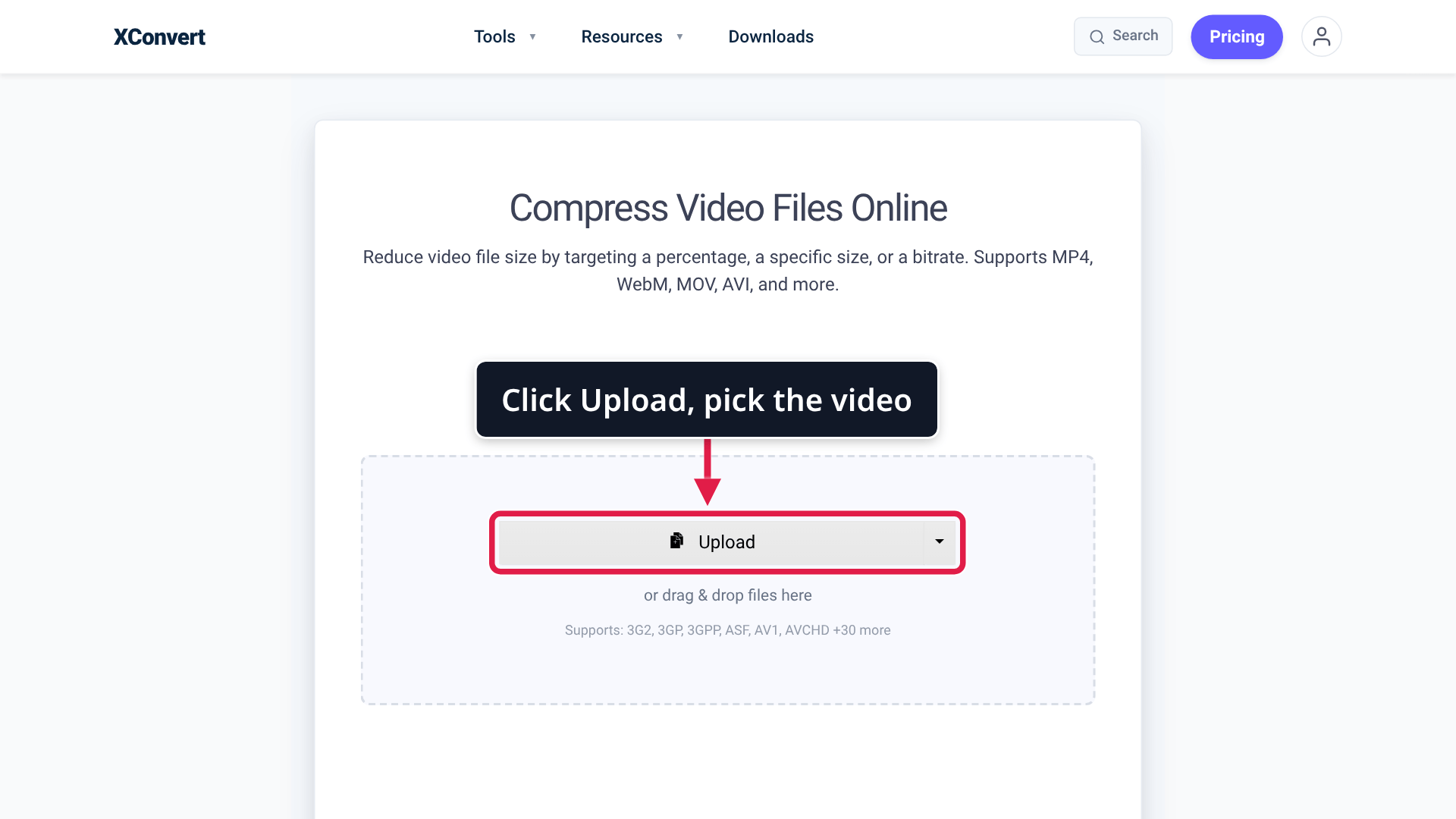
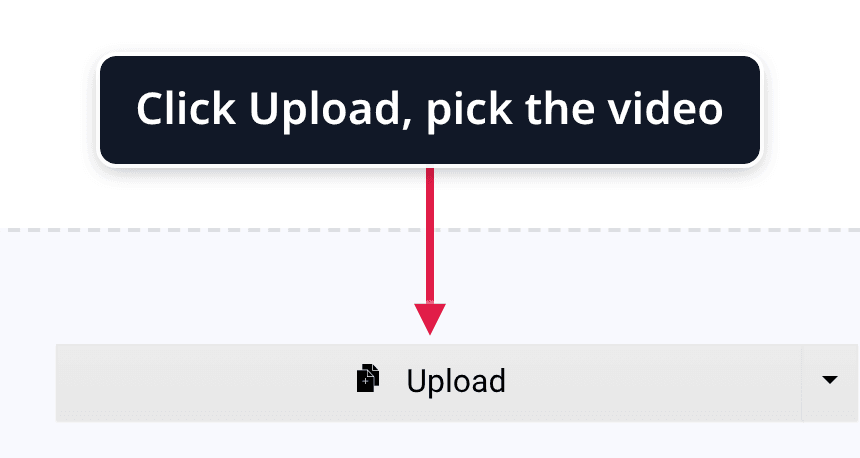
- On the video compressor, click Upload and pick the video.
- After a .mov upload, a box opens: “MOV File Upload Detected”. No returns an MP4, Yes a MOV. WhatsApp’s page lists both formats.
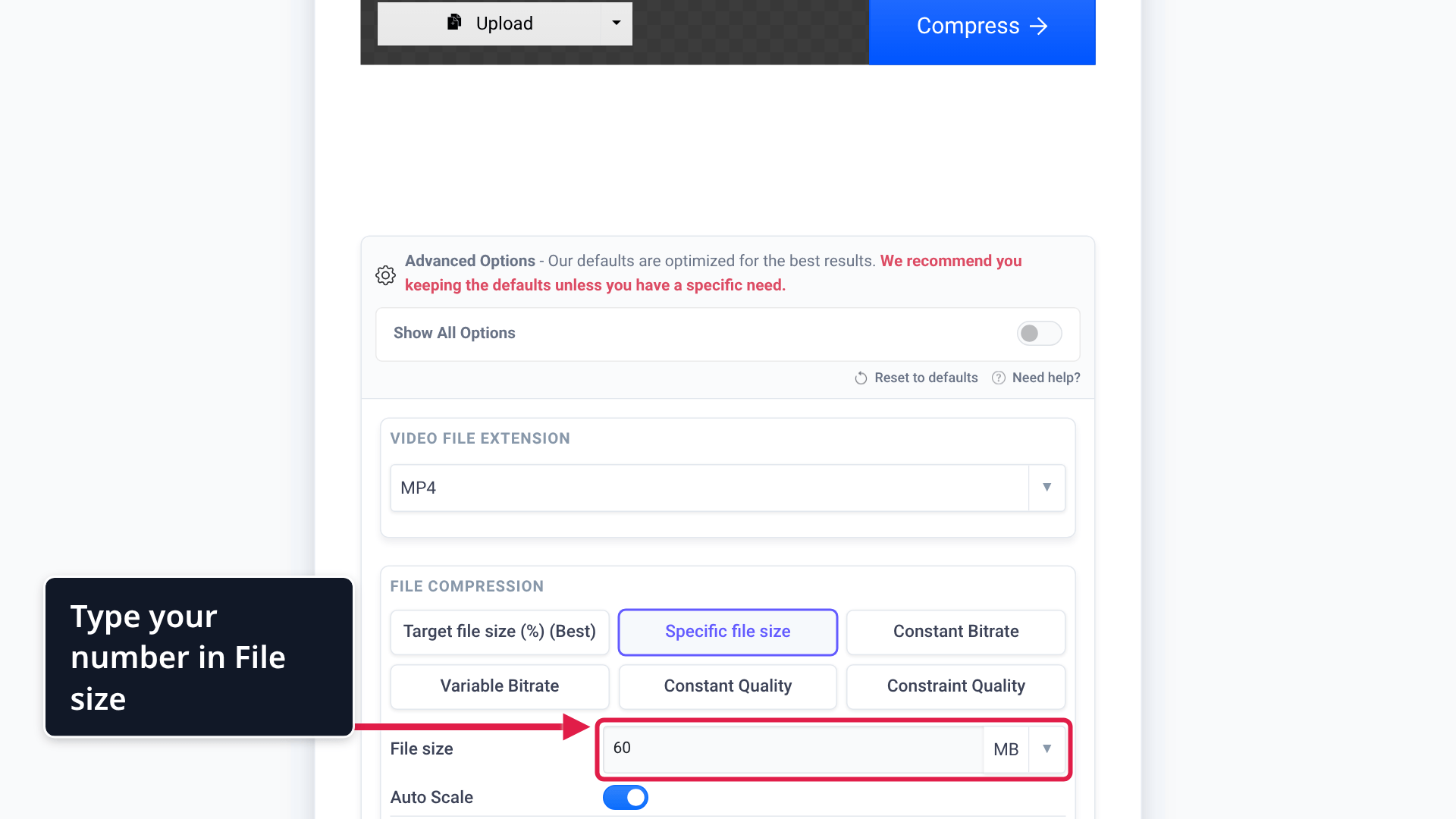
- Under FILE COMPRESSION, click Specific file size.
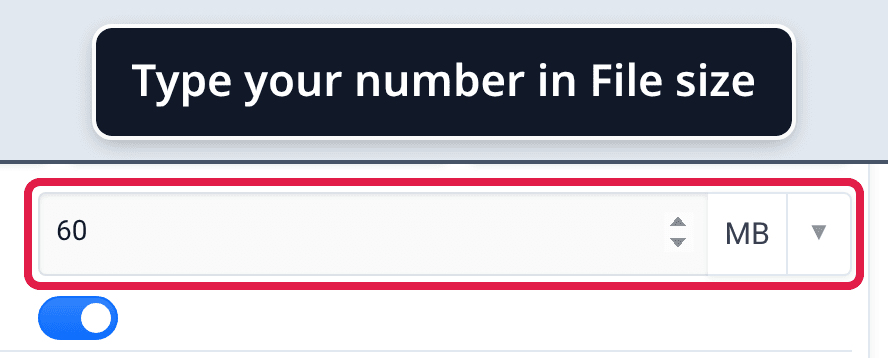
- In File size, which opens with 24 and MB, type your number: 60 for a 64 MB limit. Pictured: 60 typed over the 4.45 MB test clip; no job was run with it.
- Click Compress. On the downloads page, wait for “Completed”, read the line that begins “New size”, then click Download.
For an audio file, the audio compressor has the same Specific file size box; compress audio to 16 MB or 14 MB shows how to bring a recording under a size.
After a .wav upload, a box opens: “WAV File Upload Detected”. No keeps MP3 and Specific file size; Yes switches to WAV and shows Audio Codec in its place.
The PDF compressor has no size box.
Each file can be up to 400 MB without a paid plan. Files are processed on our servers, not in your browser, and are deleted automatically about 5 hours after they were written.
When our compressor is the wrong choice
- The video can go as a Document (see above). Our compressor always encodes video and audio again, and with Auto Scale on it may lower the width to 75 %.
- A business sends it through Meta’s API. Meta’s page says videos with the H.264 High profile and B-frames “are not supported by Android WhatsApp clients”. All four video results were High profile with B-frames, and the page has no control for either. Whether the WhatsApp app plays them was not tested.
What we could not confirm
- Anything on a phone. Nothing was sent. Which video figure a sender gets, what a “faster” connection is and what the app shows over the limit are not on the pages read.
- Which megabyte WhatsApp counts, 1,000,000 or 1,048,576 bytes. A result at or under 64,000,000 bytes is under the figure either way.
- How the results look or sound. Nobody judged them by eye or ear.
Sources
- WhatsApp Help Center: Can’t send longer videos, no date on the page: 64MB on all platforms, the two default limits by connection, trimming and Document, 2 GB for a document, 90 seconds for Status, the video formats. Read 2026-11-20.
- The same page as it stood earlier, read in the archive copies of 2023-10-01 (16 Megabytes) and 2024-02-22 (64MB, and 32MB on a slower connection). A copy’s date is the day the archive saved the page, not the day WhatsApp changed it. Read 2026-11-20.
- WhatsApp Help Center: How to send media, contacts, or location, Android, iPhone and Web tabs: a document of up to 2 GB, PDFs named among documents, up to 100 photos, “Audio” with no size, the default video limits, 90 seconds for Status. Read 2026-11-20.
- WhatsApp Help Center: About HD photos and videos: standard and HD quality; the page states no size. Read 2026-11-20.
- WhatsApp Help Center: About video notes: up to 60 seconds. Read 2026-11-20.
- WhatsApp Help Center: How to send voice messages: no length and no size for a voice message in a chat. Read 2026-11-20.
- WhatsApp Blog: Reactions, 2GB File Sharing, 512 Groups, May 5, 2022: files up to 2GB, the previous limit of 100MB. Read 2026-11-20.
- Meta for Developers: WhatsApp Business Platform, Media, “Updated: Oct 30, 2026”: the maximums for audio, video, documents and images, the sentence on the High profile and B-frames, error 131052. Read 2026-11-20.
- Our measurements: five jobs on xconvert.com on 2026-11-20, four on the video compressor and one on the audio compressor, with three files generated for the test, each under 5 MB; every result read from the file with ffprobe. Job counts: finished jobs of the video compressor (5,193) and the MP4 compressor (8,967) created from 21 October to 19 November 2026 (UTC) in Specific file size, with one upload and one result, a typed size below the upload, no trim and the original not returned.