 By Stephanie Taylor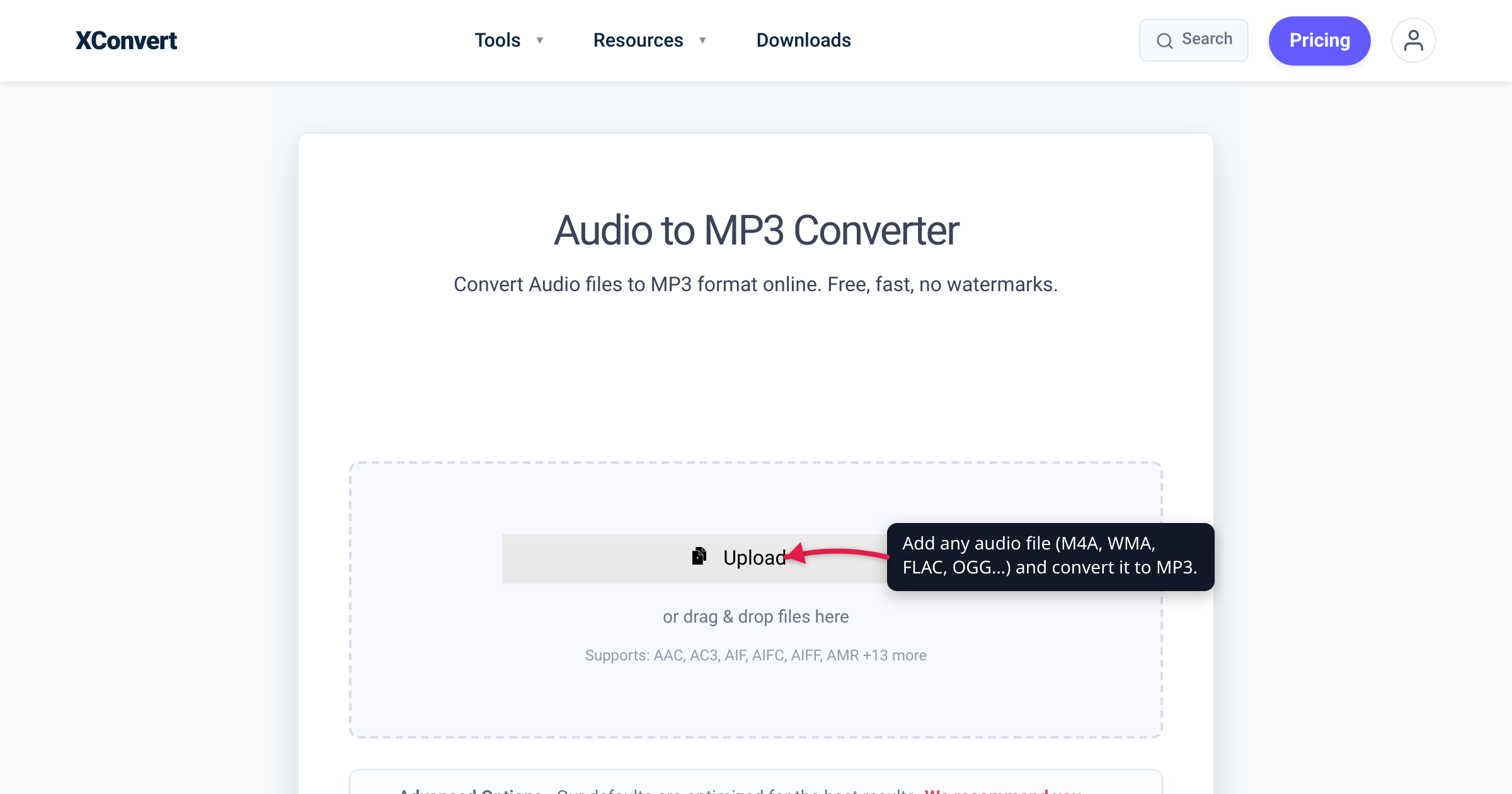
You exported a voice memo as .m4a, downloaded an album as .flac, saved a WhatsApp clip as .opus, and dug an old recording out of a .wma archive — and now you need all of them as plain MP3, to play in the car, on an old media player, or in software that refuses anything exotic. The good news: the source format barely changes the job. M4A, WMA, OGG, OPUS, FLAC, AIFF, AMR, and WAV all decode down to the same audio, and one recipe turns any of them into an MP3. What does matter is picking the right bitrate for your source. We verified the accepted formats, the MP3 spec limits, and the 2017 patent expiry against the live converter, the ISO/MPEG standard, and Fraunhofer IIS — MP3’s co-inventor.
Quick answer: Any common audio file — M4A, WMA, OGG, OPUS, FLAC, AIFF, AMR, WAV, and more — converts to MP3 the same way; the input format doesn’t change the steps. Drop it into an audio-to-MP3 converter. If the source is lossless (FLAC, WAV, AIFF), pick 256–320 kbps for a clean one-time conversion; if it’s already lossy (M4A, WMA, OGG, OPUS), match roughly its original bitrate — going higher can’t add back quality, it just makes a bigger file. MP3 tops out at 320 kbps and plays essentially everywhere. Don’t bother converting a file that’s already MP3, and keep your lossless originals for future re-converts.
Jump to a section
- The source format barely matters
- Why MP3 is still the universal target
- Match the bitrate to your source: lossless vs lossy
- When NOT to convert to MP3
- Convert any audio file to MP3 on xconvert
- FAQ
The source format barely matters
People search for “m4a to mp3”, “wma to mp3”, and “flac to mp3” as if each is a separate skill. It isn’t. Whatever the extension, an audio file is compressed (or uncompressed) sound wrapped in a container. Converting to MP3 means decoding whatever you have back to raw audio samples, then re-encoding those samples as MPEG-1 Audio Layer III — the format we call MP3. The decoder absorbs the difference between an M4A and a WMA; everything after that is identical.
So “how do I convert OPUS to MP3?” has the same answer as “how do I convert AIFF to MP3?”: use a converter that accepts your input. xconvert’s audio-to-MP3 tool lists its accepted inputs right on the page — AAC, AC3, AIF, AIFC, AIFF, AMR, AU, DSS, FLAC, M4A, M4B, OGA, OGG, Opus, VOC, WAV, WEBA, and WMA — and the steps below don’t change based on which one you upload. (It also accepts MP3 itself, which is only useful when you want to re-compress to a smaller size — more on that below.)
The one thing that genuinely differs between sources isn’t the steps — it’s the bitrate you should pick, and that depends on whether your source is lossless or already lossy. That one decision is worth getting right.
Why MP3 is still the universal target
Newer codecs beat MP3 on paper — AAC and Opus both sound better per kilobyte. So why is MP3 still the format people convert to? Two reasons: compatibility and the fact that it’s no longer encumbered.
It plays everywhere. caniuse puts MP3 support at roughly 96.9% of all tracked browser usage — every major browser, including mobile Safari on iOS and Chrome on Android. Beyond browsers, an MP3 decoder is baked into Windows, macOS, iOS, Android, virtually every car head unit, and every cheap standalone player ever made. When you don’t know what will open a file, MP3 is the safest bet there is.
It’s no longer licensed. MP3 — short for MPEG-1/2 Audio Layer III (ISO/IEC 11172-3 and 13818-3) — was developed at Fraunhofer IIS from the late 1980s. For years, shipping an MP3 encoder or decoder meant paying into a patent-licensing program, but on 23 April 2017 Fraunhofer terminated it because “the last of the core mp3 patents which were part of the licensing program by Fraunhofer and Technicolor, expired.” (The last relevant U.S. patent lapsed on 16 April 2017.) Fraunhofer notes this doesn’t automatically make every implementation royalty-free — but the core patents lapsing removed the last friction keeping MP3 from being built freely into everything.
The takeaway: convert to MP3 when universal, no-questions-asked playback matters more than the last few percent of quality-per-byte — which, for most “I just need this to play” jobs, is exactly the trade you want.
Match the bitrate to your source: lossless vs lossy
Here’s the one real decision in an audio-to-MP3 conversion. MP3 is a lossy format: it uses psychoacoustic modeling to discard sound it judges inaudible, permanently. How much you should spend on bitrate depends entirely on how much quality your source still has.
| Your source | Examples | What it is | Recommended MP3 setting |
|---|---|---|---|
| Lossless / uncompressed | FLAC, WAV, AIFF, AU, ALAC (.m4a) | Full quality — nothing discarded yet | 256–320 kbps (or the Highest preset). One clean, one-time lossy step. |
| Already lossy | M4A/AAC, WMA, OGG Vorbis, OPUS, MP3 | Data was already thrown away once | Match ~the source bitrate (often 128–256 kbps). Higher won’t restore quality — it just enlarges the file. |
| Speech / voice | AMR, voice-memo M4A, voice OPUS | Low-bandwidth spoken word | 96–128 kbps, and set the channel to MONO. |
Why you can’t “upgrade” a lossy file. Converting a pristine FLAC or WAV to a 320 kbps MP3 is one clean quality-reduction step — in blind listening tests, MP3 is already indistinguishable from the original for most listeners at roughly 160–224 kbps (per Hydrogenaudio’s testing summary), and 320 kbps leaves essentially no audible gap. But converting an already-lossy file — say a 128 kbps AAC .m4a — to a 320 kbps MP3 discards data a second time, on top of what AAC already removed. It’s like photocopying a photocopy: you get a bigger file, not a better one. Match a lossy source’s bitrate rather than inflating it.
CBR vs VBR. xconvert exposes both under File Compression:
- Constant Bitrate (CBR) uses the same bitrate for every second of audio. Predictable file size; the default choices include 128, 192, 256, and 320 kbps.
- Variable Bitrate (VBR) lets the rate rise and fall with the music. As the Variable-bitrate definition puts it, VBR “allocate[s] more bits to complex segments of media files while less space is allocated to less complex segments,” giving “a better quality-to-space ratio compared to a CBR file of the same data.” For music, VBR generally gets you the same quality in a smaller file.
If you don’t want to think about any of this, leave the Quality Preset on Highest and convert — it targets the best-quality result automatically. Just remember MP3’s ceiling is 320 kbps; there is no higher setting.
When NOT to convert to MP3
MP3 is the right answer surprisingly often, but not always:
- It’s already an MP3. Re-encoding MP3 → MP3 runs the lossy step again and shaves off a little quality every time, so don’t convert an MP3 to “improve” it. The only reason to re-encode one is to make it smaller — dropping 320 kbps to 128 kbps to fit an upload limit, say.
- You need a lossless archive. If a file is your master copy — something you’ll edit, remaster, or re-convert later — keep it as FLAC or WAV; MP3 permanently discards data it can’t get back, making it a poor source for future conversions. Convert a copy for everyday listening and keep the lossless original. (When you are ready, see convert FLAC to MP3 and convert WAV to MP3.)
- You want the smallest possible file at a given quality — especially for speech. AAC (inside
.m4a) and Opus both beat MP3 per kilobyte, so if your target device supports them and size is critical, they’re technically better. But if universal playback matters more than the last few percent — and for most people it does — MP3 still wins. For Apple’s AAC files specifically, convert M4A to MP3 covers the trade-offs.
Convert any audio file to MP3 on xconvert
The xconvert Audio to MP3 Converter accepts M4A, WMA, OGG, OPUS, FLAC, AIFF, WAV, AMR and a dozen more formats, so the same steps work whatever your source is:
- Open xconvert.com/convert-audio-to-mp3 and click Upload to add your file (from your computer, Google Drive, or Dropbox).
- Once the file is uploaded, the conversion options appear. Under File Compression, choose how to size the output: leave the Quality Preset on Highest for the best automatic result, pick Constant Bitrate or Variable Bitrate to set an exact rate, or choose Specific file size to hit a target size (handy for upload caps).
- If you chose a bitrate, pick one to match your source: 320 or 256 kbps for music from a lossless original, roughly the source rate for an already-lossy file, or 128 kbps for speech. The maximum is 320 kbps.
- Optional: set Audio Channel — leave it ORIGINAL, or switch to MONO to roughly halve the size of a voice recording. Leave Audio Sample Rate on ORIGINAL unless you specifically need to downsample (44,100 Hz is standard CD quality). Use Trim to keep just the part you need.
- Click Convert and save your MP3.
Your file uploads over an encrypted (TLS) connection; it is processed on our servers and deleted automatically a few hours later. There’s no sign-up, no watermark, and nothing is shared or made public.
FAQ
How do I convert an M4A, WMA, OPUS, or FLAC file to MP3?
The process is identical for all of them — and for OGG, AIFF, AMR, WAV, and more. Upload the file to an audio-to-MP3 converter, pick a bitrate (high — 256–320 kbps — for a lossless source; roughly the original rate for an already-compressed one), and convert. The source format only changes how the audio is decoded; the MP3 output is produced the same way regardless.
What bitrate should I convert to MP3 at?
For music from a lossless source (FLAC, WAV, AIFF), use 320 or 256 kbps, or just leave the Highest preset on. For a source that’s already lossy (M4A, WMA, OGG, OPUS), match roughly its original bitrate — going higher can’t restore quality, it only enlarges the file. For speech, 128 kbps in MONO is plenty. Listening tests suggest MP3 is transparent to most people around 160–224 kbps; 320 kbps is the maximum.
Does converting to MP3 lose quality?
Yes — MP3 is a lossy format, so it permanently discards some audio data. From a lossless source (FLAC, WAV) it’s a single clean step that most listeners can’t distinguish from the original at high bitrates. From an already-lossy source (like an AAC .m4a), you’re compressing already-compressed audio, which adds a little more loss — like copying a copy. That’s why you should keep lossless originals and avoid needlessly re-encoding.
Should I use Constant Bitrate (CBR) or Variable Bitrate (VBR)?
VBR for music, CBR when you need a predictable file size. VBR spends more bits on complex passages and fewer on quiet ones, giving a better quality-to-size ratio for the same average bitrate; CBR keeps the rate fixed, so the final size is easy to predict. xconvert offers both under File Compression.
Is MP3 still free to use, or does it need a license?
The core MP3 patents in the Fraunhofer/Technicolor licensing program expired in 2017, and that program was terminated on 23 April 2017. Fraunhofer notes this doesn’t automatically make every possible MP3 implementation royalty-free, but the core-patent expiry is a big reason MP3 is now built freely into virtually every device and browser.
Why convert to MP3 instead of keeping AAC, Opus, or FLAC?
For compatibility. AAC and Opus sound slightly better per kilobyte, and FLAC is lossless, but MP3 is the one format supported essentially everywhere — every major browser (about 96.9% of tracked usage), every phone, every car stereo, every old player. If you need a file that just plays, no matter what opens it, MP3 is the safest target. Keep the FLAC or AAC original for archiving or critical listening.
Sources
Last verified 2026-07-16.
- xconvert — Audio to MP3 Converter — accepted input formats (AAC, AIFF, AMR, FLAC, M4A, OGG, Opus, WAV, WMA, and more) and the real UI: Upload button, File Compression (Quality Preset / Specific file size / Constant Bitrate / Variable Bitrate), Audio Channel, Audio Sample Rate, Trim, Convert.
- Fraunhofer IIS — mp3 — MP3 was developed at Fraunhofer IIS from the late 1980s; the Technicolor/Fraunhofer mp3 licensing program was terminated on 23 April 2017.
- Fraunhofer Audio Blog — mp3 Software, Patents and Licenses — “the last of the core mp3 patents which were part of the licensing program by Fraunhofer and Technicolor, expired”; caveat that this doesn’t automatically make all mp3 technology license-free.
- Wikipedia — MP3 — MP3 = MPEG-1/2 Audio Layer III (ISO/IEC 11172-3:1993, ISO/IEC 13818-3:1995); lossy perceptual coding; MPEG-1 bitrates 32–320 kbit/s (max 320); sample rates 32/44.1/48 kHz (MPEG-2 adds 16/22.05/24; MPEG-2.5 adds 8/11.025/12); last U.S. patent (6,009,399) expired 16 April 2017.
- Hydrogenaudio Knowledgebase — MP3 — MP3 is a lossy format; listening tests show MP3 at 160–224 kbps is indistinguishable from the original in most cases; maximum bitrate 320 kbps.
- caniuse — MP3 audio format — MP3 is supported in all major browsers (Chrome, Edge, Firefox, Safari, iOS Safari, Chrome for Android), ~96.9% global support.
- Wikipedia — Variable bitrate — VBR allocates more bits to complex segments and fewer to simple ones, giving a better quality-to-space ratio than CBR of the same data.