 By James
You come back from a weekend with a card full of .RAF files, double-click one, and nothing happens. Windows Photos shrugs, the browser refuses, the client you promised pictures to is waiting. RAF is Fujifilm’s raw format, and it is the least widely supported of the big-brand raw files — not because it is exotic, but because the sensor underneath it is arranged differently from every other camera’s, and generic software has to be taught that arrangement before it can produce a picture at all.
Quick answer:
.RAFis Fujifilm’s raw file — Fujifilm’s own specifications list it as “RAW 14bit RAW (RAF original format)”. It holds unprocessed sensor data from an X-Trans colour filter array, whose 6 × 6 pattern needs a different demosaic algorithm from the 2 × 2 Bayer grid every other brand uses. To get a JPEG, upload it to RAF to JPEG and pick a Quality Preset. In our test on a 57 MB Fujifilm X-T30 file, the default Very High (Recommended) returned a 6246 × 4170 JPEG of 8.54 MB in 16 seconds — full sensor resolution, not the small preview embedded in the raw file.
Jump to a section
- What a RAF file actually contains
- Why X-Trans makes RAF different from CR2, NEF and ARW
- What we measured on a real X-T30 file
- Convert RAF to JPG on xconvert
- FAQ
What a RAF file actually contains
A RAF is not a picture. It is the sensor readout — one brightness value per photosite, before anything has been turned into red, green and blue pixels — plus the camera’s settings, a small embedded JPEG preview so the camera can show you something on the back screen, and metadata.
Fujifilm’s own camera specifications describe the still-image formats as “JPEG Exif Ver.2.32 / HEIF 4:2:2 10bit / RAW 14bit RAW (RAF original format) / TIFF 8bit / 16bit RGB (In-camera Raw Conversion Only)”. Two things follow from that line:
- 14 bits per channel, versus 8 in a JPEG. That extra headroom is the whole reason to shoot raw: highlights and shadows you can still pull back.
- RAF is Fujifilm’s own container, not a standard. It is not DNG, and it is not a TIFF variant you can open with generic tooling. Every piece of software that reads RAF has had to implement it.
RAF files also come in three flavours on recent bodies — Fujifilm’s spec sheets list Compressed RAW, Lossless Compressed RAW and Uncompressed RAW side by side in their burst-buffer figures — which is why two files from the same camera at the same resolution can differ enormously in size. Uncompressed is the big one.
Why X-Trans makes RAF different from CR2, NEF and ARW
Every colour sensor is monochrome underneath; colour comes from a filter mosaic glued over the pixels. Nearly all cameras use a Bayer array — a repeating 2 × 2 tile of red, green, green, blue. Fujifilm’s X-series bodies use X-Trans instead: Fujifilm describes the sensor as, for example, “23.5mm x 15.7mm (APS-C) X-Trans CMOS 5 HR with primary color filter”, and the pattern repeats over a much larger tile.
How much larger is not a matter of opinion. LibRaw — the raw-decoding library that a large share of photo software is built on — stores the Fujifilm mosaic as char xtrans[6][6], and its documentation labels colour-filter type 9 as “Fuji X-Trans (6×6 matrix)”. It also exposes a separate interpolate_xtrans_cb callback purely “for X-Trans demosaic”, alongside the ordinary Bayer one. In other words, at the level of the code that actually turns raw into pixels, X-Trans is a different algorithm, not a parameter.
That single design decision explains most of what people notice about Fujifilm raw files:
| Bayer brands (Canon CR2/CR3, Nikon NEF, Sony ARW) | Fujifilm RAF (X-Trans) | |
|---|---|---|
| Colour filter tile | 2 × 2 | 6 × 6 |
| Demosaic code path | The industry default, decades old | A separate implementation per decoder |
| Software support | Near-universal | Good in dedicated raw editors, more variable elsewhere |
| Typical consequence of a weak decoder | Mild colour artefacts | Smeared fine detail, most visible on foliage and fabric |
It is also why Fujifilm shooters get more mileage than most from double-checking a converted file at 100% before deleting the raws. If you are comparing formats across brands more broadly, camera RAW formats explained covers the whole set; the sibling guides for Canon CR2 and Sony ARW cover the Bayer side.
What we measured on a real X-T30 file
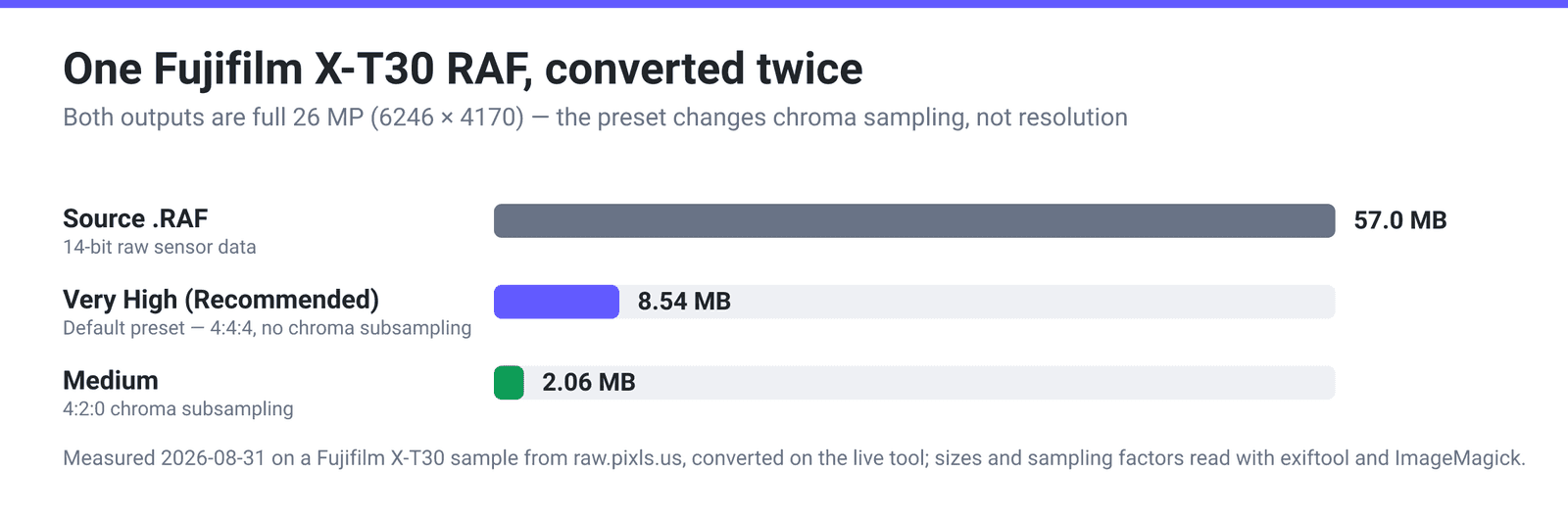
We ran a genuine Fujifilm X-T30 .RAF — a 57.0 MB frame shot on an XF35mmF2 R WR at f/7.1, 1/125, ISO 100 — through the live converter twice, once at the default quality preset and once at Medium, then inspected the results with exiftool and ImageMagick.
Source .RAF | Very High (Recommended) — the default | Medium | |
|---|---|---|---|
| File size | 57.0 MB | 8.54 MB | 2.06 MB |
| Pixel dimensions | 6384 × 4182 raw readout | 6246 × 4170 (26.0 MP) | 6246 × 4170 (26.0 MP) |
| Chroma sampling | — | 4:4:4 (no chroma subsampling) | 4:2:0 |
| Server time | — | 16 seconds | 25 seconds |
Three findings worth having:
The raw is genuinely demosaiced, not shortcut. The RAF carries an embedded preview of 4416 × 2944 — a common shortcut is to extract that and call it a conversion. The output came back at 6246 × 4170, well above the preview, so the full sensor data was processed.
The Quality Preset changes chroma resolution, not just compression. At the default the output carried no chroma subsampling at all (sampling factor 1×1,1×1,1×1 — 4:4:4), meaning full colour resolution on every pixel. At Medium it dropped to 4:2:0, which is standard JPEG behaviour and the main reason that file is a quarter of the size. If your subject has saturated fine detail — red text, coloured foliage — that difference is visible; on most photographs it is not.
Camera metadata does not survive. The source file carried the make, model, lens, aperture, shutter speed, ISO and capture date. The output JPEG carried orientation, resolution and the Exif version block, and none of the shooting data. If you need EXIF for a client, a catalogue, or a stock submission, keep the raw or export from a raw editor that writes it.
One honest caveat: this is one file, from one body, at one setting. Different Fujifilm models, and the compressed versus uncompressed RAF variants, will not land on the same numbers.
Convert RAF to JPG on xconvert
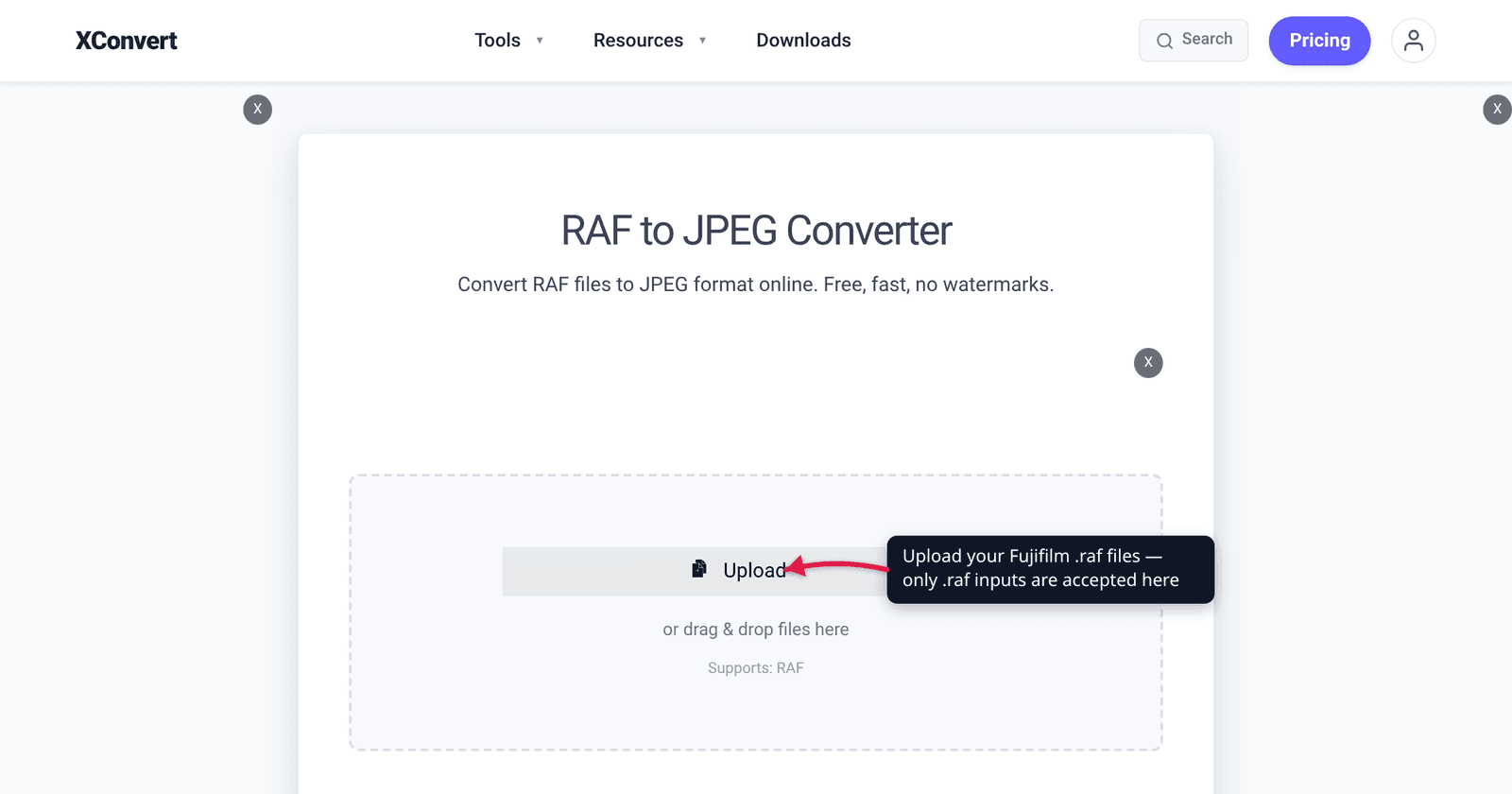
- Open xconvert.com/convert-raf-to-jpeg and click Upload, then From my Computer (Google Drive and Dropbox are in the same menu), or drag the files onto the page. Only
.rafinputs are accepted here. - Add as many files as you like — they queue and convert with the same settings. For a whole card, batch-converting RAW photos walks through the workflow.
- Open Advanced Options (the gear icon). Image Compression starts on Quality Preset → Very High (Recommended). Leave it there for delivery files; drop to High or Medium for web use, or switch to Specific file size and type a target in MB when you have a hard cap.
- Under Image resolution, Keep original is selected. Choose Preset Resolutions, a Resolution Percentage, or Width (Keep aspect ratio) if 26 megapixels is more than you need — resizing before compression saves far more than any preset change.
- In the File extension group, pick JPEG or JPG. It only changes the filename; the file is identical either way.
- Click Convert, then download. Expect tens of seconds per raw file — a raw conversion is real work, not a repackage.
Files upload over an encrypted connection, are converted on our servers, and are deleted automatically a few hours later. No account, no watermark.
FAQ
How do I open a RAF file without Lightroom?
Convert it. RAF is Fujifilm’s raw format and most general software will not display it, so the practical route is to produce a JPEG — either through a converter like RAF to JPEG, or in a free raw editor such as RawTherapee or darktable if you want to adjust exposure and colour first. Fujifilm also ships its own raw software, and every X-series body can do an in-camera raw conversion.
Will converting RAF to JPG lose quality?
Some, unavoidably. A RAF holds 14 bits per channel; a JPEG holds 8 and compresses lossily. What you lose is editing headroom rather than visible detail — a well-converted JPEG looks the same on screen but will not survive the same amount of highlight recovery or heavy grading. Keep the raws if you might re-edit.
What resolution do I get out?
The full sensor resolution, not the preview embedded in the raw. On our X-T30 test file the output was 6246 × 4170 — 26 megapixels — while the RAF’s embedded preview is only 4416 × 2944. If you want something smaller, set it deliberately under Image resolution rather than hoping the converter does it for you.
Does the JPEG keep my EXIF data?
Not on this route. In our test the shooting data — make, model, lens, aperture, shutter, ISO, capture date — was not carried into the output; only orientation and resolution survived. If EXIF matters for your workflow, export from a raw editor instead, or keep the RAF alongside the JPEG.
Why is Fujifilm raw support worse than Canon or Nikon?
Because X-Trans is a different sensor mosaic. Where Canon, Nikon and Sony use the standard 2 × 2 Bayer tile, Fujifilm uses a 6 × 6 X-Trans tile, which decoders have to implement as a separate algorithm — LibRaw literally exposes a distinct X-Trans demosaic entry point. Software that only implements Bayer well produces smeary detail on Fuji files, which is where the format’s reputation comes from.
Why are my RAF files different sizes from the same camera?
Because Fujifilm bodies offer more than one raw mode. Their specifications list Compressed RAW, Lossless Compressed RAW and Uncompressed RAW as separate options, and uncompressed files are substantially larger for the same picture. Check the raw recording setting in the camera menu if the sizes surprise you.
Sources
Last verified 2026-08-31.
- Fujifilm — X-T5 specifications — “X-Trans CMOS 5 HR with primary color filter”; still-image formats including “RAW 14bit RAW (RAF original format)”; Compressed / Lossless Compressed / Uncompressed RAW listed as distinct modes.
- LibRaw — API data structures — colour-filter type “9 – Fuji X-Trans (6×6 matrix)”, the
xtrans[6][6]mosaic arrays, and the separateinterpolate_xtrans_cbdemosaic callback. - raw.pixls.us — source of the Fujifilm X-T30 sample RAF used for the measurements above.
- Our own measurements, 2026-08-31: a 57.0 MB X-T30 RAF converted on the live tool produced 6246 × 4170 JPEGs of 8.54 MB (Very High, 4:4:4) and 2.06 MB (Medium, 4:2:0); dimensions and sampling factors read with exiftool and ImageMagick.