 By James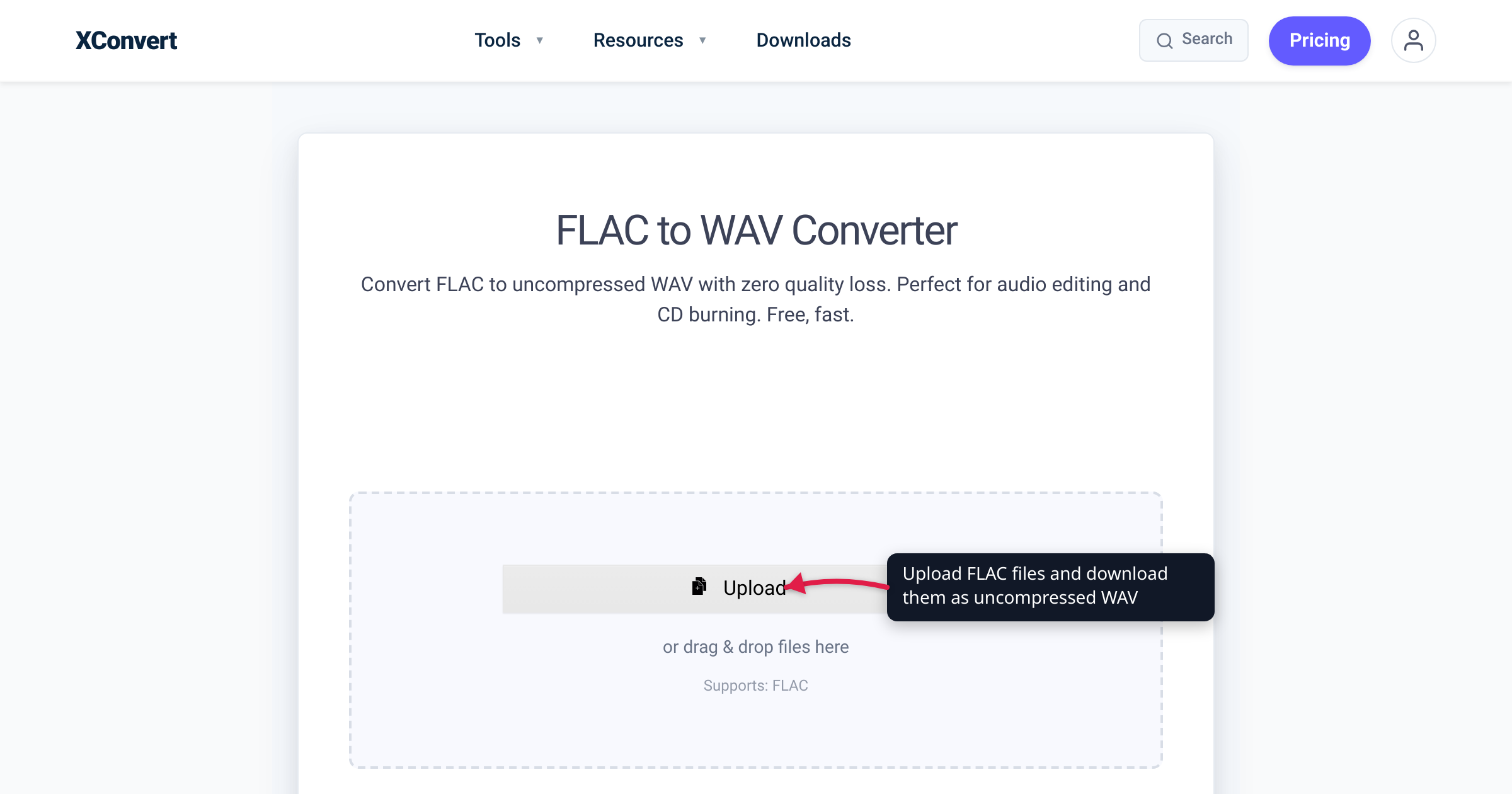
Rip the same album twice — once to WAV, once to FLAC — and you get one folder around 600 MB and one closer to half that, and both decode to the exact same audio samples. Not “close enough”: bit-for-bit identical PCM, which is the entire point of a lossless codec. So the FLAC-vs-WAV decision is never about sound quality — it’s about four practical things: file size, tagging, built-in corruption checks, and what your hardware and software actually accept. We verified the lossless mechanics against Xiph.Org and the FLAC spec (RFC 9639), the size figures against the codec comparison xiph.org itself points to, and the gear claims against AlphaTheta (Pioneer DJ) and Avid’s own documentation.
Quick answer: FLAC and WAV sound identical — both hold lossless PCM audio, and FLAC decompresses to a bit-for-bit copy of the original samples (“without any loss in quality… similar to how Zip works,” per Xiph.Org). Choose by workflow instead. FLAC for storing and listening: files are typically 50–70% of WAV size (about 52% on a CD-audio test corpus), with real tags, embedded artwork, and built-in MD5/CRC integrity checks. WAV for producing and performing: every DAW, CD burner, and every generation of DJ hardware accepts it, with no decode step. Rule of thumb: store in FLAC, hand gear WAV — and because both are lossless, converting between them costs nothing in quality.
Jump to a section
- What the two formats actually are
- File size: the one everyday difference
- Tags, artwork, and archival safety: FLAC’s quiet wins
- Compatibility: where WAV still earns its size
- The decision framework
- Convert FLAC to WAV (or back) on xconvert
- FAQ
What the two formats actually are
Both formats carry PCM audio — the same stream of sample values. They just package it differently:
- WAV is Microsoft/IBM’s RIFF container, and its dominant payload is uncompressed LPCM — the same coding audio CDs use. The samples sit in the file as-is: a header, then raw audio. That simplicity is why everything reads it, with one structural quirk: the size field in the RIFF header is 32-bit, so a WAV file cannot exceed 4 GiB — about 6.8 hours of CD-quality stereo.
- FLAC (Free Lossless Audio Codec) is Xiph.Org’s open format, now standardized by the IETF as RFC 9639. It compresses the same PCM losslessly — in Xiph’s own words, “audio is compressed in FLAC without any loss in quality. This is similar to how Zip works.” Decoding reconstructs the original samples exactly.
The round trip proves it. The Xiph FAQ describes decoding a FLAC to WAV and re-encoding it: “The audio data in the two WAVE files will be identical.” There is no “warmer” or “fuller” format here — only the same numbers stored two ways. (Weighing lossy MP3 too? See MP3 vs WAV vs FLAC.)
File size: the one everyday difference
Uncompressed CD-quality stereo has a fixed cost: 44,100 samples/s × 16 bits × 2 channels = 1,411,200 bits per second, or roughly 10.6 MB per minute — that’s a constant, not a measurement. WAV pays it in full. FLAC doesn’t: Wikipedia’s summary of the codec puts typical FLAC output at 50–70% of the original size, and the lossless-codec comparison xiph.org now points to (Hydrogenaudio’s, built on a CD-audio test corpus) measures FLAC at about 52% of original size at default settings.
At CD quality, that works out to (sizes derived from the bitrate constant, FLAC at the typical 50–70%):
| Audio | WAV (uncompressed) | FLAC (typical) |
|---|---|---|
| 1 minute | ~10.6 MB | ~5–7 MB |
| 3.5-minute track | ~37 MB | ~19–26 MB |
| 60-minute album | ~635 MB | ~320–445 MB |
| 1,000-track library | ~37 GB | ~19–26 GB |
Hi-res audio scales the same way, just bigger: 24-bit/96 kHz stereo WAV runs about 35 MB per minute, and FLAC takes the same proportional bite out of it.
Two caveats. The ratio is content-dependent — the Xiph FAQ notes the encoded bitrate is “roughly proportional to the amount of information in the original signal” (near 100% for noise, near zero for silence), so dense modern masters compress worse than quiet acoustic recordings. And 50–70% is the lossless floor: FLAC is already compressed, so there’s no squeezing it much further — Is FLAC already compressed? covers why.
Tags, artwork, and archival safety: FLAC’s quiet wins
Tagging. FLAC has a first-class tag system: Vorbis comments (“FLAC has its own native tagging system which is identical to that of Vorbis,” per the Xiph FAQ) — UTF-8 fields like ARTIST, ALBUM, and TITLE — plus a dedicated PICTURE metadata block for embedded cover art, defined right in RFC 9639. WAV’s metadata is a retrofit: a RIFF INFO chunk exists, but it was never clearly pinned down in the formal specification and “applications may not necessarily use this extra information”; some tools write ID3 tags into extra chunks instead, which players may or may not read. The everyday symptom: a WAV library showing filenames instead of titles, missing artwork, and tags that vanish when files move between apps.
Integrity. Per RFC 9639, every FLAC file’s streaminfo block stores an “MD5 checksum of the unencoded audio data” — which “allows the decoder to determine if an error exists in the audio data even when, despite the error, the bitstream itself is valid” — and every audio frame carries its own CRC-8 and CRC-16 on top. A FLAC file can tell you it has been corrupted. A classic WAV has no checksum at all; bit rot on a backup drive stays silent until you hear the click. For files that will sit on disks for a decade, a format that is half the size and self-verifying is a strong default.
Compatibility: where WAV still earns its size
WAV’s virtue is that it is the lowest common denominator — raw PCM in the container everything was built around:
- DJ hardware. Every generation of club gear plays WAV; FLAC is comparatively recent. AlphaTheta (Pioneer DJ) documents the CDJ-2000NXS2 playing WAV, AIFF, FLAC, and Apple Lossless up to 96 kHz/24-bit and the CDJ-3000 the same set — but the XDJ-XZ only gained FLAC in a firmware update (ver. 1.10), and players before the NXS2 generation predate FLAC support entirely (Pioneer’s advice for those units: bring WAV or AIFF). Loading a USB for an unknown booth? WAV plays on whatever is up there.
- DAWs and pro audio. WAV (as Broadcast Wave) is a native Pro Tools session format; FLAC doesn’t appear anywhere in Avid’s supported file-type list. Plenty of other DAWs and editors do open FLAC — but WAV is the one you never have to check, which is also why “send me WAVs” remains the standing instruction from mastering engineers and collaborators.
- No decode step. A WAV is the samples; an editor or hardware sampler reads them directly. FLAC must be decoded to PCM first — computationally trivial on any modern machine, but it’s one more step, and it’s why minimal firmware and older hardware shipped WAV-only.
- CD burning. Audio CDs store LPCM — the exact coding a standard WAV holds — so burning tools accept WAV (or AIFF) directly; a FLAC gets decoded on the way in.
To be fair: outside legacy and pro-audio contexts, FLAC support is broad — Xiph maintains a long list of players, car stereos, and home gear that handle it natively. The gap is older and professional equipment, not modern listening devices.
The decision framework
| FLAC | WAV | |
|---|---|---|
| Sound quality | Identical (lossless PCM) | Identical (lossless PCM) |
| Size at CD quality | ~50–70% (~5–7 MB/min) | 100% (~10.6 MB/min) |
| Tags & artwork | Native Vorbis comments + PICTURE block | INFO chunk — inconsistently supported |
| Corruption detection | MD5 checksum + per-frame CRCs | None |
| File-size ceiling | No RIFF 4 GiB limit | 4 GiB (~6.8 h CD-quality) |
| DJ gear | NXS2-era and newer | Every generation |
| DAWs | Varies — absent from Pro Tools’ format list | Universal; Pro Tools session format |
| CD burning | Decoded first | Accepted directly |
| Best for | Library, archive, everyday listening | Sessions, mastering handoffs, DJ USBs, legacy gear |
Choose FLAC when: you’re building or archiving a music library; storage or bandwidth matters; you want tags and artwork that survive; recordings run long (WAV’s 4 GiB cap is real); or you want corruption to be detectable years later.
Choose WAV when: the file feeds a DAW session or goes to a collaborator or mastering engineer; the USB is headed for a DJ booth you don’t control; the target is a hardware sampler, older player, or CD burner; or a tool simply refuses FLAC.
Rule of thumb: store in FLAC, hand gear WAV. Both are lossless, so converting in either direction has zero quality cost — keep one FLAC master library and generate WAVs on demand. WAV-to-FLAC buys back the space; FLAC-to-WAV buys the compatibility.
Convert FLAC to WAV (or back) on xconvert
When a deck, DAW, or burner wants WAV, the xconvert FLAC to WAV converter does the lossless unpack for you — nothing to install, and the conversion runs on our servers:
- Open xconvert.com/convert-flac-to-wav and click Add Files — from your computer, Google Drive, or Dropbox, or just drag and drop. You can queue a whole batch.
- Leave Audio Channel and Audio Sample Rate on ORIGINAL so the WAV contains exactly the samples your FLAC holds. (Advanced Options — the gear icon — and a Trim control are there if you need them; the defaults are already optimized.)
- Click Convert.
- Download each WAV individually, or grab the whole batch as a ZIP.
Going the other direction — shrinking a WAV folder into tagged, checksummed FLAC — is the same flow through the WAV to FLAC converter. Either way the audio is preserved exactly; your file is processed on our servers and deleted automatically a few hours later.
FAQ
Is FLAC as good as WAV?
Yes — the audio is identical. Both are lossless PCM; FLAC decompresses to a bit-for-bit copy of the original samples (Xiph.Org: compressed “without any loss in quality”). The differences are practical — size, tagging, checksums, device support — not sonic.
Can you hear the difference between FLAC and WAV?
No. Both formats deliver the same decoded PCM samples to your DAC, so there is nothing different to hear. Reports of a difference come down to playback-chain variables or expectation bias, not the formats — the underlying numbers are identical.
Why do DJs use WAV instead of FLAC?
Hardware history. Every generation of CDJ plays WAV, while FLAC only arrived with the CDJ-2000NXS2 era — and some gear needed a firmware update to get it (AlphaTheta documents the XDJ-XZ gaining FLAC playback in ver. 1.10). A USB full of WAVs plays in any booth; a USB full of FLACs gambles on the booth being current. Many DJs store FLAC at home and export WAV for gigs.
Why is WAV so much bigger than FLAC if the quality is the same?
WAV stores every sample raw — CD-quality stereo costs a fixed ~10.6 MB per minute. FLAC finds and encodes the redundancy in that signal (like a ZIP built for audio), typically landing at 50–70% of the original size, then restores the samples exactly on playback. Same information, tighter packing.
Should I archive my music in FLAC or WAV?
FLAC. You get roughly half the storage cost, tags and artwork that survive moves between apps, and — per the FLAC spec — a built-in MD5 checksum plus per-frame CRCs, so silent corruption is detectable. WAV offers none of that and caps out at 4 GiB per file. Since conversion is lossless, you can always produce a WAV from the FLAC master when a tool demands one.
Does converting FLAC to WAV improve sound quality?
No. Decoding a FLAC produces exactly the samples that were already in it — the WAV is just a bigger container for the same audio. Convert for compatibility (older CDJs, Pro Tools, CD burning), never for quality.
Sources
Last verified 2026-07-16.
- Xiph.Org — FLAC: Free Lossless Audio Codec — “audio is compressed in FLAC without any loss in quality. This is similar to how Zip works”; supported-devices breadth.
- Xiph.Org — FLAC FAQ — round-trip identity (“The audio data in the two WAVE files will be identical”); FLAC tags = Vorbis comments; bitrate “roughly proportional to the amount of information in the original signal.”
- RFC 9639 — Free Lossless Audio Codec (IETF) — streaminfo “MD5 checksum of the unencoded audio data” and error-detection wording; frame CRC-8/CRC-16; Vorbis comment and Picture metadata blocks.
- Wikipedia — FLAC — “typically … reduced to between 50 and 70 percent of its original size”; decompresses to an identical copy.
- Hydrogenaudio — Lossless comparison — FLAC ≈52% of original at default settings on a CD-audio corpus; the comparison xiph.org now points to after retiring its own.
- Wikipedia — WAV — LPCM as the audio-CD coding; 4 GiB / ~6.8-hour limit from the 32-bit RIFF size field; INFO-chunk metadata inconsistencies.
- AlphaTheta support — CDJ-2000NXS2 high-resolution formats — WAV, AIFF, FLAC, Apple Lossless at up to 96 kHz/24-bit.
- AlphaTheta support — XDJ-XZ: Can I play FLAC files? — “FLAC file playback is supported from firmware ver. 1.10.”
- Pioneer DJ — CDJ-3000 announcement — supported lossless formats WAV/AIFF/FLAC/ALAC plus MP3/AAC.
- Avid Knowledge Base — Pro Tools audio file type and session support — WAV/AIFF as session formats; FLAC absent from the supported-format list.
- xconvert — FLAC to WAV converter — funnel tool; UI labels (Add Files, Audio Channel/Sample Rate ORIGINAL, Advanced Options, Trim, Convert, ZIP batch download).